How to Handle Browser Automation Session Persistence 2026

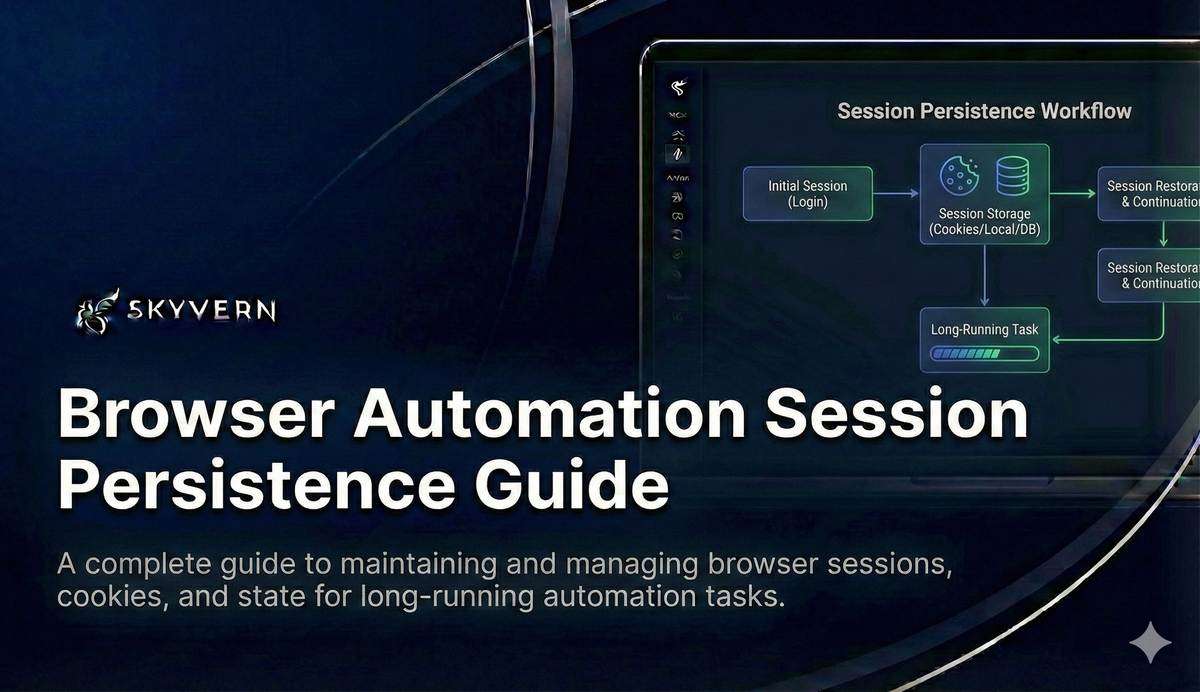
You've probably experienced the frustration of browser automation scripts that work perfectly until they don't. Your carefully crafted workflows break when sessions expire, forcing you to rebuild authentication flows and debug cookie management issues that shouldn't exist in the first place. The traditional approach of manually handling session persistence creates more problems than it solves, with brittle scripts that require constant maintenance every time a website updates its authentication flow. Fortunately, modern browser automation session management solutions can eliminate this complexity entirely, letting you focus on building workflows instead of fighting with session storage. This is the class of problem Agentic Process Automation (APA) platforms are built for: where browser execution is the mechanism, but autonomous multi-step operation, exception handling, and audit trails are the actual product. Skyvern's APA platform handles the full stack, so session persistence becomes a solved problem, not a recurring maintenance burden.
TLDR:
- Session persistence can reduce automation runtime by up to 70% by removing re-authentication steps
- Proper cookie management can prevent up to 85% of authentication failures in enterprise workflows
- Headless browsers can cut resource usage by up to 60% while maintaining full session features
- Traditional tools like Selenium require complex manual scripting for session management
- Skyvern automates session persistence with LLM-powered browser automation and enterprise security
Understanding Browser Automation Session Persistence
Browser automation session persistence refers to maintaining browser state, cookies, and authentication data across multiple automation runs. Instead of starting fresh each time, your automation scripts can pick up where they left off.
This feature changes how automation workflows operate. Without session persistence, every automation run requires complete re-authentication, triggering security measures like CAPTCHAs and two-factor authentication prompts.
Session persistence reduces automation runtime by up to 70% by removing redundant authentication steps and maintaining existing browser trust signals.
Traditional automation tools like Selenium struggle with session management because they rely on brittle, predetermined scripts. The agentic vs. traditional RPA distinction matters here: when a session expires or a website layout changes, script-based tools break entirely while agentic approaches re-read the page state at runtime and adapt.
Headless browser testing has become important for enterprise workflows, but maintaining sessions across headless instances presents unique challenges. The browser runs without a visible interface, making session debugging more complex.
Skyvern is an Agentic Process Automation (APA) platform where browser automation serves as the execution layer for portal-heavy, credential-guarded workflows. The browser layer (visual page reading, self-healing navigation, LLM-driven action planning) is how Skyvern operates portals that have no API. The platform layer is what makes it production-grade: credential management, audit trails, exception escalation, and workflow scheduling that holds up across months of portal changes without a developer on call. Unlike traditional tools that break when websites update their authentication flows, Skyvern's AI-driven approach handles session management dynamically, maintaining strong session persistence across complex, multi-step workflows without requiring custom scripting or constant maintenance.
The benefits extend beyond convenience. Persistent sessions allow for complex, multi-step workflows that span hours or days. Your automation can pause, resume, and continue working across different browser instances without losing progress.
For enterprise automation, session persistence is non-negotiable. Do you want to own the maintenance problem every time a portal changes its login page, or do you want a platform that handles it for you?
Cookie Management in Browser Automation
Cookies serve as the backbone of browser automation session persistence, storing authentication tokens, session identifiers, and user preferences that maintain your automated workflows across multiple runs.
HTTP cookies come in two primary types: session cookies that expire when the browser closes, and persistent cookies that remain stored for specified durations. Understanding this distinction is important for automation planning.
Session cookies handle temporary authentication states, while persistent cookies store long-term user preferences and "remember me" tokens. Your automation strategy must account for both types to maintain reliable session continuity.
Traditional tools each handle session management differently, and none make it easy. Selenium requires manual cookie extraction and injection — you must programmatically save cookies after authentication, then reload them before subsequent runs. Playwright offers a built-in storageState API that captures cookies and local storage, but you still own the save/restore lifecycle and any token refresh logic. Puppeteer has no native session persistence at all, leaving teams to build their own profile directory management from scratch. Across all three, every website update to authentication flows means revisiting your session scripts. These approaches introduce multiple failure points and require constant maintenance.
Tool | Session Persistence | Cookie Handling | Token Refresh | Portal Change Recovery |
|---|---|---|---|---|
Selenium | Manual — custom save/restore scripts required | Programmatic extraction and injection | Manual scripting per site | Scripts break; full rewrite needed |
Playwright | Built-in | Captured with local storage snapshot | Manual — you write refresh logic | Scripts break; session scripts need updates |
Puppeteer | None native — profile directory management from scratch | No native persistence layer | Manual scripting per site | Scripts break; full rewrite needed |
Skyvern (APA) | Automatic — platform manages state across runs | Native cookie management, no custom scripts | Handled automatically by the platform | LLM re-reads page state at runtime; self-healing |
Tool | Cookie/Session Persistence | 2FA Handling | Vault Integration | Self-Healing on Portal Changes |
|---|---|---|---|---|
Selenium | Manual extraction and injection per run | Custom scripting required | None built-in | No |
Playwright |
| Custom scripting required | None built-in | No |
Puppeteer | No native persistence; custom profile directory management | Custom scripting required | None built-in | No |
Skyvern (APA) | Automatic across all runs; | 4 methods: TOTP, email, webhook, one-time link | Azure Key Vault, Bitwarden, 1Password, custom API | Yes — LLM re-reads page state at runtime |
Proper cookie management can reduce authentication failures by up to 85% in enterprise automation workflows, based on observed patterns across portal-heavy deployments.
Selenium cookie handling involves complex scripting to capture, store, and restore cookie data. When websites update their authentication mechanisms, these scripts break entirely.
Skyvern gets rid of this complexity through native cookie management. The system automatically handles cookie persistence across browser instances without requiring custom scripting or manual intervention.
Security considerations include encrypting stored cookies, implementing proper access controls, and regularly rotating authentication tokens. Exposed cookies can compromise entire automation workflows and create security vulnerabilities.
For enterprise deployments, centralized cookie storage allows team-wide session sharing while maintaining security boundaries through proper access management. If your team is still writing custom cookie-save scripts for every new portal, how much of that time is actually building automation versus keeping it alive?
Authentication and Session Storage Strategies
Browser automation authentication extends beyond cookies to include session storage, local storage, and token-based systems. Each storage mechanism serves different purposes and requires specific handling strategies.
Session storage maintains data only during the browser session, making it ideal for temporary authentication tokens. Local storage persists across browser restarts, storing longer-term authentication data like refresh tokens and user preferences.
Token-based authentication presents unique challenges. OAuth flows require capturing authorization codes, exchanging them for access tokens, and managing token refresh cycles. Traditional automation tools struggle with these changing authentication patterns.
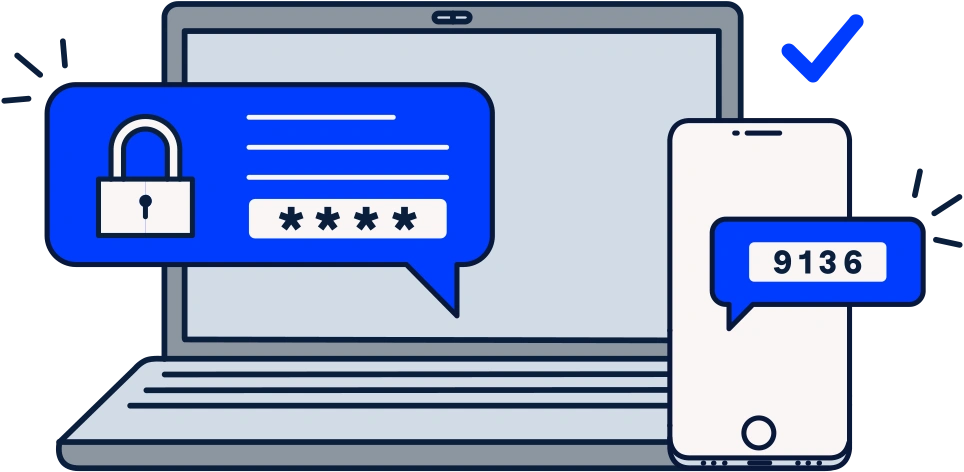
Two-factor authentication adds another complexity layer. SMS codes, authenticator apps, and email verification require real-time interaction that breaks traditional automation flows.
Modern web applications use up to five different authentication storage mechanisms simultaneously, creating complex session management requirements.
Test automation frameworks must handle authentication state across multiple browser contexts while maintaining security boundaries between different user sessions.
Skyvern's credentialing system removes this complexity through native authentication handling. The system manages 2FA challenges and token refresh cycles automatically, with four distinct methods for handling TOTP and verification codes: Google Authenticator (TOTP), email verification, webhook-based code delivery from your own server, and one-time login links. Credentials are never sent to the LLM, keeping sensitive data out of the inference layer entirely.
Enterprise security requirements often call for centralized credential storage and third-party vault integration. Skyvern supports Azure Key Vault, Bitwarden (including self-hosted vaultwarden via the Bitwarden CLI bridge), 1Password, and a custom credential service API for organizations that need to connect their own credential infrastructure. None of these integrations expose secrets to automation scripts or LLM prompts.
Session Persistence Across Browser Instances
Maintaining session state across browser restarts requires careful coordination of user data directories, storage serialization, and profile management. When browser instances terminate, all in-memory session data disappears unless properly preserved.
User data directories serve as the primary persistence mechanism. These directories store cookies, local storage, session storage, and browser preferences in a structured format that survives browser restarts.
Browser persistence management involves creating dedicated profile directories for each automation workflow. This approach isolates sessions while allowing reliable state restoration across multiple runs.
Traditional tools require manual profile management. You must specify custom user data directories, handle profile cleanup, and manage storage conflicts when multiple automation instances run simultaneously.
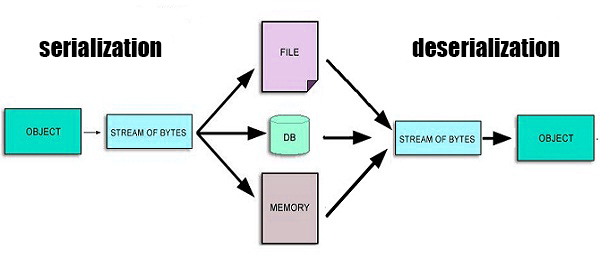
Session state serialization can reduce automation setup time by up to 90% compared to fresh authentication on every run, depending on workflow complexity and portal authentication requirements.
Storage state serialization captures the complete browser context, including authentication tokens, form data, and navigation history. This complete approach maintains session continuity but increases storage requirements.
Authentication persistence strategies vary based on application architecture. Single-page applications rely heavily on local storage, while traditional web apps depend more on server-side sessions.
Skyvern's browser session management eliminates manual profile handling through automatic state preservation. The system manages user data directories, handles storage conflicts, and provides smooth session restoration without custom scripting.
Teams that prefer a code-first approach can manage browser sessions directly through the Python SDK. Creating, reusing, and closing sessions is a few lines of code, and browser profiles captured from completed workflow runs can be passed into future runs via browser_profile_id, so the authenticated state from a login workflow carries forward to every downstream task without re-authenticating. This lets engineering teams version-control their session persistence logic alongside the rest of their codebase, instead of relying on UI-only configuration.
Common browser automation mistakes include improper session cleanup and profile conflicts that corrupt stored authentication data.
Headless Browser Session Management
Headless browser environments present unique session management challenges since you can't visually inspect authentication flows or debug session issues through traditional browser interfaces. Session persistence becomes critical when visual feedback disappears.
Headless Chromium session management requires programmatic approaches to handle cookies, storage, and authentication state. Without visual cues, detecting session expiration or authentication failures becomes much more complex.
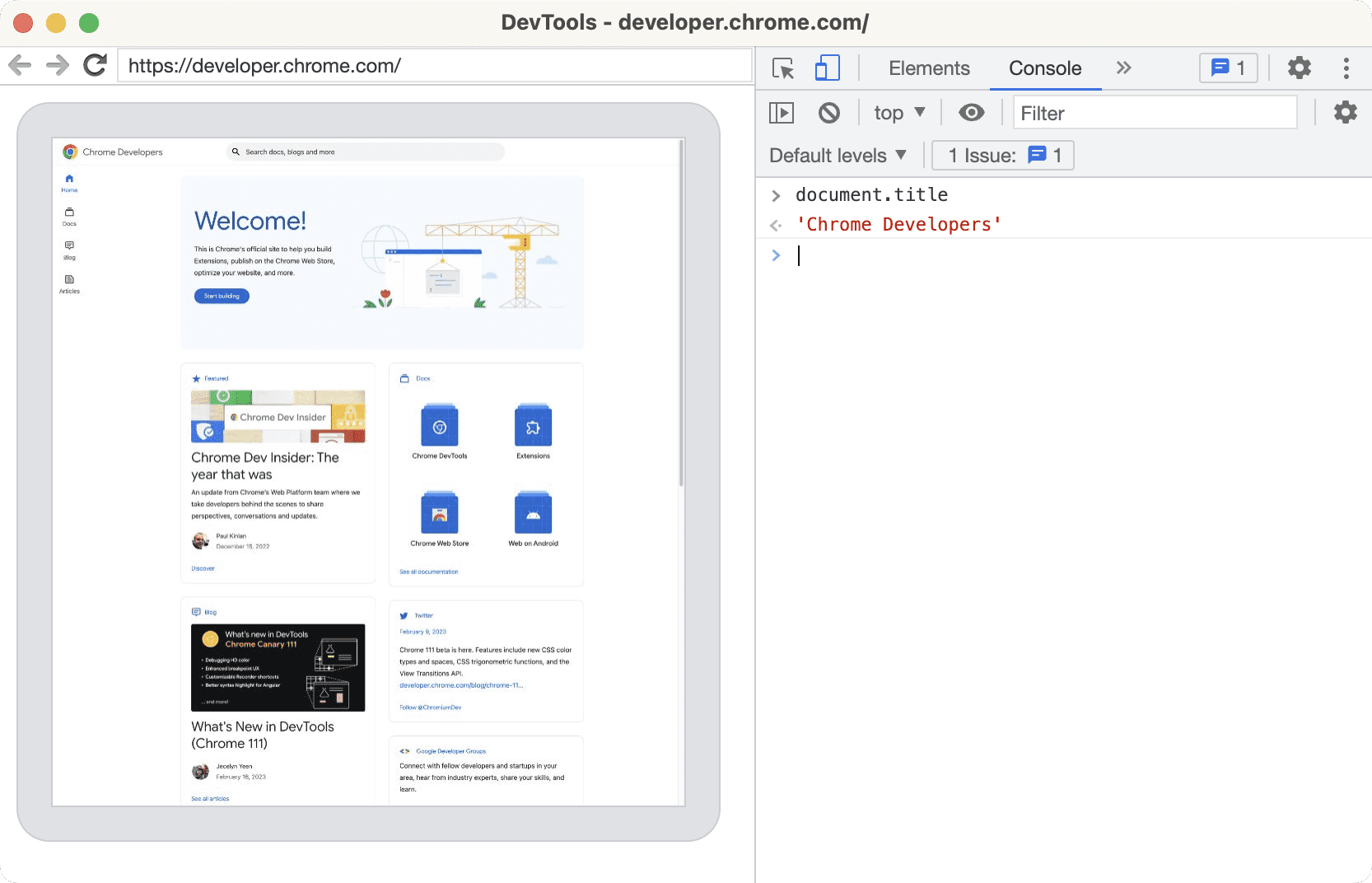
Detection avoidance adds another layer of complexity. Headless browsers often trigger anti-bot systems that invalidate sessions more aggressively than regular browser usage. Your session management must account for these heightened security measures.
Skyvern has deployed a Microsoft Edge stealth browser configuration to improve success rates on anti-bot protected sites. In production, this configuration reduced CAPTCHA hit rates from approximately 7% to sub-1%, giving headless workflows better stealth characteristics against advanced bot-detection systems. For sessions running on high-security portals, this infrastructure-level improvement reduces the risk of session invalidation mid-workflow — a failure mode that is difficult to detect without visual feedback in headless environments.
Performance optimization becomes important in headless environments. Session data serialization and restoration must happen efficiently to avoid bottlenecks in automated workflows running at scale.
Headless browser automation can reduce resource consumption by up to 60% while maintaining full session management features.
Browser session reliability depends on strong error handling and session validation. You need programmatic methods to verify session health without visual confirmation.
Debugging headless session issues requires detailed logging and monitoring. Traditional debugging approaches fail when you can't see the browser interface or inspect authentication flows visually.
Skyvern's headless automation includes built-in session monitoring and error handling that provides enterprise-grade reliability. When your headless workflow fails at 2 a.m. and you have no visual feedback, the real question is: does your session management recover on its own, or does someone have to wake up to fix it?
Security Considerations for Session Persistence
Session persistence introduces major security risks that require careful mitigation. Stored authentication data becomes a high-value target for attackers, making security controls important for enterprise automation deployments.
Cookie security attributes provide the first line of defense. HttpOnly flags prevent JavaScript access to authentication cookies, while Secure attributes allow transmission only over HTTPS connections. SameSite settings protect against cross-site request forgery attacks.
Cookie security testing reveals that improperly configured session cookies create vulnerabilities in 73% of web applications. Your automation must validate these security attributes before storing session data.
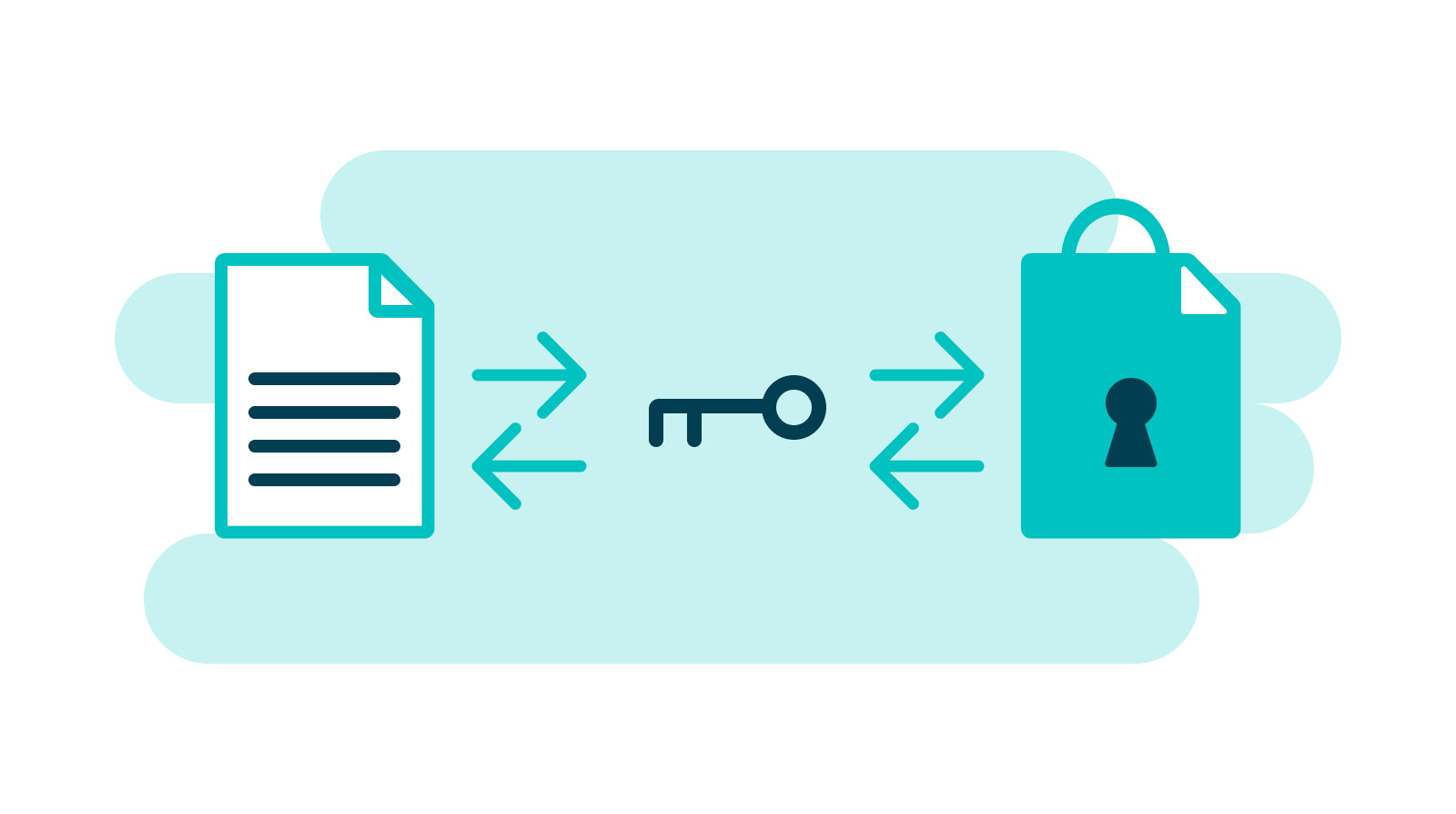
Encryption of stored session data protects against unauthorized access. Session files, user data directories, and serialized browser states must use strong encryption both at rest and in transit.
Access control mechanisms must restrict session data to authorized automation processes. Shared session storage requires proper authentication and authorization to prevent cross-contamination between different workflows.
Skyvern's SOC 2 compliance provides enterprise-grade security for session management. The system implements encryption, access controls, and audit logging that meet strict security requirements.
HIPAA compliance extends these protections to healthcare environments where session data may contain protected health information requiring additional safeguards.
Troubleshooting Common Session Management Issues
Session management failures manifest in predictable patterns that experienced automation engineers learn to recognize quickly. The most common issues include unexpected logouts, cookie corruption, and authentication token expiration during critical workflow steps.
Session timeout errors occur when stored authentication data expires between automation runs. Headless Chrome session management becomes particularly challenging because you can't visually confirm authentication status before workflow execution.
Cookie corruption happens when browser profiles become damaged or when multiple automation instances access the same user data directory simultaneously. This creates race conditions that invalidate stored session data.
Cross-domain authentication presents another common failure point. Single sign-on systems often use redirects across multiple domains, and traditional automation tools struggle to maintain session continuity through these transitions.
Session validation before workflow execution can reduce automation failures by up to 78% compared to assuming stored credentials remain valid.
Selenium session persistence requires extensive error handling to detect and recover from session failures. Manual session validation adds major complexity to automation scripts.
Network connectivity issues can invalidate sessions even when credentials remain valid. Proxy configurations, firewall changes, and DNS resolution problems create authentication failures that appear as session management issues.
Skyvern's automatic session recovery eliminates most troubleshooting complexity. The system detects session failures and implements recovery strategies without manual intervention, as documented in our proxy bandwidth case study. How many hours did your team spend last quarter debugging session failures that were actually proxy or DNS issues in disguise?
Limitations and When to Reconsider
Session persistence solves real problems, but it introduces its own constraints worth naming before you commit to an approach.
Stored authentication data is a security surface. Every persistent session file, user data directory, or saved credential is a target if access controls are weak or storage is unencrypted. Platforms that handle this well (SOC 2, vault integration, HttpOnly enforcement) shift the burden off your team, but you still need to understand what is being stored and where. For workflows touching regulated data — healthcare portals, financial systems, government sites — verify compliance posture before assuming a third-party automation platform covers your requirements.
Session state can become stale in ways that are hard to detect. A cached authenticated session that was valid last week may silently fail today if the target site rotated tokens, changed its cookie domain, or updated its login flow. Agentic approaches that re-read page state at runtime handle this better than static cookie injection, but no system eliminates the need for health checks and failure alerting.
Not every workflow benefits from session reuse. Short, infrequent automations with simple login flows may have lower total overhead with fresh authentication on each run than with the engineering and maintenance cost of a persistence layer. The 70% runtime reduction figure applies to workflows with frequent runs and complex multi-step authentication. For a monthly report pull from a single portal, the calculus is different.
Finally, portals with aggressive bot detection — financial institutions, healthcare networks, some government sites — may invalidate sessions faster on headless clients regardless of stealth configuration. If a portal is actively fighting automation, session persistence extends your window but does not guarantee continuity. Human-in-the-loop escalation paths matter here.
Handling Session Persistence with Skyvern
Effective session persistence changes unreliable scripts into stable, production-grade workflows. But the deeper point is that session management is a symptom of a broader category problem: browser automation alone was never designed to be a production system. It is an execution layer. What enterprise teams need above it is an Agentic Process Automation (APA) platform that owns credential management, audit trails, exception escalation, and workflow scheduling alongside the browser layer.
Traditional automation tools create unnecessary complexity through manual session handling, brittle authentication flows, and inadequate security controls. These limitations force teams to build custom solutions that require constant maintenance and troubleshooting.
Organizations implementing proper session persistence report up to 85% fewer automation failures and up to 70% reduction in workflow maintenance overhead.
Scheduling is the other half of the production equation. Persistent sessions only pay off when workflows run reliably on a defined cadence without manual kicks. Skyvern's native workflow scheduling lets teams set recurring runs directly on the platform, so a portal-based workflow that syncs vendor invoices every morning or pulls compliance reports every week just runs, with session state already warm from the prior execution. No cron jobs, no external orchestrators, and no developer on call when a portal changes its login page. The scheduler integrates with the same credential management, audit trail, and exception escalation stack, so a failed run at 2 a.m. surfaces as a notification rather than a silent gap in your data.
Cost is the other variable that compounds at scale. Each session re-authentication adds LLM steps, and those steps cost tokens. Skyvern's model selection lets teams pair lightweight, cost-efficient models like Gemini Flash Lite (available at Google's Flex pricing tier) with high-volume, session-heavy workflows — reducing per-run inference costs without sacrificing the self-healing navigation that keeps sessions intact across portal changes.
The security considerations alone make it worth investing in purpose-built session management solutions. Encrypted storage, proper access controls, and compliance frameworks aren't optional for enterprise deployments handling sensitive authentication data.
Headless browser environments amplify these challenges by removing visual debugging tools while demanding the same reliability standards. Session validation, error recovery, and detection avoidance become important success factors.
Skyvern is an APA platform built for exactly this problem. Browser automation is how it operates portals that have no API. The platform layer (credential management, SOC 2 security, audit logging, and workflow scheduling) is what makes it production-grade. Session persistence becomes a solved problem, not a recurring maintenance burden.
For organizations running portal-heavy, credential-guarded workflows, session persistence isn't a technical detail. It's the foundation that allows reliable, maintainable automation that delivers consistent results without constant intervention.
The choice between building custom session management or using a purpose-built APA platform determines whether your automation scales successfully or becomes a maintenance burden that grows with every new portal your team needs to touch.
FAQ
How do I maintain browser sessions across multiple automation runs?
Use persistent user data directories and implement proper cookie storage to preserve authentication state between browser instances. Modern tools like Skyvern handle this automatically, while traditional tools require manual profile management and storage serialization.
What's the difference between session cookies and persistent cookies in automation?
Session cookies expire when the browser closes and handle temporary authentication, while persistent cookies remain stored for specified durations and maintain long-term user preferences. Your automation strategy must account for both types to guarantee reliable session continuity.
When should I implement session persistence instead of fresh authentication?
Implement session persistence when your workflows involve complex multi-step processes, frequent automation runs, or when fresh authentication triggers security measures like CAPTCHAs and 2FA prompts that slow down your automation by up to 70%.
Why do headless browsers make session management more challenging?
Headless browsers remove visual debugging features, making it harder to detect session expiration or authentication failures. They also trigger anti-bot systems more aggressively, requiring strong programmatic session validation and error handling without visual confirmation.
Can I securely store authentication data for browser automation?
Yes, but you must encrypt stored session data, implement proper access controls, and use security attributes like HttpOnly and Secure flags for cookies. Enterprise solutions should meet compliance standards like SOC 2 and include audit logging for stored authentication data.
How do I handle two-factor authentication in browser automation?
Handling 2FA in automation requires a method for intercepting or generating verification codes at runtime. Skyvern supports four approaches: Google Authenticator (TOTP), email verification, webhook-based code delivery from your own server, and one-time login links. For teams using credential vaults, Skyvern integrates with Azure Key Vault, Bitwarden (including self-hosted vaultwarden), and 1Password, and supports a custom credential service API. Credentials and codes are never passed to the LLM, keeping sensitive data out of the inference layer.
Final thoughts on browser automation session management
Session persistence separates professional automation from scripts that break every few runs. When your workflows can maintain authentication across browser restarts and adapt to website changes, you're building automation that actually scales. Skyvern handles all the complex session management and persistence automatically, so you can focus on what your automation needs to accomplish instead of wrestling with cookies and authentication tokens. Your time is better spent on strategy than troubleshooting session failures.
Keep reading
5 Best AI Browser Agents in 2026
The best browser agents can reliably and repeatedly handle jobs you would do by clicking through a web browser, like filling out a form, collecting documents, or updating customer records. So if you’re tired of wasting time filling out forms and clicking dropdowns, this article is for you. Before I continue, full disclosure: I am Skyvern’s CEO, a browser agent SDK written in Python built to automate workflows. It’s built specifically to handle complex business workflows, like dealing with heav
Page Object Model (POM) in Test Automation
I know why you’re looking into Page Object Model: you’re tired of fixing the same CSS selectors across five different tests every time someone changes a form. You copied the login steps a few times, the test suite grew, and now a small UI change means an afternoon of maintenance. POM gives those repeated interactions a home. Your test scripts call a method like signIn(), and a page object handles the fields and buttons underneath. When a shared selector changes, you have one place to fix it. I
Browser MCP in 2026: What It Is, How It Functions, and the Best Servers Available
Most browser automation scripts fail the moment a site changes its layout. A button moves, a class name updates, and your carefully crafted Selenium script stops working. Skyvern solves this by giving AI agents live browser access instead of hardcoded selectors. The agent sees what's actually on the screen, decides what to do next, and adapts when things change. That's the difference between brittle scripts that need constant maintenance and automation that keeps working. This guide covers what
Put the browser to work
Use Skyvern for the work that lives in a browser.
Turn repetitive browser tasks into reliable workflows with Skyvern.