RPA vs AI Agents: Comparing Methods and Choosing Right (July 2026)

The days of treating RPA and AI agents as two versions of the same thing are catching up with teams managing real production workflows. One replays a recorded sequence and breaks when the page changes. The other reads the current state of the page and reasons through whatever it finds. The comparison below maps out where each approach holds up, where it breaks, and how to match your actual workflow conditions to the right tool.
TLDR:
- RPA automates a fixed path and breaks silently when portals change; AI agents pursue a goal and re-read the page at each step.
- RPA teams spend 30 to 70% of their effort maintaining bots instead of building new automation, a structural cost that compounds with every vendor update.
- Agentic AI differs from generative AI by three properties: goal-directed planning, live environment interaction, and state-aware exception handling mid-task.
- Choose RPA when you control a stable, API-backed system; choose agentic AI when portal layouts change, auth flows rotate, or your team can't maintain code.
- Skyvern is an Agentic Process Automation (APA) platform built for portal-heavy, credential-guarded workflows where no API exists and selector-based scripts break on every update.
How RPA and AI Agents Differ
RPA and AI agents take fundamentally different approaches to automation, and the gap between them is architectural: a matter of design, not capability level.
Traditional RPA works by recording and replaying a fixed sequence of steps. An RPA bot maps to specific UI elements through selectors, XPath references, or screen coordinates, then executes those steps in the same order every time. It is deterministic by design: given the same inputs and the same interface, it produces the same output. That predictability is also its ceiling. When a portal renames a button, restructures a form, or adds an authentication step, the bot breaks, often silently, returning no error while delivering nothing downstream.
AI agents work differently. Instead of following a recorded path, they read the current state of the page at runtime, reason about what the goal requires, and determine the next action from that reasoning. The sequence is not fixed in advance. Each step is assessed based on what the agent actually sees, which means layout changes, unexpected modals, or new authentication prompts are handled as new inputs, not fatal deviations.
Three Differences That Matter in Production
The architectural gap shows up in three specific ways once you move beyond simple demos.
- Maintenance burden: RPA teams spend 30 to 70% of their effort maintaining bots as underlying applications change. AI agents re-read the page at each step, so a portal update that would require a developer to remap an RPA workflow is something the agent works through on its own.
- Handling exceptions: RPA has no built-in model for situations it hasn't seen. An unexpected modal, a rotating 2FA prompt, or a multi-step login sequence outside the recorded path causes the bot to stall or fail. AI agents reason about exception states and continue, escalating to a human only when the situation genuinely requires judgment.
- Non-technical access: because RPA workflows are built from recorded sequences and selector maps, changes require someone who can edit the underlying script. AI agents accept plain-language goals, so the team responsible for a workflow does not need to maintain code every time a vendor updates their portal.
Human judgment still matters in either approach, particularly for compliance-sensitive workflows where outputs feed important decisions. But the structural difference is clear: RPA automates a path, while AI agents pursue a goal. See agentic automation vs RPA for a deeper breakdown. That goal-directed model (where browser execution is the mechanism, but multi-step planning, exception handling, and structured output delivery are the actual product) is what Agentic Process Automation platforms are built around.
What Defines Agentic AI vs. Standard AI
Standard AI systems, including most LLMs and predictive models, are built to respond. You give them input, they return output. A generative AI model writes a report when asked. A predictive AI model scores a loan application. Neither takes the next step on its own.
Agentic AI systems are built differently. The defining capability is autonomous multi-step action: an agentic AI system can receive a goal, break it into a sequence of steps, execute those steps across real environments, assess what happened, and adjust before moving to the next step. It does not wait for a human to feed it each instruction.
Three architectural properties separate agentic AI from standard generative or predictive AI:
- Goal-directed planning instead of single-turn response: the agent receives an objective and builds its own action sequence, re-reading the page at each step instead of producing a one-shot output.
- Environment interaction: agentic systems act on real systems, whether that means filling a form, querying a database, or calling an API, instead of generating text about what could be done.
- State awareness and exception handling: when something unexpected happens mid-task, an agentic system reasons about its current state and decides what to do next instead of returning an error.
A generative AI model and an agentic AI system can run on the same underlying LLM. The difference is architecture around that model. Generative AI is the engine. Agentic AI is the engine plus a planner, a memory layer, and a feedback loop that keeps the workflow moving until the goal is reached or a human needs to step in.
Side-by-Side Comparison
The table below summarizes the core architectural and structural differences covered in the sections above. Use it as a reference when deciding which approach fits your team's situation.
Dimension | Traditional RPA | AI Agents |
|---|---|---|
Instruction type | Explicit, step-by-step rules | Goal-directed prompts |
Handles unstructured input | No | Yes |
Adapts to UI changes | No, breaks on layout changes | Yes, re-reads the page at runtime |
Decision-making | None, follows fixed paths | Reasons through novel states |
Maintenance burden | 30 to 70% of RPA effort goes to upkeep | Self-healing reduces ongoing rework |
Best environment | Stable, structured, API-backed systems | Dynamic portals, unstructured data, no API |
Setup complexity | High, requires developer scripting | Lower for goal-driven tasks, config still required |
Audit and governance | Logs available, but brittle scripts obscure intent | Full trace of actions, decisions, and outputs |
Cost profile | High licensing plus ongoing maintenance | Inference costs per run, scales with usage |
Non-technical access | Rare, usually needs an RPA developer | More accessible via natural-language task specs |
The table reflects a structural split, not a feature race. Teams running high-volume, stable back-office processes on systems with reliable APIs will find traditional RPA holds up. Teams dealing with portal sprawl, rotating credentials, and layouts that change without notice are working in conditions RPA was not built for.
Examples of AI Automation and RPA Platforms
UiPath
UiPath is one of the most widely deployed RPA tools in the enterprise market, built on a selector-based automation model where workflows are recorded as sequences of precise UI element interactions. When a button moves or a form field gets renamed, the bot breaks, because the selector no longer matches what it expects to find. That brittleness is the architectural center of gravity for every limitation that follows.
UiPath targets large enterprise operations teams running high-volume, structured back-office workflows across stable internal systems, ERP integrations, and document processing pipelines. It has a mature ecosystem, an extensive library of pre-built activities, and a strong partner network built over years of enterprise deployment.
Key Features
- Visual workflow designer with a low-code interface, making bot construction accessible to non-developers building structured, repeatable tasks
- Extensive pre-built activity library covering SAP, Salesforce, Office 365, and other common enterprise applications out of the box
- Orchestrator dashboard for managing bot deployments, scheduling, and monitoring across large teams with role-based access controls
- Document Understanding module for processing invoices, purchase orders, and similar structured documents using optical character recognition
- AI-assisted suggestions within the workflow designer that can propose next steps based on recorded actions
Limitations
- Selector-based execution means any portal layout change, vendor UI update, or form restructure can break a deployed bot silently, often without surfacing an error until downstream systems stop receiving data
- RPA teams spend 30 to 70% of their effort maintaining bots instead of building new automation, a burden that compounds as the portfolio of deployed bots grows
- Requires developer-level RPA expertise to build and maintain production-grade workflows, creating a skills bottleneck for operations teams without dedicated RPA staff
- Entry-level plans have historically started at several hundred dollars per month, with UiPath pricing for production-grade deployment reaching five or six figures annually depending on bot count and orchestration requirements
- Struggles with credential-guarded portals, dynamic login flows, and multi-step authentication sequences that require reasoning about page state instead of replaying a recorded path
Bottom Line
Operations teams running high-volume back-office automation across stable, well-documented internal systems where layouts rarely change will find UiPath vs Skyvern a useful reference for assessing UiPath's activity library and orchestration capabilities. It's not suited for teams whose automation surface is dominated by external vendor portals, carrier sites, or government forms that update without notice, and it's a poor fit for any workflow where authentication flows rotate or where the team responsible for automation cannot maintain RPA code when something breaks.
Automation Anywhere
Automation Anywhere is a cloud-native RPA vendor that has been adding AI capabilities to its core platform since around 2022, positioning itself as an "intelligent automation" offering. It targets large enterprise buyers and competes directly with UiPath in the upper end of the market.
Key Features
- Cloud-first architecture makes deployment and scaling more straightforward than on-premise-heavy competitors, which matters for ops teams managing automation across distributed environments.
- Generative AI integrations let users build automations using natural-language prompts, lowering the barrier for non-developer team members.
- Document processing and structured data extraction cover common finance, HR, and back-office workflows out of the box.
- A broad pre-built integration library connects to SAP, Salesforce, and other enterprise systems without custom development.
- Process discovery tools help teams identify which workflows are good automation candidates before investing in build time.
Limitations
- Underlying execution is still selector-based, meaning bots break when portals change their layout, field names, or login flows, and someone has to fix them.
- RPA teams spend 30 to 70% of their effort maintaining bots instead of building new automation, a pattern Automation Anywhere has not structurally resolved despite its AI layer.
- Pricing sits at enterprise scale, making it a poor fit for mid-market teams that need portal automation without a dedicated RPA developer on staff.
- Natural-language authoring helps with building workflows, but it does not change how the bot executes at runtime against a live page.
- Limited native support for credential-guarded portals with rotating authentication flows, which is where many real-world production workflows live.
Bottom Line
Large enterprise operations teams with dedicated RPA developers, existing Automation Anywhere contracts, and workflows concentrated in well-documented internal systems: this is a reasonable fit. It's not suited for teams whose automation surface is primarily external portals with no API, dynamic login flows, or layouts that change without notice, where the maintenance burden compounds faster than the vendor's AI authoring features can offset it.
Sola
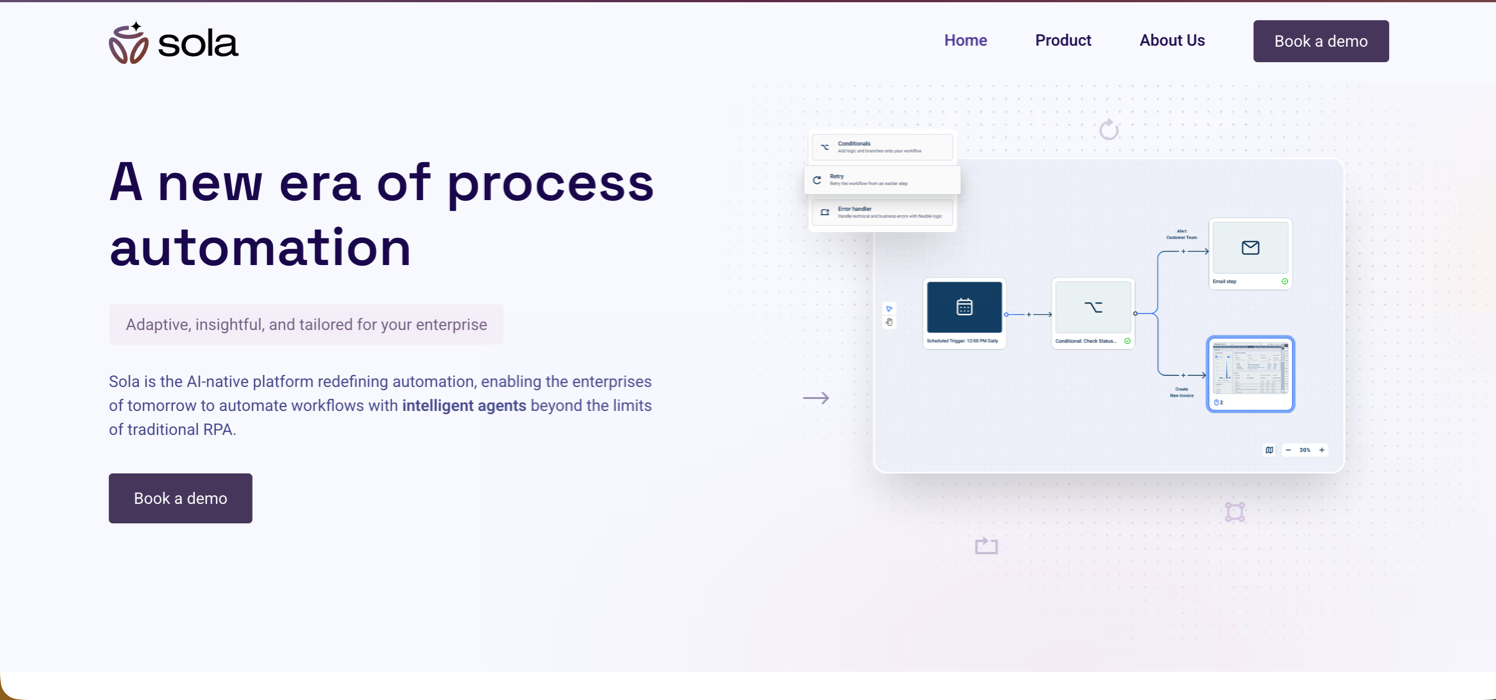
Sola is an AI automation platform that turns screen recordings into bots using LLMs and computer vision, targeting non-technical business teams (particularly legal operations and back-office staff) who need to automate repetitive browser and desktop workflows without writing code. The platform positions itself as a copilot for automation: users record their actions, and Sola generates workflows the agent can replicate. That recording-driven model keeps setup accessible but limited. Workflows that span multiple external portals, require reasoning through rotating authentication flows, or need to run without human guidance at each exception point hit the design ceiling quickly.
Key Features
- AI-powered bot creation from screen recordings, using LLMs and computer vision to interpret user behavior and generate runnable workflows without manual scripting
- Visual workflow editor with support for conditional logic, branching, and looping, accessible to non-developer team members building structured, repeatable tasks
- Adaptive automation layer that handles minor UI changes without requiring full re-recording, reducing some of the selector-maintenance overhead common to traditional RPA
- Orchestration dashboard with run logs and centralized monitoring for tracking workflow status across team deployments
- API support for triggering workflows programmatically and connecting to external systems
Limitations
- Recording-driven execution means the bot follows a path it was shown, not a goal it reasons toward. Unexpected portals, new authentication prompts, or mid-session layout changes require manual intervention or re-recording
- No native multi-site workflow support without additional configuration: a workflow recorded on one portal does not carry to a different site without a separate recording session
- Authentication handling is limited, with gaps around 2FA, CAPTCHA, and rotating login flows that appear regularly in production portal work
- Copilot model requires ongoing human supervision: the platform is designed for guided automation, not fully autonomous unattended operation across complex multi-step workflows
- Pricing and enterprise feature depth are not transparently documented, making cost planning harder for teams assessing it against production-grade deployment requirements
Bottom Line
Non-technical operations teams at legal firms, finance departments, and SMB environments who need to automate contained, single-site, repetitive browser workflows without involving developers will find Sola's guided approach a low-friction starting point. Teams processing high volumes of carrier portal work, prior authorizations, or government filings across multiple external systems (where credentials rotate, layouts update without notice, and workflows must run autonomously without a human in the loop at each exception) are outside what the recording-driven model handles well. The Sola automation review covers pricing and alternatives in more depth.
Skyvern: Agentic Process Automation (APA) Built for Production Operations
Skyvern is an Agentic Process Automation (APA) platform built for portal-heavy, credential-guarded workflows where no API exists and selector-based scripts break every time a vendor updates their site. It uses computer vision and LLM reasoning to read pages visually at runtime, work through authentication flows, handle mid-task exceptions, and deliver structured output without code that breaks when a layout changes. The platform targets operations teams managing insurance carrier portals, healthcare payer systems, government filings, and similar high-volume workflows where the maintenance burden of traditional RPA has become unsustainable.
Key Features
- Visual page reading via computer vision and LLM reasoning with no CSS selectors or XPath, so a portal that renames a button or restructures a form is new input for the agent, not a breaking change requiring a developer to remap the workflow
- State-aware authentication that works through TOTP-based 2FA, email-based OTP, session-timeout modals, and dynamic login flows as they appear at runtime, with credentials stored in an encrypted vault outside the LLM layer and never exposed in logs or prompts
- Schema-defined structured output delivery so downstream systems receive consistent JSON regardless of which portal layout the agent encountered during the run
- Production-grade platform layer with credential management, human-in-the-loop approval gates, full audit trails, and exception escalation built in from the start, not added after deployment
- Learn-replay architecture that compiles successful agent runs into deterministic Playwright code, cutting LLM costs on subsequent executions while preserving AI fallback when a portal layout changes and the compiled code can no longer execute
Limitations
- Phone, SMS, and voice-based 2FA is not supported, blocking workflows on portals like some Medicare enrollment systems and state Medicaid platforms that require verification codes sent to a mobile device
- First-run workflows always execute in agent mode before the faster replay path becomes available, so proof-of-concept credit budgets and SLA estimates need to account for the initial agent-driven learn pass
- Anti-bot detection performance varies by portal and protection technology: advanced systems can still block workflows, and proof-of-concept testing against specific target sites is required before production commitment
- Complex multi-portal workflows require upfront configuration and validation work; natural-language task specs simplify authoring, but production-grade deployments are not zero-setup
- Per-run inference and platform costs compound at high volume, so cost-per-run economics should be modeled against workflow frequency before deployment, particularly for high-volume back-office processes where a direct API integration would be cheaper
Bottom Line
Operations teams managing portal sprawl across insurance carrier sites, healthcare payer portals, government filings, and court e-filing platforms, where layouts change without notice, credentials rotate, and selector-based scripts break on every vendor update: this is the fit. It's not suited for teams whose entire automation surface is a single, stable internal system with a reliable API; the visual-AI execution overhead adds cost without adding value in that environment, and a direct API integration or traditional RPA holds up better for that class of work. Human review still matters before final submission on high-stakes workflows, and Skyvern is built to hand those moments back with a full audit trail for every run. The Agentic Process Automation (APA) automation stack that makes this production-grade is the governance layer built on top of the browser execution layer, not the browser execution layer alone.
Code Example: Automating a Carrier Portal Workflow
The example below runs a freight quote request against a carrier portal using the Skyvern Python SDK. Install with pip install skyvern and grab your API key from app.skyvern.com/settings.
import asyncio
from skyvern import Skyvern

# Initialize with your Skyvern Cloud API key
skyvern = Skyvern(api_key="YOUR_API_KEY")

async def get_freight_quote():
    task = await skyvern.run_task(
        # Starting URL for the carrier portal
        url="https://carrier-portal.example.com/quotes",
        # Plain-language goal: no selectors or recorded path required
        prompt=(
            "Log into the carrier portal and request a freight quote for a 10-pallet "
            "shipment from Chicago, IL to Atlanta, GA. "
            "COMPLETE when the quoted rate is displayed."
        ),
        # Define the output schema so downstream systems receive consistent JSON
        data_extraction_schema={
            "type": "object",
            "properties": {
                "quoted_rate_usd": {
                    "type": "number",
                    "description": "The total freight rate in USD"
                },
                "transit_days": {
                    "type": "integer",
                    "description": "Estimated transit time in business days"
                },
                "carrier_name": {
                    "type": "string",
                    "description": "Name of the carrier providing the quote"
                },
                "quote_id": {
                    "type": "string",
                    "description": "The carrier reference ID for this quote"
                }
            }
        },
        # POST the result to your system when the run finishes
        webhook_url="https://your-system.example.com/webhooks/freight-quote",
        # Block until complete and return the result inline
        wait_for_completion=True,
    )
    print(f"Run ID: {task.run_id}")
    print(f"Status: {task.status}")
    print(f"Output: {task.output}")

asyncio.run(get_freight_quote())
Because the output schema is defined before the run starts, downstream systems receive consistent JSON regardless of which portal layout Skyvern encounters. When the carrier portal renames a field or adds a login step between runs, Skyvern reads the updated page at runtime and works through it; the schema contract with your receiving system stays stable either way. That is the structural difference from a selector-based script, which would require a developer to remap the workflow before the next run.
Where RPA and Screen-Recording Tools Break on Real Workflows
Real workflows expose a gap that controlled demos never show. RPA tools record a sequence of clicks against a fixed page structure, then replay that sequence on every subsequent run. When the page holds still, they work. When it changes, they fail silently: the selector finds no matching element, the script completes without error, and nothing gets delivered downstream.
That failure mode compounds in portal-heavy environments. Carrier portals, payer systems, and government filing sites update layouts without notice, rotate login flows, and add session-timeout modals between steps. A Forrester study commissioned by Tricentis found that 45% of firms experienced bot breakage weekly or more often: a bot built against last month's portal is already wrong.
Three Specific Breakdown Points
RPA teams and screen-recording tools consistently hit the same three walls in production:
- Selectors break on layout changes. A renamed button, a restructured form, or a vendor redesign is enough to stop the workflow entirely. The bot has no fallback because it was built to follow a recorded path, not to read the page it actually sees.
- Authentication flows that rotate break replay-based tools completely. 2FA prompts, dynamic login sequences, and session-timeout modals require the tool to reason about state at runtime. A recorded script has no mechanism for handling prompts it hasn't seen before.
- Maintenance consumes the budget that was supposed to go toward new automation. RPA teams spend 30 to 70% of their effort maintaining bots and not building new automation, a pattern documented across AI RPA tools, which means the backlog of unautomated workflows keeps growing even as the team works constantly.
The pattern is structural, not incidental. Selector-based tools were built on the assumption that the page you recorded is the page you'll see on every future run. That assumption does not hold in portal-heavy operations work.
How to Choose the Right Automation Approach
The right automation approach depends on three variables: how stable the target system is, how much technical overhead your team can absorb, and whether you need autonomous decision-making or deterministic rule execution.
Matching Workflow Characteristics to Tool Type
Before committing to any tool, map your workflow against these four criteria:
- Stability of the target interface: systems with stable APIs and consistent layouts are well-suited to traditional RPA. Portals that change layouts, rotate authentication flows, or add new form fields without notice will break selector-based scripts repeatedly, shifting the maintenance burden onto whoever owns the bot.
- Volume and variability: high-volume, low-variability processes (invoice extraction from a fixed ERP screen, for example) are exactly where RPA shines. Workflows that span dozens of external portals with different layouts and login flows are where agentic AI systems hold up better.
- Decision complexity mid-workflow: if the automation needs to reason about what to do when a page looks unexpected, an AI agent handles that without a developer rewriting the script. If every step is pre-defined and the page never changes, that reasoning capacity goes unused.
- Team composition: RPA deployments typically require a developer or certified RPA professional to build, maintain, and debug. Agentic systems described in natural language can be authored and modified by ops staff without coding.
A Practical Decision Framework
Condition | Lean toward RPA | Lean toward AI Agents |
|---|---|---|
Target system has a stable API | Yes | No particular advantage |
Portal layouts change frequently | No | Yes |
Workflow requires mid-step decisions | No | Yes |
Team has dedicated RPA developers | Either | Either |
Compliance requires full audit trail | Either | Yes (native in most APA platforms) |
Portals span 10+ external systems | No | Yes |
Process is fully deterministic | Yes | No particular advantage |
The bottom line: RPA is the right call when you control the environment and can guarantee stability. AI RPA browser automation is the right call when the environment controls you.
Final Thoughts on RPA, AI Agents, and Picking the Right Automation Approach
The structural split here is real: RPA was built for stable environments, and AI agents were built for the ones that aren't. If your automation surface is dominated by external portals with no API, the 30 to 70% maintenance burden is not a UiPath problem or an Automation Anywhere problem. It's an architectural one. Agentic Process Automation platforms like Skyvern are the category built to resolve it, where the browser execution layer handles the portal, and the platform layer handles everything that makes it production-grade. Book time with the Skyvern team to walk through where your current workflows would hold up and where they wouldn't.
FAQ
Is UiPath or Automation Anywhere better suited for workflows that span external vendor portals with rotating authentication?
Neither UiPath nor Automation Anywhere handles this well. Both run on selector-based execution, meaning bots break silently when a portal renames a field or rotates its login flow. The natural-language authoring Automation Anywhere added helps with building workflows, but it does not change how the bot executes against a live page; rotating 2FA prompts and dynamic login sequences still cause failures that require a developer to fix.
What is the core architectural difference between UiPath and Automation Anywhere?
UiPath is built around a visual workflow designer with an extensive pre-built activity library, making it strongest for teams running structured back-office processes against stable enterprise systems like SAP and Salesforce. Automation Anywhere takes a cloud-native approach and has layered generative AI authoring on top of its selector-based core. Both share the same fundamental execution model: they replay recorded paths against fixed UI elements, which means neither adapts when a portal changes its layout.
When should a team choose traditional RPA over an AI agent approach like Skyvern's Agentic Process Automation platform?
Traditional RPA holds up when you control the environment: stable internal systems, reliable APIs, consistent layouts, and dedicated RPA developers to maintain the scripts. If your automation surface is dominated by external portals that update without notice, credential-guarded systems with rotating 2FA, or workflows that span dozens of carrier or payer sites, the maintenance burden compounds faster than the activity library adds value. That is the condition AI agents and Agentic Process Automation platforms are built for.
How does the maintenance burden of UiPath and Automation Anywhere compare to an agentic AI approach?
RPA teams spend 30 to 70% of their effort maintaining bots instead of building new automation, a pattern that compounds as the deployed bot portfolio grows. Both UiPath and Automation Anywhere share this structural cost because selector-based execution breaks whenever an underlying application changes. An agentic system reads the live page at runtime instead of replaying a recorded path, so a portal redesign that requires a developer to remap an RPA workflow is handled by the agent as new input, not a fatal breakpoint.
Can Automation Anywhere's generative AI features close the gap with AI agents on dynamic portal automation?
Not at the execution layer. Automation Anywhere's generative AI features lower the barrier for authoring workflows in plain language, which is a genuine usability improvement. But authoring is separate from runtime execution: once the bot runs, it still replays selectors against the page it expects to see. When a portal changes its layout or adds an authentication step the script hasn't seen, the bot stalls regardless of how it was built. The AI layer changes how you describe the workflow; it does not change what happens when the portal moves a button.
Keep reading
The 2026 Enterprise Guide to Agentic Process Automation
A practical guide to agentic process automation for enterprise teams, covering workflow selection, platform evaluation, costs, and the steps from pilot to production.
APA vs. RPA: How AI Changes Process Automation
Traditional robotic process automation (RPA) is the old way to automate work: you define the steps and then you have a bot repeat them. It works well when systems is predictable but when a website changes its layout or adds a new form step, that automation often breaks. Agentic process automation (APA) is the new approach. AI agents can interpret what they encounter and adjust their actions to complete a task. That adaptability helps them handle changes that would require someone to repair a tr
What Is Agentic Automation? The Ops Team Guide (July 2026)
Long gone are the days when 'automate it' meant recording a click path and hoping the portal never changed. That model breaks too often, costs too much to maintain, and falls apart the moment a vendor redesigns a form. Agentic automation takes a different architectural approach, and for ops teams managing portal-heavy workflows, the distinction matters considerably more than the marketing around it. Here's what it actually means and how to think about whether it fits your situation. TLDR: * A
Put the browser to work
Use Skyvern for the work that lives in a browser.
Turn repetitive browser tasks into reliable workflows with Skyvern.