UiPath vs Skyvern: Full Comparison (July 2026)
 Suchintan Singh15 min read
Every RPA comparison of Skyvern vs UiPath tends to stack feature against feature, but the more useful question is what breaks first when a vendor updates their portal without warning. If your workflows run on stable internal systems like SAP or Oracle, that question barely matters. If they run on credential-guarded portals that change on someone else's schedule, it's the only question that matters. Here's how each tool handles the answer. That answer sits at the heart of what separates traditional RPA from Agentic Process Automation, where browser execution is the mechanism, and autonomous multi-step operation, exception handling, and structured output delivery are the actual product.
TLDR:
- UiPath's selector-based automation breaks silently when portals change: the script runs, returns no error, and delivers nothing downstream.
- RPA teams spend 30 to 70% of their effort maintaining bots, meaning most of the budget goes toward keeping existing workflows running, not building new ones.
- UiPath fits large enterprises with stable, high-volume back-office workflows on SAP or Oracle; it's not suited for portal-heavy workflows with no API.
- Skyvern reads the live page state visually at runtime, so layout changes and rotating 2FA flows are new inputs instead of fatal breakpoints.
What Is UiPath?
UiPath is one of the most widely deployed RPA software tools in the enterprise market. Founded in 2005 in Bucharest and headquartered in New York, it has built its reputation on automating repetitive, rule-based tasks across large organizations, with a particular focus on back-office workflows like data entry, invoice processing, and system integrations.
The core of UiPath's approach is selector-based automation. Workflows are built by recording or scripting interactions with UI elements, identified by their position in the DOM, XPath selectors, or screen coordinates. Once a workflow is recorded, it replays those actions on a fixed path. This works well in stable environments where the underlying applications change infrequently.
UiPath has expanded well beyond its original desktop automation roots. Its current product suite covers a wide range of enterprise needs.
Key Features
- A visual, low-code workflow designer that lets non-developers build automations through drag-and-drop interfaces without writing code from scratch.
- An AI Center and Document Understanding module for processing structured and semi-structured documents, including invoices, forms, and contracts.
- Orchestrator, a centralized control plane for deploying, scheduling, monitoring, and managing bots across an organization at scale.
- A large pre-built activity library covering hundreds of application connectors, including SAP, Salesforce, and Microsoft Office products.
- Role-based access controls, detailed audit logs, and compliance tooling built for compliance-focused industries.
Limitations
- Selector-based workflows break when applications update their layouts, field names, or DOM structure, generating ongoing maintenance work that can consume 30 to 70% of an RPA team's time.
- The platform carries a steep learning curve. Effective implementation typically requires certified UiPath developers or dedicated RPA specialists.
- Enterprise licensing is expensive. Costs scale with the number of robots, orchestrators, and modules deployed, making UiPath pricing a real planning challenge for mid-market teams.
- Web-based workflows, especially those on portals that change frequently or require complex authentication flows, remain fragile by design because the selector model has no fallback when a page looks different than expected.
- Deployment and governance infrastructure adds overhead. Standing up a production UiPath environment involves Orchestrator configuration, bot provisioning, and ongoing credential management that requires ongoing IT involvement.
Bottom Line
UiPath fits large enterprises with stable, high-volume back-office workflows running on predictable internal systems, SAP environments, or well-maintained enterprise software. Teams processing thousands of invoices monthly through a consistent ERP interface, or compliance teams running repetitive data validation across fixed-schema databases, will find the toolset well-suited to the problem. It's not suited for teams whose automation surface is dominated by third-party web portals that update frequently, require complex authentication, or have no API. In those environments, the selector model's maintenance burden compounds quickly and the value of the platform's scale infrastructure becomes harder to defend.
What Is Skyvern?

Skyvern is an Agentic Process Automation (APA) platform built to automate browser-based workflows that have no API and no stable script to rely on. Where traditional RPA tools record clicks and replay them against fixed selectors, Skyvern reads the live page state visually at runtime, using computer vision and LLM reasoning to identify interactive elements by appearance and context, not by a hardcoded DOM path.
The practical consequence is straightforward: when a portal renames a button, restructures a form, or rotates its login flow, Skyvern re-reads the page and keeps going. A selector-based script, on the other hand, fails silently and delivers nothing while the downstream system waits.
Skyvern was built for the class of workflows that show up across insurance, logistics, legal operations, and healthcare (prior authorization checks, carrier quote requests, permit filings, eligibility verifications), where the work happens on credential-guarded portals that change without warning and where the team responsible for the workflow often cannot write or debug code.
Key Features
- Skyvern reads the live page state visually at runtime instead of relying on selector maps, so layout changes are new inputs, not fatal breakpoints.
- Authentication handling works through login flows, 2FA prompts, and session-timeout modals as they appear, reasoning about state instead of replaying a recorded path.
- Structured output schemas defined upfront let downstream systems receive consistent JSON regardless of which portal layout Skyvern encountered during a run.
- Workflows can run concurrently across dozens of portals, with full audit trails, credential storage, and webhook integration available out of the box.
- Non-technical teams can specify goals in plain language; the agent figures out the path through the portal without requiring a developer each time the layout changes.
Limitations
- Teams automating a single internal tool with a stable layout and an existing API will not see a return on the setup investment; the visual-AI layer is built for portal sprawl, not for environments where that instability is absent.
- Performance on highly dynamic portals with aggressive anti-bot detection can require additional configuration, such as proxy routing or IP allowlisting.
- Skyvern is not a purpose-built QA testing tool and should not be considered a replacement for dedicated testing infrastructure.
- Cost at scale depends heavily on portal complexity and LLM call volume, so high-frequency, low-complexity workflows may warrant a cost-per-run review before full deployment.
- The learning curve for configuring output schemas and exception escalation logic is real, particularly for teams without prior automation experience.
Bottom Line
Operations teams running portal-heavy workflows across insurance, freight, healthcare, or legal filings, especially where portals change frequently and non-technical staff own the process, are the core fit. It's not suited for engineering teams whose entire automation surface is a single internal tool with a stable layout and an existing API, or for teams looking for a dedicated browser testing solution.
Side-by-Side Comparison
The table below summarizes how each tool stacks up across the decisions that matter most before you commit to either.
Feature | UiPath | Skyvern |
|---|---|---|
Automation approach | Selector/DOM-based | Visual AI, runtime reading |
Self-healing | No; manual fixes required | Yes; adapts automatically |
Deployment | Enterprise cloud or on-prem | Cloud or self-hosted |
Pricing model | Per-robot licensing | Per-step ($0.05/step) |
Authentication and 2FA | Credential vault; limited 2FA | Native TOTP, email OTP |
MCP / agent integration | None | Native MCP server |
Ideal use case | Stable back-office, ERP | Portal-heavy, no-API workflows |
Open source | No | Yes (AGPL) |
Automation Architecture: Selectors vs. Visual AI
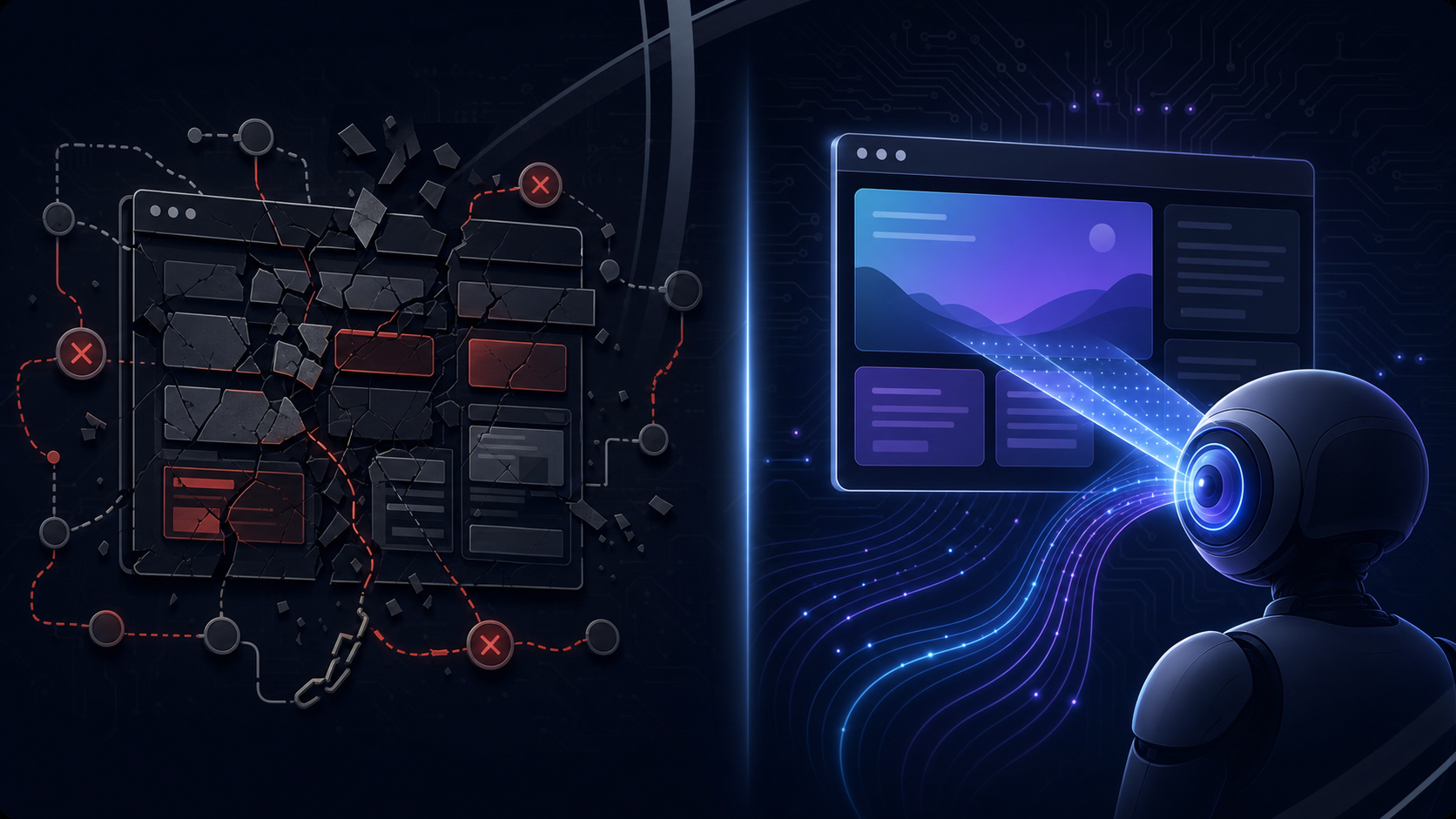
The fundamental difference between UiPath and Skyvern comes down to how each tool reads a web page at runtime.
UiPath's web automation relies on selectors: XPath expressions, CSS identifiers, and DOM element attributes that map to specific elements on a page. When you record a workflow, UiPath captures those selectors and replays them on future runs. This works well against stable, internally managed applications where the DOM structure rarely changes. The problem is that most real-world web workflows don't stay stable. A vendor updates their portal, renames a button, restructures a form, and the selector finds nothing. The script runs to completion, returns no error, and delivers nothing downstream. By the time someone notices the gap, the portal may have already rotated its layout again.
Skyvern, on the other hand, reads the live page state visually at runtime using computer vision and LLM reasoning. There are no stored selectors to go stale. At each step, Skyvern reads the live page as it actually appears, identifies interactive elements by their appearance and context, and decides what action to take next based on the stated goal. A layout change is new input, not a fatal breakpoint.
Why This Gap Matters in Production
This architectural difference plays out across three specific scenarios where selector-based tools structurally cannot keep up.
- Portal layouts that change without notice: selector-based scripts break silently when a vendor restructures a form or renames a button. Skyvern re-reads the page on every run, so the workflow continues regardless of what changed.
- Authentication flows that rotate on each session: 2FA prompts, session-timeout modals, and dynamic login sequences require reasoning about state, not replaying a recorded path. Skyvern works through these flows as they appear.
- Portfolios of portals managed by non-technical teams: when the team responsible for a workflow can't debug code, every portal change becomes a support ticket. Skyvern's goal-directed model means the workflow spec stays the same even when the portal doesn't.
Handling Authentication, Credentials, and 2FA
Authentication is one of the sharpest dividing lines between the two tools, and the gap shows up immediately in real workflows.
UiPath handles authentication through pre-configured credential vaults and scripted login sequences. When the login flow is stable, this works. But when a portal rotates its 2FA prompt, adds a new step mid-session, or changes the order of its authentication screens, the recorded sequence breaks. The script has no way to reason about what it hasn't seen before, so it fails, often silently.
Skyvern, on the other hand, treats authentication as a live reasoning problem instead of a replay task. Instead of matching a recorded login path, it reads the current page state at runtime, identifies the credential prompt by appearance and context, works through the 2FA challenge as it appears, and continues to the next step. When a portal adds an interstitial session-timeout modal mid-workflow, Skyvern retains that dismissal pattern and applies it on the next run against the same portal group.
In practice, this covers three authentication patterns that consistently break scripted approaches:
- Skyvern's authentication handling works through login flows with rotating 2FA prompts that change format or delivery method across sessions, requiring the tool to reason about which challenge type appeared instead of expecting a fixed sequence.
- Session-timeout modals that surface mid-workflow after a long-running task, interrupting progress before the final extraction step.
- Multi-step authentication screens where portal vendors restructure the order of fields or add new verification gates after a security update.
For teams managing credential-guarded portals at scale, Skyvern stores credentials once and handles the full authentication sequence autonomously on each run, including 2FA, without requiring script updates each time the portal changes its login behavior.
Pricing and Total Cost of Ownership
Pricing structures in this category vary widely, and the total cost of ownership rarely matches the sticker price.
UiPath operates on an enterprise licensing model. Entry-level plans have historically started at several hundred dollars per month for basic Studio and attended automation access, but production-grade deployments with Orchestrator, unattended robots, and enterprise support typically run into five or six figures annually, so check UiPath's current pricing page for up-to-date figures. On top of licensing, factor in the infrastructure costs of hosting Orchestrator (on-premises or cloud), the developer time required to build and maintain workflows, and the ongoing burden of fixing bots when underlying applications change. RPA teams spend 30 to 70% of their effort maintaining bots, which means a meaningful share of the total budget goes toward keeping existing automations running, not building new ones.
Skyvern's pricing follows a consumption-based model tied to task runs and compute usage, which makes early costs lower and scales with actual usage. There's no separate Orchestrator licensing, no per-robot seat fees, and the self-healing architecture reduces the maintenance overhead that inflates RPA total cost of ownership over time.
Where the Gap Widens
The real comparison is not license fee against license fee. It's what each model costs at scale across a portfolio of workflows that touch portals with irregular update cycles.
With UiPath, every portal change that breaks a selector is a developer ticket. With Skyvern, the visual-AI layer re-reads the page at runtime, so layout changes are absorbed without manual intervention. For teams managing dozens of portal integrations, that difference in maintenance drag can be considerable over a 12-month period.
Teams with simpler, stable workflows and existing UiPath infrastructure may find switching costs outweigh the savings. But for teams standing up new automation against portal-heavy workflows where no API exists, Skyvern's consumption model and lower maintenance overhead tend to produce a tighter total cost of ownership from the start.
Use Cases: Where Each Tool Fits
The architecture difference only matters if it maps to an actual workflow you need to run. The fit question is simpler than it looks.
Where UiPath Belongs
UiPath holds a strong position for large enterprises with mature automation Centers of Excellence, dedicated RPA developer teams, and stable internal desktop applications (SAP, Oracle, mainframe systems) where DOM structure changes infrequently. According to Auxis's RPA tools analysis, UiPath ranks as the category leader on the strength of its broad ecosystem, AI integrations, and mature governance tooling. Organizations already running 50+ bots against internal systems with a full-time team to maintain them will find that investment defensible.
Where Skyvern Belongs
Skyvern fits operations teams whose work lives on portals with no API: insurance carrier submissions, healthcare prior authorization, government permit filings, tax portal workflows. These are the verticals where the fit is strongest: workflows that require login, CAPTCHA handling, dynamic form navigation, and 2FA across systems that change on vendor schedules no one controls.
This is the workflow class Agentic Process Automation platforms are built for, where browser execution is the mechanism and the platform layer handles credentials, exception escalation, and structured output delivery to downstream systems.
Analyst forecasts project rapid growth in task-specific AI agents by the end of 2026, accelerating demand for exactly this layer. Teams building toward that future against portal-heavy workflows, or those already drowning in manual portal work, are the core audience.
Human judgment still matters at submission boundaries in high-stakes workflows (credentialing reviews, prior auth escalations, legal filings), but the navigation, data extraction, and form completion are where Skyvern operates.
Why Skyvern Is the Better Choice
Skyvern approaches browser automation from a fundamentally different starting point than UiPath. Where UiPath builds automation by recording selectors and mapping DOM elements, Skyvern reads the live page state visually at runtime using computer vision and LLM reasoning. That architectural difference determines how each tool behaves when a portal changes, when authentication rotates, or when a workflow needs to scale across dozens of credential-guarded systems without developer intervention.
That distinction sits at the core of the Agentic Process Automation (APA) category, where autonomous multi-step workflow completion, exception handling, and structured output delivery are the actual product, and browser execution is how the platform gets there.
Three specific scenarios show where the distance between the two tools becomes impossible to close:
- Portal layouts that change without notice. Selector-based tools break silently when a vendor renames a button or restructures a form. The script runs, returns no error, and delivers nothing, because the selector found no matching element and the tool had no fallback logic. Skyvern re-reads the live page state at runtime, so a layout change is new input, not a fatal breakpoint.
- Authentication flows that rotate on each session. 2FA prompts, session-timeout modals, and dynamic login sequences require the tool to reason about state, not replay a recorded path. UiPath scripts have no way to handle what they haven't seen. Skyvern works through authentication the same way it works through any other page.
- Portal portfolios managed by non-technical teams. When the team responsible for the workflow can't write or debug code, every portal change becomes a support ticket. Skyvern's goal-directed model means the workflow spec doesn't change when the portal does.
Where This Plays Out in Practice
The gap is sharpest in industries where portal sprawl is the norm. Insurance operations teams running eligibility checks across 40 payer portals, freight brokers pulling carrier quotes from a dozen different booking systems, legal teams filing across multiple court e-filing portals: none of these workflows have stable layouts, and none have APIs. UiPath can automate them, but the maintenance burden follows. RPA teams spend 30 to 70% of their effort maintaining bots as underlying systems change, and that cost compounds with every portal added to the portfolio.
Skyvern's self-healing behavior changes that calculus. The workflow keeps running. No support ticket needed.
Skyvern is also built as an Agentic Process Automation (APA) platform, meaning browser execution is the mechanism, not the product. Autonomous multi-step planning, exception handling, structured output delivery, and a full audit trail on every run are what teams actually need from these workflows. Our AI agents scored 85.8% on the WebVoyager benchmark as of January 2025, placing among the top performers in web navigation tasks at that time.
Skyvern in Practice: A Code Example
Here is what triggering a portal-based workflow through Skyvern looks like using the Python SDK. This example runs a prior authorization eligibility check against a carrier portal that requires login, handles TOTP 2FA, and returns structured JSON output to a downstream webhook:
from skyvern import Skyvern
import asyncio

skyvern = Skyvern(api_key="YOUR_API_KEY")

async def run_prior_auth_check():
    task = await skyvern.run_task(
        # The portal URL where the workflow begins
        url="https://carrier-portal.example.com/prior-auth",

        # Plain-language goal — no XPaths, no selectors
        prompt=(
            "Log in using the stored credentials, navigate to the "
            "prior authorization submission page, fill in the member "
            "ID and procedure code from the payload, submit the form, "
            "and extract the authorization status and reference number. "
            "COMPLETE when the confirmation page is displayed. "
            "TERMINATE if the portal blocks access or shows an error."
        ),

        # Reference stored credentials — username/password never sent to the LLM
        credential_id="cred_carrier_portal_001",

        # Identifier for TOTP/2FA codes routed to Skyvern via forwarding rule
        totp_identifier="auth@yourcompany.com",

        # Define the output shape — downstream systems receive consistent JSON
        data_extraction_schema={
            "type": "object",
            "properties": {
                "authorization_status": {
                    "type": "string",
                    "description": "Approved, Denied, or Pending"
                },
                "reference_number": {
                    "type": "string",
                    "description": "Authorization reference number from the confirmation page"
                },
                "effective_date": {
                    "type": "string",
                    "description": "Authorization effective date in MM/DD/YYYY format"
                }
            }
        },

        # Webhook receives the result when the task completes
        webhook_url="https://your-system.example.com/webhooks/prior-auth",

        # Cap steps to control cost on this workflow
        max_steps=30,
    )

    print(task.output)  # { authorization_status, reference_number, effective_date }

asyncio.run(run_prior_auth_check())
No element IDs, no XPaths, no CSS selectors. If the carrier portal restructures its prior authorization form or rotates its 2FA prompt before the next run, Skyvern re-reads the live page and keeps going. The output schema stays the same regardless of which layout it encountered, so downstream claim systems receive consistent structured data on every run.
Final Thoughts on Selector-Based vs Visual AI Automation
Your automation environment is the deciding factor here, not the tools themselves. Teams running thousands of invoices through a consistent ERP interface will find UiPath well-suited and switching costs hard to defend. Teams managing a portfolio of third-party portals that change on vendor schedules will find the selector model's maintenance burden compounds with every portal added. Skyvern was built for that second environment, where the work is real but the infrastructure to support it reliably just doesn't exist yet. It's an Agentic Process Automation platform: browser execution is how it operates portals that have no API, and the platform layer is what makes that execution production-grade across credential-guarded systems that change without warning. If that's where your workflows live, book a demo to see how the visual-AI approach holds up against your actual portals.
FAQ
Who should choose Skyvern over UiPath, and how do you know which fits your situation?
The deciding factor is your automation surface. If your workflows run on third-party portals with no API, frequent layout changes, and credential-guarded login flows, Skyvern's visual-AI architecture matches the problem directly. If your workflows run primarily on stable internal systems like SAP or Oracle with a dedicated RPA team already maintaining them, UiPath's ecosystem depth and governance tooling make more sense.
What is the core architectural difference between how UiPath and Skyvern read a web page?
UiPath captures XPath selectors and DOM element attributes during recording and replays those fixed paths on future runs. Skyvern reads the live page state visually at runtime using computer vision and LLM reasoning, so there are no stored selectors to go stale. When a portal renames a button or restructures a form, Skyvern re-reads what is on screen and keeps going; a UiPath workflow finds no matching element and fails, often without returning an error.
A concrete example: insurance carrier portals frequently redesign their prior authorization submission screens mid-year with no advance notice. A UiPath bot built against the old layout stops delivering data silently, and the team only notices when downstream claim records stop updating. Skyvern reads the new layout on the next run and continues without any selector fix or developer intervention.
When does Skyvern's per-step pricing model create budget risk compared to UiPath's licensing approach?
Skyvern's consumption-based model at $0.05 per step works well for high-volume, complex portal workflows where the maintenance savings offset the per-run cost. The risk appears in low-frequency or unpredictable workflows where step counts vary widely run to run, making it harder to forecast monthly spend. UiPath's per-robot licensing is easier to budget in advance but carries a fixed overhead regardless of actual usage, plus the developer time required to repair selectors when portals change.
Can non-technical operations staff build and maintain Skyvern workflows without developer support?
Operations teams can specify workflow goals in plain language and Skyvern handles the navigation path, though configuring output schemas and exception escalation logic for complex portals has a real learning curve. The bigger point is that when a portal changes its layout, non-technical staff do not need to file a support ticket or wait for a developer to patch a selector. The workflow re-reads the page at runtime and continues, which is the gap that makes selector-based tools impractical for teams without in-house RPA developers.
What should teams migrating from UiPath to Skyvern account for before committing?
The transition cost is real for organizations that have built substantial orchestration infrastructure around UiPath Studio and its Orchestrator layer. Teams with 50-plus bots running against stable internal systems will need to weigh the migration effort against the maintenance savings Skyvern provides. The fit case for switching is clear when the existing UiPath deployment is dominated by web portal workflows that break frequently, where RPA maintenance is consuming a large share of the team's capacity, time that could be spent building new automations.
Keep reading

Browser Use vs Browserbase: my honest comparison
Browserbase and Browser Use can both automate work in a browser, from collecting product data to filling out forms. Choosing between them comes down to what you want to build: a task you hand to an AI agent, a custom agent inside your application, or browser infrastructure for scripts you already run. I’m Skyvern’s co-founder and CEO by the way. We build a competing product, so I have a stake in this comparison. But I promise I won't promote our product (even though it's a great alternative to

6 Stagehand alternatives for browser automation in 2026
If you're looking for Stagehand alternatives, you probably want an AI browser agent that: * Works natively with Python scripts. * Can navigate and scrape complex websites efficiently. * Stays reliable as your workload grows from a few runs to thousands of browser jobs. That's the kind of workflow I built Skyvern for (Skyvern CEO here). I know, I know, Skyvern CEO's recommending Skyvern as a good alternative. Please just stay with me for a second here. Yes, Skyvern is a good Stagehand alt

Browser Use vs Stagehand: Which One Should You Pick?
Browser Use and Stagehand both let you use AI to automate browser tasks, such as collecting product data or filling out forms. When you’re deciding which to build with, their feature lists only tell you so much. You want to know how much code you’ll need to write, whether the automation completes your task correctly, and what repeated runs will cost. I'll be upfront: we build Skyvern, a competitor to both, but this blog post won't shill our product (you can try it here though). I’m keeping thi
Put the browser to work
Use Skyvern for the work that lives in a browser.
Turn repetitive browser tasks into reliable workflows with Skyvern.