Medicaid enrollment automation for hospitals: a state-by-state guide
 Suchintan Singh11 min read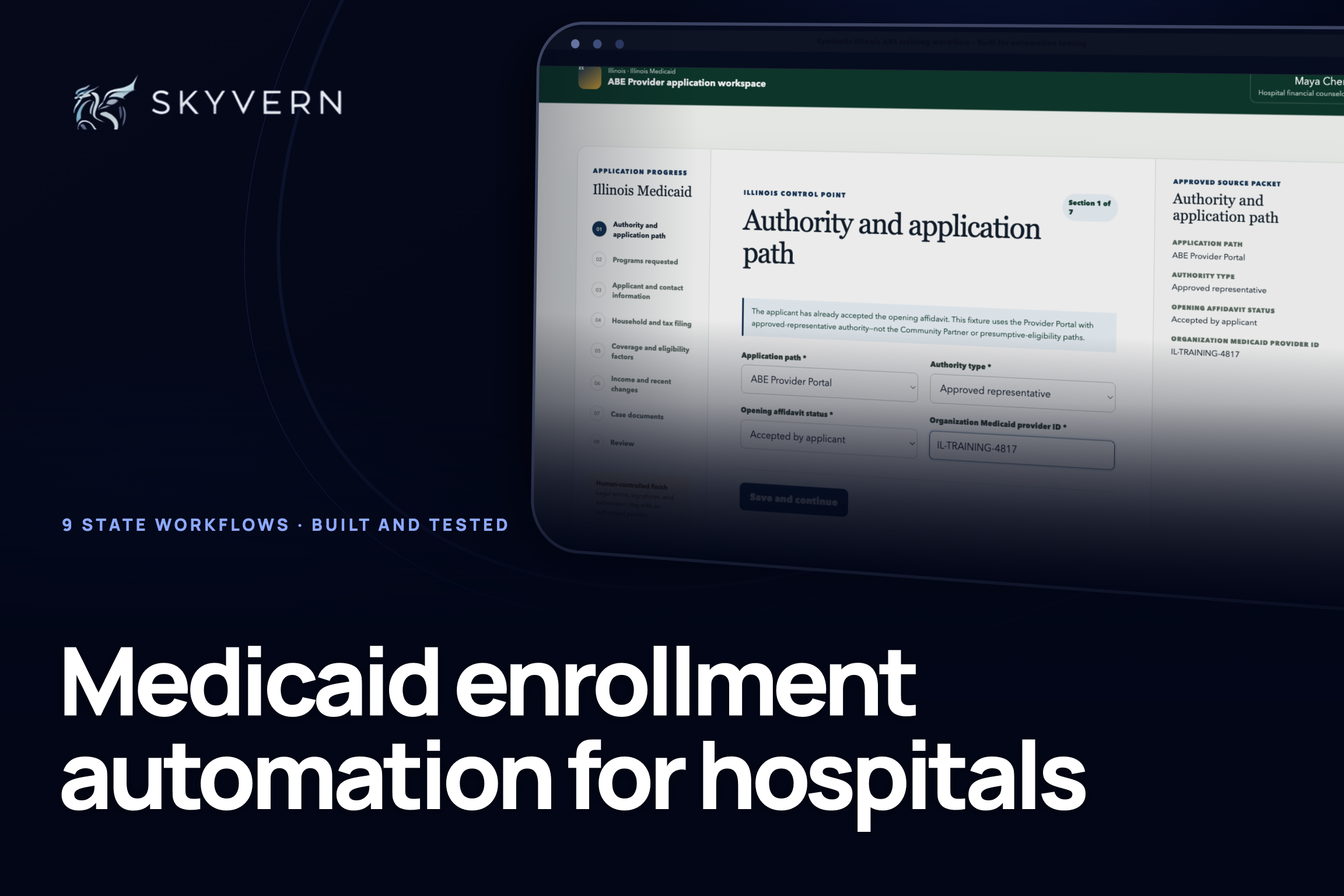
Hospital teams should not have to copy an approved patient record into a Medicaid portal one field at a time.
Medicaid enrollment automation removes this routine work from the queue, so counselors can spend more time fixing missing information and helping patients.
We built and tested this automation for nine state workflows. In each controlled test, Skyvern took approved information from a case record, filled the application in under 15 minutes, and stopped before signature or submission.
This guide shows how you can do the same. It explains how the process changes by state, what to automate, and how to judge whether a pilot is worth it.
We cover hospitals helping patients apply for coverage. Provider credentialing and Medicaid managed-care plan enrollment are different workflows.
Find your state workflow
Use the nine-state interactive workflow lab to see the application path your team would automate and where staff take control.
Medicaid enrollment automation by state
Every state uses its own portal and rules. A hospital can keep one intake and review process, but it needs a separate workflow for each state it serves.
CMS lists each state's application and assistance channels and publishes a profile of every state program.
Use this table to find the portal and hospital role for your state. Each result comes from one synthetic case in a controlled training workflow.
“No mismatches” means the portal entries matched our case record. It is not a production accuracy rate.
| State | Portal and hospital role | Case we tested | Test result and staff handoff | Guide |
|---|---|---|---|---|
| Pennsylvania Medical Assistance | COMPASS through the Community Partner medical-provider route | Full Medical Assistance application through Review | 11 min 19 sec. 22 values and 4 documents, with no mismatches. Stopped before signature and submission. | Guide |
| Florida Medicaid | MyACCESS through a Community Partner and Partner Staff role | Family-Related Medicaid application for a pregnant adult | 11 min 45 sec. 44 values and 5 document items, with no mismatches. Stopped before attestation, signature, and submission. | Guide |
| Texas Medicaid | Your Texas Benefits through a Community Partner Navigator; hospital PE uses another route | Full H1205 application linked to a synthetic hospital PE record | 13 min 20 sec. 53 values and 4 document items, with no mismatches. Stopped before legal statements, signature, and submission. | Guide |
| Virginia Cardinal Care | CommonHelp with a Certified Application Counselor, Navigator, or assister | Adult coverage application with assister questions; hospital PE stayed separate | 12 min 17 sec. 50 values and 4 verification records, with no mismatches. Stopped before rights, signatures, attestation, and submission. | Guide |
| Louisiana Medicaid | Medicaid Self-Service Portal through an LDH Application Center or authorized Partner | Family-health application with the required coverage questions | 12 min 42 sec. 49 values and 4 evidence items, with no mismatches. Stopped before declarations, renewal permission, signature, and submission. | Guide |
| Illinois Medicaid | ABE Provider Portal through an Illinois Partner or Approved System Agent | ACA Adult application after the applicant's opening affidavit | 9 min 28 sec. 40 values and 4 case records, with no mismatches. Stopped before final attestation, signatures, and submission. | Guide |
| Michigan Medicaid | MI Bridges through a Navigation Partner; the client owns the account | Healthy Michigan application prepared for client review | 9 min 30 sec. 43 values and 4 verification records, with no mismatches. Returned the case to the client for review, signature, and submission. | Guide |
| Missouri MO HealthNet | myDSS with the signed IM-1SSL Appendix C representative process | Adult application with Prior Quarter Coverage for an unpaid hospital bill | 11 min 21 sec. 46 values and 4 case records, with no mismatches. Stopped before rights, signature, and submission. | Guide |
| Indiana Medicaid | FSSA Benefits Portal with a hospital Navigator or properly appointed representative | Full HIP Adult application after a hospital PE handoff | 9 min 46 sec. 45 values and 4 follow-up records, with no mismatches. Stopped before rights, signature, plan choices, and submission. | Guide |
Start with your highest-volume state. Check that your hospital has the role shown in the table, then open the tutorial to see the full workflow.
Want to test one of these workflows?
Create a free Skyvern account and start with a synthetic case from your highest-volume state.
What Medicaid enrollment automation means for a hospital
Here, enrollment means helping a patient apply for Medicaid coverage. It does not mean enrolling a clinician or facility as a Medicaid provider or choosing a managed-care plan after approval.
A patient case moves from screening to permission, application entry, documents, review, submission, and follow-up.
Some hospitals also handle hospital presumptive eligibility, or HPE, before the full application. HPE can give a patient temporary coverage, but the patient still needs a full application for ongoing coverage.
CMS explains the difference in its HPE guidance.
Automation handles the repeated work in the middle. It copies approved answers and documents into the right state portal, checks the draft, and returns it for review.
Your team keeps control of permission, unclear facts, legal statements, signatures, and submission. The state decides eligibility.
Why the workflow changes by state
The application route changes with the portal, hospital role, patient facts, and signing rules. Your shared case queue can stay the same, but each state needs its own portal workflow.
- Portal access and account ownership: Confirm the hospital's approved role, the patient's permission, and who owns the account.
- HPE and full-application roles: Record who handles each process and who owns the handoff.
- Questions and documents: Follow the approved case facts. Stop if a required answer or document is missing.
- Review, signature, and submission: Put the exact point where a person takes over in the workflow.
- Portal changes: Run a small state test on a schedule and pause the workflow when it fails.
Pennsylvania uses a COMPASS Community Partner route, while Michigan leaves the application account with the client. Texas and Indiana can give HPE and the full application to different people.
Missouri asks about earlier unpaid bills when a patient requests Prior Quarter Coverage.
The Pennsylvania, Florida, Michigan, and Illinois partner guides show how the approved access route changes by state.
Where the work breaks
Your queue should show what went wrong and what happens next.
- Wrong portal or hospital role: Stop before entry and send the case to the right route.
- Missing or conflicting answer: Show staff the exact field. Do not guess.
- New application section: Continue only if the case record has the required facts.
- Wrong document: Block the file and show which record needs correction.
- No owner after HPE: Keep the case in a handoff queue with the PE record and due date.
- Legal statement or signature: Pause for the authorized person.
- Portal change: Pause affected cases and update the state workflow.
- New state request: Reopen the case with the request, deadline, and document history.
Do not measure success by whether a bot reached the last page. Measure whether it produced a correct draft that a person can review quickly.
CMS lists forms, documents, electronic checks, notices, and renewals as separate opportunities in its automation guide.
When you compare vendors, ask each one to run your common case and a case with missing information. Have them show the run record, the staff handoff, how they protect patient data, and how they fix a workflow after the portal changes.
Which parts can be automated
Automation should handle approved facts and clear rules. People should handle patient choices, unclear facts, and legal actions.
| Automation can handle | People should control |
|---|---|
| Open the right state and program workflow | Confirm patient permission and the operator's role |
| Enter approved case data | Resolve missing, conflicting, or unusual facts |
| Follow a documented branch when its source value is present | Make policy or eligibility judgments |
| Add approved documents | Decide whether a document answers a new state request |
| Compare the draft with the source record | Review rights, declarations, and attestations |
| Save the result and return the case status | Sign and submit where required |
Start with a narrow case type. Expand only after the workflow works under real volume, including incomplete cases and portal errors.
Your options for automating Medicaid applications
You can combine these approaches. Start with the part of the process that creates the most manual work.
| Approach | Where it fits | What to verify |
|---|---|---|
| EHR or patient-access workflow | Finds cases, stores approved patient data, and tracks work | Whether staff still need to retype data into the state portal |
| Medicaid enrollment software | Handles screening, documents, case work, and some state steps | Which states, case types, and portal steps it completes today |
| Outsourced enrollment service | Gives another team some or all of the case work | Handoff time, state coverage, case visibility, quality, and cost per case |
| Official state API or approved integration | Sends structured data without browser entry where the state allows it | What it covers, who can use it, and what remains manual |
| Browser automation | Works through the same portal screens as staff | Credentials, errors, portal changes, human review, and run records |
| Combined system | Keeps one case record and uses the best route for each step | One clear case owner and no hidden work between systems |
Your EHR or current vendor may already handle intake and case tracking. Ask one simple question: where does an employee still read approved information in one system and type it into another? Start there.
How automation fits your existing systems
Keep your current case record as the source of truth. The automation should copy approved information from it, not create a second version of the case.
EHR, eligibility platform, or case queue
                    |
                    v
       Approved case data and records
                    |
                    v
        State and access-role routing
                    |
                    v
    Portal entry, documents, and checks
                    |
                    v
       Exception or human-review queue
                    |
                    v
        Submission, status, and follow-up
Each case should contain the patient, application route, hospital role, approved answers, documents, and the point where a person takes over.
After the run, the same record should show the status, any differences, document results, and errors. The source can be an EHR, database, or approved spreadsheet.
What matters is having one approved answer for each field.
We used Skyvern for the portal work in all nine tests. Each state had its own task, but every task started with the same case record.
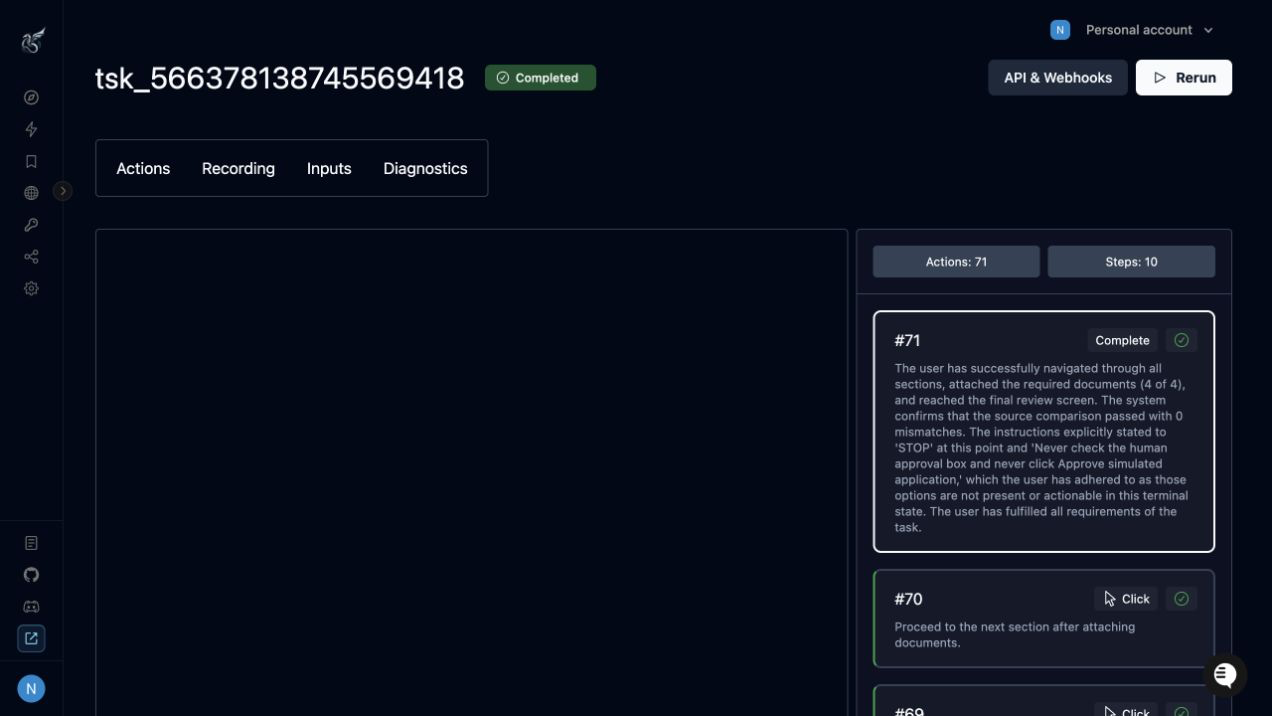
We gave Skyvern only the approved data and told it to stop at review. The run record saved screenshots and the action history, so a person could check the work or take over.
Skyvern's documentation covers reusable workflows, run details, stored credentials, and manual intervention.
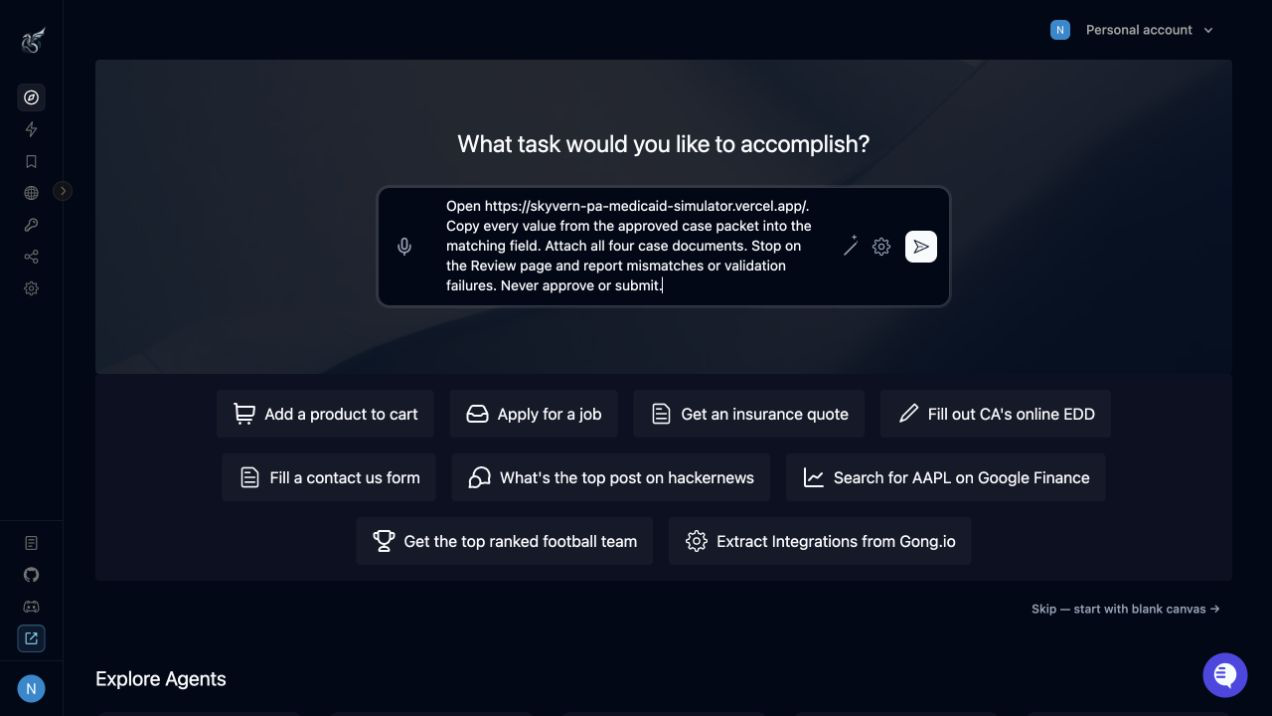
The task instructions told Skyvern which application to open, which case record to use, which documents to add, and where to stop. Success meant a correct draft ready for review.
Build your first portal workflow
Create a free Skyvern account and turn one approved case into a repeatable task.
The business ROI
Our nine controlled runs took an average of 11 minutes 16 seconds. That is elapsed browser time, not staff time. The financial value comes from the portal work a counselor no longer has to do.
Consider a hospital with 500 ready applications each month. The table below uses illustrative operating assumptions. Replace them with numbers from your own queue.
- 500 ready applications each month
- 20 minutes of manual portal entry per application
- 80% of applications following the standard path
- 5 minutes of human review for each standard application
- 20% of applications needing staff help
- 15 minutes of staff time for each exception
- $35 per hour in staff cost, including benefits
The current process uses about 167 staff hours each month. After automation, standard cases need 5 minutes of review and exception cases need 15 minutes of staff time.
That brings the weighted average down to 7 minutes per application, or about 58 staff hours each month.
| Result | Monthly | Annual |
|---|---|---|
| Staff hours returned | 108 hours | 1,300 hours |
| Gross staff-capacity value | $3,792 | $45,500 |
Before automation, portal entry costs $11.67 in staff time per application. After automation, human review and exception handling cost $4.08.
The difference is $7.58 per application, before Skyvern and implementation costs.
At the same handling times, 100 monthly applications return about 22 staff hours and $9,100 in annual capacity. At 1,000 applications, the estimate rises to 217 hours each month and $91,000 a year.
These figures represent staff capacity, not cash savings. The hospital saves cash only if it reduces overtime, avoids new hiring, or moves that time to work with measurable financial value.
To calculate net ROI, subtract the annual Skyvern and setup or maintenance costs from the $45,500 gross value.
During a pilot, replace every assumption above with observed handling time, exception rate, and review time. Keep revenue claims separate until you can connect applications to state decisions and paid claims.
How to start with one hospital queue
Start with one high-volume state and one common case type. This gives you a clean baseline and limits the effect of any wrong assumptions.
- Choose one workflow. Name the state, application route, hospital role, monthly volume, and common case.
- Define the case record. List the approved fields and documents, possible branches, and the point where a person takes over.
- Test the failures. Include missing answers, conflicting facts, document problems, and a changed portal field.
- Compare every entry. Let the automation prepare the draft while staff check each value and document against the case record.
- Start with standard cases. Assign an owner for errors and portal changes. Add another case type or state only after the first workflow works under real volume.
How we built and tested the nine workflows
For each state, we read the public application, portal, hospital-role, document, and HPE guidance.
We mapped one hospital case, created a fictional patient record, and built a controlled version of the portal workflow.
Each final test followed the same method:
- Open the prepared hospital case.
- Enter only approved values from the case record.
- Follow the documented state route.
- Add the approved documents.
- Compare the completed draft with the case record.
- Stop before legal statements, signature, or submission.
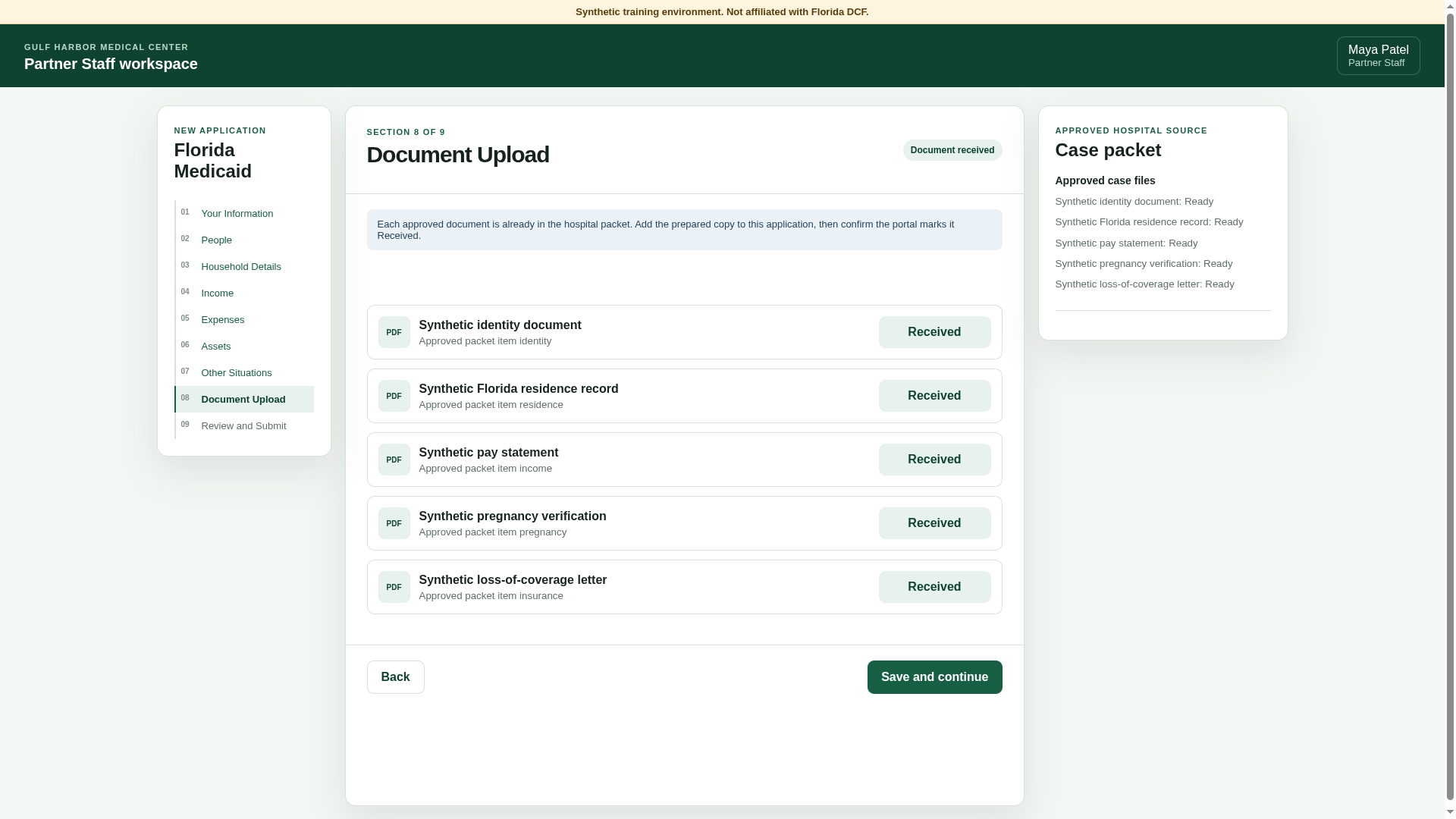
Our first Florida test failed at the document step. The workflow could see the approved record but could not attach it to the file field.
We gave each document a clear copy action, ran the whole case again, and confirmed that all five records reached “Received.” The failure showed why document handling needs its own result and error state.
The final dataset contains one completed controlled test for each state. Skyvern completed 68 sections, checked 392 values, prepared 37 document records, and made no mismatches.
No person corrected the final runs. Every run stopped before signature or submission.
These were synthetic workflows based on public state material. We did not use authenticated government portals or patient data.
The results do not show a production success rate, labor savings, eligibility outcomes, or recovered revenue.
- August 24, 2026: Completed the Pennsylvania COMPASS test and added checks for each section.
- August 26, 2026: Added Florida, Texas, Virginia, and Louisiana, including their different hospital roles and HPE handoffs.
- August 27, 2026: Added Illinois, Michigan, Missouri, and Indiana and completed the nine-state comparison.
Questions hospital leaders ask
Does the state portal need an API?
No. Browser automation can complete approved steps through the portal itself. If the state offers an approved API that covers the work, use it.
How should we handle credentials, PHI, screenshots, and audit evidence?
Review the full data path. Confirm who can access credentials and patient data, what the automation records, and where it stores screenshots and files.
Set a retention period, list every vendor that processes the data, and document how you would investigate an incident. Use synthetic data until your security team approves production use.
Can the same system support status checks and renewals?
Yes. Use the same case record, but treat status checks, document requests, and renewals as separate workflows. Each one needs a clear trigger, required inputs, error rules, and human stop point.
Choose the first state and case type
Open the guide above for your highest-volume state. You can also explore the nine-state lab or read about healthcare portal automation.
Create a free Skyvern account and test the workflow with one synthetic case.
Keep reading
AI Automation for EOB Processing: Tools & Workflows (2026)
If you're looking into EOB processing, there's probably someone on your team spending hours downloading insurance payment documents and copying the numbers into billing software. They log in to one insurer's website, find the right document, save it, and move on to the next. We've built Skyvern for this kind of healthcare admin work. It's an AI browser agent that can log into these websites, find the documents, and download them for you. You can build the rest of the workflow in Skyvern too, fr
How to Automate Insurance Eligibility Verification with Skyvern
A step-by-step guide to using Skyvern for insurance eligibility checks, from entering patient details in payer portals to returning coverage and benefits to your appointment system.
How to Automate Pharmacy Invoice Downloads
When your accounting team needs an invoice from a wholesaler portal, somebody has to go and get it. They sign in, pick the pharmacy account, find the right billing period, download the PDFs, and file them. Then they repeat the process in the next portal. And then the next... Every billing cycle! I know the pain. We built Skyvern for healthcare workflows like this. You give an AI agent a job to do in the browser, and it works through the website to do it. For pharmacy invoice collection, that m
Put the browser to work
Use Skyvern for the work that lives in a browser.
Turn repetitive browser tasks into reliable workflows with Skyvern.