Firecrawl vs Skyvern: Key Differences (July 2026)
 Suchintan Singh18 min read
You're trying to automate something web-based and you're weighing your options. Firecrawl and Skyvern both come up, they both handle browser content, and it's not immediately clear what separates them. But the architectural gap between the two is considerable: one reads public pages and returns the content, the other operates inside authenticated portals, handles 2FA, fills forms, and delivers structured output from workflows that have no API. That second class of problem (credential-guarded portals, multi-step workflows, layouts that break scripts) is what Agentic Process Automation (APA) platforms are built for. Browser execution is the mechanism; autonomous operation, exception handling, and structured output delivery are the actual product. This guide maps out where each tool fits and where each one runs out of road.
TLDR:
- Firecrawl extracts content from publicly accessible pages; it has no authentication handling and cannot submit forms or work through multi-step interactions.
- If your data sits behind a login wall, Firecrawl hits a hard stop. Skyvern can reach it by working through the full auth flow at runtime.
- Firecrawl charges per page crawled; Skyvern prices per task run, so a five-page portal workflow counts as one task regardless of how many pages the agent touches.
- Both ship MCP servers, but Firecrawl returns content for your agent to parse while Skyvern returns a structured result after completing the full browser workflow.
- Skyvern is an Agentic Process Automation (APA) platform built for portal-heavy workflows across insurance, logistics, and government systems where layouts change and scripts break; Skyvern 2.0 scored 85.85% on the WebVoyager benchmark as of January 2025, placing among the top performers in web navigation tasks at that time.
What Is Firecrawl?
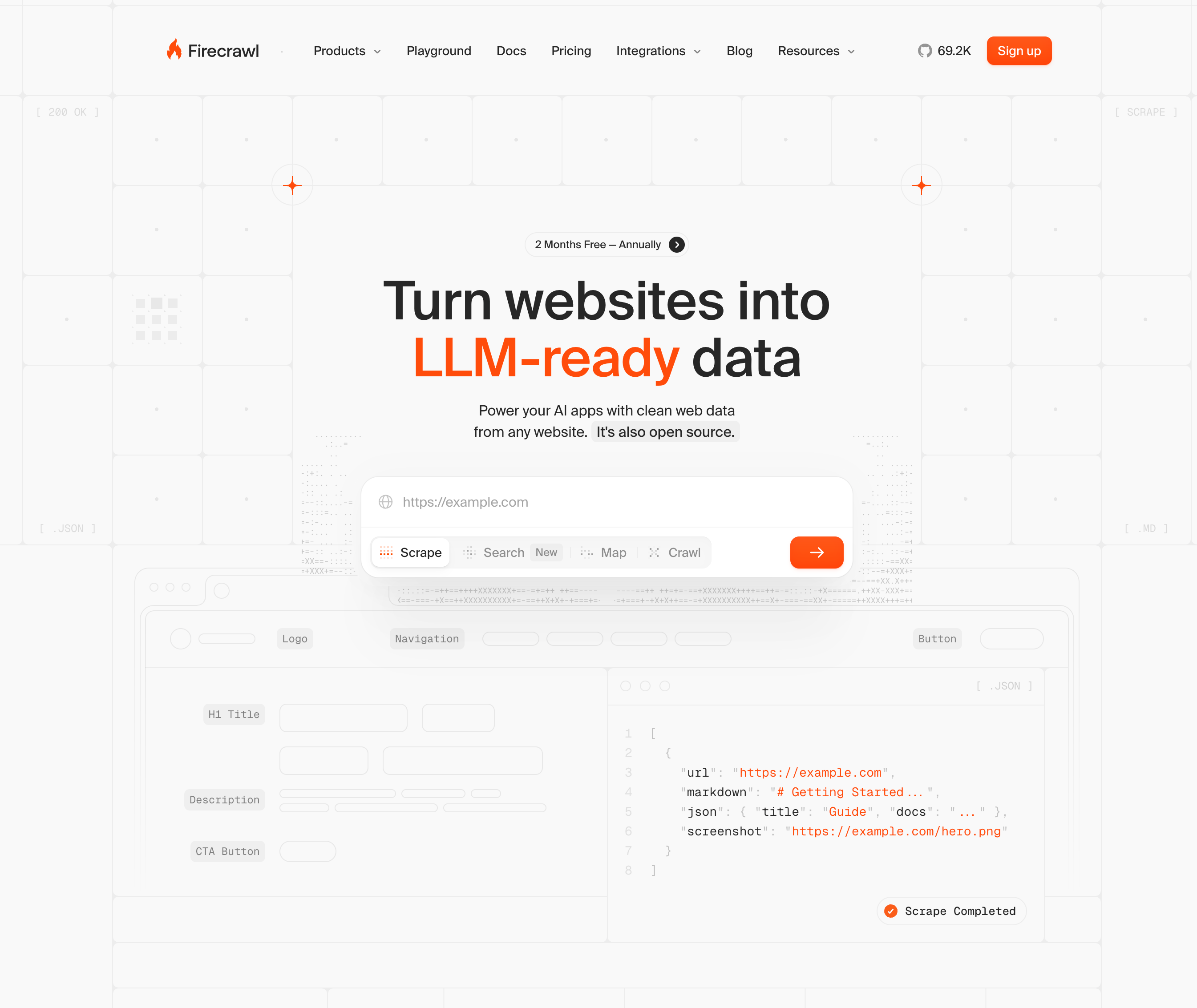
Firecrawl is a web scraping and data extraction API built for developers who need to pull structured content from websites at scale. It converts web pages into clean, LLM-ready markdown or structured data, handling JavaScript execution, pagination, and sitemap crawling along the way. The core use case is feeding web content into AI pipelines, research tools, or data workflows where the goal is content extraction, not task completion.
How Firecrawl Works
Firecrawl operates by sending HTTP requests to target URLs, processing the page (including JavaScript-heavy content), and returning the output as clean text or structured JSON. Developers point it at a URL or a crawl target, configure extraction parameters, and receive content back through an API call. There is no browser session being maintained, no form being submitted, no authentication flow being worked through. The tool reads pages and returns their content.
Key capabilities include:
- Crawling entire websites by following links and sitemaps, making it well-suited for indexing large content sets across many pages
- Extracting structured data from pages using schema definitions, so the output maps to a predictable JSON format instead of raw HTML
- Handling JavaScript-heavy content through headless browser execution, which means dynamically loaded content is captured and not skipped
- Supporting batch scraping across multiple URLs in a single request, useful for high-volume content collection workflows
- Offering a clean REST API and official SDKs in Python, Node.js, Go, Rust, Java, and Elixir, plus a CLI, keeping the integration surface broad for developer-centric teams; the full Firecrawl source and feature overview is available on GitHub
Limitations
Firecrawl is built around the assumption that the page is publicly accessible and readable. That constraint matters more than it might initially appear.
- It has no native support for authentication flows, meaning pages behind login walls, 2FA prompts, or session-managed portals are outside its reach without considerable custom work around it
- It cannot submit forms, click buttons, or carry out multi-step interactions, so any workflow requiring action inside a site (beyond just reading it) falls outside what Firecrawl does
- It is not designed to recover from mid-session failures, handle dynamic portal behaviors, or reason about page state across multiple steps
- Rate limiting and anti-bot detection on target sites can interrupt crawls, and there is no built-in reasoning layer to adapt when a site blocks or changes its response
Bottom Line
Firecrawl fits developer teams that need to extract content from publicly accessible web pages and feed it into LLM pipelines, research tools, or data warehouses. Teams indexing documentation sites, aggregating news content, or building retrieval-augmented generation pipelines will find it well-suited to that job. It is not suited for teams whose workflows require logging into portals, working through authentication, submitting forms, or completing any sequence of browser-based actions to get to the data they need.
What Is Skyvern?
Skyvern is an Agentic Process Automation (APA) platform built for workflows that live behind web portals with no API. Where traditional automation tools record clicks and replay them against a fixed selector map, Skyvern reads the live page visually at runtime, using computer vision and LLM reasoning to identify elements by appearance and context, not by a brittle DOM path.
The practical result: when a carrier portal renames a button, restructures a form, or rotates its login flow, Skyvern keeps going. There is no selector to break and no script to patch.
What Skyvern Was Built For
The workflows Skyvern targets share a common profile: credential-guarded portals, multi-step authentication, dynamic layouts, and structured output requirements that need to feed downstream systems reliably. Insurance eligibility checks, carrier quote requests, permit filings, and prior authorization submissions all fit that pattern.
Four capabilities define how Skyvern handles these workflows:
- A visual page reader that reads the live page state at runtime, not a cached selector map, so layout changes are new inputs instead of fatal breakpoints.
- A goal-directed planner that converts a stated objective into a sequence of actions, checking page state at each step instead of replaying a recorded path.
- A credential and authentication handler that works through login flows, 2FA prompts, and session-timeout modals as they appear, reasoning about state instead of pattern-matching against a script.
- A structured output extractor that maps results to a defined schema before returning them downstream, so connected systems receive consistent JSON regardless of which portal layout the agent encountered.
These four capabilities are the working definition of an Agentic Process Automation platform: browser execution is how the portals get handled, and goal-directed planning, credential management, and structured output delivery are what make the execution production-grade.
Key Features
- Handles authentication flows including authenticator app-based 2FA and email OTP without recorded replay, reasoning about state at each step.
- Self-healing behavior: when an agent encounters new form validation or portal behavior, such as a date field requiring MM/DD/YYYY format or a redirect after login, it retains that pattern and applies it on the next run against the same site or form type.
- Schema-defined structured output so downstream systems receive consistent, typed JSON on every run.
- Full audit trail on every execution, covering page state, action sequence, authentication steps, and any exception that fired, which matters for compliance-sensitive workflows where traceability is a requirement.
- Supports workflow authoring through natural-language prompts, executable Python code blocks, and YAML-based configurations, with the platform's architecture increasingly favoring Python for production workflows.
- Concurrency support for running multiple portal workflows in parallel instead of sequentially, which matters for operations teams managing portal sprawl across many external systems.
Limitations
- Teams automating a single internal portal with a stable layout and an existing API will not see a return on the setup investment. The visual-AI layer is built for layout instability and credential-guarded systems; if neither condition applies, the overhead is unnecessary.
- Phone and SMS-based 2FA is not currently supported. Supported authentication types are authenticator apps (TOTP) and email verification.
- Skyvern has no built-in proactive alerting. External monitoring tools are required if you want notifications when a workflow fails between scheduled runs.
- Cost at scale can be a hard number to swallow for teams running high volumes of short, simple tasks. The agent mode carries more overhead per run than a script would for workflows that never change.
- Learning curve for teams new to goal-directed automation. Translating a complex multi-step portal workflow into a well-scoped goal statement takes iteration, particularly for workflows with many conditional branches.
Bottom Line
Operations teams at insurers, freight brokerages, healthcare networks, and legal operations groups managing portal-heavy workflows across 10 or more external systems: this is the fit. Skyvern 2.0 scored 85.85% on the WebVoyager benchmark as of January 2025, placing among the top performers in web navigation tasks at that time, and the platform is built directly for the class of workflow where layout instability, credential sprawl, and the absence of an API make script-based automation untenable. It's not suited for engineering teams whose entire automation surface is a single internal tool with a stable layout and an existing API, where the visual-AI layer adds cost without solving a real problem.
Side-by-Side Comparison
The table below summarizes how the two tools compare across the dimensions teams typically hit first during evaluation.
Capability | Firecrawl | Skyvern |
|---|---|---|
Primary use case | Data extraction and content ingestion for LLMs | Multi-step browser workflow automation for business processes |
Credential and login handling | Not supported | Native, with encrypted credential vault and 2FA/TOTP support |
Form filling and submission | Not supported | Fully supported across any site |
Multi-step workflow automation | Not supported | Supported via 23 workflow block types |
Self-healing on UI changes | Extraction schemas require manual update | Visual page reading self-heals automatically at runtime |
CAPTCHA handling | Partial; Stealth Mode adds 5x credit cost per page | Built-in CAPTCHA bypass methods for CAPTCHA flows |
Structured data output | Markdown, JSON via extraction endpoint | JSON via |
MCP server | 13-tool MCP server | 35-tool MCP server across 6 categories |
Audit trail and observability | Not applicable | Screenshots, video replays, and timestamped logs per run |
Pricing model | Credit-based subscription; no pay-as-you-go | Contact for pricing; task and workflow-based |
Open source | Yes | Yes (Skyvern Open Source) |
Self-hosting | Yes | Yes (Skyvern Open Source) |
Data Extraction and Content Transformation
Firecrawl and Skyvern handle data extraction from opposite ends of the problem. Firecrawl starts with the page and converts it into structured content. Skyvern starts with a goal and works through whatever the browser presents to reach it, returning structured output as a byproduct.
How Firecrawl Approaches Extraction
Firecrawl is purpose-built for content transformation. Point it at a URL and it returns clean markdown, structured JSON, or raw HTML, stripping away navigation, ads, and boilerplate. Its LLM-powered extraction layer lets you define a schema and pull specific fields without writing parsing logic. For static or semi-static content, this works well.
How Skyvern Approaches Extraction
Skyvern's extraction capability is tied directly to its agentic execution model. Because it reads the live page visually at runtime and operates through goal-directed planning, it can extract data from pages that require authentication, multi-step navigation, or form submission before any content is even visible. The output schema is defined upfront, so downstream systems receive consistent JSON regardless of what the agent encountered during the run.
The practical difference comes down to access. Firecrawl extracts what is publicly reachable. Skyvern can extract from behind login walls, paginated workflows, and credential-guarded portals where the data only appears after a sequence of interactions. For publicly available content, Firecrawl is the faster, simpler path. For portal-based workflows where the data requires action to surface, Skyvern is the only one of the two that can reach it at all.
Authentication, Workflow Execution, and Multi-Step Automation
Firecrawl and Skyvern take fundamentally different approaches to authentication and multi-step workflows, and that difference becomes the clearest way to understand which tool fits which job.
Firecrawl has no native authentication handling. You can pass cookies or pre-authenticated session headers as part of a request, which may let you reach content behind a login wall if you already hold a valid session token, but Firecrawl itself does not work through login flows. If a portal presents a 2FA prompt, a session-timeout modal, or a dynamic login sequence that varies by session, there is no architectural mechanism to handle it. The authenticated session must exist before Firecrawl is ever invoked.
Skyvern, on the other hand, treats authentication as a first-class concern. It works through login flows, 2FA prompts, and session-timeout modals as they appear during execution, reasoning about page state instead of replaying a recorded path. This matters for portal-heavy workflows where credentials rotate, where payer portals require authenticator app verification on each session, or where the login sequence varies based on user role or geography.
Multi-Step Workflow Execution
The gap widens considerably when the task spans multiple steps.
Firecrawl excels at discrete extraction jobs: crawl this site, extract this structured data, return the result. Chaining steps together requires external orchestration. You are responsible for managing state between calls, handling errors at each transition, and building the retry logic when something fails mid-sequence.
Skyvern's execution model is built for exactly the multi-step case. A single workflow definition can cover login, form completion, data submission, result extraction, and exception handling, with the agent reassessing page state at each step instead of replaying a static script. When a portal changes a button label or restructures a confirmation screen mid-workflow, the agent reads the new layout and continues. When an exception fires, it can escalate to a human-in-the-loop gate instead of silently failing.
For operations teams running credential-guarded workflows across dozens of external portals, like eligibility checks on insurance payer portals or carrier quote submissions, that architectural difference is the deciding factor.
Self-Healing and Resilience to Website Changes
When a portal renames a button, restructures a form, or adds a new authentication step, selector-based tools break. The script runs, finds nothing, returns no error, and delivers nothing downstream. By the time anyone notices, the portal may have already changed again.
This is where the architectural difference between Firecrawl and Skyvern becomes most concrete.
Firecrawl is built for extraction from static or semi-static pages. When a page layout shifts, Firecrawl's extraction logic needs to be reconfigured. There is no runtime reasoning about what the page currently looks like, only pattern matching against what it looked like when the scraper was set up.
Skyvern reads the live page visually at runtime. Instead of a stored selector map, it inspects the live page state on each run, identifying interactive elements by appearance and context. A layout change is new input, not a fatal breakpoint. When a payer portal adds an interstitial session-timeout warning mid-workflow, such as a modal that must be dismissed before an eligibility form loads, Skyvern retains that dismissal pattern and applies it on the next run against any portal in that payer group.
Where This Plays Out in Practice
Three conditions expose the gap most clearly:
- Portal layouts that rotate or update without notice force selector-based and pattern-matched extractors to fail silently. Skyvern re-reads the page on every run, so a vendor's redesign does not require a workflow reconfiguration.
- Authentication flows that change between sessions, including 2FA prompts and session-timeout modals, require reasoning about current page state. Firecrawl has no authentication handling; Skyvern works through these flows as they appear. For a broader comparison, see Firecrawl vs Browser Use vs Skyvern.
- Multi-step workflows with conditional branches, such as forms that show different fields depending on prior inputs, require the agent to assess each step before acting. Skyvern's goal-directed planner re-assesses at each step instead of replaying a recorded path.
For teams managing portal-heavy workflows across insurance, logistics, or government systems, where layouts change without warning and scripts break on every vendor update, the resilience gap between the two tools is considerable.
MCP Server and AI Agent Integration
Firecrawl and Skyvern both ship MCP servers, but they serve different roles inside an AI agent stack.
Firecrawl's MCP server gives AI agents access to its scraping and crawling tools, and it's among the top MCP servers for web scraping. If your agent needs to pull content from public pages, the integration is straightforward: the agent calls a Firecrawl tool, gets back structured text or markdown, and continues reasoning from there.
The Skyvern MCP vs Firecrawl MCP distinction is worth noting: instead of returning content for the agent to process, Skyvern hands the agent a live browser session. The agent states a goal, and Skyvern handles the full execution loop: reading the page visually, working through any login or authentication flow, filling forms, and returning structured output. The agent gets a result, not a page to parse.
Where This Distinction Matters
For read-only tasks on public pages, Firecrawl's integration is often enough. The agent gets what it needs without spinning up a browser.
For anything that requires authentication, form interaction, or multi-step workflows across credential-guarded portals, Firecrawl's MCP toolset hits a hard boundary. There is no execution layer underneath it that can log in, handle a 2FA prompt, or submit a form.
Skyvern's MCP integration was built with those cases as a first-class concern. An agent that needs to pull a freight quote from a carrier portal, check insurance eligibility across payer systems, or file a document through a government portal can call Skyvern through MCP and get back a structured result without any of the intermediate browser handling appearing in the agent's reasoning loop.
Teams whose agents operate across both public content and authenticated portals will find these tools occupying different positions in the stack, not competing for the same slot.
Pricing and Cost Predictability
Firecrawl and Skyvern price against fundamentally different consumption models, and that gap matters when you're trying to forecast automation costs at scale.
Firecrawl charges per page crawled or scraped. On their standard plans, you're buying credits that map to pages extracted. For lightweight research workflows or one-off data pulls, that model is predictable enough. But when you're running high-volume extraction jobs across hundreds of URLs per day, credit burn can scale faster than expected, and teams often find themselves upgrading plans before they anticipated.
Skyvern prices per task run, where a task is a goal-directed workflow executed end-to-end across one or more pages. Because Skyvern handles authentication, multi-step navigation, and structured output extraction as part of a single task, you're not paying per page touched during that workflow. For portal-heavy operations where a single business process might span five or six pages, this can make per-task pricing considerably more cost-efficient than per-page models.
Where Cost Predictability Diverges
The harder comparison is around cost predictability as workflows grow in complexity.
Firecrawl's costs are easier to estimate upfront for simple extraction jobs, since page count is usually knowable before a run. The cost model gets murkier when crawl depth expands unexpectedly, pagination adds pages, or JavaScript-heavy sites require multiple render passes.
Skyvern's per-task pricing holds steady regardless of how many page interactions a workflow requires to complete. A login flow that passes through an authentication screen, a dashboard, a search result, and a data entry form still counts as one task. Teams running high-complexity portal workflows tend to find this model easier to budget against as automation scope grows.
Neither model is universally cheaper. The right answer depends on what you're automating. For bulk page extraction with predictable URLs, Firecrawl's credit model is straightforward. For a deeper look at how these tools stack up, the Browserbase vs Firecrawl vs Skyvern comparison covers workflow automation trade-offs in detail.
Why Skyvern Is the Better Choice
Skyvern takes a fundamentally different approach to browser automation. Where Firecrawl is built to extract content from pages that are already accessible, Skyvern is built for the workflows that sit behind authentication walls, multi-step forms, dynamic portals, and anything else that requires an agent to act and complete tasks, not merely read. The architectural gap matters in practice. Firecrawl reads pages. Skyvern operates them.
That is the core distinction between a content extraction tool and an Agentic Process Automation platform.
What Skyvern Does
Skyvern is an Agentic Process Automation (APA) platform that reads pages visually at runtime using computer vision and LLM reasoning, then takes goal-directed action across multi-step workflows. Instead of relying on selectors or recorded click paths, Skyvern reads the live page state at each step, which means layout changes, rotating login flows, and session-timeout modals are new inputs instead of fatal breakpoints.
Four capabilities set Skyvern apart from tools in Firecrawl's category:
- Credential-aware authentication handling: Skyvern works through login flows, 2FA prompts (authenticator app and email-based OTP), and session management as they appear at runtime, reasoning about state instead of replaying a recorded path. Teams running workflows across dozens of carrier portals or payer systems don't need to rebuild auth logic every time a portal updates its flow.
- Goal-directed multi-step execution: Instead of fetching a URL and returning its content, Skyvern accepts a natural-language goal and works through the full sequence of actions required to complete it, including form fills, dropdowns, pagination, and conditional navigation, reassessing page state at each step.
- Structured output delivery: Workflows return JSON mapped to a schema defined upfront, so downstream systems receive consistent, typed data regardless of which portal layout Skyvern encountered during the run.
- Self-healing behavior across layout changes: When a portal renames a button or restructures a form, Skyvern re-reads the live page and continues. When an agent encounters new form validation or website behavior, such as a date field that requires MM/DD/YYYY format or a portal that redirects after login, it retains that pattern and applies it on the next run against the same site or form type.
Key Features
- Visual page reading via computer vision and LLM reasoning, with no selector map to maintain or update when portals change
- Authentication handling across login flows, TOTP-based 2FA, and email OTP, with credential storage built into the platform
- Workflow orchestration across multi-step browser sessions, including loops, pagination, conditional branching, and exception escalation
- Schema-defined structured output that maps extracted results to typed JSON before returning them to downstream systems
- Full run traces covering page state, action sequence, authentication steps, structured output, and any exception that fired, giving teams a working diagnostic instrument instead of a post-mortem archive
- SOC 2 compliance, HIPAA-capable deployment, approval gates, and role-based access controls for teams running workflows in compliance-sensitive environments
- Skyvern 2.0 scored 85.85% on the WebVoyager benchmark as of January 2025, placing among the top performers in web navigation tasks at that time
Code Example: Insurance Eligibility Check via Payer Portal
The example below runs a full eligibility check through a credential-guarded payer portal: login, 2FA handling, form submission, and structured output extraction, all in a single Python SDK call.
from skyvern import Skyvern
import asyncio

# Initialize with your API key from app.skyvern.com/settings
skyvern = Skyvern(api_key="YOUR_API_KEY")

async def run_eligibility_check():
    # Credentials are stored once in Skyvern's encrypted vault and never passed to the LLM.
    # Reference them by credential_id on every subsequent run.
    CREDENTIAL_ID = "cred_your_portal_credential"  # from app.skyvern.com/credentials

    task = await skyvern.run_task(
        url="https://payerportal.example.com/eligibility",
        # Skyvern works through login, 2FA, and the eligibility form using the goal below
        prompt=(
            "Log in using the stored credentials. Work through any 2FA prompt as it appears. "
            "Navigate to eligibility verification, enter member ID 8675309, submit the form, "
            "and return coverage details. "
            "COMPLETE when coverage status, copay, and deductible are extracted."
        ),
        credential_id=CREDENTIAL_ID,
        # Schema defined upfront so downstream systems receive consistent JSON on every run
        data_extraction_schema={
            "type": "object",
            "properties": {
                "coverage_status":          {"type": "string"},
                "copay_usd":                {"type": "number"},
                "deductible_remaining_usd": {"type": "number"},
                "plan_name":                {"type": "string"},
            }
        },
        # Webhook delivers the structured result to your downstream system when the run finishes
        webhook_url="https://your-system.example.com/webhooks/eligibility",
        run_with="agent",         # LLM reads the page visually and reasons at each step
        wait_for_completion=True,
    )

    print(f"Status: {task.output['coverage_status']}")
    print(f"Copay:  ${task.output['copay_usd']}")
    return task.output

asyncio.run(run_eligibility_check())
Because data_extraction_schema is defined upfront and credential_id keeps portal credentials out of the LLM layer entirely, the same task definition runs across any payer portal and returns consistent, typed JSON on every run, regardless of whether the portal layout changed between sessions. That is the gap Firecrawl cannot close: it has no execution layer capable of working through authentication, and without that, the data never surfaces at all.
Limitations
- Teams automating a single internal portal with a stable layout and an existing API will not see a return on the setup investment. The visual-AI layer is built for layout instability and credential-guarded systems; if neither applies, the overhead is unnecessary.
- Phone and SMS-based 2FA are not currently supported. Workflows that require hardware token flows or voice-based verification still need a human handoff at that step.
- Skyvern has no built-in proactive alerting. Teams that need notification when a run fails or deviates will need to wire in an external monitoring tool or handle it through webhooks.
- Per-run cost is higher than simple scraping tools. Internal benchmarking across production customer workflows puts average cost at $0.11 per run in agent mode, compared to $0.04 in replay mode, and exact results vary by workflow complexity. For high-volume, low-complexity extraction on publicly accessible pages, that gap adds up.
- The learning curve for configuring complex multi-step workflows is real, particularly for non-technical operators building their first portal-automation sequences without developer support.
Bottom Line
Operations teams managing portal-heavy workflows across insurance payer systems, freight carrier portals, government permit applications, or financial institution forms where layouts change without notice and scripts break on every vendor update: this is the fit. Skyvern is also the right choice for teams that need a full audit trail, credential management and authentication automation, and human-in-the-loop approval gates built into the automation layer, not bolted on after the fact. It's not suited for teams whose primary need is bulk content extraction from publicly accessible pages with no authentication, no multi-step interaction, and no structured output requirement. For that use case, Firecrawl does the job with less overhead.
Final Thoughts on the Firecrawl and Skyvern Comparison
These tools solve different problems, and most teams will find that the right choice becomes obvious once they map their actual workflows. Public content extraction with no auth requirements points to Firecrawl. Credential-guarded portals, multi-step forms, and layouts that change without warning point to Skyvern, and more broadly to the Agentic Process Automation category it represents: platforms where the browser is the execution layer and the product is everything built around it to make that execution reliable, auditable, and production-grade. If your workflows fall into that second category, schedule a demo to see how it handles them in practice.
FAQ
Should I use Firecrawl or Skyvern if my workflow requires logging into portals before extracting data?
Skyvern is the right choice here. Firecrawl works with sessions you pass in manually, but has no architectural mechanism to work through login flows, 2FA prompts, or session-timeout modals at runtime. If your data only appears after authentication, Skyvern is the only one of the two that can reach it. It reasons about page state at each step instead of pattern-matching against a recorded path.
What is the core architectural difference between how Firecrawl and Skyvern handle website changes?
Firecrawl relies on extraction patterns configured against a page's structure at setup time, so a layout change requires manual reconfiguration. Skyvern reads the live page state at runtime on every run, identifying elements by appearance and context instead of stored selectors, which means a portal redesign is new input and not a breakpoint requiring a script fix.
Who is Firecrawl best suited for, and who is Skyvern best suited for?
Firecrawl fits developer teams that need to pull structured content from publicly accessible pages at scale: documentation indexing, news aggregation, or building retrieval-augmented generation pipelines. Skyvern fits operations teams managing portal-heavy workflows across insurance payer systems, freight carrier portals, government permit applications, or any credentialed system where layouts change without notice and scripts break on every vendor update.
Can Skyvern handle multi-step workflows that span login, form submission, and data extraction in a single run?
Yes. A single Skyvern workflow definition covers login, form completion, data submission, result extraction, and exception handling, with the agent reassessing page state at each step. The concrete limit to plan around: phone and SMS-based 2FA are not currently supported, so workflows requiring hardware token flows or voice-based verification still need a human handoff at that step.
How does pricing differ between Firecrawl and Skyvern for complex portal workflows, and which model is easier to budget at scale?
Firecrawl charges per page crawled, which is straightforward for simple extraction jobs but can become harder to predict when crawl depth expands or pagination adds pages unexpectedly. Skyvern prices per task run, so a workflow that touches five or six pages during login, navigation, and extraction still counts as one task, and teams running high-complexity, credentialed workflows tend to find that model easier to budget against as automation scope grows.
Keep reading
Browser Use vs Browserbase: my honest comparison
Browserbase and Browser Use can both automate work in a browser, from collecting product data to filling out forms. Choosing between them comes down to what you want to build: a task you hand to an AI agent, a custom agent inside your application, or browser infrastructure for scripts you already run. I’m Skyvern’s co-founder and CEO by the way. We build a competing product, so I have a stake in this comparison. But I promise I won't promote our product (even though it's a great alternative to
6 Stagehand alternatives for browser automation in 2026
If you're looking for Stagehand alternatives, you probably want an AI browser agent that: * Works natively with Python scripts. * Can navigate and scrape complex websites efficiently. * Stays reliable as your workload grows from a few runs to thousands of browser jobs. That's the kind of workflow I built Skyvern for (Skyvern CEO here). I know, I know, Skyvern CEO's recommending Skyvern as a good alternative. Please just stay with me for a second here. Yes, Skyvern is a good Stagehand alt
Browser Use vs Stagehand: Which One Should You Pick?
Browser Use and Stagehand both let you use AI to automate browser tasks, such as collecting product data or filling out forms. When you’re deciding which to build with, their feature lists only tell you so much. You want to know how much code you’ll need to write, whether the automation completes your task correctly, and what repeated runs will cost. I'll be upfront: we build Skyvern, a competitor to both, but this blog post won't shill our product (you can try it here though). I’m keeping thi
Put the browser to work
Use Skyvern for the work that lives in a browser.
Turn repetitive browser tasks into reliable workflows with Skyvern.