Skyvern MCP vs Firecrawl MCP: Head-to-Head Comparison in May 2026
 Suchintan Singh10 min read
sssAI agents can now interact with websites through the Model Context Protocol, and the Skyvern MCP and Firecrawl MCP comparison is worth understanding before you commit to either one. They both connect to your agent workflows, but the overlap ends there. Firecrawl scrapes and structures web content for downstream reasoning. Skyvern automates browser tasks across sites that require authentication, state management, and multi-step interactions. The tool you pick shapes what your agents can actually do.
TLDR:
- Firecrawl MCP scrapes web content and returns clean data for AI agents to read and reason about.
- Skyvern MCP controls browsers to complete tasks like logins, form fills, and multi-step workflows.
- Firecrawl breaks when workflows need authentication, session state, or form interaction capabilities.
- Skyvern uses computer vision to adapt when sites change layout, reducing script maintenance work.
- Choose Skyvern for credential-protected portals and stateful workflows; use Firecrawl for read-only data extraction.
What is Firecrawl MCP?
Firecrawl is a web scraping API built for developers who need to turn websites into clean, structured data. Its MCP server extends that functionality into AI coding tools like Claude and Cursor, letting AI assistants call Firecrawl's scraping capabilities directly during a session without leaving their development environment.
The MCP server exposes four core tools:
- scrape: pulls content from a single URL and returns it in a clean, parseable format
- crawl: follows links across a site to collect pages in bulk for broader data gathering
- search: queries the web and returns structured results tied to a specific topic or keyword
- extract: targets specific data fields from a page using a defined schema for precise output
Firecrawl handles JavaScript-generated pages, includes basic anti-bot evasion, and returns content in LLM-ready formats like markdown or structured JSON. That output format is the main draw for AI pipelines. The structured data feeds directly into downstream workflows without extra parsing work, making Firecrawl a solid fit for building RAG systems, content monitoring tools, or any product that needs to feed web content into an LLM.
What is Skyvern MCP?

Skyvern MCP is a server built on the Model Context Protocol that gives AI agents the ability to control real web browsers and complete multi-step tasks on live websites. Instead of scraping static HTML or replaying pre-recorded scripts, Skyvern uses computer vision and AI to read pages visually, the same way a person would, and take action based on what it sees.
This makes Skyvern MCP well-suited for workflows that go beyond reading web content. It can fill out forms, click buttons, handle authentication flows, solve CAPTCHAs, and complete sequences of actions across multiple pages without breaking when a site's layout changes.
What Skyvern MCP Handles
Four capabilities set Skyvern MCP apart from extraction-focused tools:
- It executes browser actions on live sites, including form submission, navigation, and file uploads, going beyond content retrieval.
- It reads pages through computer vision instead of parsing DOM structure, so layout changes are far less likely to break a workflow.
- It manages authentication, including login flows and multi-factor verification, which extraction tools typically skip entirely.
- It adapts at runtime when a page looks different than expected, instead of failing silently or requiring a script update.
Browser Control vs. Web Data Extraction
At their core, Skyvern MCP and Firecrawl MCP solve fundamentally different problems, and that distinction shapes everything about how you'd use each one.
Firecrawl is built for web data extraction. It crawls pages, converts content into clean markdown, and hands structured data back to your AI agent. If you need an LLM to read a webpage and reason about what's on it, Firecrawl handles that pipeline well.
Skyvern is built for browser control and web task execution. Instead of reading pages, it operates them, clicking buttons, filling forms, handling authentication flows, and completing multi-step workflows the way a human would. It uses computer vision to interpret what's visible on screen instead of relying on fragile DOM selectors.
Where They Overlap
There is some surface-level overlap: both interact with websites and both are designed to work inside AI agent workflows via MCP. But the overlap stops there.
- Firecrawl reads web content and returns it as structured data for downstream reasoning.
- Skyvern acts on web content by completing tasks that require real browser interaction.
Trying to use Firecrawl to submit a form or log into an account won't work. Trying to use Skyvern to bulk-scrape thousands of pages for a dataset is the wrong tool for that job too.
Workflow Complexity and Multi-Step Automation
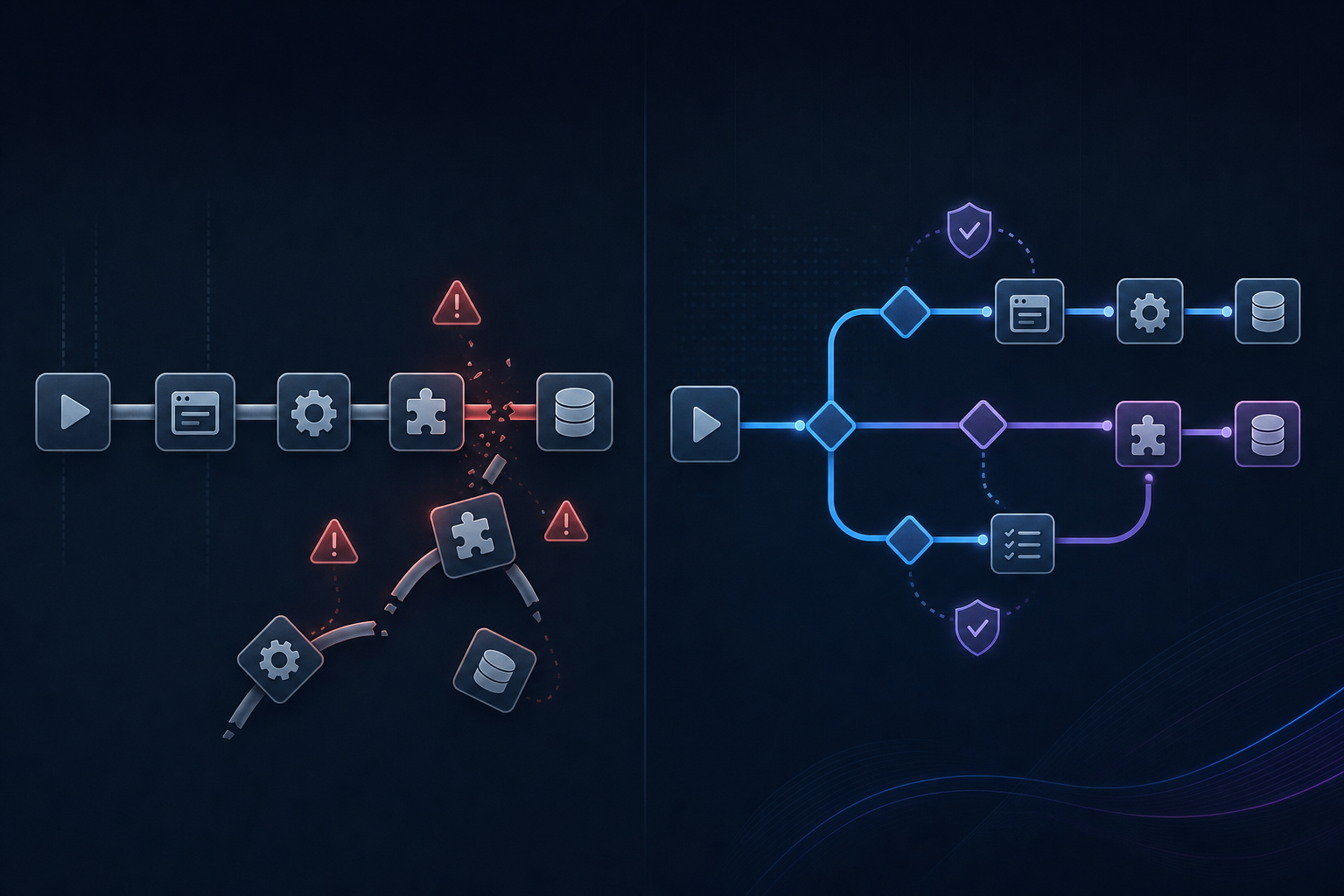
Firecrawl MCP handles multi-step workflows by chaining individual scraping calls together, which works well for linear data extraction pipelines. But when a workflow requires branching logic, form interactions, or state management across multiple pages, that chaining approach starts to break down. Each step needs to be explicitly coded, and any unexpected page state can cause the entire sequence to fail silently. Traditional scraping methods struggle when websites require complex interaction patterns beyond simple CSS selectors.
Skyvern MCP approaches multi-step automation differently. Instead of requiring developers to script every interaction in advance, it reads the page visually at each step and decides what action to take next based on the current state. This means workflows can adapt when a site adds a new modal, rearranges a form, or requires an unexpected confirmation step.
Where the Gap Widens
Three specific scenarios expose where Firecrawl's scraping-first design runs into real friction:
- Login flows and session-based workflows require persistent browser state, which Firecrawl was not built to manage across steps.
- Multi-page form submissions with conditional fields need the agent to read and respond to what appears on screen, not follow a fixed script.
- Workflows that include file uploads, dropdowns, or dynamic content loading require interaction capabilities that go beyond extraction.
Skyvern MCP handles all three natively, allowing teams to automate end-to-end workflows without writing brittle selector chains or maintaining step-by-step scripts that break when the underlying site changes.
Self-Healing and Adaptability
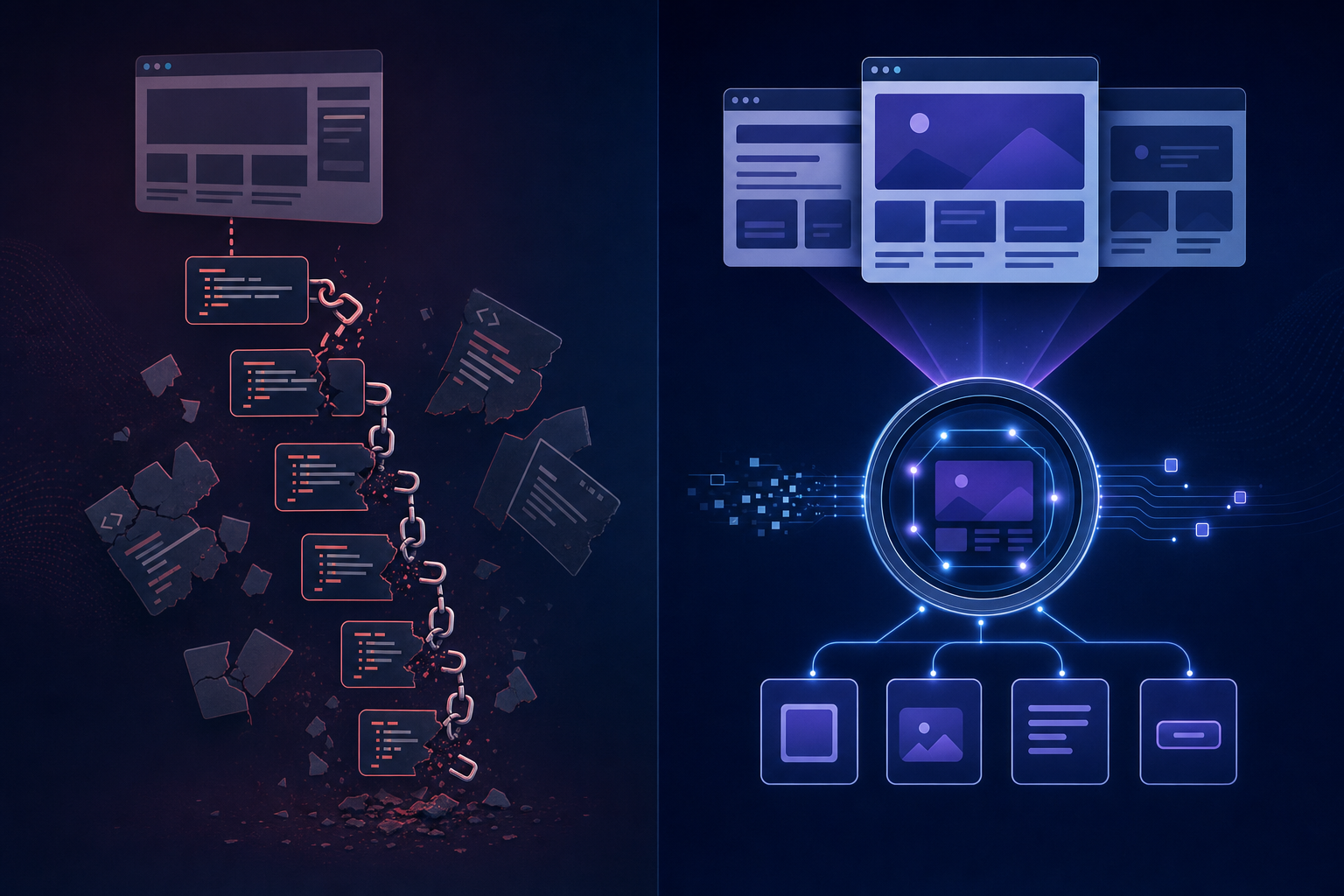
When websites change their layout, update their HTML structure, or redesign their UI, automation scripts built on static selectors break. How a tool handles this kind of disruption tells you a lot about how much maintenance you'll be doing in production.
Firecrawl MCP's Approach
Firecrawl MCP is built for data extraction, so its resilience is scoped to that context. It can retry failed requests and handle minor display differences, but it has no mechanism for visually reasoning about a page when the DOM shifts. If the structure of a target page changes, your scraping configuration needs to be updated manually.
Skyvern MCP's Approach
Skyvern MCP takes a fundamentally different approach. Because it reads pages visually using computer vision and an LLM, it identifies elements by how they look and what they say instead of where they sit in the DOM. When a button moves or a form gets restructured, Skyvern can still find and interact with it without any script updates.
There are three reasons this matters in production:
- Skyvern re-reasons about the page at runtime on every run, so a changed layout does not immediately translate into a broken workflow.
- Teams spend far less time maintaining automation scripts because the agent adapts instead of failing silently or throwing errors.
- Workflows built in Skyvern tend to generalize across similar sites, reducing the need to rebuild from scratch when moving between targets.
For teams running automations at scale across many sites or over long-time horizons, this adaptability gap between the two tools is one of the most consequential differences to weigh. 30–50% of RPA projects stall or get abandoned, and 70–75% of RPA total cost of ownership goes to implementation, maintenance, and support rather than licensing.
Integration and Deployment Options
Both tools connect to AI agents through the Model Context Protocol, but they take different paths on deployment and integration. Here is how each one works in practice:
- Skyvern exposes browser automation via a hosted cloud service; teams get up and running without provisioning infrastructure. Developers interact through a REST API or the MCP server directly, and Skyvern handles session management, browser instances, and proxy routing behind the scenes.
- Firecrawl MCP follows a similar hosted model for scraping and crawling, with SDKs available in Python and Node.js. Setup is straightforward for extraction-focused workflows, though teams that need to interact with pages beyond reading will find the integration scope limited to what Firecrawl's scraping layer supports.
Where the approaches split
- Skyvern's MCP integration supports multi-step task execution across authenticated sessions, so agents can log in, fill forms, and complete workflows without custom scripting for each site.
- Firecrawl's MCP integration is well-suited for feeding structured data into an agent's context, but it does not handle stateful interactions or post-authentication workflows.
Side-by-Side Comparison
Capability | Skyvern MCP | Firecrawl MCP |
|---|---|---|
Primary Use Case | Browser control and task execution across authenticated portals with multi-step workflows | Web data extraction and content scraping from public pages into structured formats |
Authentication Handling | Manages login flows, session state, MFA, and CAPTCHA solving across credential-protected portals | No support for authentication or credential-protected workflows |
Form Interaction | Fills forms, handles dropdowns, uploads files, and completes multi-page wizard flows | Cannot interact with forms or submit data |
Adaptability to Site Changes | Uses computer vision and LLM reasoning to adapt when layouts change without script updates | Requires manual configuration updates when DOM structure or page layout changes |
Multi-Step Workflow Support | Executes complex branching workflows with runtime decision-making based on page state | Chains individual scraping calls together but cannot handle conditional logic or state management |
Best For | Teams automating credential-protected portals, insurance carriers, payer systems, and government filing sites | Building RAG systems, content monitoring tools, and feeding structured web data into AI pipelines |
Why Skyvern is the Better Choice
Firecrawl makes sense when the job is purely read-only: building RAG systems, feeding LLMs training data, or monitoring public content that never requires authentication. For those workflows, it does exactly what it promises.
The moment you need to log in, submit a form, download a file, or move through a multi-step business process, Firecrawl hits a wall. Credential-protected portals, payer systems, government filing sites, insurance carrier portals. These workflows require authentication, browser interaction, and session state that Firecrawl cannot provide. Skyvern was built for exactly this.
Skyvern brings four capabilities that Firecrawl simply does not have:
- Authentication flows, including MFA and CAPTCHA handling, so Skyvern can access portals that sit entirely behind login screens
- Form submission and multi-page wizard completion across complex, stateful web interfaces
- File downloads and structured data extraction from downloaded documents, beyond publicly visible page content
- Parallel execution across hundreds of portals simultaneously, which matters for teams running workflows at scale
Beyond raw capability, the self-healing architecture means workflows survive site redesigns without manual maintenance. Add enterprise features like credential management, proxy routing, webhook integration, and SOC 2 compliance, and Skyvern functions as a production-grade automation layer, one you can trust in production instead of a prototype you have to babysit.
Getting Started with Skyvern MCP
Connecting Skyvern MCP to Claude takes about 30 seconds. Run this command with your API key from app.skyvern.com/settings:
claude mcp add-json skyvern '{"type":"http","url":"https://api.skyvern.com/mcp/","headers":{"x-api-key":"YOUR_SKYVERN_API_KEY"}}' --scope userNo Python install or local server required. Once connected, Claude can navigate sites, log in, fill forms, and return structured data through natural language instructions. For teams that prefer working directly in Python, the SDK offers the same browser control with a few lines of code:
from skyvern import Skyvern
import asyncio

skyvern = Skyvern(api_key="YOUR_API_KEY")

task = await skyvern.run_task(
    prompt="Log into the carrier portal and download the latest declarations page",
    url="https://carrier-portal.example.com",
    wait_for_completion=True,
    webhook_url="https://your-webhook-url.com",
    data_extraction_schema={
        "type": "object",
        "properties": {
            "policy_number": {"type": "string"},
            "effective_date": {"type": "string"},
            "downloaded_file": {"type": "string"}
        }
    }
)

print(task.output)
The data_extraction_schema parameter tells Skyvern exactly what structured data to return after completing the workflow. The webhook_url fires when the run finishes, so downstream systems get notified without polling. Firecrawl has no equivalent for either. It cannot log in, and it has no concept of a multi-step workflow that ends in a file download and structured extraction.
Final Thoughts on Selecting the Right MCP Tool for Your Workflows
If you're building RAG systems or feeding LLMs public data, Firecrawl works. But teams running production automations across authenticated portals need Skyvern MCP for its browser control, self-healing architecture, and ability to handle the messy workflows that scraping tools skip entirely. See it in action on your own use cases.
FAQ
How do you choose between Skyvern MCP and Firecrawl MCP for your workflow?
Ask whether your workflow needs to read content or act on it. Firecrawl works when you need to extract data from public pages and feed it into AI pipelines. Skyvern works when you need authentication, form submission, or multi-step interactions that require browser control.
What breaks when you try to run authenticated workflows through Firecrawl MCP?
Firecrawl can't log in, maintain session state, or interact with credential-protected portals because it was built for data extraction, not browser control. Any workflow behind a login screen requires Skyvern's authentication handling and stateful browser capabilities instead.
Why does Skyvern MCP handle site redesigns better than Firecrawl MCP?
Skyvern reads pages visually using computer vision, identifying elements by how they look instead of where they sit in the DOM. When sites change layout, Skyvern adapts at runtime without script updates, while Firecrawl requires manual configuration changes to handle DOM structure shifts.
Can you use Skyvern MCP for read-only data extraction at scale?
Skyvern can extract data, but if your workflow is purely read-only scraping at massive scale without interaction requirements, a specialized tool like Firecrawl handles that more efficiently. Use Skyvern when extraction is part of a larger workflow that also needs form submission or authentication.
What types of workflows require Skyvern MCP instead of Firecrawl MCP?
Workflows that involve insurance carrier portals, payer systems, government filing sites, or any multi-step process requiring login credentials, session management, form filling, or file downloads need Skyvern. Firecrawl works for public content extraction but can't handle these credential-protected, interactive workflows.
Keep reading

Browser Use vs Browserbase: my honest comparison
Browserbase and Browser Use can both automate work in a browser, from collecting product data to filling out forms. Choosing between them comes down to what you want to build: a task you hand to an AI agent, a custom agent inside your application, or browser infrastructure for scripts you already run. I’m Skyvern’s co-founder and CEO by the way. We build a competing product, so I have a stake in this comparison. But I promise I won't promote our product (even though it's a great alternative to

6 Stagehand alternatives for browser automation in 2026
If you're looking for Stagehand alternatives, you probably want an AI browser agent that: * Works natively with Python scripts. * Can navigate and scrape complex websites efficiently. * Stays reliable as your workload grows from a few runs to thousands of browser jobs. That's the kind of workflow I built Skyvern for (Skyvern CEO here). I know, I know, Skyvern CEO's recommending Skyvern as a good alternative. Please just stay with me for a second here. Yes, Skyvern is a good Stagehand alt

Browser Use vs Stagehand: Which One Should You Pick?
Browser Use and Stagehand both let you use AI to automate browser tasks, such as collecting product data or filling out forms. When you’re deciding which to build with, their feature lists only tell you so much. You want to know how much code you’ll need to write, whether the automation completes your task correctly, and what repeated runs will cost. I'll be upfront: we build Skyvern, a competitor to both, but this blog post won't shill our product (you can try it here though). I’m keeping thi
Put the browser to work
Use Skyvern for the work that lives in a browser.
Turn repetitive browser tasks into reliable workflows with Skyvern.