The Best AI-Native Alternative to UiPath: Why Teams Are Switching to Skyvern (May 2026)
 Suchintan Singh9 min read
You set up UiPath bots to save time, but now your engineers spend half their week fixing broken selectors. A field label changes, and the bot misses its target. A framework upgrade reshuffles the DOM, and dozens of flows need rewrites. An AI native alternative to UiPath tackles this by using visual reasoning to identify elements by what they do instead of how they're coded, so when a site refactors its UI, the agent completes the task without throwing a selector error.
TLDR:
- RPA teams spend 30-70% of effort maintaining bots that break when UIs change by even three pixels
- AI-native automation uses computer vision and LLMs to read pages by meaning instead of selectors
- 73% of test failures in selector-based tools come from locator obsolescence, not functional bugs
- Skyvern runs workflows across unseen portals with zero per-site scripting and self-heals on UI changes
Why Enterprises Are Moving Beyond UiPath
UiPath built its empire on a premise that no longer holds: that you can automate a workflow once and let it run forever. In practice, RPA teams now spend 30 to 70 percent of their total effort maintaining bots that break the moment a button shifts three pixels or a field label gets reworded. Every UI tweak triggers a selector update, a regression test, a redeployment cycle.
An EY study found that 30 to 50 percent of RPA projects fail to meet their objectives, with maintenance burden cited as one of the biggest reasons. The economics have shifted too. Enterprises upgrading to UiPath's AI features report significant cost increases on contracts that were already complex to begin with, with licensing tiers that bundle robots, orchestrator seats, and AI credits in ways finance teams struggle to forecast. A 2025 Enterprise Automation Index found that while 73.2% of businesses increased automation investments in the past year, 61.3% admit their automation tools are underutilized due to fragmented strategies and siloed implementation.
And in dynamic web applications, the selector model itself is the bottleneck. Modal popups, lazy-loaded fields, conditional dropdowns, and frequent design refreshes all defeat XPath-based logic. Teams end up writing custom recovery scripts for each portal, which then need their own maintenance. The bots cost more to babysit than the humans they replaced.
That's the cliff enterprises are walking up to. The next sections look at what AI-native automation actually changes.
What Makes Automation AI-Native
AI-native automation starts from a different premise than RPA. Instead of executing a predefined click sequence, it processes unstructured inputs, infers intent, and adapts when something on the page looks different than last time. The tool decides what to do based on what it sees, not what a developer hard-coded six months ago.
Traditional RPA does the opposite. It follows scripted sequences tied to CSS selectors and XPath paths, and fails the moment a label changes or a new field appears. That fragility is why maintenance ends up consuming the majority of RPA budgets at most enterprises, often more than the original implementation cost.
The architectural split looks like this:
- Selector-based RPA: parses the DOM, targets elements by ID or XPath, breaks on UI updates, requires per-site scripting
- AI-native automation: uses computer vision plus LLMs to read pages by meaning, works on sites it has never seen, self-heals when layouts shift
Bolting an AI copilot onto a selector-based engine does not change the underlying brittleness. The execution layer itself has to reason visually for the term to mean anything.
The Brittleness Problem: Why Selector-Based Automation Fails
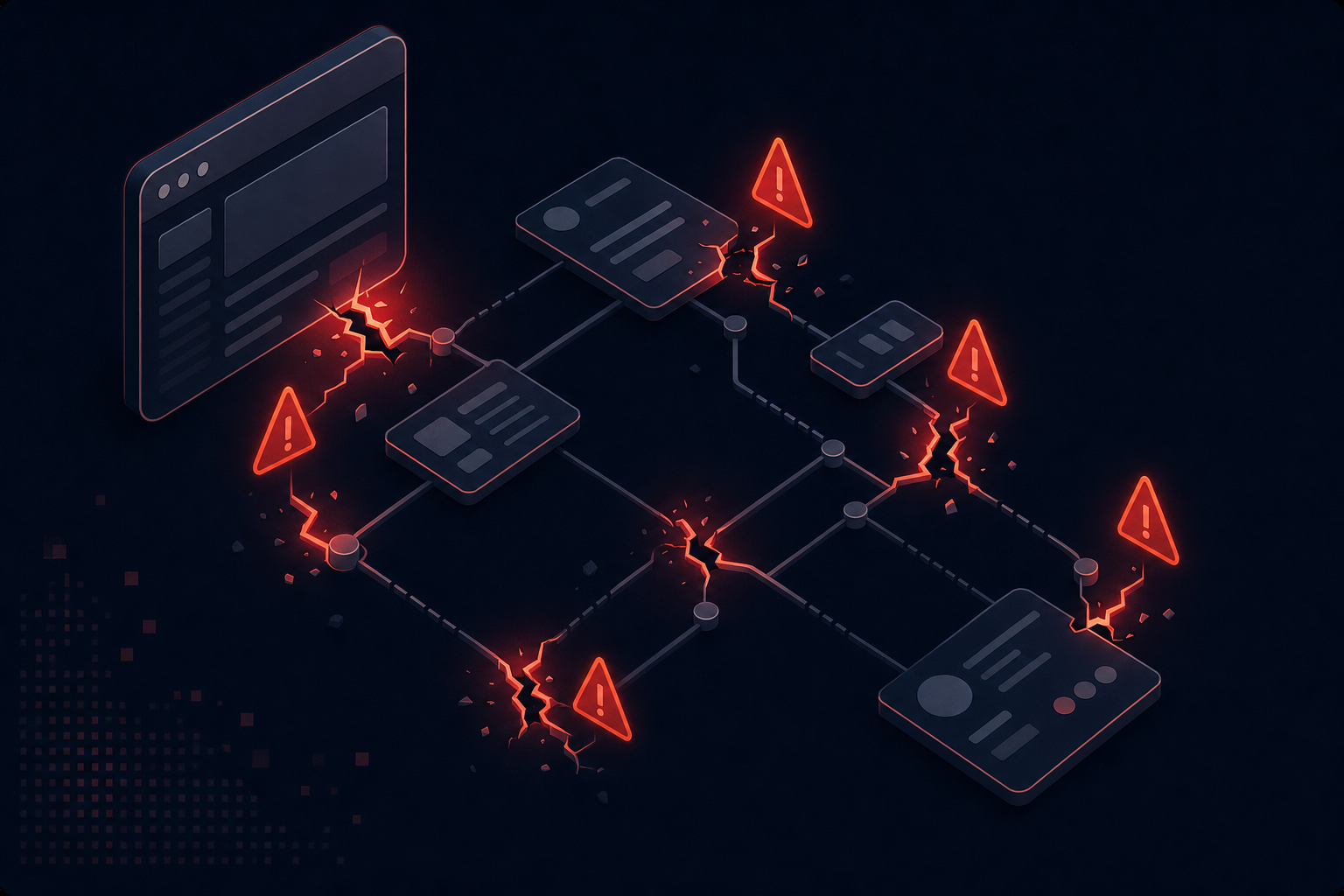
Selectors are promises about implementation details that nobody on the marketing or product team ever agreed to keep. A CSS class like .btn-primary-v2, an XPath like //div[3]/form/input[2], or an element ID auto-generated by a framework all encode assumptions about how the page is built, not what it does. Refactor a component, add a wrapper div, swap a styling library, and the selector points at nothing. Research on industrial Selenium suites consistently finds that locator obsolescence, not real functional regressions, is the leading cause of test failures, accounting for the majority of broken test runs across large-scale automation projects.
That number maps directly to your week:
- Marketing renames a button, and checkout automation fails overnight
- A design refresh adds a modal wrapper, and every form-fill bot misses its target
- A framework upgrade reshuffles the DOM, and dozens of flows need rewrites
Migrating from UiPath to another selector-based tool moves the problem. It does not fix it.
How AI-Native Automation Works Differently
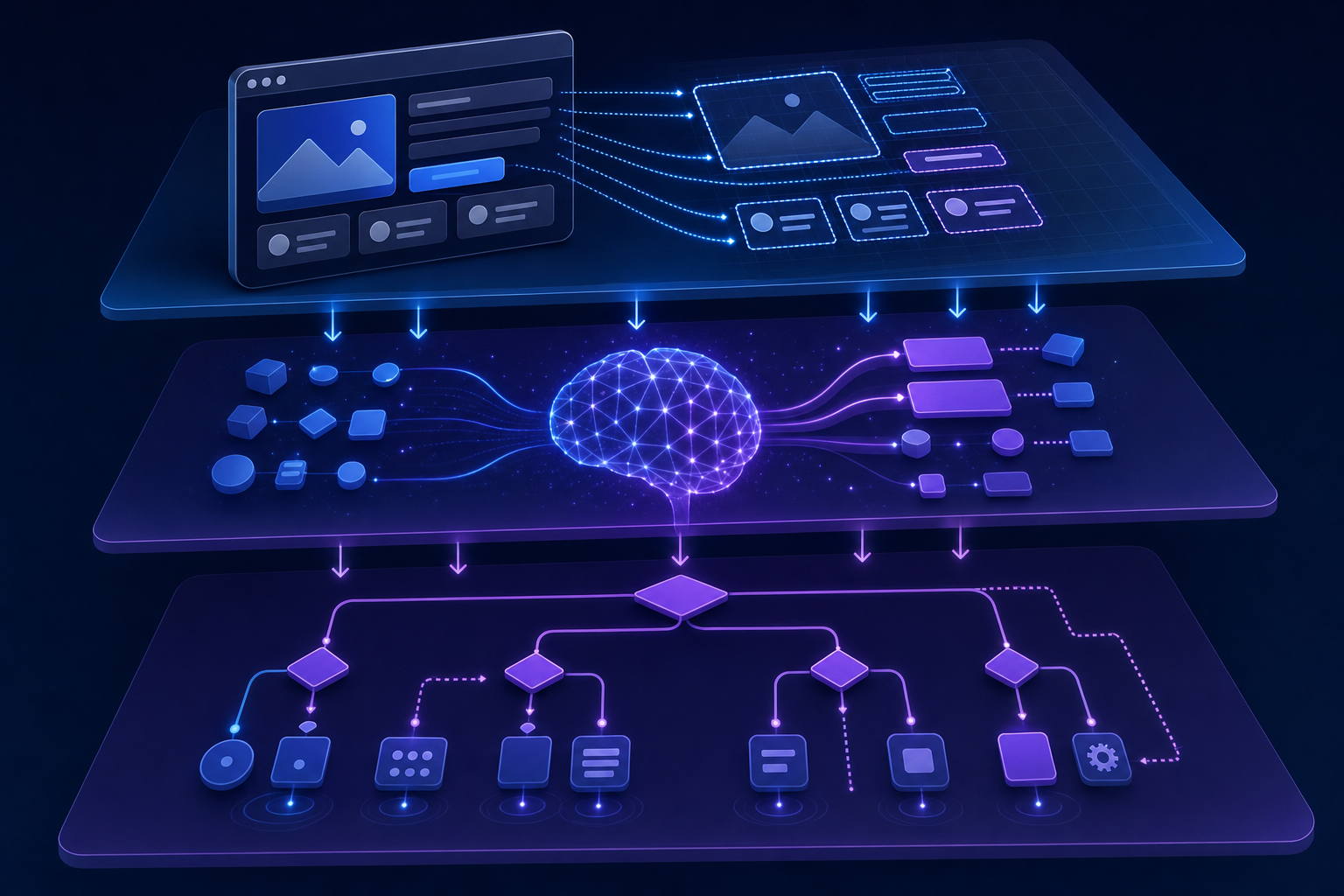
Picture how Skyvern reads and understands the web: you scan the page, find the field labeled "Date of Birth," type into it, and click the button that says "Continue." You never inspect the DOM. AI-native automation works the same way, and that visual-first approach is what makes the maintenance burden disappear.
The execution loop has three layers working together:
- Computer vision reads the live page and identifies interactive elements by appearance and position, not by ID
- An LLM interprets each element's purpose from its label, surrounding context, and the user's instruction
- A reasoning step decides the next action, validates the outcome, and recovers when something unexpected happens
Because the system understands intent, it handles cases selector-based tools choke on. A dropdown loads asynchronously? It waits and reads the options once they appear. A field renamed from "SSN" to "Tax ID"? The instruction still references the tax identifier, so the agent maps it correctly.
Self-healing falls out of this architecture. There is no selector to break, so there is nothing to repair.
Key Capabilities to Look for in AI-Native Alternatives
When a vendor claims to be AI-native, treat the label as a hypothesis. These are the litmus tests that separate real visual reasoning from a copilot wrapper, especially when AI agents work through old websites with outdated code:
- Zero-config cross-site operation: one workflow runs across portals the system has never seen, with no per-site scripting
- Self-healing on UI change: the agent completes the task when layouts shift instead of throwing a selector error
- Plain English workflow definition: you describe the goal in natural language instead of writing YAML or Python
- Native auth handling: 2FA, TOTP, CAPTCHA, and MFA solved in-flow without third-party glue
- Parallel execution at scale: hundreds of concurrent sessions without provisioning robots
- Schema-enforced extraction: structured JSON output you can pipe straight into a database
- Audit-ready trails: screenshots, video replay, and step-level logs available by default
If a tool needs a service engagement to do any of these, it isn't AI-native. It's RPA with a chatbot bolted on.
Calculating Total Cost of Ownership
Sticker price is the smallest line item in any RPA budget. The real cost lives in the months after deployment, when bots break and engineers stop building new automations to fix old ones. Five categories belong on your TCO worksheet:
Cost driver | What it actually covers |
|---|---|
License and seat fees | Per-robot, orchestrator, AI credit charges |
Implementation | Discovery, scripting, UAT, go-live |
Ongoing remediation | Engineer time fixing broken selectors |
Opportunity cost | Workflows left manual because scripting them is too brittle |
Silent-failure cleanup | Downstream rework when a bot completes but fills the wrong field |
Many RPA programs end up spending more on bot upkeep than the manual process cost in the first place. Traditional RPA vendors won't disclose that enterprises typically spend $50,000 to $100,000 annually just keeping automations running smoothly, turning a $300 per month solution into a $25,000+ per year true total cost. AI-native tools change the math by deleting the selector maintenance line entirely, which is why a higher per-action rate can still produce a lower annual bill.
Migration Considerations for UiPath Customers
Migration looks scarier than it is once you separate process knowledge from implementation. Your SOPs, payload schemas, and exception rules are the valuable artifacts. The UiPath project files are not. Start with a portfolio audit:
- Sort bots by maintenance hours logged in the last six months. The top quartile is your migration priority.
- Flag automations on your backlog that never got built because UiPath scoping was too expensive. Those are quick wins for an AI-native rebuild.
- Retire bots whose underlying process no longer runs.
Run both systems in parallel during cutover. UiPath keeps executing production volume while you rebuild target workflows and validate output against the legacy bot run-for-run. Once parity holds for two weeks, flip traffic and decommission the old project.
Phased migration turns sunk cost into recovered engineering capacity instead of a rewrite tax.
Running Your First Skyvern Workflow
Once you install the Python SDK, triggering a browser automation task takes a few lines of code. The example below logs into a vendor portal, downloads the latest invoice, and sends the extracted data back to your system via webhook: no selectors, no scripted click paths.
from skyvern import Skyvern
import asyncio

skyvern = Skyvern(api_key="YOUR_API_KEY")

async def download_vendor_invoice():
    task = await skyvern.run_task(
        url="https://vendor-portal.example.com",
        prompt=(
            "Log in using the stored credentials, go to the Invoices section, "
            "and download the most recent invoice. "
            "COMPLETE when the invoice has been downloaded successfully."
        ),
        data_extraction_schema={
            "type": "object",
            "properties": {
                "invoice_number": {
                    "type": "string",
                    "description": "The invoice number from the downloaded invoice"
                },
                "amount_due": {
                    "type": "number",
                    "description": "Total amount due on the invoice"
                },
                "due_date": {
                    "type": "string",
                    "description": "Payment due date in YYYY-MM-DD format"
                }
            }
        },
        webhook_url="https://your-system.com/webhooks/skyvern",
        wait_for_completion=True,
    )
    print(task.output)  # structured JSON: invoice_number, amount_due, due_date

asyncio.run(download_vendor_invoice())
Skyvern reads the live page visually to find the login fields and the invoice list. And look, there are no XPaths or element IDs in sight. If the portal redesigns its UI next week, the same task runs without any code changes on your end. The webhook fires when the run finishes, so your downstream pipeline gets structured results without polling.
Why Skyvern Eliminates the Maintenance Burden UiPath Creates

Skyvern reads pages the way the previous section described: computer vision plus LLMs interpret the live viewport by meaning, so workflows operate on portals the agent has never seen before with no per-site setup. The same architecture posts 85.8% on the WebVoyager benchmark for complex browser tasks, and when a target site refactors its UI, the agent completes the task and updates its own compiled code path. No selector queue to drain on Monday morning.
The production checklist from earlier maps directly:
Capability | How Skyvern handles it |
|---|---|
Authentication | Native 2FA, TOTP, CAPTCHA solving, persistent browser profiles |
Throughput | Hundreds of concurrent sessions, serverless provisioning |
Output | Schema-enforced JSON extraction piped to webhook |
Audit | Screenshots, video replay, step-level logs per run |
Pricing | Transparent per-action rate, no robot or orchestrator seats |
Customer evidence backs the architecture. Centria Healthcare spent two weeks building a certification check in UiPath; the same workflow took five minutes in Skyvern during a sales call. Two more UiPath shops migrated to Skyvern last quarter, with maintenance hours collapsing once selectors stopped being part of the job.
Final Thoughts on Replacing UiPath With Visual Reasoning
When your bots break more often than they run, the selector model itself is the problem. Skyvern provides an AI-native alternative to UiPath that interprets pages by meaning instead of by XPath, which means UI refreshes stop triggering deployment cycles and your team stops spending 70 percent of its budget on remediation. You can validate the new workflows against legacy bot output before switching traffic, so the cutover stays controlled. Book a demo to see what zero-maintenance automation looks like in production.
FAQ
What are the top alternatives to Selenium automation frameworks that don't require coding?
AI-native automation platforms like Skyvern read pages by meaning instead of selectors, so you describe what you want done in plain English instead of writing XPath or CSS scripts. These tools work for non-programmers and manual testers who need to automate workflows without learning Puppeteer or Playwright syntax.
How does UiPath pricing compare to AI-native alternatives in 2026?
UiPath enterprise pricing now bundles robot licenses, orchestrator seats, and AI credits in complex tiers that often cost 2-3x what early adopters paid. AI-native platforms like Skyvern use transparent per-action pricing with no robot provisioning, making costs predictable and typically lower once you factor in the 30-70% maintenance time UiPath requires.
Why do Selenium alternatives for manual testers matter more now?
Selector-based tools force manual testers to learn programming concepts and write brittle scripts that break on every UI change. Visual reasoning platforms let testers automate by describing tasks in natural language, and the system handles site changes automatically without requiring script updates or coding skills.
What makes an automation platform truly AI-native instead of just RPA with AI features?
AI-native platforms use computer vision and LLMs as the execution layer, reading pages by meaning instead of selectors. Bolting a chatbot onto a selector-based RPA tool doesn't change the underlying brittleness. Look for zero-config cross-site operation and self-healing on UI changes as proof the architecture is actually visual-first.
Keep reading

Browser Use vs Browserbase: my honest comparison
Browserbase and Browser Use can both automate work in a browser, from collecting product data to filling out forms. Choosing between them comes down to what you want to build: a task you hand to an AI agent, a custom agent inside your application, or browser infrastructure for scripts you already run. I’m Skyvern’s co-founder and CEO by the way. We build a competing product, so I have a stake in this comparison. But I promise I won't promote our product (even though it's a great alternative to

6 Stagehand alternatives for browser automation in 2026
If you're looking for Stagehand alternatives, you probably want an AI browser agent that: * Works natively with Python scripts. * Can navigate and scrape complex websites efficiently. * Stays reliable as your workload grows from a few runs to thousands of browser jobs. That's the kind of workflow I built Skyvern for (Skyvern CEO here). I know, I know, Skyvern CEO's recommending Skyvern as a good alternative. Please just stay with me for a second here. Yes, Skyvern is a good Stagehand alt

Browser Use vs Stagehand: Which One Should You Pick?
Browser Use and Stagehand both let you use AI to automate browser tasks, such as collecting product data or filling out forms. When you’re deciding which to build with, their feature lists only tell you so much. You want to know how much code you’ll need to write, whether the automation completes your task correctly, and what repeated runs will cost. I'll be upfront: we build Skyvern, a competitor to both, but this blog post won't shill our product (you can try it here though). I’m keeping thi
Put the browser to work
Use Skyvern for the work that lives in a browser.
Turn repetitive browser tasks into reliable workflows with Skyvern.