How to Automate Travel Booking with Browser Agents (August 2026)

Booking travel at scale means your team is stuck toggling between portals that look easy from the outside but turn into a mess the moment you need to process volume. Travel booking automation software solves this with browser agents that automate the full workflow, log into portals you've never configured them for, and keep running when sites update their UI, because they read pages by meaning instead of fragile code selectors that break constantly.
TLDR:
- Browser agents automate travel booking by reading portal pages visually, eliminating maintenance when UIs change
- Parallel execution lets you process 40+ carrier portals simultaneously, returning structured JSON via webhook
- Built-in 2FA, CAPTCHA solving, and credential vaults handle authentication without exposing login data to LLMs
- YAML workflows apply across multiple portals without site-specific configuration or per-site scripting
- Skyvern automates travel bookings on any portal with computer vision and LLMs, handling authentication and file downloads without breaking when websites redesign
Why Travel Booking Automation Matters in 2026
Online travel is no longer a side channel. By 2024, digital bookings accounted for roughly 70% of total travel sector revenue, which means the volume of transactions flowing through travel portals, OTAs, and corporate booking tools has reached a scale that manual processing simply can't keep up with. For travel agencies and corporate travel teams, this creates a real bottleneck. Booking a single trip might involve checking availability across three airline portals, comparing hotel rates on separate sites, and confirming car rentals through a fourth system entirely. Multiply that across hundreds of travelers and the manual workload compounds fast.
The demand side is moving in the same direction. 80% of travelers are open to using AI for trip planning and booking, signaling that end users already expect speed and intelligence from the booking experience. Agencies and travel managers who can't deliver that are losing ground.
Browser agents fill the gap between what travel portals actually offer and what operations teams need. Instead of waiting for every supplier to build an API, browser agents work with portals as they exist today, using the same interfaces a human would, but at a speed and scale that no manual team can match.
The Travel Portal Integration Problem
Travel portals look deceptively simple from the outside. Log in, search, book, done. But anyone who has run a travel agency or managed corporate bookings knows the reality is far messier. A mid-sized agency might interact with 20 to 50 different portals in a given month: airline booking systems, hotel chains, car rental platforms, GDS tools like Sabre or Amadeus, and corporate travel management portals on top of that. Each has its own login flow, its own form structure, and its own quirks.
The API Gap
Most of these portals have no API. Carriers haven't exposed booking endpoints to third parties, hotel chains guard direct rates behind login walls, and GDS platforms have integration agreements that exclude most small and mid-market operators entirely. That leaves teams with a browser and a human clicking through it.
Why Traditional Scripts Break
Selector-based automation tools like Selenium or Playwright rely on XPaths and CSS selectors tied to specific page elements. Those selectors break when portals update. Travel portals update constantly, and across 50 portals, that maintenance burden compounds fast.
"Building per-site scripts doesn't scale when your team touches dozens of portals monthly, and maintaining them consumes more engineering time than the automation ever saves."
The result is teams stuck in a cycle: automate, break, fix, repeat.
What Browser Agents Actually Do
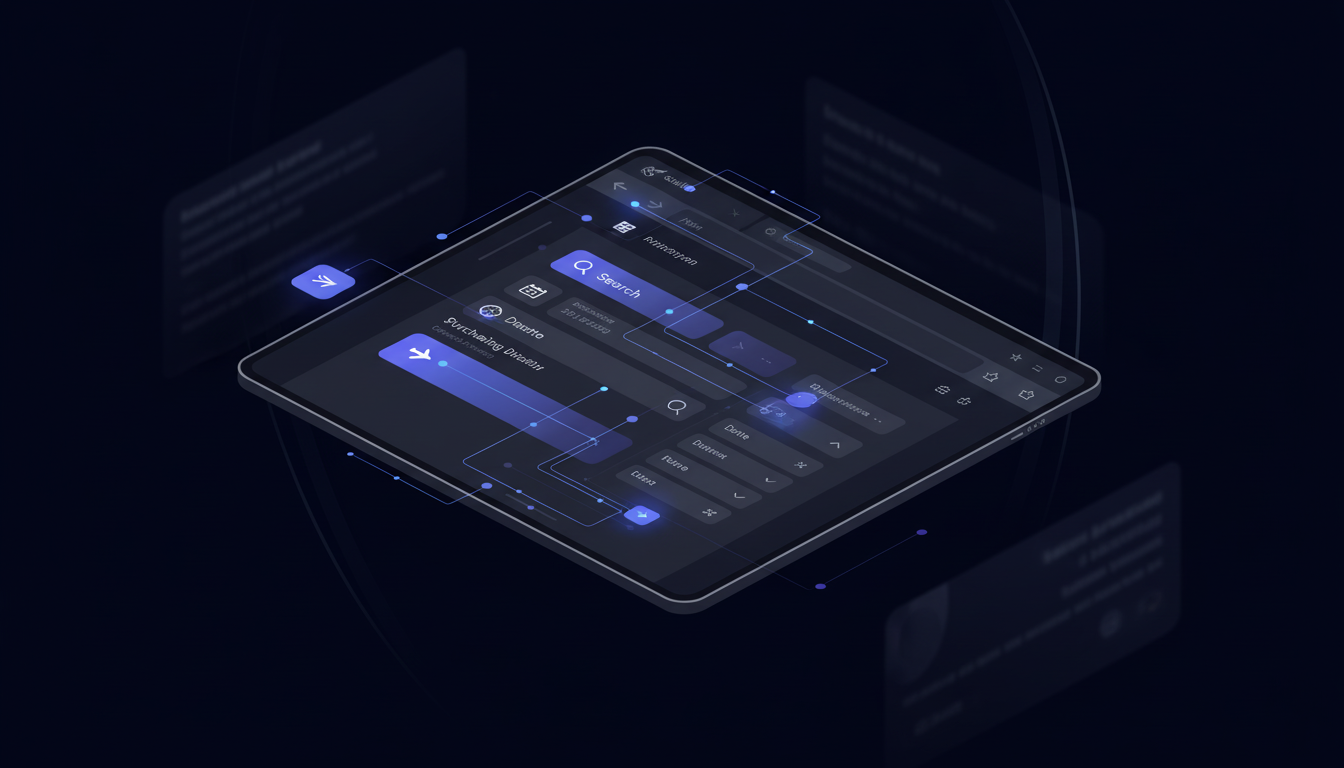
Browser agents are AI systems built on two layers working together: computer vision captures the rendered page as it actually appears on screen, and LLM reasoning interprets every visible element by what it means in context. A button labeled "Search Flights" is identified as a search trigger. A dropdown labeled "Passengers" is identified as a count selector. A date input is identified as a departure field. No site-specific instructions are written in advance. The agent reads the page the same way every time, whether it has seen that portal before or not. Where selector-based tools hunt through HTML for a specific element ID or CSS class, a browser agent works entirely from what is visible, so renaming a class or restructuring a form doesn't break anything.
How They Decide What to Do
A browser agent starts with a goal, not a script. You tell it what you want accomplished, and it reasons through the steps needed to get there. Searching for a flight, selecting a fare class, filling in passenger details, confirming the booking: the agent decides what actions to take based on what it sees at each stage. If the page changes mid-flow, it adapts instead of crashing.
Working on Unseen Websites
No site-specific programming is required. A browser agent that books flights on one airline portal can handle a completely different carrier's interface without additional setup, because it reads pages by meaning instead of structure. Skyvern 2.0 scored 85.85% on the WebVoyager benchmark as of January 2025, placing among the top performers in web navigation tasks at that time. That score reflects controlled test conditions; production portals with unusual layouts or multi-step authentication flows may need prompt tuning to reach consistent completion rates.
This is what separates browser agents from RPA tools. When a portal redesigns its booking flow, a browser agent keeps working.
Core Capabilities: What Browser Agents Automate
Browser agents cover the full booking workflow without any portal-specific setup.
Authentication
Logging into travel portals is table stakes, but it gets complicated fast. Browser agents handle:
- Stored credentials with no plaintext exposure to LLMs
- 2FA and TOTP codes via Google Authenticator, email forwarding, or phone verification
- CAPTCHA solving built in, with no third-party service required
Form Filling
Booking wizards vary wildly across portals. A browser agent reads each field by what it means visually, maps values from a JSON payload to the correct inputs, and handles conditional fields that only appear after earlier selections. Passenger count triggers seat selection. Fare class unlocks loyalty fields. AI-powered form filling tools adapt to whatever the page shows next.
Document Handling
After a booking completes, the agent downloads confirmations, receipts, and vouchers, then routes them to cloud storage or internal systems via webhook. No manual retrieval, no missed files.
These capabilities apply consistently to any portal a browser agent encounters, whether it's an airline system, a hotel chain, or a GDS tool it has never seen before.
How Browser Agents Differ from Traditional RPA
The difference comes down to what breaks when a website changes, and that execution-model gap is what separates Agentic Process Automation (APA) from traditional RPA at an architectural level.
Selenium, Playwright, and legacy RPA tools map automation logic to specific page elements using CSS selectors and XPaths. When a portal updates its UI (a renamed class, a restructured form, a new login modal), those selectors stop matching, and the automation stops working. For teams managing dozens of travel portals, the result is constant firefighting instead of actual automation. Browser agents, on the other hand, interpret pages visually, identifying elements by what they mean on screen. A portal redesign doesn't invalidate anything, because nothing was hardcoded to begin with.
The other gap is portability. A Selenium script built for one airline portal works only on that portal. A browser agent that completes a booking on one site transfers directly to any other, with no per-site configuration required. For agencies working across 20 to 50 carriers and hotel chains, that difference is the entire argument. The table below provides a quick overview of the capabilities and how browser agents differ from traditional RPA in tackling that capability.
Architectural dimension | Browser Agents (Skyvern) | Traditional RPA (Selenium, Playwright) |
|---|---|---|
Page interpretation layer | Reads the rendered visual layer by meaning: element identity comes from what is visible on screen, not the underlying DOM structure, so UI changes don't invalidate anything | Bound to the DOM layer via CSS selectors and XPaths: element identity depends on specific class names and node structure, so any portal update breaks the automation |
Cross-portal portability | Structure-agnostic by design: a single YAML workflow runs across 20-50 airline and hotel portals without per-site configuration because the agent reads any page it encounters | Structure-dependent by design: each portal requires a separate script built against that site's specific DOM, so portability is zero and maintenance scales with portal count |
Authentication architecture | Credential layer is isolated from the reasoning layer: 2FA, TOTP, and CAPTCHA are handled natively and credentials are pulled from a vault the LLM never touches | No native credential isolation: authentication logic must be custom-built per portal, and 2FA and CAPTCHA require bolted-on third-party services |
Session concurrency model | Each run is a fully isolated browser session with its own authentication state: 40+ portals execute in parallel by default, results returned via webhook as each session finishes | Sessions share process state by default: parallel execution requires manual infrastructure setup and session isolation is the developer's responsibility |
Data extraction model | Schema-first extraction: you define a JSON Schema, the agent maps visible confirmation page content to it, and output is validated before delivery via webhook | Selector-first extraction: each data point requires an explicit selector tied to current page structure, so output breaks when that structure changes |
Workflow ownership | YAML-defined workflows are owned by operations teams, with no engineering support needed to modify booking sequences, and changes apply across all portals at once | Script-defined workflows are owned by developers: every change requires engineering resources and must be replicated across each per-site script separately |
Building Multi-Step Travel Booking Workflows
A complete travel booking workflow is a six-step chain: open a portal, authenticate, search with specific parameters, fill multi-page forms with conditional logic, confirm the booking, and download the receipt. Browser agents handle each step in sequence without losing context between them.
Workflows in Skyvern are defined in YAML, not code. Operations teams can build and modify them without engineering support. Parameters like departure city, travel dates, or passenger count get passed at runtime, so the same workflow template covers different bookings without rebuilding anything.
The bigger advantage is portability. One workflow definition applies across multiple airline or hotel portals. Where a traditional script requires a separate implementation for every site, a single YAML workflow runs across any portal it encounters. For agencies managing 20 to 40 suppliers, that scales in a way per-site scripting never could.
Handling Authentication at Scale
Browser agents separate credential management from decision-making entirely. When Skyvern logs into a portal, the credentials are pulled from a secure vault and passed directly to the browser session. The LLM never sees them; it handles the form-filling and navigation logic while the credential layer operates independently. That separation matters because travel portals are almost always login-gated, and the portals involved hold payment data, traveler records, and billing accounts. Handing those credentials to an AI system that treats them as reasoning input would be a genuine security risk. The architecture here makes that a non-issue.
Vault Integrations
Skyvern integrates with Bitwarden, 1Password, and Azure Key Vault, so teams can use whatever credential infrastructure they already have. Credentials stored in Skyvern's own vault are encrypted and never logged in plaintext. For enterprise deployments, Bitwarden integration pulls credentials on the fly without storing them locally at all.
2FA and TOTP at Scale
Multi-factor authentication would normally block automation cold. Skyvern's 2FA and authentication handling covers several flows:
- Google Authenticator (TOTP) via a stored authentication secret
- Email verification codes forwarded to a Skyvern endpoint using Gmail and Zapier
- One-time login links handled by splitting the workflow at the authentication step
Each method routes the verification code to the running session without human intervention, so parallel portal sessions clear their authentication steps independently. Keeping credentials out of the LLM context entirely is what makes this approach viable for production use where data security really matters.
Parallel Execution for High-Volume Booking

Sequential booking is the core bottleneck for high-volume travel operations. Processing quotes across 20 carriers one at a time means the first result is stale by the time the last one comes in. Corporate teams batching overnight employee bookings face the same problem: a linear queue that turns a two-hour job into a twelve-hour one.
The practical impact shows up in real workflows. An insurance agency processing 40 carrier portals completes the same work in the time it previously took to process one. A corporate travel team comparing fares across airline portals gets results back together instead of in a slow trickle.
Skyvern handles the session provisioning automatically. There's no infrastructure to configure: you define the workflow once, pass in a list of portals or booking parameters, and the runs execute in parallel. Results come back via webhook when each session finishes, structured as JSON ready to feed downstream systems.
Data Extraction and Structured Output
Completing a booking is only half the job. The confirmation number, fare breakdown, passenger details, booking reference, and travel dates all need to land somewhere useful, not in a PDF sitting in someone's downloads folder.
Browser agents capture this data as part of the same run that completes the booking. You define a data_extraction_schema in JSON Schema format, and the agent pulls matching values from the confirmation page before closing the session. The output comes back structured, validated against your schema, and delivered via webhook.
For a flight booking, that might look like:
{
  "confirmation_number": "ABC123",
  "airline": "United",
  "departure": "2026-04-15T08:00:00",
  "arrival": "2026-04-15T11:30:00",
  "fare_class": "Economy",
  "total_price": 342.00,
  "passenger_name": "Jane Doe"
}
That payload routes directly to a travel management system, expense tool, or internal database without any manual transcription step. No copy-paste, no reformatting, no data entry queue building up overnight.
Schema validation catches mismatches before they propagate downstream. If a portal returns an unexpected format or a field is missing, the extraction flags it instead of silently passing bad data into your records. For corporate travel teams matching bookings against budgets, that accuracy matters more than the speed gain alone.
Integration with Travel Management Systems
Browser agents fit into existing infrastructure without requiring architectural changes. The webhook setup means any workflow can be triggered from a CRM, ERP, or internal booking tool, with results returned as structured JSON to whatever endpoint you specify. For travel agencies running Applied Epic, Vertafore, or a custom TMS, the integration pattern is straightforward: pass booking parameters in, get confirmation data out. No middleware layer required, no vendor lock-in, no replacing working infrastructure to add automation on top.
Skyvern connects natively with Zapier, Make.com, n8n, and Workato for teams that prefer no-code orchestration. For direct API integration, the Python SDK accepts workflow triggers programmatically and returns results with full run metadata including screenshots, step counts, and extracted data.
Here's how a travel team would trigger a flight booking task via the Python SDK, with a structured extraction schema and webhook delivery:
import asyncio
from skyvern import Skyvern

skyvern = Skyvern(api_key="YOUR_API_KEY")

async def book_flight():
    task = await skyvern.run_task(
        url="https://www.united.com/en/us",
        prompt=(
            "Search for a one-way flight from SFO to JFK on April 15, 2026 "
            "for 1 passenger in economy class. Select the cheapest available fare "
            "and complete the booking using the stored passenger details. "
            "COMPLETE when the booking confirmation page is displayed."
        ),
        data_extraction_schema={
            "type": "object",
            "properties": {
                "confirmation_number": {"type": "string"},
                "airline": {"type": "string"},
                "departure": {"type": "string"},
                "arrival": {"type": "string"},
                "fare_class": {"type": "string"},
                "total_price": {"type": "number"},
                "passenger_name": {"type": "string"}
            }
        },
        webhook_url="https://your-tms.internal/webhooks/skyvern",
    )
    print(task.output)

asyncio.run(book_flight())
How Skyvern Handles Travel Booking Automation
Skyvern is an Agentic Process Automation (APA) platform built for portal-heavy workflows that have no API. Browser execution handles the actual portal interaction, while credential management, exception routing, and full audit trails form the production layer on top. For travel operations, that means computer vision and LLMs read portal pages by meaning, so airline sites, hotel chains, and GDS tools all work without site-specific configuration. When a portal redesigns its booking flow, the automation keeps running. Deployment is flexible: managed cloud for teams that want zero infrastructure overhead, or open-source self-hosted for organizations with compliance requirements. YAML-based workflows mean operations teams build and modify booking sequences without engineering support. Proxy routing with geographic targeting handles region-locked fares and authentication walls that block US-based requests from international carrier portals.
Credential management integrates with Bitwarden, 1Password, and Azure Key Vault. Every run produces a full audit trail with screenshots and session recordings. For travel operations that need to prove what was booked, when, and by which workflow, that observability is built in from the start.
Final Thoughts on Moving Past Manual Travel Workflows
The portal integration gap isn't closing anytime soon, but travel booking automation with browser agents works around it completely. You stop waiting for suppliers to build APIs and start automating on the interfaces that already exist, which means booking workflows scale without adding manual processing capacity. Portal redesigns stop being a maintenance problem when your automation reads pages by meaning instead of structure. If your team is stuck working through broken scripts, portal-by-portal setup, or a manual booking backlog that keeps growing, talk to us about what that workflow looks like in practice.
If you still have questions about how browser agents handle specific portal types, authentication edge cases, or integration patterns, the answers below cover the most common ones.
FAQ
How long does it take to deploy your first travel booking workflow?
Most teams can deploy their first automated workflow in 2-3 hours, with complex multi-step processes like policy renewals taking 1-2 weeks to fully optimize and test across all systems.
What happens when an airline portal redesigns its booking interface?
Browser agents interpret pages visually by identifying elements based on what they mean on screen, so when a portal updates its UI, the automation keeps working without any code changes or maintenance required.
Can browser agents handle multi-factor authentication for travel portals?
Yes, browser agents handle 2FA through multiple methods including Google Authenticator (TOTP), email verification codes forwarded to automation endpoints, phone verification through virtual number services, and one-time login links without requiring human intervention.
How do you extract structured data from booking confirmations?
You define a data_extraction_schema in JSON Schema format, and the browser agent pulls matching values like confirmation numbers, fare breakdowns, and travel dates from the confirmation page, returning validated JSON via webhook that routes directly to your travel management system.
What's the difference between browser agents and traditional RPA tools for travel automation?
Traditional RPA tools like Selenium rely on CSS selectors and XPaths that break when portal UIs change, requiring constant maintenance, while browser agents read pages by visual meaning and work across any portal without site-specific configuration or updates when interfaces change.
Keep reading
How to Automate Grocery Price Comparison Across Local Competitor Websites (April 2026)
When you're manually tracking grocery prices across competitor sites, you're always working with yesterday's data. Your analyst pulls prices Monday morning, but produce costs shift with supply chains, promotions drop at midnight, and by Wednesday you're making calls based on numbers that no longer reflect what shoppers actually see. Automated grocery price comparison uses computer vision to identify prices by appearance instead of fragile code selectors, so when competitor sites redesign their p
Automating Employee Onboarding and Benefits Enrollment Across HR Portals (March 2026)
You log into ADP for payroll, then Blue Cross for medical, then VSP for vision, then your 401(k) provider, then two state tax portals. Automating employee onboarding consolidates that into one workflow where you pass employee data once and automation handles every portal in parallel. The entire onboarding sequence across disconnected systems completes in minutes instead of consuming 40 hours of your team's time re-entering the same information with different login credentials and form structures
How to Automate Logistics and Freight Broker Portal Interactions (March 2026)
Processing 500 loads weekly means your team touches 2,000 carrier and shipper portals. Freight broker portal automation can handle that volume, but only if it runs without constant maintenance. The problem is that most automation relies on fragile selectors that break when a carrier moves a button or renames a field. Your developers spend more time fixing scripts than your dispatchers spent on manual entry. What makes automation work long term is using computer vision to identify elements by app
Put the browser to work
Use Skyvern for the work that lives in a browser.
Turn repetitive browser tasks into reliable workflows with Skyvern.