

Webhooks
Passwebhook_url when you start a run. Skyvern sends one POST to that URL when the run reaches a terminal status: completed, failed, terminated, timed_out, or canceled.
Job recipe runs (the Apply and Extract recipe endpoints) take the same top-level webhook_url, and proxy_location too. A recipe request without webhook_url sends no webhook; blank or null counts as absent.
webhook_callback_url in the agent definition. A webhook_url on a run overrides it.
Payload
The body is the same run object thatget_run returns. The fields you use most:
Agent runs also carry
failure_category, described in Error handling. The full schema is in the API reference.
Verify the signature
Skyvern signs every webhook and TOTP request with your API key using HMAC-SHA256, so you can verify the request actually came from Skyvern before acting on it. Headers sent with every request:x-skyvern-signature: HMAC-SHA256 signature of the payload, hex-encodedx-skyvern-timestamp: Unix timestamp when the request was sentContent-Type: application/json
Use constant-time comparison to prevent timing attacks:
- Python:
hmac.compare_digest() - TypeScript:
crypto.timingSafeEqual() - Go:
hmac.Equal()
== or ===) for signature comparison as they are vulnerable to timing attacks.Respond fast
- Return a
2xxwithin 30 seconds. Slower responses count as a failed attempt even if you process the payload. Queue the work and reply right away. - The URL must be reachable from the internet.
localhostdoes not work from Skyvern Cloud. - Treat duplicates as normal. Skyvern can deliver the same payload more than once (see below).
Retries and replay
When delivery fails
Delivery and the run are independent. Each attempt times out after 30 seconds. Skyvern makes up to 3 attempts, waiting about 1 second, then 2 seconds, in between. If you return aRetry-After header, Skyvern waits that long instead, up to 30 seconds.
For an agent run with a retry policy, the final webhook gets up to 15 of these 3-attempt deliveries. If every attempt fails, the run keeps its
status and output. Nothing is lost.
Keep a fallback: if you expect a run to be done and have no webhook, call get_run.
Replay a webhook
After you fix the endpoint, send the payload again withretry_run_webhook. Pass a different webhook_url to send it somewhere else.
status_code, latency_ms, response_body, and error. It does not retry, so check status_code and call again if needed. A replay is signed with the API key you call it with.
Retry an agent run automatically
Addretry_policy to an agent definition to re-run it on chosen outcomes. The run keeps its run_id and records each try in attempts.
max_retriesis 1 to 5.delay_secondsis 0 to 3600.webhook_on_retryisfinal_only(default, one webhook after the last attempt) orevery_attempt.- While
retry_pendingistrue, the result can still change. Act on the payload withretry_pending: false. retry_run_webhookreturns409while a retry is pending.
Error handling
Statuses
created, queued, running, and paused (waiting for a person at a Human Interaction block) are not terminal.
Map failures to your own codes
failure_reason is free text written by the AI. To branch in code, pass error_code_mapping: your code as the key, a plain-language description as the value. When the run fails, Skyvern matches the page against your descriptions and puts the matching code in errors[].error_code.
{"error_code": "login_failed", "reasoning": "...", "confidence_float": 0.95}. In an agent, set error_code_mapping on a block instead. A Validation block with complete_criterion, terminate_criterion, and error_code_mapping works like an assertion: it stops the agent with your code as soon as the page shows the wrong state. See blocks.
Skyvern also adds its own codes to errors: REACH_MAX_STEPS, REACH_MAX_RETRIES, OTP_ERROR, OTP_TIMEOUT, OTP_EXPIRED, and MISSING_TOTP_SOURCE.
Failure categories
Agent runs that end infailed, terminated, or timed_out get a failure_category list. Each entry has a category, a confidence_float, and reasoning. The first entry is the most likely cause. The app shows it as a badge on the run.
The troubleshooting page lists every category.
Requests rejected before a run starts
Some agent run requests can never start. The API answers400 with a detail message and creates no run, so there is nothing to poll and no webhook. Causes: a required input with no value, a credential ID that doesn’t exist in your organization, a value of the wrong type, or an undeclared key that looks like a misspelled credential input. Fix the request and send it again.
Anti-bot and CAPTCHA
Skyvern Cloud solves common CAPTCHAs during a run: reCAPTCHA, hCaptcha, Cloudflare Turnstile, FunCaptcha, MTCaptcha, and text CAPTCHAs. Solving is not guaranteed. Every browser also launches with automation flags removed, and its timezone follows the proxy location so the IP and the clock agree. When a site still blocks runs, work down this list:- Use a residential proxy. Datacenter IPs are the most common block signal.
RESIDENTIALis the default on Cloud. For logins, useRESIDENTIAL_ISP, which keeps one static IP. - Keep the same browser. A browser session keeps cookies and IP across steps. A browser profile brings back a browser that already passed the check.
- Raise
max_steps. Some challenges, Cloudflare especially, loop through several pages. - Slow down. Add a Wait block between rapid actions.
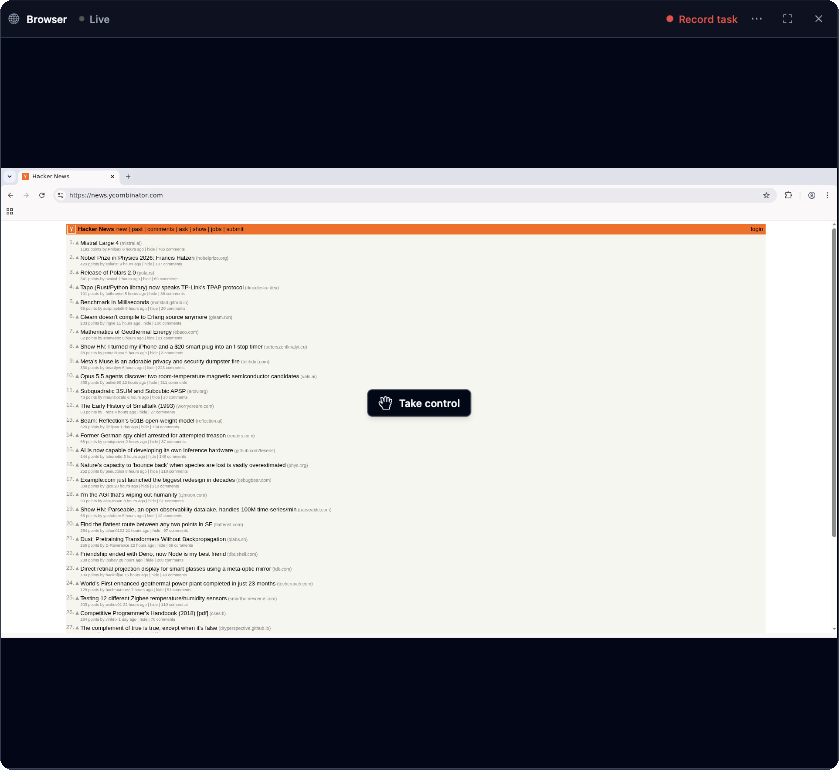
- Hand it to a person. Open the run in the app, click Take control on the live browser, solve the challenge, then click Stop controlling. The run continues where it was.
ANTI_BOT_DETECTION in failure_category.
Self-hosted Skyvern does not solve CAPTCHAs. When the agent sees one, it waits 30 seconds so you can solve it in the browser window, then continues. Self-hosted servers can load Chrome extensions with the
EXTENSIONS and EXTENSIONS_BASE_PATH settings. See browser settings.Proxies and geo-targeting
Setproxy_location on a task, an agent run, an agent definition (the default for its runs), or a browser session (every run in the session shares the IP). Proxies are a Skyvern Cloud feature.
US-CA, US-NY, US-TX, US-FL, and US-WA are deprecated and route through RESIDENTIAL_ISP. For a US state or a city, pass a GeoTarget object instead: country (ISO code, required), subdivision (for example CA), and city (English name). Geo targets accept the same 21 countries: US plus the country codes above. City and state pools are smaller. If one is unavailable, widen the target from city to state to country.
A browser profile does not keep the proxy it was created with. To reach a site from the same IP on every run, pin a proxy on the profile. See Browsers.
Reliability tips
- Say when it’s done. End every goal with a completion rule, such as “COMPLETE when the confirmation number is shown,” and a stop rule, such as “TERMINATE if the login is rejected.” Name the submit step: agents sometimes stop after filling a form.
- Describe what’s visible. “The blue Submit button under the form” beats an element ID. The agent works from screenshots.
- Use the narrowest block. An Action block does one thing. A Navigation block reaches one goal. A Task block keeps going until it thinks the whole goal is met, so it may click Next on every page.
- Spell out tricky inputs. For autocomplete fields: “Type ‘Toronto’, pick the first matching suggestion, and move on.” For dates: give the exact format.
- Assert at checkpoints. Add a Validation block after login and before submitting. It reads the current page, not earlier block outputs. To compare extracted values, use a Code block or check
outputin your own code. - Make loops recoverable. Set
continue_on_failure: trueon loops, and start each iteration with a step that returns to the list page. A While loop needs an exit condition that the page itself can show. - Load lazy pages. Set
max_screenshot_scrollsso the agent scrolls before it reads the page.
Cost control
- Cap steps.
max_stepson a task, ormax_steps_overrideon an agent run (x-max-steps-overridein TypeScript), limits steps for each task in the run. A run that hits the cap endsfailedwith “Reached the maximum steps” infailure_reason. Comparestep_countwith your cap and lower it if you have room. - Cap time.
max_elapsed_time_minuteson an agent run times it out (timed_out) after that many minutes. The default is 240 and the maximum is 480. - Run cached code. After a successful agent run, Skyvern can replay the recorded actions as code instead of calling the AI at every step. Pass
run_with="code"to use it, or"agent"to force the AI. If the code fails andai_fallbackis on, the AI takes over. - Skip the login. A browser profile that is already signed in saves the steps a login takes on every run.
- Start on the right page. Pass the deepest
urlyou can and adata_extraction_schemaso the agent doesn’t wander. - Check the target first. When an API can tell you a target is not worth trying, call it before the browser opens. See pre-flight check.
MAX_STEPS_PER_RUN and choose the model with LLM_KEY. See configuration.
Pre-flight check
A run that a site blocks at the last step still spends every step before it. When an API can tell you in advance that a target is not worth trying, call it first and end the run when the answer is no. The source can be a reachability service, your own allowlist, or a cache of what happened yesterday. Three blocks make the gate, and none of them opens a browser:- HTTP Request with the label
precheck, which calls the API with the target as a parameter reference. - Conditional, where one branch continues into the rest of the agent and the default branch handles everything else.
- Terminate on the default branch, with a reason and an error code you can filter runs by.
target_url is an agent input. Each block that continues names its successor in next_block_label, because sequential ordering stops applying once an agent contains a Conditional block.
The HTTP Request block’s output carries status_code, response_headers, and response_body. response_body is the parsed JSON when the response is JSON, so read fields straight off it: {{ precheck_output.response_body.reachable }}. An API that nests its JSON as a string inside another field needs a Code block to parse it first.
Put the positive signal on the branch that continues, not the negative one on the branch that stops. A branch whose expression is a single {{ ... }} is evaluated on the server, with no model call and no page, which is what lets it run before any browser block. A missing field or a 2xx HTML page where JSON was expected renders no truthy value, so the default branch terminates the run. continue_on_failure: true also sends non-2xx responses and timeouts through the Conditional to its default branch.
Runs stopped this way end terminated, with your reason in failure_reason and your code in errors[].error_code, so you can count what you skipped against what you let through.
Next
- Troubleshooting: symptoms, causes, and fixes
- Credentials and 2FA: logins that keep working
- API reference