Automating Payroll Registration Across All 50 States: Complete Guide for March 2026
 Suchintan Singh9 min read
Your payroll system handles everything except the one step that blocks new hires from getting paid: multi state payroll registration automation. Each state requires manual portal navigation, form completion, and document submission before you can process payroll there. With 50 different portals and no standardized API, companies either spend hours on manual registration or outsource the work. Browser automation that interprets pages by meaning instead of structure eliminates this bottleneck, processing registrations across all states in parallel without requiring maintenance when portals change.
TLDR:
- Hiring in a new state requires manual registration in separate portals for withholding tax and unemployment insurance
- Each state demands foreign qualification and registered agent designation before you can even start payroll tax registration
- Skyvern automates registration across all 50 states in parallel using AI that adapts when portals change
- Companies complete one JSON submission instead of spending 15-30 minutes per state filing forms manually
- Skyvern handles MFA, CAPTCHAs, and multi-page wizards while downloading confirmation numbers automatically
Why Multi State Payroll Registration Remains Manual in 2026
Payroll systems now calculate withholding, track deductions, and generate tax forms without manual input. But hiring an employee in a new state still requires someone to log into that state's portal and complete registration forms by hand. State registration, though, falls outside current payroll automation approaches. Each state operates its own portal with unique authentication methods, form layouts, and submission processes. No standardized API exists for programmatic registration. Companies must either complete forms manually or outsource the work.
And that's where the gotcha comes in: non-compliance costs can reach nearly triple the expense of proactive compliance, with payroll error rates approaching 1 in 5 cycles. Working through 50 different portals without standardization explains why these errors persist.
At the end of the day, manual processing across disconnected portals creates delays. Payroll processing cannot begin until registration completes, leaving new hires waiting and HR teams caught between systems.
The Multi Portal Registration Burden: What Each State Actually Requires
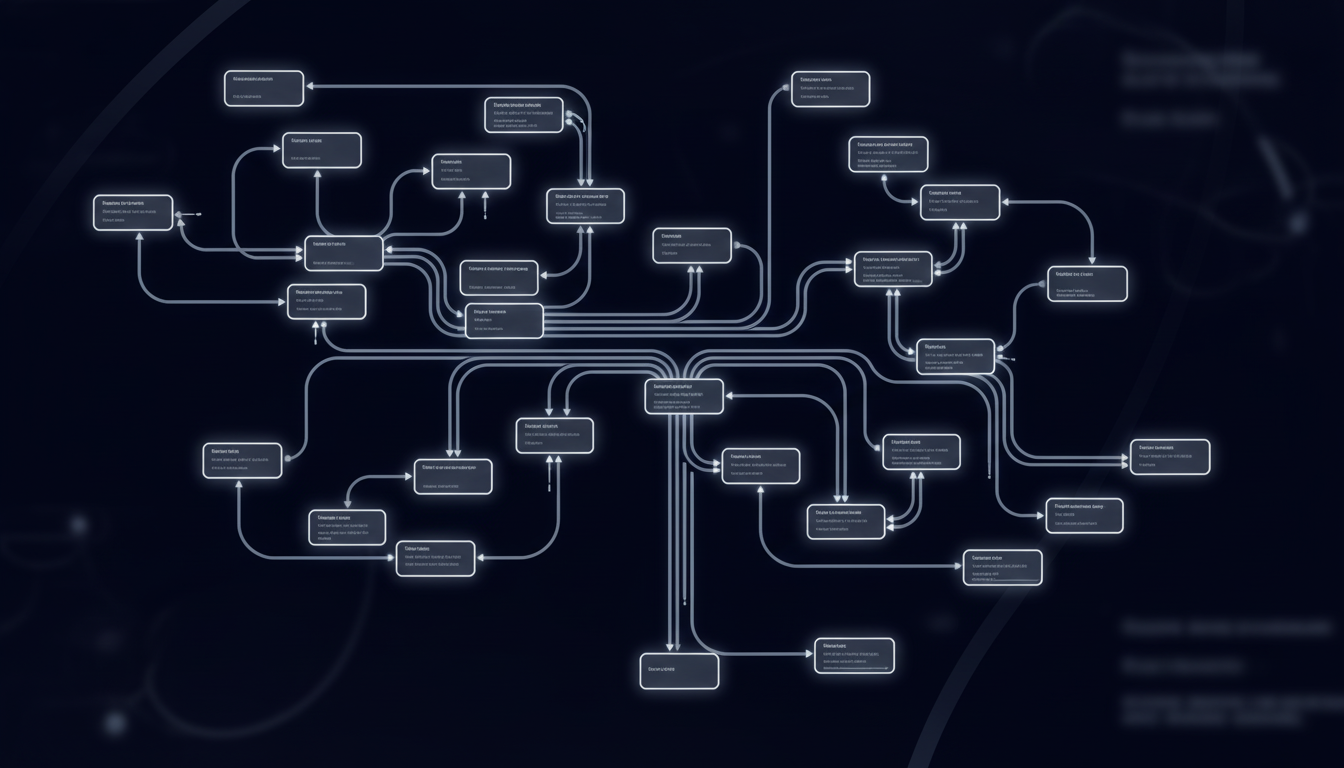
State registration requires two separate accounts per state: withholding tax accounts for income tax deductions and unemployment insurance accounts for UI contributions. Both need distinct logins, forms, and submission processes.
Before you can register for payroll taxes in most states, you must complete foreign qualification, which authorizes your business to operate there. This process requires filing articles of foreign qualification and appointing a registered agent. Fees for foreign qualification alone can range from $100 to $800 per state. Only after receiving approval can you begin the payroll tax registration process.
Registered agents accept legal documents on behalf of your company in each state. Every state where you operate requires one. You'll need to coordinate multiple vendors or maintain internal compliance infrastructure before submitting a single payroll form.
Different authentication methods complicate this further. Some states use email verification, others require creating security questions, and several implement multi-factor authentication with state-specific protocols.
How State Employment Registration Actually Works: The 50 Portal Problem
Each state registration follows a similar sequence, but the details vary by jurisdiction:
- The process starts with your federal EIN, which every state portal requires upfront. From there, the steps multiply.
- Foreign qualification comes next for most states, authorizing your business to operate in that jurisdiction. This involves filing articles with the Secretary of State and designating a registered agent. You can't move forward with payroll accounts until this clears.
- Once qualified, you register for state income tax withholding. Registration takes 15 to 30 minutes per state through online portals. You'll enter business details, employment information, and expected withholding amounts. Each state asks for slightly different data points.
- Unemployment insurance registration happens separately, often through a different portal with its own login. You'll provide workforce size estimates, industry codes, and projected quarterly wages. Some states assign UI rates immediately, while others require more documentation.
- States with disability insurance or paid family leave programs add another layer. California, New York, and New Jersey require separate registrations for these programs, each with distinct forms and submission processes.
Fifteen minutes per state sounds reasonable until you're registering in 20 states. That's five hours of form filling before you process a single paycheck.
The Hidden Costs Beyond the Registration Fee
State filing fees are just the beginning. Managing payroll processes consumes 21 days per year for most business owners, and registration is only the starting point. Once accounts are active, you're dealing with quarterly wage reports, tax deposits, and reconciliation filings on schedules that vary by state. For example, California requires quarterly wage reports by the last day of the month following the quarter's end while Texas follows a different timeline. Miss one deadline and penalties start accumulating. Late filings can run hundreds of dollars per quarter, per state.
Filing after your first payroll run exposes you to late registration fees and interest on unpaid taxes. Some states charge daily penalties until you complete registration. About 40% of small businesses face an average of $845 annually in IRS penalties from incorrect payroll filing, often stemming from registration errors like wrong NAICS codes or misreported hire dates.
What Triggers Multi State Registration Requirements
Nexus determines when you must register. This tax concept means your business has enough presence in a state to trigger compliance obligations. For payroll purposes, one employee creates nexus. No minimum headcount exists. Consider this example: hire a single part-time employee working remotely from Montana, and you need to register in Montana. The employee's hours don't matter. Their employment status doesn't change the requirement. If they're on your payroll and working from that state, you're registering there.
Remote work eliminated the buffer most companies relied on. When teams worked from offices, expansion into new states was deliberate. You opened a location, planned for it, and handled registration as part of the launch process. Now employees move between states while keeping their jobs. A software engineer relocates from Texas to Colorado, and you've just triggered Colorado nexus. The compliance obligation exists whether you planned for it or not. This creates registration needs that pop up unpredictably throughout the year, each one potentially requiring registration in a new state within weeks.
Why Traditional Payroll Software Doesn't Handle Registration
Payroll software calculates withholding amounts, submits tax payments, and files quarterly returns. But it stops before registration. ADP, Paychex, and Gusto all require state account numbers before processing payroll. They need your withholding tax ID and unemployment insurance account number for each state. Without those numbers, their systems can't route payments or file returns.
Some payroll providers offer "registration services" as an add-on. This typically means a representative will guide you through forms or walk you through the process. You're still logging into portals, answering questions, and waiting for approval. The service guides you through manual work instead of removing it.
The gap exists because state portals have no standardized integration layer. Payroll software connects to payment systems and electronic filing networks that states built for tax deposits and returns. Registration happens in separate portals that weren't designed for API access. This leaves a manual gap at the entry point.
AI Browser Automation as the Solution for Multi State Registration
While existing automation can help tackle automation of payroll registration and dealing with state portals, it breaks when those portals change. Selenium scripts, for example, are brittle, relying on selectors and HTML code. But what happens when those change? The scripts must be entirely rewritten, adding another dimension of maintenance and cost to automating payroll registration.
Browser automation, though, tackles the 50-portal problem by moving through state registration systems the way a person would. The tech reads forms visually, interpreting field labels and page structure through computer vision and LLMs instead of brittle CSS selectors or XPath queries that break when portals update their layouts. This approach works across any state portal without site-specific configuration. California's Employment Development Department interface looks nothing like Texas Workforce Commission. Traditional automation requires separate scripts for each. AI-powered automation reads both portals by meaning, identifying fields like "Business Entity Type" or "NAICS Code" regardless of where they appear on the page or how they're labeled in the underlying HTML.
The advantage comes from eliminating maintenance overhead. When a state redesigns its portal, visual understanding adapts automatically instead of requiring updated selectors and new test cycles.
The system handles the full registration sequence: logging in with credentials, working through multi-page wizards, uploading required documents, and downloading confirmation numbers. Each step happens in a real browser session, producing the same result a human would generate but completing all 50 states in parallel.
How Skyvern Automates Payroll Tax Registration Across All 50 States

Skyvern takes employer data as a single JSON payload and handles registration across all 50 state portals at once. The system works through each state's unique interface, whether it's California's EDD portal or Texas Workforce Commission, without state-specific configuration.
The workflow starts by identifying required fields visually instead of relying on CSS selectors. When a portal asks for NAICS codes, registered agent details, or expected quarterly wages, Skyvern maps the correct data from your JSON input regardless of how the state labels or positions those fields.Authentication happens automatically. The system handles MFA prompts, security questions, and CAPTCHA challenges that state portals use. Once logged in, it progresses through multi-page wizards, uploads supporting documents when required, and downloads confirmation numbers and account IDs.
States redesign their portals regularly. Skyvern adapts without maintenance because it interprets pages by meaning instead of structure. When Florida updates its Department of Revenue interface, the automation continues working.Companies submit employer information once and receive tax IDs and compliance confirmations for every state where they operate.
Example: Automating Payroll Registration For Multiple States Using the Skyvern SDK
from skyvern import Skyvern
import asyncio

skyvern = Skyvern(api_key="YOUR_API_KEY")

# Define employer data for payroll registration
employer_data = {
    "business_name": "Acme Corporation",
    "ein": "12-3456789",
    "business_address": "123 Main St, San Francisco, CA 94102",
    "naics_code": "541511",
    "registered_agent": "John Doe",
    "agent_address": "456 Market St, San Francisco, CA 94103",
    "expected_quarterly_wages": "250000",
    "number_of_employees": "15"
}

async def register_payroll_states():
    # Register for California withholding tax
    ca_task = await skyvern.run_task(
        url="https://edd.ca.gov/",
        prompt="Complete the employer payroll tax registration. Fill out all required fields for withholding tax account setup. COMPLETE when confirmation number is received.",
        data_extraction_schema={
            "type": "object",
            "properties": {
                "confirmation_number": {"type": "string"},
                "account_id": {"type": "string"},
                "registration_date": {"type": "string"}
            }
        },
        navigation_payload=employer_data,
        wait_for_completion=True
    )

    print(f"California Registration: {ca_task.output}")

    # Register for Texas unemployment insurance
    tx_task = await skyvern.run_task(
        url="https://www.twc.texas.gov/",
        prompt="Register for unemployment insurance. Complete the employer registration form with provided business details. COMPLETE when you receive the UI account number.",
        data_extraction_schema={
            "type": "object",
            "properties": {
                "ui_account_number": {"type": "string"},
                "confirmation_number": {"type": "string"}
            }
        },
        navigation_payload=employer_data,
        wait_for_completion=True
    )

    print(f"Texas Registration: {tx_task.output}")

asyncio.run(register_payroll_states())
Side-by-Side Comparison of Manual Versus AI-Based Automation Using Skyvern
Aspect | Manual Registration | Skyvern Automation |
|---|---|---|
Time per state | 15 to 30 minutes per state portal, not including foreign qualification processing time which can take several weeks | All 50 states processed in parallel from a single JSON submission |
Portal navigation | Requires logging into separate portals for withholding tax and unemployment insurance in each state, each with unique authentication methods | Handles all portal logins, MFA prompts, security questions, and CAPTCHA challenges automatically |
Maintenance when portals change | HR teams must relearn new interfaces and locate relocated fields each time a state redesigns its portal | Visual understanding adapts automatically without requiring updates or maintenance when portal layouts change |
Error handling | Mistakes in NAICS codes, hire dates, or registered agent details lead to late filing penalties averaging $845 annually for small businesses | Maps data accurately from JSON input regardless of how states label or position required fields, reducing registration errors |
Documentation management | Requires manually uploading supporting documents to each state portal and downloading confirmation numbers individually | Uploads required documents and downloads confirmation numbers and account IDs automatically across all states |
Scaling to new states | Each new employee in a different state adds 15-30 minutes of manual portal work before payroll can be processed | Handles registration for any number of new states simultaneously without additional manual effort per state |
Final Thoughts on Registration Requirements Across Multiple States
Payroll registration automation solves the problem traditional payroll software created by stopping before registration. You still need account numbers for every state where you have people on payroll, but you don't need to work through 50 different portals to get them. Browser automation reads state forms visually and handles the full registration workflow without state-specific configuration. See how Skyvern works across California's EDD portal, Texas Workforce Commission, and every other state interface your team currently handles manually.
FAQ
How long does state payroll registration take when done manually?
Each state typically takes 15 to 30 minutes to complete through online portals, but this doesn't include foreign qualification time, which must happen first in most states and can take several weeks for approval.
What happens if you process payroll before completing state registration?
You'll face late registration fees, interest on unpaid taxes, and some states charge daily penalties until registration completes. Delays can cost hundreds of dollars per quarter, per state.
Can browser automation handle MFA and CAPTCHA challenges on state portals?
Yes, AI-powered browser automation handles authentication flows including multi-factor authentication, security questions, and CAPTCHA challenges that state portals use, without requiring manual intervention.
Does hiring one remote employee really trigger registration requirements in their state?
Yes, one employee creates nexus regardless of hours worked or employment status. If they're on your payroll and working from that state, you need to register there for both withholding tax and unemployment insurance.
Why can't traditional payroll software like ADP or Gusto handle registration automatically?
These platforms require state account numbers before processing payroll. They need your withholding tax ID and unemployment insurance account number already in place because state portals have no standardized integration layer for automated registration.
Keep reading
How to do Bank Statement Automation with AI
Learn how to use Skyvern to download bank statements, extract transaction data, and schedule monthly collection for your reconciliation workflow.
How to Automate Insurance Carrier Portal Workflows
Tired of watching your team waste hours manually filling forms and retrieving policy documents on Hartford, Travelers, Progressive and other insurance portals? Well, insurance carrier portal automation uses software to perform those tasks through the carrier’s website. With Skyvern (I am Skyvern' CEO), we use AI to interpret pages and act on them, so agencies can automate browser work even when a carrier does not provide an API for the task. In this guide I'll go over what an insurance carrie
Utility Bill Data Extraction Automation Guide (August 2026)
When your Puppeteer script can't find the download button after a portal redesign, you're not dealing with a small bug. You're looking at days of developer time to fix selectors, multiplied by however many vendor portals broke this month. Traditional utility bill data extraction automation fails at scale because it memorizes specific page structures instead of understanding what those pages actually do, which means every interface change becomes your problem to solve manually. TLDR: * Manual
Put the browser to work
Use Skyvern for the work that lives in a browser.
Turn repetitive browser tasks into reliable workflows with Skyvern.