Skyvern Changelog — September 2026
 Suchintan Singh4 min read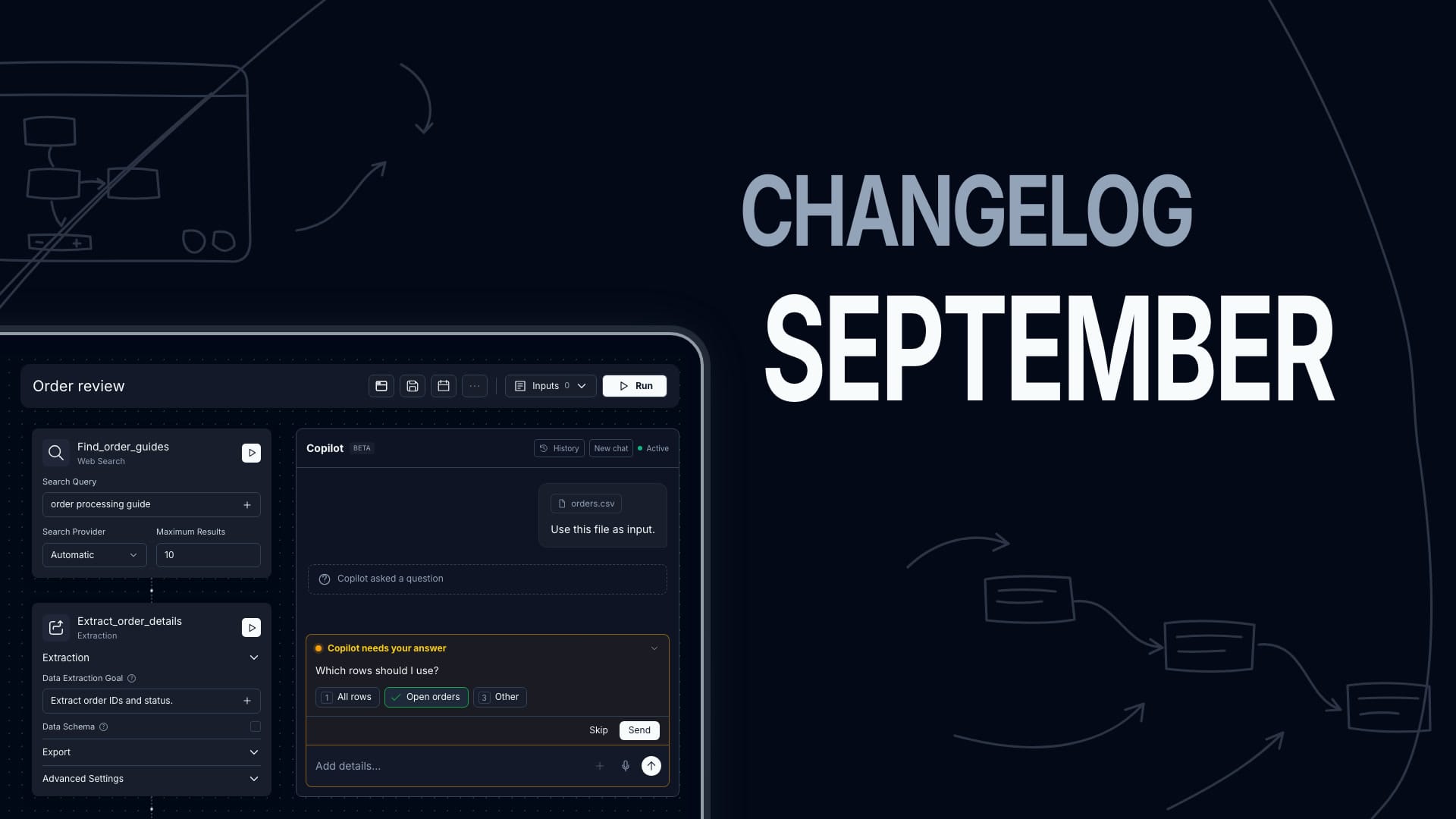
Everything we shipped in September 2026 — weeks of August 31, September 7, 14, and 21.
Give Copilot files and answer its questions
Attach spreadsheets, PDFs, or supported images in Copilot. Drag files onto the composer or use the attachment button. Documents and images support up to 10 MB each, with 20 attachments per message.
Answer Copilot’s questions with a choice or free text. Supply a saved login in chat. On Skyvern Cloud, connect Google Sheets without leaving the conversation. Google Sheets requires a Google account.
Ask Copilot to put a chat attachment into a website’s file picker. The attachment must remain available to the chat.
Build a workflow from a demonstration
Select Record task in Copilot and perform the steps in the browser. Review and refine the resulting workflow. Processing a recording requires code-block access. Recordings retain saved-credential bindings and keyboard actions, and you can talk to Copilot during capture.
Attach an MP4, WebM, or MOV demonstration up to five minutes and 30 MB. Copilot uses the video’s visual content, without audio. Self-hosted deployments need the media and vision runtime. Upload an SOP now opens the existing PDF import flow from Copilot.
Retry workflows under one run ID
Enable Automatic retry in Agent Settings to retry runs that end with a selected status or error code. Set the maximum retries, delay, and retry webhook behavior. Each attempt restarts the workflow from the beginning and uses credits. All attempts share one run ID, and run views distinguish each attempt.
Schedule fixed intervals and one-time runs
Choose Fixed interval to run a workflow at equal elapsed intervals, including across month boundaries and daylight saving changes. The API uses interval_seconds and an optional first_fire_at anchor. The minimum interval is five minutes.
Set run_at through Copilot, MCP, or POST /v1/workflows/{workflow_permanent_id}/schedules to schedule one run. Include a timezone offset and choose a time at least 60 seconds ahead. Copilot can create and manage schedules for the open workflow.
On self-hosted deployments, the built-in scheduler is on by default. Set ENABLE_WORKFLOW_SCHEDULES=false to turn it off. Python skyvern 1.0.55 includes the new schedule fields. TypeScript @skyvern/client 1.0.55 does not; use the REST API for these fields. Schedule responses can now contain cron_expression: null.
Search with Google or Exa
Add a Web Search block to query Google through SerpAPI or query Exa. Set Maximum Results from 1 to 100. Automatic tries Google through SerpAPI first. It uses Exa when configured if Google is not configured or fails before returning results.
Use Prompt (optional) or Data Schema to process the returned results. The prompt does not read linked pages. Leave both blank for unprocessed search results.
The Web Search block is available in Skyvern Cloud’s US region. Self-hosted deployments need at least one provider key: SERPAPI_API_KEY or EXA_API_KEY. Configure both keys to make both providers available.
Export extracted data as Parquet
Open Export on an Extraction block and enable Export as Parquet. Set the export schema and an optional filename. The block exports its extracted data unless you provide a Records (optional) override.
The export produces a typed, Snappy-compressed Parquet download. Missing or incompatible values become null. Existing standalone Data Export blocks still work; new exports start from the Extraction block.
Start job application runs with a recipe
Skyvern Cloud’s Job Application Recipes (Beta) can extract details from a posting or start an application run with your resume and instructions. Open the page under Recipes. Use Bulk to provide one job URL per line. Normal permissions and credits apply.
The API provides POST /v1/recipes/jobs/extract, POST /v1/recipes/jobs/apply, and GET /v1/recipes/jobs/runs. A started run does not mean the application was submitted successfully.
Quick List
New features
- September added
search_web(query, max_results)for Copilot and code blocks. Today, Skyvern Cloud supports it in the US region only. Self-hosted deployments must enable it and configureSERPAPI_API_KEYorEXA_API_KEY; code blocks require access. - Extend a first-party browser session to a total lifetime of six hours with
POST /v1/browser_sessions/{id}/extend. - Choose
Browser Typeper workflow or override it for one run. - Set
body_formattohtmlin Send Email or Human Interaction blocks. - Set
worksheetin File Parser YAML or API requests to read a named Excel sheet. - Use a Terminate block to end a workflow with a reason.
- Rate a finished run or select
Report this failureon its run page.
Improvements
- Copilot no longer asks you to choose
BuildorBuild with codeup front. It can mix code and agent blocks when code-block access and your organization’s configuration allow both. - Workflow Studio is now the standard workflow view, with controls to expand each pane.
- Edit workflow settings together with blocks and parameters in the YAML view.
- Workflow API updates preserve omitted
extra_http_headersandcdp_connect_headers; explicitnullclears either header map. - Upload files up to 30 MB through
POST /v1/upload_file; Copilot documents and images retain their 10 MB limit. - Code blocks use the updated editor and show Python syntax errors before a run.
- The Cloud agents list shows the original creator when available and uses the first version’s creation date when recorded.
- New passkey attachments now require Enterprise. Existing passkeys remain usable and removable.
- Send Email preserves your subject without appending a run ID.
Bug fixes
- Fixed the editor losing its previous state after you reject a Copilot proposal.
- Fixed
Prevent Overlapping Runswhen browser reuse is off, including scheduled runs. - Fixed Google Sheets appends shifting neighboring cells.
- Fixed slow loading and seeking for new run recordings.
- Fixed live-browser control after a VNC reconnect.
- Fixed missing and duplicate browser downloads.
- Applied 5 dependency security updates.
Keep reading

Skyvern August Changelog: Building Agents just got 10x easier
Everything we shipped in August 2026 — weeks of August 3, 10, 17, and 24.
Skyvern Changelog — July 2026
Everything we shipped in July 2026 — weeks of June 30, July 6, 13, 20, and 27.
Skyvern Changelog — June 2026
Everything we shipped in June 2026 — weeks of June 1, 8, 15, and 22. Workflows Are Now Agents We renamed Workflows to Agents across the product, the public API, and the docs. The API now lives under /agents (e.g. POST /v1/run/agents) and accepts an agent_id alias for workflow_id — same wpid_ value, echoed back in responses. It's fully backwards-compatible: your existing workflow_id inputs, /workflows endpoints, SDK methods, and bookmarked doc URLs all keep working. Workflow Studio (Beta) M
Put the browser to work
Use Skyvern for the work that lives in a browser.
Turn repetitive browser tasks into reliable workflows with Skyvern.