New Month, New Docs (Updated for July 2026)

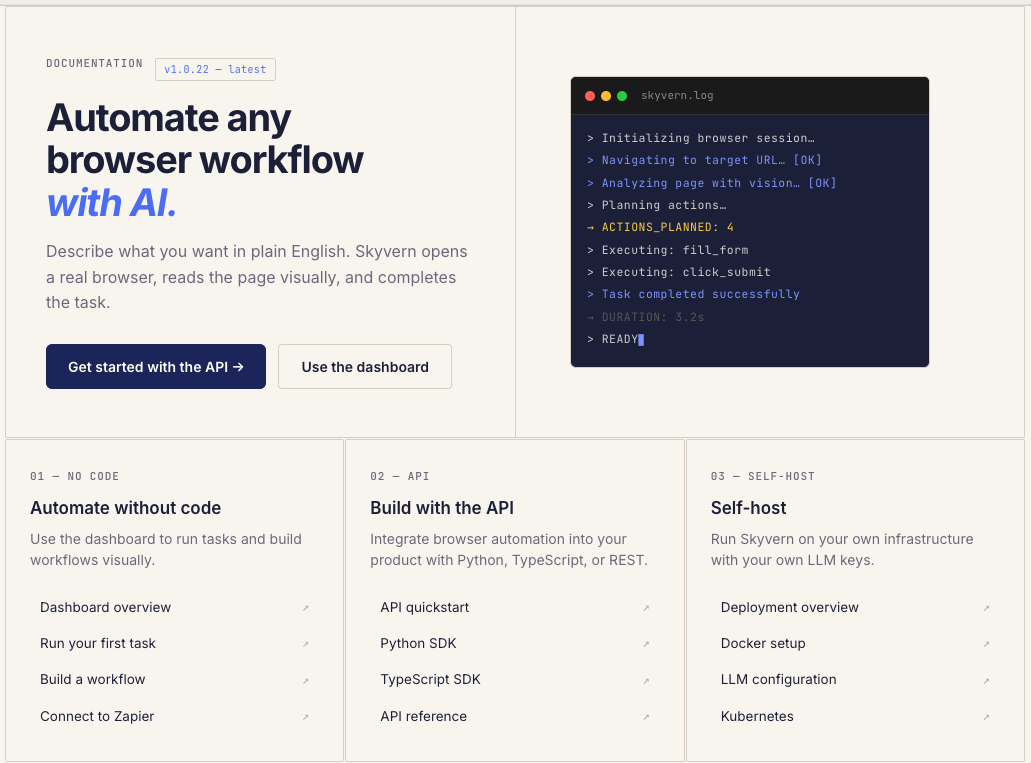
We just shipped something we should have shipped a long time ago: real documentation.
If you've ever tried to use Skyvern and found yourself digging through GitHub issues, Discord threads, or old blog posts to figure out how something works, that's on us. We had the classic startup problem: we were shipping features faster than we could explain them.
So we built skyvern.com/docs from the ground up. Not a README with some curl examples. Actual, structured documentation that covers everything from "what is this thing" to "how do I deploy it on my own infrastructure."
TLDR:
- Good docs are the difference between a 5-minute quickstart and giving up entirely. Skyvern built skyvern.com/docs to close that gap.
- The docs cover three distinct audiences: no-code operators, API developers (Python, TypeScript, cURL), and self-hosters running Docker or Kubernetes.
- Workflows chain 20+ block types together; Tasks handle single-goal browser runs. Knowing which to reach for saves setup time.
- Self-hosting is a first-class path, with LLM configuration for Vertex AI and Azure OpenAI so workflow data stays on your infrastructure.
- Skyvern is an Agentic Process Automation (APA) platform, and the docs are organized to reflect that, from first task through production deployment.
The Problem: Three Audiences, Zero Docs
Skyvern has three very different types of users:
- No-code operators who want to automate browser tasks from a dashboard without writing a single line of code
- Developers who want to call our API from Python or TypeScript and integrate browser automation into their existing stack
- Self-hosters who want to run the whole thing on their own infrastructure with their own LLM keys
This is the class of problem Agentic Process Automation (APA) platforms are built for: browser execution is the mechanism, but autonomous multi-step operation, credential management, and structured output delivery are the actual product.
We were trying to serve all three with a README and some blog posts. It wasn't working. Users were constantly asking the same questions in Discord. Onboarding calls were turning into documentation walkthroughs. Support tickets were about things that should have been a 30-second docs lookup.
What's Actually in There
The docs are organized around how you actually use Skyvern:
Section | What It Covers |
|---|---|
Getting Started | Quickstart from zero to first automated browser task in ~5 minutes; API key setup, dashboard (no code required) |
Architecture | Planner-Agent-Validator framework; visual reasoning + DOM analysis; how the agent loop handles failures and retries |
Core Concepts | Tasks, Workflows, Blocks, Runs, Credentials, Browser Sessions, Schedules, Artifacts, Engines, each with examples |
Running Tasks | Full API spec in Python, TypeScript, and cURL; polling, webhooks, sync waiting; artifact retrieval |
Workflows | Visual builder and API chaining; 20+ block types (Navigation, Action, Extraction, Validation, Login, and more) |
Credentials & Auth | Encrypted credential storage, browser profile injection, 2FA detection, Bitwarden and 1Password integrations |
Self-Hosting | Docker and Kubernetes setup; LLM config for Vertex AI, Azure OpenAI, and others; open-source deployment |
Use Cases | Bulk invoice downloading, job application pipelines, healthcare portal extraction, with step-by-step walkthroughs |
- Getting Started: A quickstart that gets you from zero to your first automated browser task in about 5 minutes. Sign up, grab an API key, run three lines of code (or just use the dashboard; no code required)
- Architecture: Our Planner-Agent-Validator framework explained properly for the first time. How the agent loop works, why we combine visual reasoning with DOM analysis instead of relying on brittle selectors, and what happens when things go wrong (the Validator catches it and feeds back to the Planner, which retries)
- Core Concepts: Tasks, Workflows, Blocks, Runs, Credentials, Browser Sessions, Schedules, Artifacts, and Engines. Every concept has its own page with actual examples, not bare type definitions
- Running Tasks: The full API spec with Python, TypeScript, and cURL examples. Polling, webhooks, and sync waiting. Artifact retrieval with screenshots, recordings, HTML snapshots, and LLM traces
- Workflows: How to chain multiple browser tasks together with our visual builder or via API. 20+ block types including Navigation, Action, Extraction, Validation, Login, File Download, HTTP Request, Code, and more, each one documented with when and why to use it
- Credentials & Auth: how Skyvern handles authentication, plus integrations with external vaults like Bitwarden and 1Password
- Self-Hosting: Docker and Kubernetes setup guides. LLM configuration for Vertex AI, Azure OpenAI, or whatever you're running. The whole thing is open source, and now you can actually deploy it without reverse-engineering our Docker Compose files. For context on the Kubernetes infrastructure side, the CNCF published a recent walkthrough on running a self-hosted LLM in Kubernetes that covers the setup in detail
- Use Cases: Bulk invoice downloading, job application pipelines, healthcare portal data extraction. Real workflows with step-by-step walkthroughs, not toy examples
Code Example: Running Your First Task
The quickstart docs cover three lines of code to run your first automated browser task. Here is a working Python example using the Skyvern SDK, copy it, drop in your API key, and run it:
import os
import asyncio
from skyvern import Skyvern

async def main():
    # Initialize the client with your API key
    client = Skyvern(api_key=os.getenv("SKYVERN_API_KEY"))

    # Run a task — Skyvern spins up a cloud browser, reads the page visually,
    # and returns structured output once complete
    result = await client.run_task(
        url="https://news.ycombinator.com",
        prompt="Get the title and URL of the top post",
        wait_for_completion=True,  # block until the task finishes
    )

    print(f"Status: {result.status}")
    print(f"Output: {result.output}")
    # result.recording_url gives you a full video of the browser session
    print(f"Recording: {result.recording_url}")

asyncio.run(main())
Set wait_for_completion=True and the call blocks until the task hits a terminal state, no polling loop required. For production workflows where you need to fan out multiple tasks in parallel, swap to webhooks instead and pass a webhook_url when calling run_task. The output, recording, and screenshots are all available on the returned run object regardless of which retrieval method you use.
Why This Matters
Good documentation is the difference between "I tried Skyvern and couldn't figure it out" and "I had my first automation running in 5 minutes." We were losing users at the onboarding step. Not because the product didn't work, but because they couldn't find how to make it work.
Skyvern is an Agentic Process Automation platform. Browser execution is the mechanism, but credential management, structured output, workflow chaining, and exception handling are what make it production-grade. The docs are now organized to reflect that: from first task to full deployment, each layer of the platform has its own section.
A few things we're particularly proud of:
- Core API endpoints have working examples in Python, TypeScript, and cURL. Copy, paste, run.
- The quickstart actually works. We tested it with people who had never seen Skyvern before. Five minutes, start to finish.
- Self-hosting is a first-class citizen. Most cloud products bury self-hosting instructions in a footnote. We put it front and center in the Developers section because that's how a lot of our users run Skyvern.
- The changelog is real. Every release from v1.0.15 onward, with actual descriptions of what changed and why. Adaptive caching, browser profiles, new LLM support (Gemini 3.1 Flash Lite, Claude Opus 4.6), MCP consolidation, it's all in there.
Final Thoughts on Skyvern Docs
Good documentation is the difference between a user who gets to their first automation in five minutes and one who closes the tab. We knew this, and we shipped the docs late anyway. That's on us.
The docs cover three distinct groups: operators who want to run automations without code, developers building on top of the API, and self-hosters who want data sovereignty and full infrastructure control. Each group has a clear path that doesn't require reading everything else first.
The bigger picture, though, is that Skyvern is an Agentic Process Automation platform. Browser execution is the mechanism. The docs now reflect that, from first task through workflow chaining, credential management, exception handling, and production deployment. A reader who works through the full docs walks away with both 'how to run a task' and 'how the whole system fits together' in a single pass.
A few sections are still thinner than we'd like (the use case walkthroughs in particular will keep growing as we add more verticals), but the foundation is there. We're shipping docs alongside features from now on, and we'd rather close gaps fast than let them become the reason someone gives up. The docs are at skyvern.com/docs.
FAQ
How do I get started with Skyvern if I've never used it before?
Sign up, grab an API key, and run your first automated browser task in about 5 minutes. The quickstart in the docs works with three lines of Python or entirely through the dashboard with no code required. The docs at skyvern.com/docs cover the full path from first task to production deployment, with working code examples in Python, TypeScript, and cURL.
What's the difference between Tasks and Workflows in Skyvern?
A Task is a single goal-directed browser run: log in, extract data, submit a form. A Workflow chains multiple tasks together using 20+ block types (Navigation, Login, Extraction, Validation, File Download, and more), with the visual builder or API handling the coordination between steps. If you're automating a one-step lookup, a Task is enough; if you're building a multi-portal process like prior authorization across payer systems, Workflows are where you start.
Can I run Skyvern on my own infrastructure with my own LLM keys?
Yes. Skyvern is open source and supports self-hosted deployment via Docker or Kubernetes, with LLM configuration for Vertex AI, Azure OpenAI, and other providers so page content and workflow data never leave your infrastructure. Self-hosted deployment is a first-class option in the docs, not a footnote, the Developers section covers it directly, including how to point the platform at customer-controlled LLM endpoints for healthcare and financial environments where data sovereignty requirements prohibit routing sensitive data through third-party AI providers.
What authentication methods does Skyvern support for portal automation?
Skyvern handles MFA, TOTP-based authenticator apps (including automatic six-digit code generation from stored secrets), email-based OTP via forwarding integration, OAuth flows, and CAPTCHA challenges through visual reasoning, all without hardcoded selectors. Phone/SMS/voice 2FA is not currently supported, which blocks portals like certain Medicaid and Medicare enrollment systems that mandate SMS-based authentication; workflows requiring those portals need an alternative authentication path confirmed before production deployment.
Skyvern vs. traditional RPA for portal-heavy workflows, which fits better?
For workflows running on portals that change layouts, rotate authentication flows, or span dozens of vendors, Skyvern fits better because there are no selectors to break when a portal renames a button or restructures a form, the agent re-reads the live page at runtime and keeps going. Traditional RPA tools like UiPath rely on hardcoded selectors, which means every portal update becomes a maintenance ticket; 45% of companies experience weekly bot breakdowns running selector-based automation. If your entire automation surface is a single stable internal tool with an existing API, the visual-AI layer adds overhead without adding value.
Keep reading
Launch Week - Day 5 - Simpler Pricing Model
Automation pricing is usually optimized for the vendor, not the user. You pay per step, per action, per minute, or per obscure unit that only makes sense if you already understand the internals of the system. The result is predictable: people under-automate, over-optimize prematurely, or stop experimenting altogether because they don’t trust the bill. We’re changing that. Today we’re launching a new pricing model for Skyvern, designed around a single goal: make it obvious what automation cost
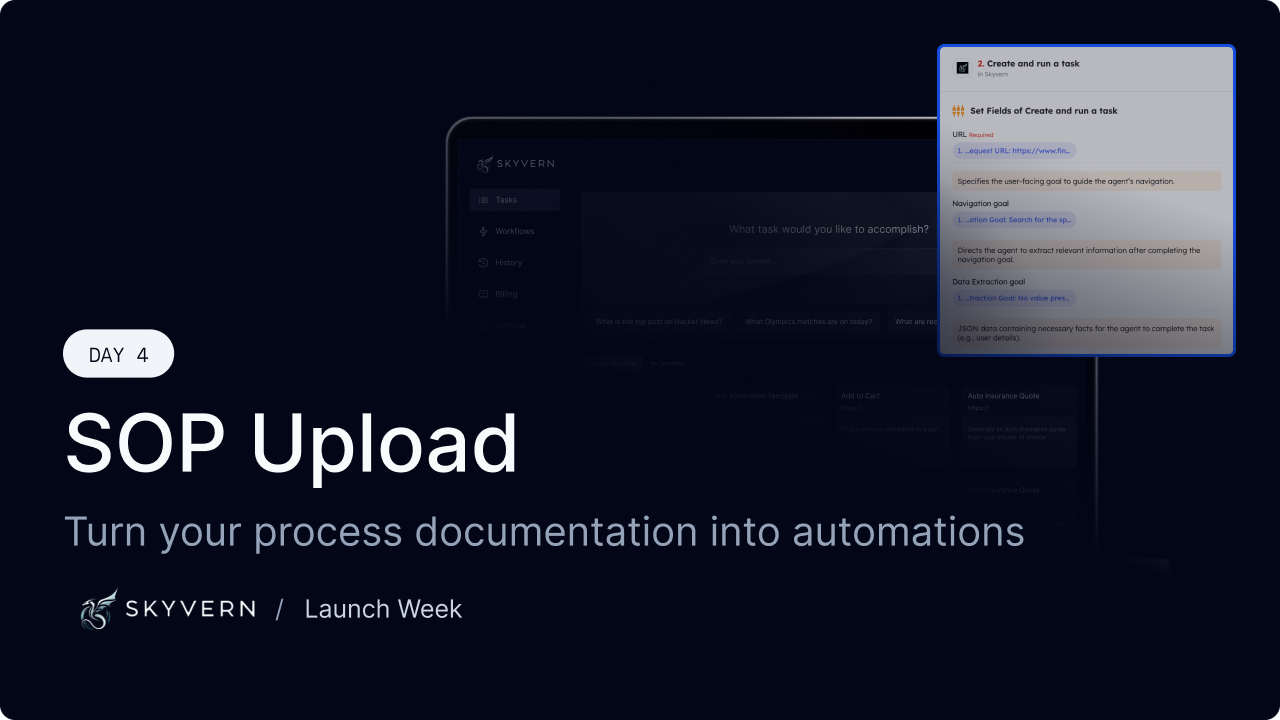
Launch Week - Day 4 - SOP Upload to build new Workflows
Most companies already know how their work gets done. It’s written down somewhere: * internal SOPs * runbooks * onboarding docs * Notion pages no one wants to maintain The problem isn’t lack of documentation. It’s that documentation doesn’t run. Today we’re shipping SOP Upload, a way to turn existing process documentation directly into executable browser automation. The gap between “written” and “working” Traditional automation tools assume you’ll start from scratch: * re-specify t
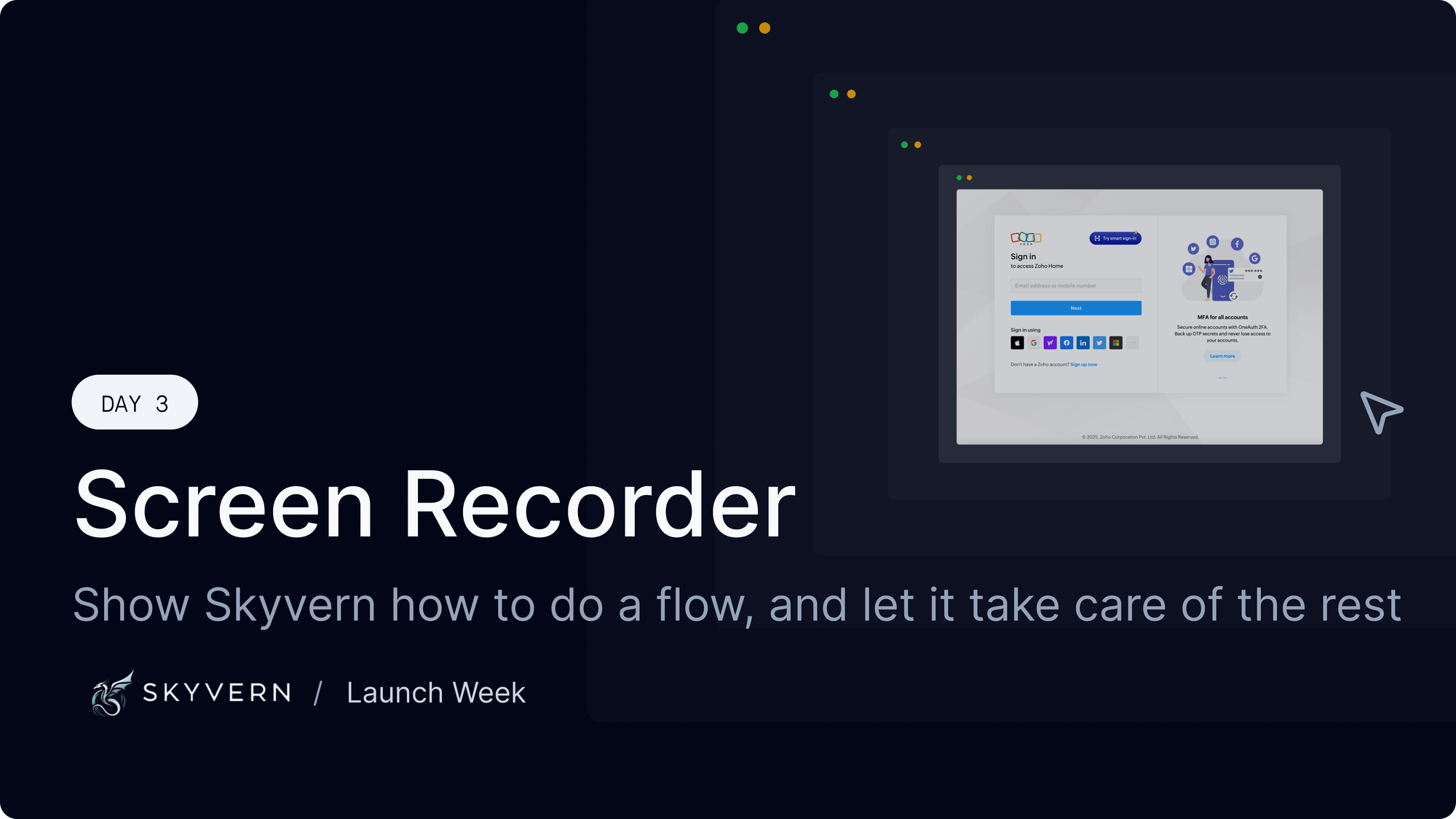
Launch week - Day 3 - "Show don't tell" - Screen record your workflows with Skyvern
Most browser automation fails because the interface between humans and automation is wrong. We ask users to describe workflows that are fundamentally visual and stateful. Then we’re surprised when the agent breaks, edge cases pile up, and maintenance cost dominates everything else. We built the Skyvern Screen Recorder to change that interface. Instead of telling an agent what to do, you show it. Give it a try here: app.skyvern.com The core idea If a human can complete a workflow in a brow
Put the browser to work
Use Skyvern for the work that lives in a browser.
Turn repetitive browser tasks into reliable workflows with Skyvern.