
How to Automate Construction Permit Applications and Inspection Forms (March 2026)

The US has roughly 30,000 local jurisdictions that issue building permits, and every one runs its own portal with different forms and workflows. Permit automation uses AI to work through these portals by reading labels and layout instead of hard-coded selectors that break when cities update their systems. Your coordinators currently spend 2-4 hours per day entering the same contractor details across different portals, and automation handles this by defining project data once and adapting to each jurisdiction's specific requirements. We'll walk through setting up workflows that file permits in parallel across multiple cities, schedule inspections automatically when applications get approved, and push status updates directly into your construction management tools without manual data entry.
TLDR:
- Construction companies file 100+ permits monthly across 30,000+ US jurisdictions with no standard APIs
- Manual permit processing takes 2-4 hours daily per coordinator and delays add 23% to project costs
- AI browser automation reads government forms visually, adapts when portals change, and handles MFA/CAPTCHAs
- Skyvern automates permit applications across any jurisdiction using one workflow and returns structured JSON
Understanding Construction Permit Automation
Construction permit automation uses AI to fill and submit permits across municipal portals without manual data entry. Instead of logging into each jurisdiction's website and clicking through multi-page forms, teams provide project details once and let software handle the rest. The core tech relies on LLMs and computer vision to read government portals the way a human would. This matters because the US has 30,000+ local jurisdictions, each with different forms, requirements, and portal interfaces. No API exists for most of them. Traditional automation breaks when portal layouts change or when forms include conditional logic.
Large construction companies file 100+ permits monthly. Every permit requires entering the same project data: contractor info, property details, scope of work, insurance certificates, all into a different system. Automation reads these portals by meaning instead of hard-coded scripts, so it works across any jurisdiction without custom configuration per site. This visual interpretation capability directly tackles the scale problem construction firms face.
The Scale Challenge Facing Construction Teams
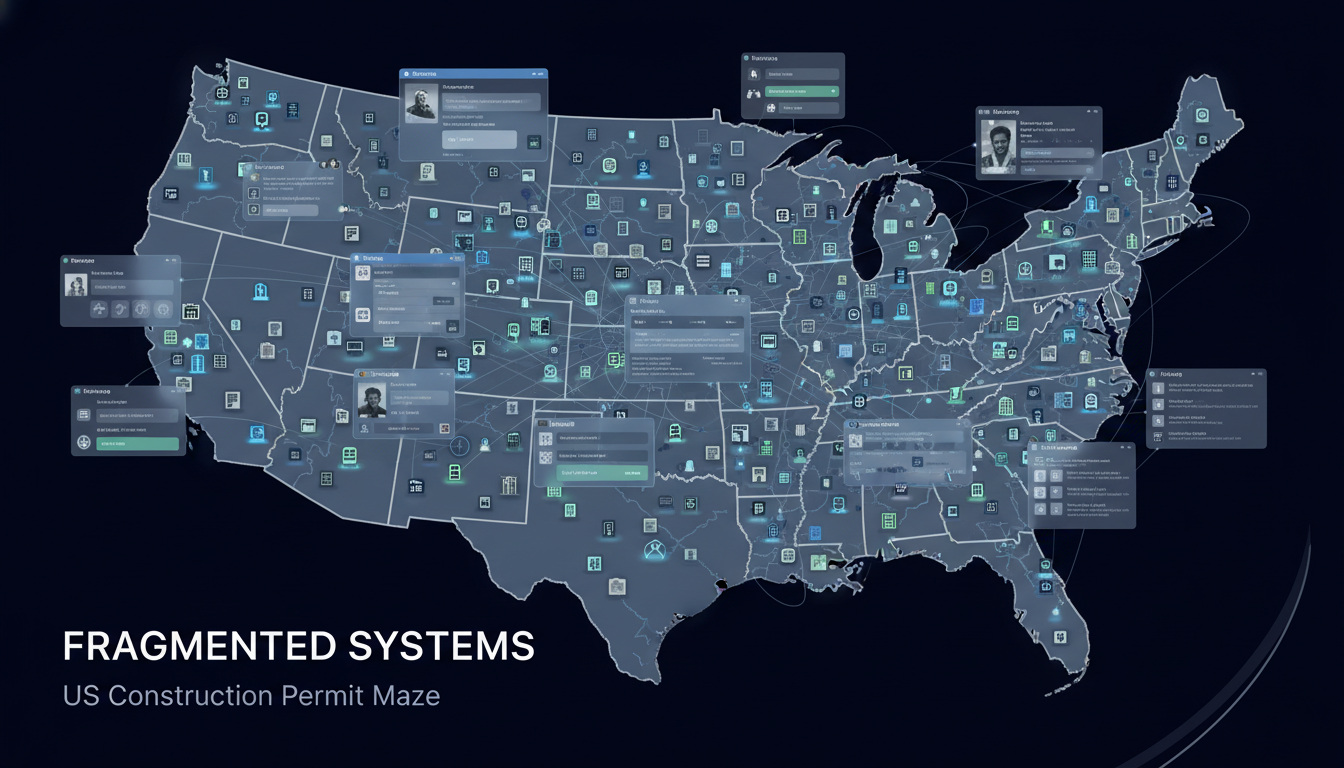
Multi-state construction firms face a fragmentation problem that defies traditional solutions. The US had 90,837 local governments in 2022, and roughly 30,000 of them issue building permits. Each one runs its own portal with unique authentication, form structures, and submission workflows.
A single commercial project can require permits from multiple jurisdictions: building, electrical, plumbing, HVAC, grading, encroachment. Companies managing regional or national projects file hundreds of permits quarterly. Every application demands the same information (contractor license, insurance, property details, scope) but entered differently each time across systems using Accela, CityGrow, or custom-built portals from 2008 that each handle scanned PDFs and uploads differently.
Why Manual Permit Processing Breaks at Scale
Manual permit work consumes 2-4 hours per day for construction coordinators. The loop repeats for every application: find login credentials, work through a different portal layout, re-enter the same contractor and insurance details, upload documents in whatever format that jurisdiction accepts, and submit. Multiply this across 20-50 active permits and the calendar fills with administrative work instead of project coordination.
Error rates climb with volume. A missed checkbox or incorrect form field triggers rejections that add weeks to timelines. Tracking status across dozens of applications means logging back into each portal separately since most jurisdictions don't send email updates. Teams resort to spreadsheets to remember which permits are pending, approved, or stuck in review.
Staff turnover accelerates when experienced coordinators spend entire days on data entry. Hiring more people doesn't solve the problem because onboarding requires learning the quirks of 50+ different portals. The bottleneck isn't headcount.
These manual bottlenecks translate into financial impacts that compound daily.
The Hidden Costs of Permit Delays
Permit delays cascade into costs that compound daily. Construction delays result in an average 23% increase in project costs. That percentage translates to real line items: equipment sitting idle at $500-$2,000 per day, subcontractors on standby burning through labor budgets, and materials accumulating storage fees while exposed to weather damage or theft.
Typical permit approval timelines stretch 6-12 months or longer. Every week of delay pushes completion dates further out, triggering penalty clauses in contracts and preventing teams from moving to the next project. Revenue gets deferred while fixed costs continue.
Most enterprises see 60-80% cost savings switching from traditional automation to AI-powered platforms, with median payback periods under 12 months. Organizations implementing AI-powered automation report an average ROI of 171%, with enterprises achieving up to 70% cost reduction through workflow automation. The broader trend is even more compelling: no-code automation delivers 2560% average ROI. This economic advantage stems from eliminating the ongoing maintenance burden that makes traditional automation unsustainable at scale.
Comparing Automated and Manual Processing
The table below breaks down the time taken to complete permit application and inspection forms by manual and automated means.
Metric | Manual Processing | Automated Processing |
|---|---|---|
Time per permit application | 2-4 hours | 5-15 minutes |
Error rate | 15-25% | 2-5% |
Jurisdictions per coordinator | 10-15 | 100+ |
Status tracking method | Manual portal logins + spreadsheets | Automated checks + webhook updates |
Setup time per new jurisdiction | 2-3 days (learning portal) | 0 (same workflow) |
Monthly permits processed per FTE | 40-60 | 200-300 |
Response time to portal changes | Immediate retraining needed | Auto-adapts visually |
How Traditional Automation Tools Fail for Permit Management

Selenium and Playwright rely on CSS selectors and XPaths to identify form fields and buttons. Selectors break when portals update its layout or restructures its HTML. When Philadelphia's permit portal migrates from Accela to a custom system, every automation script built for that jurisdiction stops working. Building scripts for each jurisdiction creates a maintenance nightmare. Writing automation for 100 different portals means managing 100 separate codebases. When one portal adds MFA or changes its document upload flow, someone has to debug and rewrite that specific script.
RPA tools face the same fragility with added overhead. Most government portals implement CAPTCHA and multi-step authentication that traditional tools can't handle without manual intervention. AI-powered approaches, though, solve these selector-based failures through visual understanding.
AI-Powered Browser Automation for Government Forms
AI browser automation reads government forms by analyzing the page display like a permit coordinator would. Instead of relying on CSS selectors tied to specific HTML elements, LLMs interpret visual layout and text to locate fields such as "Contractor License Number" or "Property Location" regardless of underlying code structure.
This visual approach resolves fragmentation issues. When jurisdictions update portal designs, the AI adapts by reading labels and context instead of following hard-coded DOM paths. The same workflow functions across Austin and Denver without modification since both request identical information despite different presentations.
LLMs manage conditional fields appearing based on project type, recognize equivalent terminology across jurisdictions, and handle multi-step wizards where subsequent pages depend on prior responses. Computer vision identifies upload buttons, checkboxes, and dynamic dropdowns.
AI-powered web scraping delivers 30-40% faster data extraction times and achieves accuracy rates of up to 99.5% when handling dynamic, JavaScript-heavy websites compared to traditional methods. This performance gain stems from visual understanding that bypasses the complexity of parsing dynamic DOM structures, allowing Skyvern to extract data as efficiently as a human would read it.
Critical Capabilities for Construction Permit Automation
Government portals require capabilities that break standard automation tools. Construction permit automation needs multi-factor authentication handling for TOTP codes and SMS verification, CAPTCHA solving for reCAPTCHA and hCaptcha, and document management that matches PDFs, site plans, and insurance certificates to jurisdiction-specific upload fields. Conditional form logic adapts when permit type selections reveal different requirements. Parallel execution across jurisdictions cuts filing timelines from weeks to hours by managing simultaneous browser sessions. Audit trails capture submission timestamps, confirmation screenshots, and approval numbers for compliance documentation.
Building Permit Automation Workflows That Scale
Workflows that scale across jurisdictions start with a single source of truth. Define project data once in JSON: contractor license, insurance certificates, property details, scope of work. The automation reads from this payload and adapts field mapping to whatever jurisdiction-specific labels appear on the form.
Handle document variations by jurisdiction. Some cities require wet-stamped engineer drawings. Others accept digital signatures. Store documents with metadata tags (engineering plans, insurance cert, contractor license) so the workflow can match requirements dynamically instead of hard-coding which file goes where.
Build validation checkpoints before submission. Review screens capture form data, uploaded documents, and calculated fees for human verification. This catches errors before they trigger rejections that add weeks to approval timelines.
Parallel processing turns sequential work into simultaneous execution. Submit 50 permits across different cities at once. Each runs in its own browser session, handles its own authentication, and returns structured confirmation data via webhook for project management system integration.
Automating Inspection Forms and Follow-Up Processes
Permit approval doesn't end with application submission. Inspections, status checks, revision requests, and final approval documents create a follow-up workflow that often takes longer than the initial filing. Automating this lifecycle removes the need to log back into portals daily to check whether plans were approved or rejected.
Inspection scheduling automation monitors permit status across jurisdictions and triggers scheduling requests when applications move to approved status. Automation reads available options, matches crew calendars, and books inspection appointments across multiple sites at once. Status tracking runs on schedule, extracting current status and delivering structured updates via webhook. Revision handling resubmits corrected applications without starting from scratch, tracking revision cycles and maintaining audit records.
Integrating Permit Automation with Project Management Systems
Permit automation delivers value when data flows directly into construction management systems. Standalone tools that export PDFs or send email notifications force coordinators to manually update schedules and tracking sheets.
Webhooks push structured JSON updates when permit status changes: submitted, under review, approved, rejected, inspection scheduled. An approved electrical permit can release the electrical subcontractor's start date. A failed inspection flags the superintendent for corrective work without manual input.
Structured data output replaces portal screenshots with machine-readable results. Permit numbers, approval dates, inspector names, fee amounts, and expiration dates populate dashboards that track timelines across active sites without logging into multiple municipal portals.
Browser Automation for Construction Permits with Skyvern
Skyvern uses AI-driven browser automation to handle construction permit workflows by working through municipal portals, filling forms, uploading documents, and submitting applications through a single API call. One workflow definition operates across different jurisdictions without modification because Skyvern interprets each portal visually instead of relying on jurisdiction-specific scripts. Parallel execution processes multiple permits at once while managing MFA and CAPTCHA challenges. Each submission creates an audit trail with screenshots, video replay, and structured confirmation data that returns as JSON via webhook.
Developers can integrate Skyvern programmatically through the Python SDK. Initialize a client with Skyvern() and use methods like client.run_task() to automate permit workflows. The run_task method accepts parameters including url, navigation_goal, navigation_payload, data_extraction_goal, and extraction_schema, and returns a task object with properties like task.status and task.extracted_data for easy integration into Python applications.
Example: Running Permit Tasks with Python SDK
from skyvern import Skyvern
import asyncio

# Initialize client with your API key
skyvern = Skyvern(api_key="YOUR_API_KEY")

async def file_building_permit():
    # Run permit filing task
    task = await skyvern.run_task(
        url="https://permits.cityofaustin.org/citizen-access",
        prompt="""
        Your goal is to file a building permit application.
        Fill out the application form with the provided contractor and property details.
        Upload the required site plan and insurance certificate documents.
        Submit the application and extract the permit number and status.
        COMPLETE when you have successfully submitted the application and extracted the confirmation details.
        """,
        navigation_payload={
            "contractor_name": "ABC Construction LLC",
            "contractor_license": "TX-123456",
            "property_address": "123 Main St, Austin, TX 78701",
            "project_type": "Commercial Renovation",
            "estimated_cost": "$250,000"
        },
        data_extraction_schema={
            "type": "object",
            "properties": {
                "permit_number": {
                    "type": "string",
                    "description": "The permit application number assigned by the city"
                },
                "application_status": {
                    "type": "string",
                    "description": "Current status of the permit application"
                },
                "submission_date": {
                    "type": "string",
                    "description": "Date the application was submitted"
                },
                "estimated_review_time": {
                    "type": "string",
                    "description": "Estimated time for permit review"
                }
            }
        },
        wait_for_completion=True
    )

    print(f"Task Status: {task.status}")
    print(f"Extracted Data: {task.extracted_data}")
    return task

# Run the permit filing
asyncio.run(file_building_permit())
The url parameter sets the starting point for the permit portal where Skyvern begins automation. The prompt parameter tells Skyvern what to accomplish. In this case, filling out and submitting a permit application while handling document uploads. The data_extraction_schema parameter defines what structured information you want back as JSON, like permit numbers and approval status, so the data integrates cleanly into your project management system. Setting wait_for_completion to True means the code waits for the entire task to finish before returning results instead of returning immediately while the automation continues in the background.
Steel Server provides transparent pricing tiers that scale with usage: the Free tier includes $10 in credits per month (100 browser hours), the Start tier is $29/month (290 browser hours), the Developers tier is $99/month (1,238 browser hours), and the Startups tier is $499/month (9,980 browser hours). This usage-based pricing model allows construction teams to start small and scale automation as permit volumes grow without committing to enterprise contracts upfront.
Final Thoughts on Scaling Permit Operations
Manual permit filing doesn't scale past a certain point, no matter how many coordinators you hire. Construction permit automation handles the repetitive work across any number of jurisdictions while your team focuses on coordination and problem-solving. You file more permits in less time, catch errors before submission, and keep projects moving without administrative delays.
FAQ
How long does it take to set up permit automation for multiple jurisdictions?
Most teams deploy their first automated workflow in 2-3 hours, with full deployment across 20-30 jurisdictions taking 1-2 weeks depending on complexity and authentication requirements.
What happens when a municipal portal changes its layout or form fields?
AI-powered automation reads portals by visual context instead of hard-coded selectors, so it adapts automatically when layouts change without requiring script updates or maintenance.
Can automation handle jurisdiction-specific requirements like conditional form fields?
Yes, the LLM interprets conditional logic by reading form labels and context, so it adapts to fields that appear based on project type, permit category, or prior selections across different municipal systems.
How does permit automation track status across hundreds of active applications?
Automated workflows check portal status on schedule and return structured JSON data via webhook, pushing updates directly into project management systems without manual portal logins.
What kind of audit trail does construction permit automation provide for compliance?
Each submission generates timestamped records with screenshots, video replay, confirmation numbers, and structured data showing exactly what was entered and when across all jurisdictions.