Skyvern MCP vs Puppeteer MCP: Which Should You Use in May 2026?
 Suchintan Singh9 min read
Your team just spent three days updating automation scripts because five different portals changed their login flows. This happens every month, and the backlog keeps growing. The difference between Skyvern MCP and Puppeteer MCP Skyvern MCP and Puppeteer MCP is whether you're maintaining brittle selectors or letting computer vision handle layout changes automatically. One approach scales with engineering effort. The other scales without it.
TLDR:
- Puppeteer MCP translates AI requests into browser commands using selectors that break when websites change
- Skyvern reads pages visually using computer vision and LLMs, adapting to layout changes without script updates
- Skyvern handles authentication, CAPTCHAs, and 2FA natively while Puppeteer MCP requires custom JavaScript for each portal
- Non-engineers can build Skyvern workflows without code, while Puppeteer MCP demands JavaScript proficiency
- Skyvern includes serverless infrastructure, audit trails, and enterprise compliance features that Puppeteer MCP lacks
What is Puppeteer MCP?
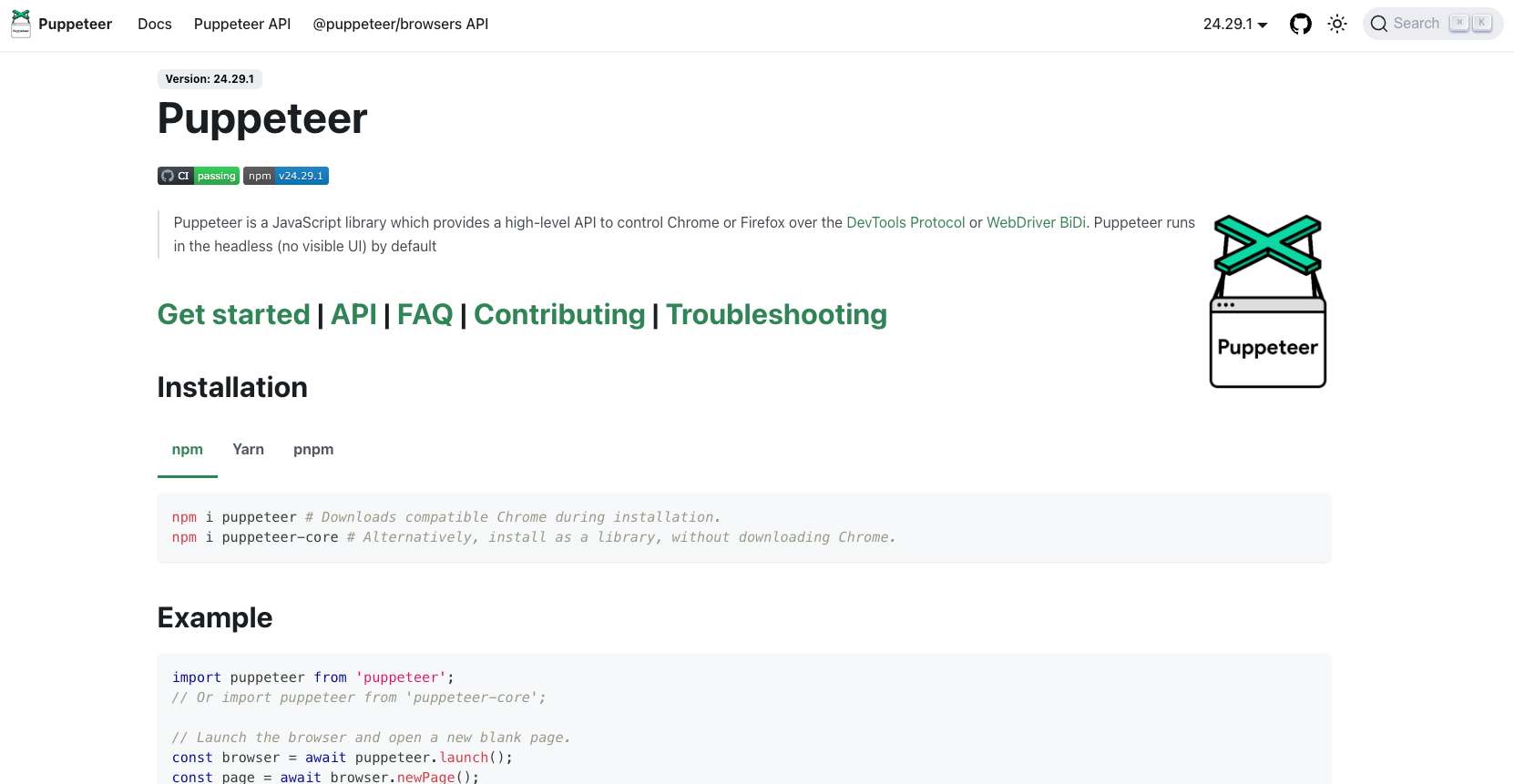
Puppeteer MCP is a Model Context Protocol server that connects AI assistants to a headless Chrome browser through Puppeteer. When you ask an AI agent to interact with a webpage, Puppeteer MCP translates that request into browser commands: go to a URL, click a button, fill a field, take a screenshot, or run a JavaScript snippet. The server exposes Puppeteer's capabilities as MCP tools, so AI can call them directly. It gives LLMs something they normally lack: real browser access. Your AI assistant can open a real browser, move around a page, and retrieve what it finds.
What Puppeteer MCP doesn't do is reason about the page. It executes instructions through code against whatever selectors and DOM structure currently exist. When a website updates its layout, those instructions break. The AI can generate new code to work around it, but the underlying approach is still script execution. That fragility is built into the design.
What is Skyvern?

Skyvern is an AI-powered browser automation agent that completes web tasks the way a human would, by looking at what's visible on screen instead of parsing HTML or relying on brittle CSS selectors. Instead of following a predetermined script, Skyvern reads each page visually, reasons about what needs to happen next, and takes action accordingly. This approach means Skyvern handles layout changes, dynamic content, and unexpected page states without breaking. There are no selectors to maintain and no scripts to update every time a website redesigns its checkout flow or rearranges its form fields.
Skyvern connects directly to the Model Context Protocol (MCP), so AI agents and LLM-powered workflows can hand off browser tasks to Skyvern through its MCP server integration and get results back without any glue code. It works across virtually any website, including those with CAPTCHAs, multi-step authentication, and file uploads.
The result? Teams that previously spent a lot of engineering time fixing broken automation scripts can shift that work entirely, letting Skyvern handle the unpredictability of the live web while their code stays focused on business logic.
AI-Powered Adaptability vs. Script-Based Automation
Puppeteer MCP executes web automation through explicit, hand-written scripts. You define selectors, map out click sequences and tell the browser exactly what to do at each step. When a website updates its layout or renames a CSS class, those scripts break, and someone has to go fix them.
Skyvern takes a fundamentally different approach. Instead of following a fixed script, it reads the page visually using computer vision and an LLM to interpret what's actually on the screen. It identifies buttons, forms, and navigation elements by what they look like and what they say, not by fragile selectors buried in the HTML.
Why This Distinction Matters in Practice
This architectural difference plays out in three concrete ways:
- When a site redesigns its checkout flow, Puppeteer MCP scripts require manual updates to reflect the new structure, while Skyvern reads the updated page and adapts without intervention using MCP servers.
- Skyvern can handle multi-step workflows that involve conditional logic, since it interprets context at each step instead of following a predetermined path.
- Teams using Puppeteer MCP often spend a lot of engineering time maintaining scripts instead of building new automations, which compounds over time as the number of target sites grows.
Feature | Skyvern MCP | Puppeteer MCP |
|---|---|---|
Automation Approach | AI-powered visual interpretation using computer vision and LLM reasoning to read pages like a human would | Script-based execution using CSS selectors and explicit DOM paths that must be manually defined |
Handling Website Changes | Adapts automatically when sites update layouts or redesign flows without requiring any code changes | Scripts break when websites change structure, requiring manual selector updates and code patches |
Authentication & Security | Native support for 2FA, TOTP, email OTP, phone verification, and CAPTCHA solving with enterprise vault integration | No built-in authentication handling; requires custom JavaScript for each login flow and security challenge |
User Accessibility | Non-engineers can build workflows through visual builder and plain-text descriptions without writing code | Requires JavaScript proficiency and browser DevTools knowledge to write and debug selectors |
Maintenance Overhead | Zero selector maintenance since visual interpretation works across any site structure | Ongoing maintenance required as scripts must be updated whenever target sites change layouts or class names |
Production Infrastructure | Serverless architecture with built-in queuing, webhooks, audit trails, workflow versioning, and SOC 2 compliance | Provides browser primitives only; teams must build their own queuing, monitoring, and production infrastructure |
Session Management | Persistent browser profiles maintain authenticated sessions across runs with automatic credential vault integration | Session handling requires custom implementation for each portal with no built-in persistence layer |
Authentication and Session Management
Puppeteer MCP has no built-in authentication handling. Login flows, CAPTCHA solving, and multi-factor authentication all require custom JavaScript written for each target system. For a handful of portals, that's manageable. Across dozens or hundreds of login-gated sites, it becomes a lot of ongoing maintenance work with no end in sight.
Skyvern handles authentication natively. 2FA, TOTP codes, email-based OTP, and phone verification work out of the box, with no custom code required. The credential management system connects to enterprise vaults including Bitwarden, Azure Key Vault, and AWS Secrets Manager, keeping credentials away from the AI model entirely. CAPTCHA solving is built in, hitting 80-90% success rates depending on type. A residential proxy network with geographic targeting down to city level keeps workflows running against portals that block datacenter traffic, with automatic ISP-to-residential failover when blocking occurs. Browser profiles persist authenticated sessions across runs, cutting redundant login steps for recurring workflows.
Developer Experience and Workflow Creation
Writing workflows look very different depending on which tool you choose.
With Puppeteer MCP, you write JavaScript that controls a browser step by step. You specify selectors, wait for elements, click buttons, and handle errors manually. This gives you precise control, but it also means writing a lot of code before anything works. When a website changes its layout or renames a class, your script breaks and needs a manual fix.
Skyvern MCP takes a different approach. You describe what you want in plain text, and the AI figures out how to do it visually. There are no selectors to maintain and no scripts to patch when sites update.
This creates a meaningful gap in who can actually build automations:
- Puppeteer MCP requires JavaScript proficiency and familiarity with browser DevTools to write and debug selectors effectively, similar to other open source browser automation tools.
- Skyvern MCP lets non-engineers create and run workflows without writing a single line of code.
For teams where automation needs to scale beyond the engineering team, that difference matters a lot.
Here's what triggering a multi-portal task looks like with the Skyvern Python SDK:
from skyvern import Skyvern
import asyncio

skyvern = Skyvern(api_key="YOUR_API_KEY")

# Describe the task in plain text — no selectors, no scripts
task = await skyvern.run_task(
    url="https://carrier-portal.example.com",
    prompt="Log in, navigate to the documents section, and download the latest declarations page.",
    webhook_url="https://your-system.com/webhooks/skyvern",
    wait_for_completion=True,
)

print(task.status)        # "completed"
print(task.output)        # structured JSON with extracted data
print(task.downloaded_files)  # list of downloaded file metadata
The same task description works across any carrier portal — no per-site scripting, no selector maintenance. When the portal redesigns its layout next month, the workflow keeps running without any changes on your end.
Production Features and Enterprise Capabilities
Puppeteer MCP provides browser automation primitives with no queuing, no audit trails, no webhooks, and no workflow versioning. Teams running production workloads must build all of that infrastructure themselves.
Skyvern handles all of it out of the box. The serverless architecture manages queuing and concurrent execution automatically, supports hundreds of parallel runs, and delivers structured results via webhook.
Parallel Execution at Scale
When you trigger a Skyvern workflow via API, the platform automatically provisions browser instances and queues execution without any infrastructure configuration on your end. Hundreds of concurrent runs can process simultaneously, pulling from 40 insurance carrier portals at once, filing across all 50 state government portals in parallel, or verifying an entire day's patient schedule in minutes instead of hours.
Puppeteer MCP has no equivalent. It provides browser primitives, and anything beyond a single sequential run requires teams to build their own queuing, concurrency management, and job scheduling from scratch.
Webhooks, Structured Outputs, and Audit Trails
Every Skyvern workflow run delivers results via webhook when execution completes. Structured JSON output including extracted data, confirmation numbers, file names, timestamps, and status codes flows directly to downstream systems without polling. The last three screenshots from each run are included automatically, with full execution history available through the artifacts API for compliance-sensitive workflows.
Workflow versioning lets teams track changes over time and roll back to a previous version when needed. Every action taken during a run is logged with timestamps and screenshots, creating a full audit trail. For teams in regulated industries (healthcare, insurance, financial services, legal) that paper trail is not optional, and Puppeteer MCP simply has no mechanism to produce it.
Credential and Session Management
Skyvern's credential management system keeps authentication data out of the automation logic entirely. Credentials connect to enterprise vaults including Bitwarden, Azure Key Vault, AWS Secrets Manager, and GCP Secret Manager, so sensitive data is never exposed in logs or passed to the AI model during execution. Browser profiles persist authenticated sessions across runs, cutting redundant login flows for recurring workflows that access the same portals daily.
Puppeteer MCP has no credential management layer. Each portal's login flow requires custom JavaScript, and session persistence is the team's responsibility to implement and maintain per site.
Compliance and Security
Skyvern covers five enterprise requirements out of the box without additional configuration:
- SOC 2 certification for teams that need verifiable security controls
- HIPAA-capable self-hosted deployment for handling sensitive data
- SSO integration for organization-wide access management
- Workflow versioning to track and roll back automation changes
- White-labeling for multi-tenant deployments across client accounts
Pricing bundles compute and infrastructure into a single rate with no hidden fees, so teams aren't surprised by costs as usage scales.
Why Skyvern is the Better Choice
For anything beyond that scope, Skyvern is the better fit. Five things set the Skyvern MCP server apart for teams running serious automation workloads:
- Selector maintenance disappears because Skyvern reads pages visually instead of relying on brittle DOM paths that break when sites update.
- Authentication and CAPTCHAs are handled natively, so workflows don't stall waiting for human intervention, making it a powerful AI RPA tool.
- A single workflow runs across any website without site-specific configuration, which means no per-portal scripting overhead.
- Non-engineers can build automations through the visual builder and Copilot without touching code.
- Serverless infrastructure scales to hundreds of concurrent runs without provisioning overhead.
For teams automating across dozens of portals where reliability and scale matter, there's a lot of distance between a script-based tool and an AI-native one.
Final Thoughts on Skyvern MCP Versus Puppeteer MCP
The core difference comes down to maintenance burden. Skyvern reads pages visually and adapts when sites change, while Puppeteer MCP requires you to update scripts manually every time a layout shifts. If you're automating across dozens of portals and tired of patching broken selectors, book time to see Skyvern in action. Your team can focus on building new automations instead of fixing old ones.
FAQ
How should you decide between Puppeteer MCP and Skyvern MCP?
Choose Puppeteer MCP if you're a JavaScript team comfortable with DevTools and want low-level browser control through a standardized protocol. Choose Skyvern if you need automations that work across multiple portals without breaking when websites change, handle authentication complexity natively, or require non-engineers to build workflows without coding.
What's the main difference in how Puppeteer MCP and Skyvern handle website changes?
Puppeteer MCP executes scripts using CSS selectors and DOM paths that break when websites update their layouts, requiring manual code fixes each time. Skyvern reads pages visually using computer vision and LLM reasoning, adapting to layout changes automatically without any script maintenance.
Who is Skyvern MCP best suited for compared to Puppeteer MCP?
Skyvern works best for teams automating across dozens of portals where reliability and scale matter, like operations teams, compliance specialists, insurance agencies, healthcare providers, and anyone spending a lot of engineering time fixing broken automation scripts. Puppeteer MCP fits JavaScript teams who want precise browser control and don't mind maintaining scripts when sites change.
What authentication challenges does Puppeteer MCP create that Skyvern solves?
Puppeteer MCP has no built-in authentication handling, requiring custom JavaScript for every login flow, CAPTCHA, and multi-factor authentication scenario. Skyvern handles 2FA, TOTP codes, email-based OTP, and CAPTCHA solving natively out of the box, with credential management that integrates with enterprise vaults and maintains authenticated sessions across runs.
Can non-technical users build automations with either tool?
Puppeteer MCP requires JavaScript proficiency and familiarity with browser DevTools to write and debug selectors effectively. Skyvern lets non-engineers create and run workflows through a visual builder and Copilot feature without writing any code, making automation accessible to operations staff and business users who understand processes but lack programming skills.
Keep reading

Browser Use vs Browserbase: my honest comparison
Browserbase and Browser Use can both automate work in a browser, from collecting product data to filling out forms. Choosing between them comes down to what you want to build: a task you hand to an AI agent, a custom agent inside your application, or browser infrastructure for scripts you already run. I’m Skyvern’s co-founder and CEO by the way. We build a competing product, so I have a stake in this comparison. But I promise I won't promote our product (even though it's a great alternative to

6 Stagehand alternatives for browser automation in 2026
If you're looking for Stagehand alternatives, you probably want an AI browser agent that: * Works natively with Python scripts. * Can navigate and scrape complex websites efficiently. * Stays reliable as your workload grows from a few runs to thousands of browser jobs. That's the kind of workflow I built Skyvern for (Skyvern CEO here). I know, I know, Skyvern CEO's recommending Skyvern as a good alternative. Please just stay with me for a second here. Yes, Skyvern is a good Stagehand alt

Browser Use vs Stagehand: Which One Should You Pick?
Browser Use and Stagehand both let you use AI to automate browser tasks, such as collecting product data or filling out forms. When you’re deciding which to build with, their feature lists only tell you so much. You want to know how much code you’ll need to write, whether the automation completes your task correctly, and what repeated runs will cost. I'll be upfront: we build Skyvern, a competitor to both, but this blog post won't shill our product (you can try it here though). I’m keeping thi
Put the browser to work
Use Skyvern for the work that lives in a browser.
Turn repetitive browser tasks into reliable workflows with Skyvern.