Skyvern MCP vs Browserbase: Which Is Better for Browser Automation in May 2026?
 Suchintan Singh8 min read
Most teams comparing Skyvern MCP vs Browserbase start by asking the wrong question. They focus on features and pricing instead of asking what happens when a target website updates its DOM structure or changes a form layout. Browserbase provides rock-solid browser hosting, but when selectors break, you're the one who fixes them manually. Skyvern MCP reads pages visually, identifying buttons and forms by appearance instead of fragile XPath, so your workflows stay intact even when sites redesign their UI.
TLDR:
- Browserbase provides managed headless browser infrastructure but requires you to write and maintain automation scripts that break when websites change
- Skyvern MCP uses AI and computer vision to read pages visually, so automations adapt when sites update their layout without code changes
- Browserbase suits teams comfortable with Playwright or Puppeteer who want to offload infrastructure management while keeping full control over automation logic
- Skyvern MCP handles authentication flows, CAPTCHAs, and multi-step workflows natively through visual understanding instead of brittle selectors
- Skyvern MCP connects directly to Claude and AI agents via Model Context Protocol, letting agents call browser tasks with plain-language instructions
What Is Browserbase?
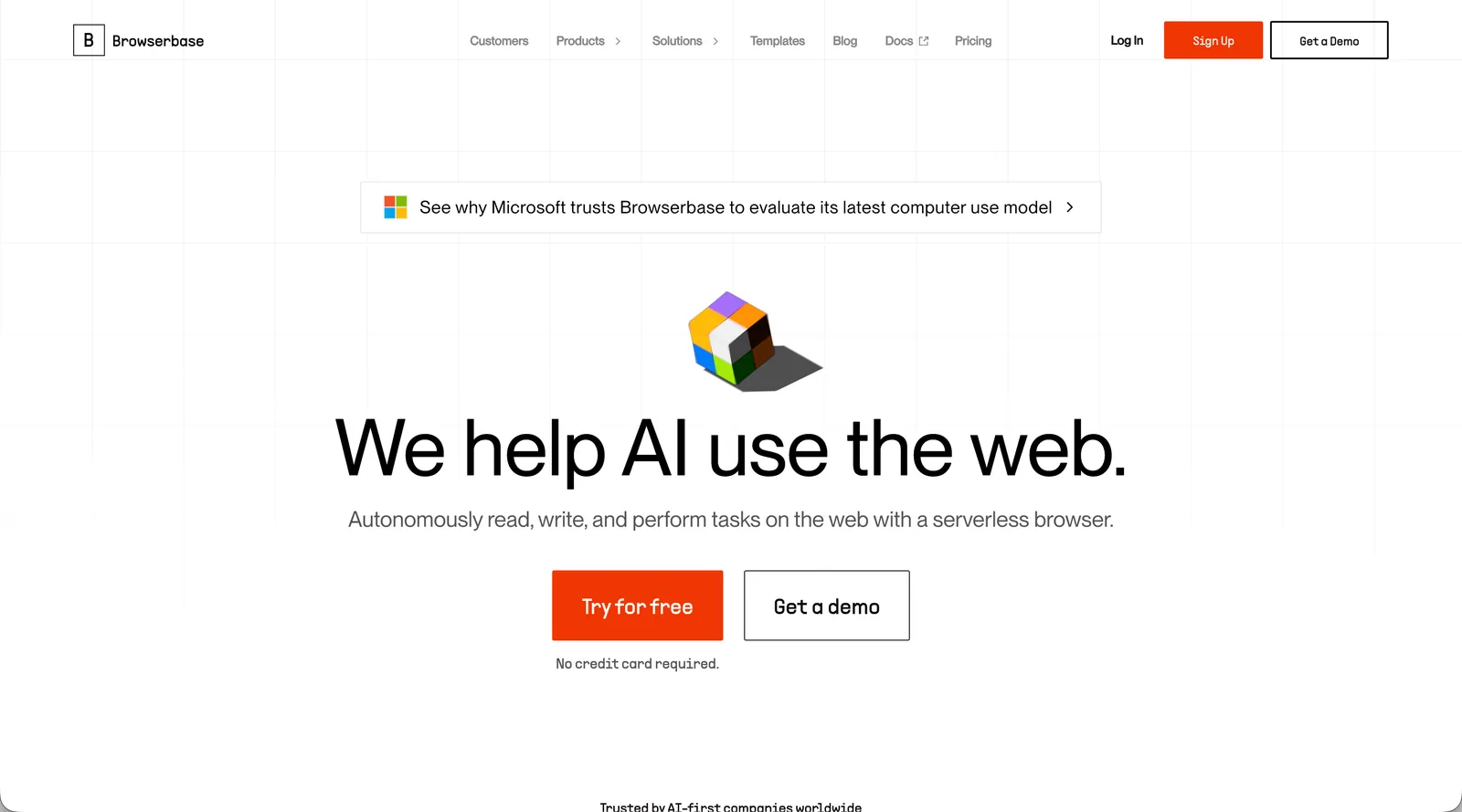
Browserbase is a managed, serverless headless browser infrastructure service. Instead of spinning up and maintaining your own fleet of Chrome instances, you provision browser sessions on demand through their API and point your existing Playwright, Puppeteer, or Selenium scripts at them. The infrastructure handles the overhead: browser provisioning, session persistence, proxy rotation, and fingerprint randomization to reduce bot detection.
For teams already invested in Playwright or Puppeteer, this is a meaningful quality-of-life improvement. You keep your automation code exactly as it is, but offload the hosting headache to Browserbase. Session debugging also gets easier through video recordings and live browser views that let you watch what your scripts are actually doing.
The key thing to understand about Browserbase, though, is what it doesn't do. It provides the browser environment, not the automation logic. Writing and maintaining the scripts that interact with those browsers is still entirely your responsibility. When a target website updates its layout, your selectors break and you fix them manually. Browserbase solves the infrastructure problem, not the maintenance problem.
What Is Skyvern MCP?

Instead of writing scripts that click specific elements or parse raw HTML, you describe what you want done in plain language. Skyvern MCP sits between your AI agent and the browser, acting as an interpreter: your agent sends a goal, and Skyvern MCP handles the actual navigation, form filling, and interaction using computer vision and AI reasoning. Automations hold up even when websites change their layout because the system reads pages the way a person would, instead of relying on brittle selectors.
The core idea is that Skyvern MCP sits between your AI agent and the browser, acting as an interpreter. Your agent sends a goal, and Skyvern MCP handles the actual navigation, form filling, and interaction using computer vision and AI reasoning. This means your automations hold up even when websites change their layout or update their UI, because the system reads pages the way a person would instead of relying on brittle selectors.
Skyvern MCP connects to your AI agent through the MCP protocol for browser automation, which is now natively supported by tools like Claude and other LLM-powered agents. Once connected, it exposes a set of browser control capabilities your agent can call directly.
There are a few things that set this approach apart:
- Tasks are described as goals, not step-by-step instructions, so the agent does not need to know the exact structure of a webpage ahead of time.
- The system uses visual reasoning to identify interactive elements by appearance instead of fragile XPath selectors or CSS classes.
- It handles multi-step workflows, including login flows, file uploads, and form submissions, without requiring custom code for each site.
Technical Approach and AI Integration
Skyvern MCP and Browserbase take fundamentally different paths to browser automation, and those differences show up quickly once you move beyond simple demos.
Browserbase is built around infrastructure. It gives developers a cloud environment to run headless browsers at scale, exposing low-level controls via APIs that developers wire together with Playwright or Puppeteer. The AI layer is thin here: Browserbase manages the browser, but the agent logic, decision-making, and error handling all live in code you write and maintain.
Skyvern MCP takes a different approach. Instead of requiring explicit commands for every browser interaction, it how Skyvern reads pages visually, the way a human would. It reads forms, buttons, and workflows by appearance instead of fragile XPath selectors or CSS element IDs.
Why This Distinction Matters in Practice
This gap has real consequences when websites change layouts or introduce unexpected UI states. Browserbase scripts break and require manual fixes. Skyvern MCP, though, re-reads the page at runtime and adapts without script updates.
Feature | Skyvern MCP | Browserbase |
|---|---|---|
Automation Approach | AI-driven visual understanding that reads pages like a human, identifying elements by appearance and context | Script-based automation using Playwright, Puppeteer, or Selenium with explicit selectors |
Maintenance When Sites Change | Adapts automatically when websites update layouts or element IDs without code changes | Requires manual script updates and selector fixes when target sites change their structure |
Authentication Handling | Handles MFA, OAuth flows, and CAPTCHA natively through visual reasoning and credential workflow integration | Session persistence and cookie management provided, but MFA and complex auth flows require custom implementation |
Development Experience | Plain-language task descriptions that non-engineers can create without writing code | Requires developers to write and maintain Playwright or Puppeteer automation scripts |
AI Agent Integration | Native Model Context Protocol integration allowing agents to call browser tasks with conversational instructions | Thin AI layer focused on infrastructure management, with agent logic living in external code |
Best For | Teams needing self-healing automations across unfamiliar sites, or non-technical users building workflows | Development teams already invested in Playwright/Puppeteer who want to offload infrastructure overhead |
There are a number of reasons this matters for teams:
- Browserbase requires developers to anticipate every possible page state and code a response ahead of time.
- Skyvern MCP handles novel UI states dynamically, reducing the maintenance burden when sites update.
- Skyvern explains every field decision through its AI reasoning layer, making audits and debugging faster.
Development Experience and Workflow Creation
Skyvern MCP takes an AI-first approach to workflow creation. You describe what you want in plain text, and the agent figures out the steps. There's no scripting, no selector hunting, and no boilerplate code to maintain. This makes it accessible to non-engineers and dramatically cuts the time needed to spin up new automations.
Browserbase, though, is built squarely for developers. You write code using Puppeteer, Playwright, or Stagehand, and Browserbase handles the cloud infrastructure underneath. The developer experience is clean and familiar if you already know these frameworks, but building workflows still requires writing and maintaining code.
There are a few key differences worth noting here:
- Skyvern reads pages visually the same way a human would, so automations hold up even when a site's layout or element IDs change without any code updates needed.
- Browserbase workflows are tied to explicit selectors and scripted logic, which means a site redesign can break automations and require manual fixes.
- Skyvern's AI-driven approach lets it handle unexpected pop-ups, CAPTCHAs, and dynamic content on the fly instead of following a rigid predetermined script.
- Browserbase gives developers fine-grained control over every browser interaction, which suits teams that want precise, reproducible behavior in controlled environments.
For teams without dedicated automation engineers, Skyvern's workflow creation is far faster to get running. For developer teams already comfortable with Playwright or Puppeteer, Browserbase's familiar tooling keeps the learning curve low.
Authentication, Security, and Production Deployment
Production deployments live and die by how well a tool handles authentication flows, secrets management, and secure browser sessions. Both Skyvern MCP and Browserbase take meaningfully different approaches here, and those differences matter when you're running automation at scale.
Browserbase handles authentication through session persistence and cookie management. You can reuse browser sessions across requests, which works well for stateless automations. But when you need to handle MFA, OAuth flows, or credential rotation, Browserbase largely leaves that to you. The infrastructure is solid; the auth orchestration is your problem to solve.
Skyvern MCP approaches authentication as a first-class workflow concern. It can work through login flows visually, interpret 2FA prompts, and handle credential injection without requiring hardcoded selectors. Because the agent reads the page the way a human would, it adapts when login pages change layout instead of breaking silently.
There are a number of reasons this distinction matters in production:
- Browserbase requires you to manage credentials externally, adding engineering overhead to every authenticated workflow you build.
- Skyvern MCP integrates credential handling directly into task execution, so sensitive values never need to be embedded in automation scripts.
- For compliance-sensitive workflows, Skyvern's approach reduces the surface area where credentials can be accidentally exposed in logs or code.
Both tools support cloud deployment, though Skyvern MCP is built with multi-tenant, production-scale use cases in mind from the ground up. 2023 Avasant RPA research, and those teams need automation infrastructure that scales beyond a handful of bots.
Why Skyvern MCP Is the Better Choice
Skyvern MCP connects directly to Claude and other AI agents through the Model Context Protocol, letting those agents call browser automation as a native tool instead of stitching together custom API wrappers. That architectural choice matters more than it might seem at first.
Browserbase gives developers a powerful headless browser infrastructure, but it stops there. You still need to write the automation logic, handle retries, and manage what happens when a page layout shifts. Skyvern MCP, though, handles all of that through AI-driven visual understanding. It reads pages the way a person would, identifying elements by appearance and context instead of fragile CSS selectors or XPath.
Here's why that matters in production:
- Skyvern MCP can complete multi-step workflows end-to-end without a developer scripting each interaction, which cuts maintenance work considerably when sites update their layouts.
- Because it integrates via MCP, AI agents can invoke browser tasks conversationally, passing plain-language instructions instead of structured API payloads.
- Skyvern handles authentication and CAPTCHAs natively, along with dynamic content, so teams spend less time patching broken scripts.
Best for engineering teams and AI agent builders who want browser automation that their agents can call directly, without maintaining a brittle layer of custom glue code on top of raw browser infrastructure.
Final Thoughts on Skyvern MCP and Browserbase
The choice between these tools comes down to whether you need managed browser infrastructure or AI-driven automation that adapts to page changes. Browserbase gives developers a solid cloud environment for running headless browsers, but Skyvern MCP removes the need to write brittle scripts by letting agents complete tasks through visual reasoning. Your automations hold up when sites update their layouts because Skyvern reads pages contextually instead of relying on CSS selectors that break. If you want to see how this works for your workflows, book time with us here.
FAQ
How should you decide between Skyvern MCP and Browserbase for your automation needs?
Start by asking whether you have dedicated developers to write and maintain automation scripts. Browserbase fits teams with engineering resources who already use Playwright or Puppeteer and want to offload infrastructure management. Skyvern MCP is the better choice when you need automations that self-heal when websites change, or when non-engineers need to create workflows without writing code.
What's the key difference in how Skyvern MCP and Browserbase handle website changes?
Browserbase requires manual script updates when target websites change their layout or element IDs: your selectors break and you fix them. Skyvern MCP reads pages visually using computer vision and LLM reasoning, so automations adapt automatically when sites update without any code changes needed.
Who is Browserbase best suited for compared to Skyvern MCP?
Browserbase is best for development teams already invested in Playwright or Puppeteer who want to eliminate browser infrastructure overhead while keeping full control over automation logic. Skyvern MCP is ideal for teams that need browser automation to work across multiple unfamiliar websites, handle authentication complexity natively, or let non-technical users build workflows without scripting.
What should you consider when migrating from traditional automation tools to AI-powered solutions?
Look at maintenance burden first—if your team spends a lot of engineering time updating broken automation scripts when websites change, AI-powered solutions like Skyvern MCP eliminate that overhead entirely. Also assess authentication requirements: Skyvern handles MFA, CAPTCHAs, and credential flows natively, while Browserbase requires you to build that orchestration yourself. Finally, consider skill sets on your team—Browserbase assumes developer resources, while Skyvern MCP works for operations staff without coding backgrounds.
Keep reading

Browser Use vs Browserbase: my honest comparison
Browserbase and Browser Use can both automate work in a browser, from collecting product data to filling out forms. Choosing between them comes down to what you want to build: a task you hand to an AI agent, a custom agent inside your application, or browser infrastructure for scripts you already run. I’m Skyvern’s co-founder and CEO by the way. We build a competing product, so I have a stake in this comparison. But I promise I won't promote our product (even though it's a great alternative to

6 Stagehand alternatives for browser automation in 2026
If you're looking for Stagehand alternatives, you probably want an AI browser agent that: * Works natively with Python scripts. * Can navigate and scrape complex websites efficiently. * Stays reliable as your workload grows from a few runs to thousands of browser jobs. That's the kind of workflow I built Skyvern for (Skyvern CEO here). I know, I know, Skyvern CEO's recommending Skyvern as a good alternative. Please just stay with me for a second here. Yes, Skyvern is a good Stagehand alt

Browser Use vs Stagehand: Which One Should You Pick?
Browser Use and Stagehand both let you use AI to automate browser tasks, such as collecting product data or filling out forms. When you’re deciding which to build with, their feature lists only tell you so much. You want to know how much code you’ll need to write, whether the automation completes your task correctly, and what repeated runs will cost. I'll be upfront: we build Skyvern, a competitor to both, but this blog post won't shill our product (you can try it here though). I’m keeping thi
Put the browser to work
Use Skyvern for the work that lives in a browser.
Turn repetitive browser tasks into reliable workflows with Skyvern.