MCP Server Architecture Explained: How AI Agents Interact with External Tools (May 2026)
 Suchintan Singh11 min read
Building AI agents that interact with external tools usually means writing custom connectors for each data source you touch. Database access, file systems, APIs, each one gets its own integration logic. Over time, you end up with a sprawling network of adapters that all break in different ways. MCP server architecture replaces that model with a standard protocol. AI agents connect to MCP servers through a shared interface, and those servers handle the underlying tool interactions. One protocol, any number of tools, no custom wiring for every new connection.
TLDR:
- MCP defines a client-server architecture where AI agents connect to external tools through a consistent interface instead of custom integrations for each data source
- MCP servers expose three primitives: tools (executable functions), resources (read-accessible data), and prompts (instruction templates)
- STDIO transport works for local servers while Streamable HTTP handles remote deployments with authentication and concurrent client connections
- Skyvern's MCP server exposes 35 tools across browser management, actions, extraction, validation, credential handling, and workflow orchestration
- Skyvern automates browser-based workflows using LLMs and computer vision; workflows self-heal when UIs change without script maintenance
What MCP Server Architecture Is and Why It Matters
Before MCP existed, connecting an AI agent to external data meant writing a custom integration for each source. One connector for a database, another for a file system, another for each API you wanted to call. Multiply that across dozens of tools and you end up with a brittle network of one-off bridges that each require separate maintenance.
Model Context Protocol (MCP) is Anthropic's open standard that changes this. It defines a universal client-server architecture where AI agents connect to any external tool or data source through a consistent interface. Instead of writing custom integration code for every new connection, developers build or install an MCP server once. The AI agent then communicates through that server using a shared protocol, regardless of what sits on the other side.
The core architecture follows a straightforward pattern: a host application runs an MCP client, which opens connections to one or more MCP servers. Each server acts as a specialized adapter exposing specific capabilities to the AI agent through that shared interface.
The core architecture follows a straightforward pattern: a host application runs an MCP client, which opens connections to one or more MCP servers. Each server acts as a specialized adapter exposing specific capabilities to the AI agent through that shared interface.
The Three Core Components: Host, Client, and Server
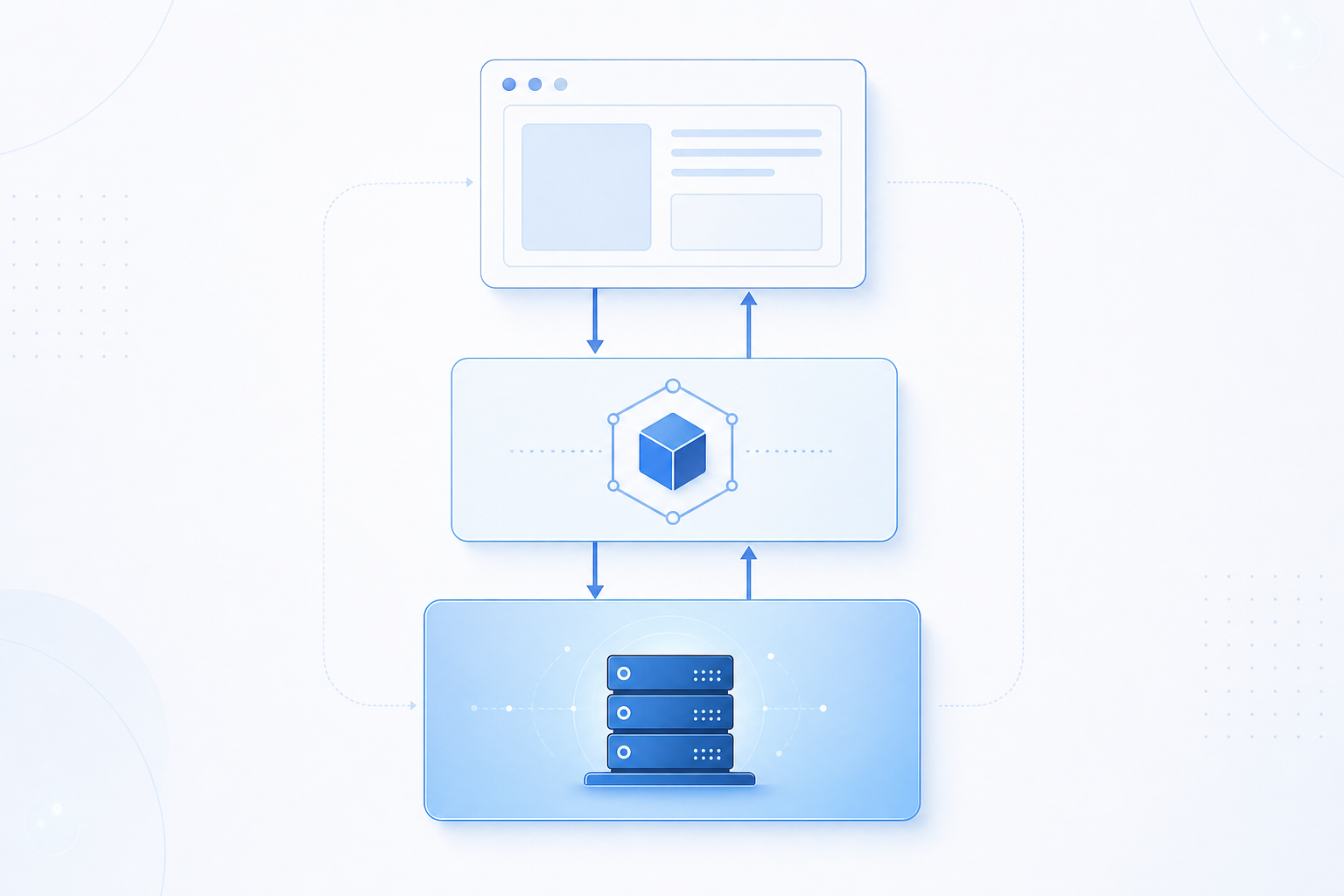
Every MCP interaction involves three distinct roles working together:
- The host is the AI application the user runs directly, such as Claude Desktop, Cursor, or an IDE extension. It owns the session, manages permissions, and decides which servers to connect to. The host also enforces what the AI agent is allowed to do: controlling which tool calls can proceed and prompting the user for approval when a sensitive action is requested.
- The client lives inside the host process. Each client holds exactly one connection to one MCP server, handling the protocol-level message exchange so the host logic stays clean. When a host connects to multiple servers simultaneously (for example, a filesystem server and a GitHub server at the same time) it spawns a separate client instance for each one. This one-to-one mapping keeps connections isolated and prevents cross-server state from leaking.
- The server is the lightweight process that exposes specific capabilities: tools the agent can call, resources it can read, and prompts it can use. Servers are intentionally narrow in scope. A filesystem server handles file reads and writes. A GitHub server handles repository operations. Each server declares its capabilities during the initialization handshake, and the client uses those declarations to present the right tools to the model.
MCP Architecture Layers: Data Layer vs Transport Layer
MCP architecture separates concerns across two distinct layers, each handling a different aspect of how agents communicate with tools.
The data layer governs what gets exchanged: structured requests, tool schemas, resource references, and response payloads. It defines the vocabulary agents use to express intent and the format servers use to reply.
The transport layer governs how those exchanges travel between client and server. MCP supports two primary transport mechanisms:
- HTTP with Server-Sent Events (SSE) for remote servers, where the client sends requests over HTTP and the server streams responses back asynchronously
- stdio for local servers, where the host process communicates directly with a locally spawned server process through standard input and output streams
This separation keeps the protocol flexible. Switching transport methods does not require changes to the data contracts, and adding new tool capabilities does not require renegotiating how messages travel.
Understanding MCP Transport Protocols: STDIO vs Streamable HTTP
MCP servers communicate with clients through two distinct transport protocols, each suited to different deployment contexts. These protocols differ in three key ways in practice:
- STDIO (Standard Input/Output) runs the MCP server as a local subprocess, passing JSON-RPC messages through stdin and stdout. This works well for desktop AI agents and local tooling where the client and server share the same machine.
- Streamable HTTP replaced the earlier SSE-based transport in the MCP spec, sending messages over standard HTTP POST requests while supporting optional server-sent streaming for long-running operations. This suits remote servers, cloud deployments, and multi-client scenarios.
Choosing between them comes down to where your server lives. Local tools and CLI-driven agents typically default to STDIO for its simplicity. Hosted infrastructure, including AWS-based MCP server deployments, generally requires Streamable HTTP to handle network boundaries, authentication layers, and concurrent client connections reliably.
Local vs Remote MCP Servers: Deployment Models Explained
Where a server runs shapes much more than setup complexity. When Claude Desktop launches a filesystem MCP server, that process spins up locally on your machine using STDIO transport. No network, no authentication layer, no concurrent session management required.
Remote servers work differently. The Sentry MCP server runs on Sentry's own infrastructure and accepts connections from any authorized client over Streamable HTTP. It handles multiple users at once, enforces authentication on every request, and manages session state independently from any single client machine.
Dimension | Local Server | Remote Server |
|---|---|---|
Transport | STDIO | Streamable HTTP |
Location | User's machine | Centralized infrastructure |
Concurrent clients | One | Many |
Auth required | No | Yes |
Example | Filesystem server | Sentry MCP server |
MCP Server Primitives: Tools, Resources, and Prompts
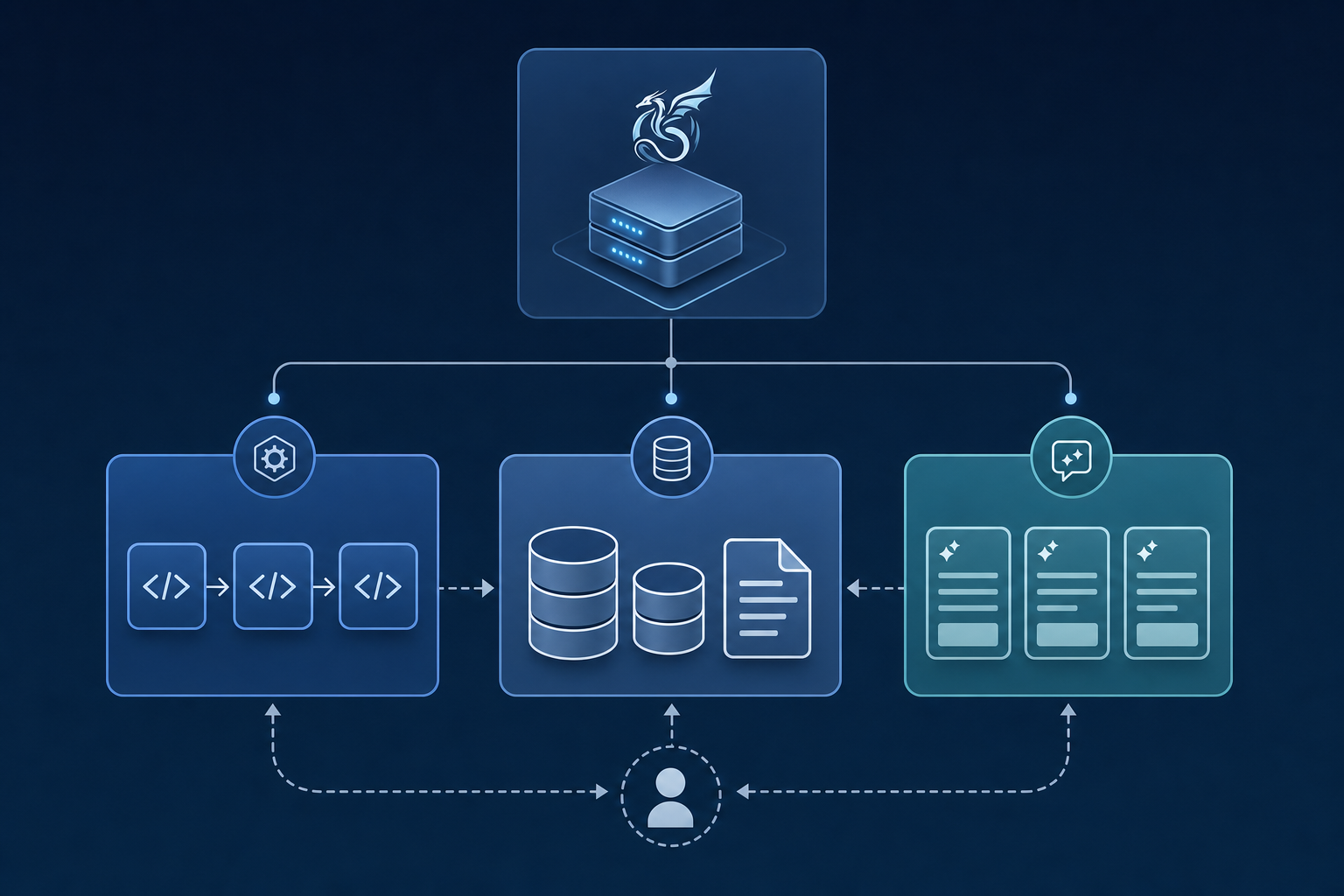
MCP servers expose three core primitives that define how AI agents interact with the outside world.
Tools are executable functions an LLM can invoke, such as running a database query or submitting a form. Resources are read-accessible data sources, like files or API responses, that provide context without side effects. Prompts are reusable, server-defined instruction templates that shape how an agent approaches a task.
These three primitives work together: an agent reads a resource for context, selects a prompt to frame its reasoning, then calls a tool to act.
Types of MCP Servers Available
MCP servers split into two categories: official servers published by the software provider itself (Notion maintains its own, with setup instructions in its developer docs), and third-party servers built by integration vendors. By function, the main groups are:
- Development tools: servers for GitHub and Git repositories let AI agents read codebases, open pull requests, and run searches without leaving the agent workflow.
- Enterprise systems: connectors for Slack, Google Drive, Jira, and similar tools give agents access to live organizational data and the ability to take action inside those systems.
- Data and databases: servers that wrap PostgreSQL, SQLite, or cloud data warehouses allow agents to run queries and return structured results on demand.
- Web and browser tools: servers with fetch and browser control let agents retrieve live content from the web.
- Infrastructure and cloud: AWS-focused MCP servers connect agents directly to cloud resources, making it possible to inspect, configure, or trigger cloud services through natural tool calls.
MCP Server Examples: From Filesystem to Enterprise Integrations
MCP servers range from single-purpose utilities to multi-capability enterprise connectors. Some concrete examples across the main categories:
- Filesystem server: reads and writes local files, giving agents document access without custom code
- GitHub server: manages repositories, pull requests, and code search
- Slack server: posts messages, reads channels, and surfaces organizational context
- PostgreSQL server: runs queries and returns structured results
- Memory server: maintains a persistent knowledge graph across sessions
- Web fetch server: retrieves live content from any URL for real-time context
The contrast between these matters. A memory server does exactly one thing. An enterprise Salesforce or Slack connector exposes dozens of tools under one server definition, handling records, notifications, and search simultaneously. PDF parsing servers sit somewhere between: they do one job, but that job touches multiple stages of document retrieval, text extraction, and structured output. Choosing a server often comes down to how narrow or broad you need the agent's reach to be within a given integration.
MCP vs API: Understanding the Fundamental Differences
The distinction comes down to what each layer exposes. APIs surface endpoints like /users or /weather that return data when called directly. You need to know the URL, the method, the required parameters, and how to interpret the response yourself.
MCP operates one level up. Instead of endpoints, it exposes named capabilities like get_user_info or get_weather with typed parameters the model can inspect and call without knowing any URL. The AI calls a function. The MCP server handles the underlying HTTP interaction.
MCP wraps APIs instead of replacing them. Agentic AI uses these capabilities to reason about which tool to invoke and call it correctly. Every tool an MCP server exposes is typically backed by one or more API calls happening underneath. What MCP adds is discoverability and consistent calling conventions, so an AI agent can reason about which capability to invoke, call it correctly, and interpret the result without custom integration code written for each endpoint. That orchestration layer is what separates an AI that can read documentation about an API from one that can actually use it inside a live workflow.
MCP Client-Server Communication Flow: How Sessions Work
MCP sessions follow a defined lifecycle that keeps agents and servers in sync throughout a conversation. Every MCP session runs through five stages: initialization, discovery, context provision, invocation, and execution.
These stages form a continuous loop instead of a one-off exchange. Initialization exchanges protocol versions and capability declarations via handshake. Discovery follows, with the client requesting what tools, resources, and prompts the server offers and receiving typed schemas in return. Context provision surfaces those resources to the user while converting tool definitions into a format the LLM can call directly as functions. Invocation happens when the model determines it needs a capability and the host routes the request to the appropriate server. Execution completes the loop: the server runs its underlying logic and returns structured results.
Where this differs from REST is persistence. REST treats every request as independent and stateless. An MCP session stays open across multiple tool uses within the same conversation, so the agent carries context forward without re-initializing at each step, making multi-tool workflows possible inside a single interaction.
Security and Authentication in MCP Architecture
Security in MCP architecture operates at the transport layer. Streamable HTTP supports bearer tokens, API keys, custom headers, and OAuth 2.0 for token acquisition in remote deployments, with OAuth being the recommended approach for production MCP servers. The most consequential security property is credential abstraction. The AI model never sees API keys, OAuth tokens, or endpoint URLs. Authentication happens inside the MCP server before any response reaches the model, creating a boundary that limits what a prompt injection attack can actually extract. There is nothing in the model's context to steal because the credentials never enter that context.
Enterprise deployments require additional controls on top of transport-level auth:
- Audit logging for every tool invocation to maintain a traceable record of what the agent did and when
- Short-lived tokens with regular rotation to reduce the blast radius of any compromised credential
- Least-privilege grants scoped to specific tools instead of broad access across the entire server
- Encryption in transit and at rest to protect data moving between clients, servers, and external APIs
- Scoped permissions on long-lived MCP channels to prevent lateral movement across sessions
Building Browser Automations with MCP: The Skyvern Approach

Skyvern's MCP server exposes 35 tools across six categories: browser session management, browser actions, data extraction, validation, credential handling with 2FA support, and multi-step workflow orchestration. When you ask Claude to "go to Hacker News and get the top post," it automatically chains session creation, navigation, extraction, and session close without any manual wiring.
To connect Claude to Skyvern's MCP server, run this command with your API key from app.skyvern.com/settings:
claude mcp add-json skyvern '{"type":"http","url":"https://api.skyvern.com/mcp/","headers":{"x-api-key":"YOUR_SKYVERN_API_KEY"}}' --scope userOnce connected, Claude calls Skyvern's tools directly. You can also run tasks programmatically through the Python SDK, which gives you the same browser automation capability with structured output:
from skyvern import Skyvern
import asyncio

skyvern = Skyvern(api_key="YOUR_API_KEY")

task = await skyvern.run_task(
    prompt="Go to Hacker News and get the top post",
    url="https://news.ycombinator.com",
    wait_for_completion=True,
    data_extraction_schema={
        "type": "object",
        "properties": {
            "title": {
                "type": "string",
                "description": "The title of the top post"
            },
            "url": {
                "type": "string",
                "description": "The URL of the top post"
            },
            "points": {
                "type": "integer",
                "description": "Number of points the post has received"
            }
        }
    }
)

print(task.output)
# {"title": "...", "url": "https://...", "points": 342}
The deeper value is architectural. Conversational agents handle reasoning. Skyvern handles the browser. Each workflow generates its own API endpoint, so complex automations slot directly into agentic pipelines. And because Skyvern reads pages by meaning instead of selectors, workflows self-heal when UIs change, with no script maintenance required.
Final Thoughts on MCP Server Implementation
Understanding MCP client-server architecture is one thing but implementing it in a way that handles real-world browser workflows is another. The protocol gives you the scaffolding for tool discovery and invocation, but you still need servers that expose capabilities agents can actually use reliably. That's where Skyvern's MCP server stands out: it wraps browser automation into callable tools that work across changing UIs without manual script maintenance. If you're building agentic workflows that need to interact with web applications, book a demo to see how it works.
FAQ
MCP server architecture vs traditional API integration: what's the real difference?
Traditional APIs require custom integration code for every endpoint you connect, with each service needing its own authentication, error handling, and response parsing logic. MCP server architecture provides a universal protocol where AI agents identify and call capabilities through a consistent interface, so you write one integration that works across any MCP-compliant server instead of building separate connectors for each API.
Can you run MCP servers on AWS infrastructure?
Yes, AWS-based MCP server deployments work through Streamable HTTP transport, which handles network boundaries, authentication layers, and concurrent client connections reliably. This differs from local STDIO servers that run as subprocesses on your machine, making Streamable HTTP the right choice for cloud deployments where servers need to handle multiple clients and enforce authentication on every request.
What types of MCP servers handle browser automation workflows?
Servers like Skyvern's MCP implementation expose browser session management, navigation actions, data extraction, and credential handling with 2FA support through a unified interface. When you ask an AI agent to visit a website and extract data, it chains session creation, navigation, extraction, and cleanup automatically without manual wiring between steps.
MCP client-server architecture diagram: how does message flow actually work?
The host application runs an MCP client that connects to one or more MCP servers, with each client handling exactly one server connection. Sessions persist across multiple tool invocations within the same conversation, so agents carry context forward instead of re-initializing at each step like REST APIs do.
How do you choose between STDIO and Streamable HTTP for MCP transport?
STDIO works for local tools where the client and server share the same machine, passing JSON-RPC messages through standard input and output. Streamable HTTP is required when servers run remotely or need to support multiple concurrent clients, authentication, and session state management across network boundaries.
Keep reading
5 Best AI Browser Agents in 2026
The best browser agents can reliably and repeatedly handle jobs you would do by clicking through a web browser, like filling out a form, collecting documents, or updating customer records. So if you’re tired of wasting time filling out forms and clicking dropdowns, this article is for you. Before I continue, full disclosure: I am Skyvern’s CEO, a browser agent SDK written in Python built to automate workflows. It’s built specifically to handle complex business workflows, like dealing with heav
Page Object Model (POM) in Test Automation
I know why you’re looking into Page Object Model: you’re tired of fixing the same CSS selectors across five different tests every time someone changes a form. You copied the login steps a few times, the test suite grew, and now a small UI change means an afternoon of maintenance. POM gives those repeated interactions a home. Your test scripts call a method like signIn(), and a page object handles the fields and buttons underneath. When a shared selector changes, you have one place to fix it. I
Browser MCP in 2026: What It Is, How It Functions, and the Best Servers Available
Most browser automation scripts fail the moment a site changes its layout. A button moves, a class name updates, and your carefully crafted Selenium script stops working. Skyvern solves this by giving AI agents live browser access instead of hardcoded selectors. The agent sees what's actually on the screen, decides what to do next, and adapts when things change. That's the difference between brittle scripts that need constant maintenance and automation that keeps working. This guide covers what
Put the browser to work
Use Skyvern for the work that lives in a browser.
Turn repetitive browser tasks into reliable workflows with Skyvern.