Best Workflow Chaining Automation Platforms for Complex Business Processes (May 2026)
 Suchintan Singh12 min read
You chain together a workflow that logs into a procurement site, downloads purchase orders, validates them against inventory, updates your ERP, and sends confirmations. It works perfectly until the procurement portal rolls out a new checkout flow, and suddenly your automation can't find the download button. Automation improves productivity by 40-60% when it works, but only when your tools can handle layout shifts, authentication updates, and interface changes without requiring engineering intervention every time something breaks. The difference between automation that scales and automation that collapses comes down to how each platform was built to handle change and what tasks you can automate.
TLDR:
- Workflow chaining automation breaks when target websites update their layouts: selector-based tools like UiPath and Automation Anywhere require manual script fixes every time a UI changes
- AI-powered visual automation reads pages the way a human does, by appearance and context instead of DOM structure, so workflows stay intact through site redesigns without engineering intervention
- Authentication walls (2FA, MFA, CAPTCHA, TOTP) are a first-class problem in multi-step automation
- A single Skyvern workflow runs across any website without per-site configuration, making it the only tool in this comparison with true cross-site reuse
- If your team spends more time fixing broken automation scripts than the automation saves, switching to a visual AI-powered platform eliminates that cycle entirely and frees up engineering time
What is Workflow Chaining Automation
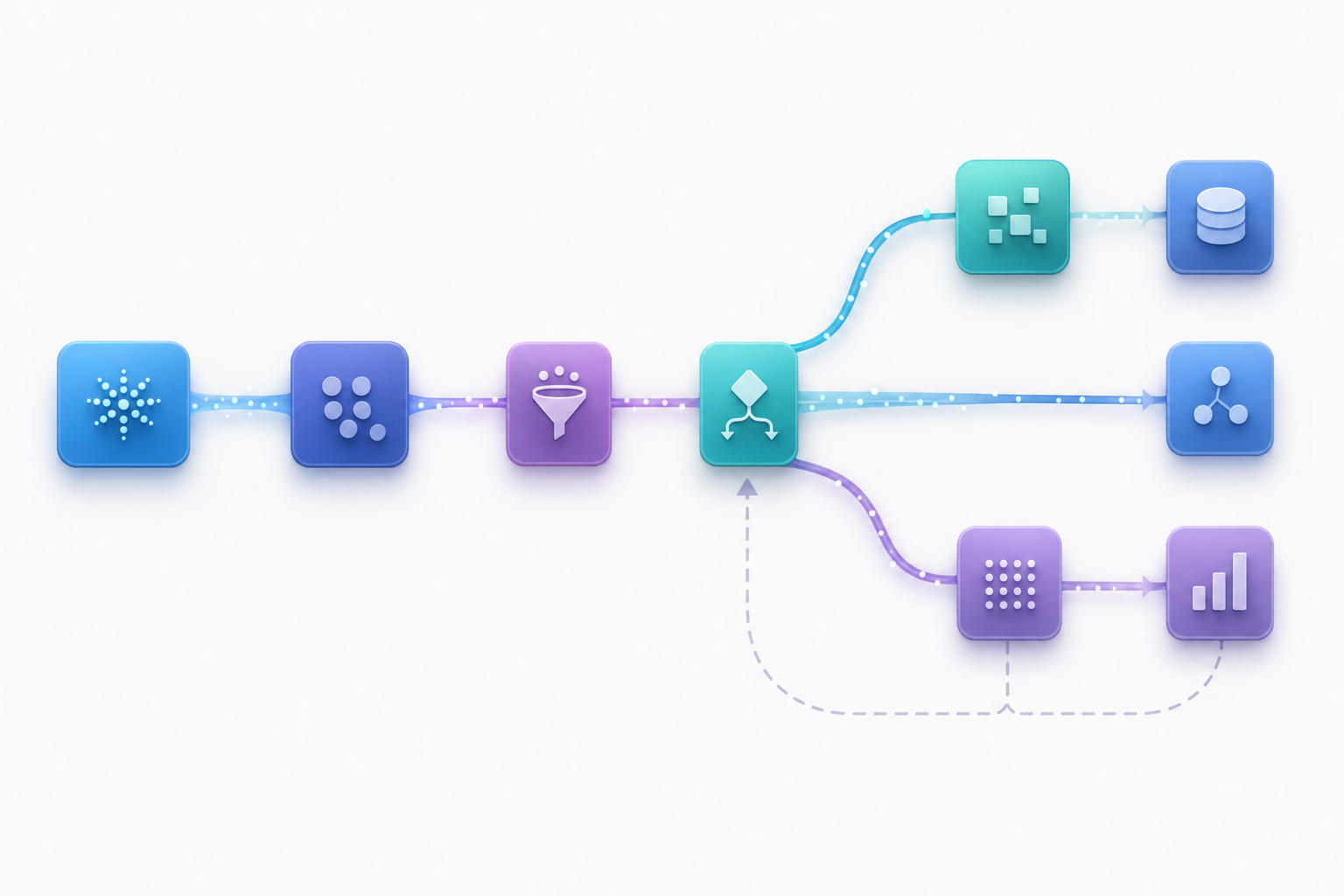
Workflow chaining is the practice of connecting multiple automated steps into a single, continuous sequence where the output of one task becomes the input for the next. Instead of running isolated automations that require manual handoffs between each stage, chained workflows pass data and context automatically across every step until the process reaches completion. This matters because most real business processes span several systems. A single transaction might touch a CRM, a payment processor, an inventory database, and a notification service before it resolves. Multi-step automation handles that entire sequence without human intervention at each junction, and browser workflows extend this capability to web-based tasks.
There are a few characteristics that define true workflow chaining:
- Each step is conditionally aware, meaning later actions can branch or skip based on results from earlier ones.
- State and data persist across the full chain, so nothing gets lost between transitions.
- Errors at any stage can trigger fallback logic instead of silently failing.
Workflow Chaining Platforms: Side-by-Side Comparison
Picking the right tool comes down to how each platform handles the failure points above. We assessed the four leading platforms against six key dimensions: cross-site flexibility, layout resistance, authentication complexity, workflow depth, integration architecture, and maintenance burden.
Tool | Core Approach | Layout Resistance | Workflow Depth | Coding Required | Multi-Site Reuse | Strengths | Limitations | Best For |
|---|---|---|---|---|---|---|---|---|
Skyvern | Computer vision and LLMs read pages visually to identify elements by meaning and context instead of selectors | Self-heals when UIs change by interpreting visible elements instead of relying on DOM structure | Conditional branching, loops, human-in-the-loop checkpoints, multi-step chaining with state persistence across long sequences | None for standard workflows; optional Python SDK for advanced customization | Single workflow applies across multiple websites without per-site configuration | Native 2FA/MFA/CAPTCHA handling, parallel headless sessions, API-first with webhooks, geographic proxy support, minimal maintenance overhead | Advanced capabilities may exceed needs for simple single-site automation | Cross-portal automation with authentication complexity, multi-site workflows, dynamic web interfaces requiring visual interpretation |
CloudCruise | Visual drag-and-drop interface connecting cloud apps through pre-built SaaS connectors | LLM assistance but still DOM-dependent; breaks when web UIs change substantially | Conditional branching with basic error handling and retry logic for failed steps | Yes, defining graph nodes and actions requires technical knowledge | Requires separate workflow configuration for each site | No-code for standard SaaS integrations, pre-built connectors reduce setup time | Struggles with browser-based tasks, limited custom logic without developers, no visual AI support | Single-site workflows with visual graph preference, straightforward SaaS-to-SaaS data syncing |
UiPath | Selector-based RPA recording and replaying user interactions through structured workflows | Breaks frequently when UI elements shift; requires ongoing selector maintenance | Visual flowcharts and state machines with process mining for identifying automation candidates | Low-code but requires specialized RPA training and developer involvement for complex workflows | Site-specific bot configuration required; no cross-site workflow reuse | Mature ecosystem, large connector library for enterprise systems, attended and unattended modes, process mining tools | High maintenance burden, aggressive licensing costs, limited adaptability to unexpected states | Enterprise RPA at scale with governance requirements, structured rules-based desktop automation on stable internal systems |
Automation Anywhere | Element-targeting RPA expanded into cloud-native agentic process automation with AI and analytics | Selector-dependent automation breaks with website updates; ongoing maintenance overhead | Bot Store marketplace with plug-and-play bots, Control Room for scheduling and version control | Low-code with bot development skills required | Requires bot customization for each application | Cloud-native architecture, Bot Store for pre-built industry bots, enterprise-grade control hub | Substantial upfront licensing and implementation costs, selector maintenance burden, struggles with creative decision-making workflows | Large-scale bot deployments across standardized processes, mature RPA programs with dedicated automation teams |
A Deeper Look at Each Category
The table above gives a high-level view, but the real differences show up when you dig into how each platform tackles each dimension. Here is what each category means in practice.
Cross-Site Flexibility
Cross-site flexibility is whether a single workflow can run across multiple websites without rebuilding logic for each target. This matters most for teams managing operations across many portals: insurance agencies pulling from 40 carrier sites, AP teams logging into dozens of vendor billing portals, or healthcare teams working across payer systems.
Skyvern's computer vision approach means one workflow applies across sites it has never seen before. There is no per-site configuration and no custom scripts required for each target. The same workflow that logs into one procurement portal can run against a completely different one without modification. CloudCruise, though, requires a separate workflow configuration for each site, which becomes unsustainable as the number of target systems grows. UiPath and Automation Anywhere both require site-specific bot configuration with no cross-site workflow reuse; every new portal means a new bot, new selectors, and new maintenance overhead.
Bottom line: Skyvern is the only tool in this comparison that delivers true single-workflow cross-site reuse. The others require per-site setup that compounds maintenance costs as your target system count grows.
Layout Resistance
Layout resistance is the ability to self-heal when target interfaces update without requiring engineering intervention. It is the single biggest source of automation maintenance cost for teams running workflows against third-party web portals. RPA failure rates remain staggeringly high at 30-50% of initial projects, with 82% of RPA projects underperforming without AI integration, while AI-driven automation improves success by 3x.
Skyvern reads pages visually using computer vision, identifying elements by what they look like and where they appear on screen instead of relying on DOM structure. When a procurement portal rolls out a new checkout flow or a carrier portal updates its navigation, Skyvern adapts because it interprets what is visible, not what the underlying HTML says. CloudCruise, though, uses LLM assistance that is still DOM-dependent under the hood, so it breaks when web UIs change substantially. UiPath and Automation Anywhere both rely on selector-based automation where CSS selectors and XPaths are hardcoded at recording time. When those elements shift, the automation fails and someone has to go in and fix every broken selector manually.
Bottom line: AI-powered visual interpretation is the only approach that survives layout changes without manual fixes. Selector-based tools require ongoing maintenance that grows proportionally with the number of automations and target sites you manage.
Authentication Complexity
Most real business workflows run into authentication walls: 2FA prompts, TOTP codes, CAPTCHA challenges, and session management that traditional automation tools treat as blockers. Skyvern handles all of it natively, including Google Authenticator TOTP, email verification codes, phone verification codes, webhook-based code delivery, and one-time login links, without manual intervention or third-party add-ons. Every authentication method is built into the workflow chain, not bolted on afterward. CloudCruise, though, has no native authentication handling for complex browser-based flows, which means login-gated portals require workarounds that add fragility. UiPath and Automation Anywhere both require separate integrations for MFA handling, and each integration adds its own failure points and maintenance surface.
Bottom line: Best for teams running workflows across login-gated portals where 2FA and CAPTCHA are the norm. Skyvern is the only tool in this comparison that treats authentication as a first-class part of the workflow chain instead of a prerequisite you solve separately.
Workflow Depth
True workflow depth means more than just connecting steps in sequence. It means conditional branching that adapts based on what a page returns, loops that iterate across lists of items, human-in-the-loop checkpoints that pause for review before high-stakes actions, and state persistence that carries data across a long chain without losing context. Skyvern supports all of it: ForLoop blocks, validation blocks, human-in-the-loop checkpoints, and multi-step chaining with state passed between steps. CloudCruise offers basic conditional branching with retry logic, but non-technical teams hit its ceiling fast when workflows grow beyond simple branching. UiPath offers visual flowcharts and state machines that look powerful on paper, but building anything complex requires specialized RPA training that most ops teams don't have. Automation Anywhere's Bot Store provides pre-built bots for common tasks, but it struggles with creative decision-making workflows where the path forward depends on real-time page context.
Bottom line: Best for teams building multi-step workflows that require judgment at each stage instead of just rule-based triggers. Skyvern handles the full range of workflow complexity (loops, branches, validation, and human review0 without requiring developer involvement at every turn.
Integration Architecture
Automation that can't connect cleanly to your existing systems creates more work than it saves. Skyvern is API-first with webhook support, a Python SDK, structured JSON data extraction schemas, and native integrations for Make.com, n8n, Zapier, and Workato: no custom glue code required to push results into downstream systems. CloudCruise offers pre-built SaaS connectors that reduce setup time for standard app-to-app workflows, but needs developer involvement the moment integrations go beyond what the pre-built connectors cover. UiPath and Automation Anywhere both have large enterprise connector libraries, but those libraries are designed around their own ecosystems and still require configuration and maintenance as underlying systems change. Neither gives you the clean API-first model that lets any system trigger an automation and receive structured results back via webhook.
Bottom line: Best for engineering and operations teams who need automation results to flow into existing tools (ERPs, practice management systems, accounting platforms) without building and maintaining custom connectors. Skyvern's API-first design makes it a composable piece of any workflow stack instead of a closed ecosystem.
Maintenance Burden
Maintenance burden is where the difference between AI-powered and selector-based automation really matters. Every time a target website updates its layout, selector-based tools break...and someone has to go in, find the broken selectors, update them, and redeploy. Skyvern workflows stay intact through site redesigns because there are no pre-determined XPaths or selectors to break. The explainable AI layer explains its decisions at each step, giving teams full visibility into what happened and why across long automation sequences. CloudCruise requires developer involvement when custom logic grows, and that need compounds as workflows multiply. UiPath's maintenance burden grows with every site update, and its licensing costs scale aggressively (the Pro Plan runs around $420 per user per month, so broad deployment gets expensive fast). Automation Anywhere carries substantial upfront licensing and implementation costs and faces the same selector maintenance burden as traditional RPA, meaning dedicated automation teams become a requirement instead of an option.
Bottom line: Best for teams who are spending a lot of engineering time fixing broken automation scripts and want to stop. Skyvern eliminates the selector maintenance cycle entirely: workflows adapt automatically, so your team spends time building new automations instead of fixing old ones.
Why Skyvern Is Better Across Every Category

Looking at each category in the table, a pattern shows up. Skyvern is the only platform that handles all six dimensions without the tradeoffs that limit every other tool.
Cross-Site Flexibility: One Workflow, Any Website
Skyvern uses computer vision and LLMs to read pages the way a human does, by meaning and visual context instead of hardcoded selectors. A single workflow runs across any website, including ones Skyvern has never seen before, without per-site configuration. No other platform in this comparison does this.
Layout Resistance: Self-Healing Without Manual Fixes
When a procurement portal rolls out a new checkout flow, Skyvern adapts because it reads what is visible on screen instead of hunting through HTML structure. Selector-based tools like UiPath and Automation Anywhere require engineering intervention every time a UI updates. CloudCruise's LLM assistance helps, though it does not eliminate the DOM dependency. This same visual approach powers AI browser automation for form filling, where Skyvern interprets form fields by their visual appearance instead of relying on static selectors.
Authentication: Native Handling, No Third-Party Add-Ons
Skyvern treats authentication as part of the workflow chain, not as a manual prerequisite. 2FA, TOTP, MFA, and CAPTCHA solving are all built in. Other tools in this comparison either skip complex authentication handling entirely or rely on third-party integrations that introduce additional failure points.
Workflow Depth: Real Conditional Logic at Every Step
Skyvern handles branching logic, conditional steps, and unexpected page states without requiring you to script every possible outcome in advance. Human-in-the-loop checkpoints let teams insert review steps for sensitive actions. ForLoop blocks handle iteration across large data sets. State persists across the full chain so nothing gets lost between transitions.
Integration Architecture: API-First From the Ground Up
Skyvern returns structured JSON via webhook, integrates with Zapier, n8n, Make.com, and Workato natively, and exposes a Python SDK for programmatic control. Workflows are defined in YAML and composed of reusable, chainable blocks. This fits into existing systems without custom glue code.
Maintenance Burden: The Automation You Do Not Have to Constantly Rebuild
Skyvern eliminates the maintenance cycle that makes traditional automation unsustainable at scale. Because it reads pages visually, it does not break when underlying HTML changes. Teams stop spending engineering time on selector fixes and start spending it on expanding their automation coverage instead.
Skyvern in Practice: A Multi-Step Procurement Workflow
To make this concrete, here is how you would automate a multi-step procurement workflow using Skyvern's Python SDK. The same pattern applies to any business process: invoice downloads, credentialing, form filing, or carrier portal operations.
This example logs into a procurement portal, downloads the latest purchase orders, and returns structured data via webhook, all without writing site-specific selectors or handling authentication manually.
from skyvern import Skyvern
import asyncio

skyvern = Skyvern(api_key="YOUR_API_KEY")

async def automate_procurement():
    task = await skyvern.run_task(
        url="https://your-procurement-portal.com",
        prompt="""
            Log into the procurement portal using the stored credentials.
            Navigate to the Purchase Orders section.
            Download all purchase orders from the last 30 days.
            COMPLETE when all purchase orders have been downloaded.
        """,
        data_extraction_schema={
            "type": "object",
            "properties": {
                "order_count": {
                    "type": "integer",
                    "description": "Total number of purchase orders downloaded"
                },
                "orders": {
                    "type": "array",
                    "items": {
                        "type": "object",
                        "properties": {
                            "order_id": {"type": "string"},
                            "vendor": {"type": "string"},
                            "amount": {"type": "number"},
                            "date": {"type": "string"}
                        }
                    }
                }
            }
        },
        webhook_url="https://your-erp-system.com/webhooks/skyvern",
        wait_for_completion=True,
    )

    print(f"Status: {task.status}")
    print(f"Orders extracted: {task.output}")
    return task

asyncio.run(automate_procurement())
Skyvern reads the portal visually: it does not rely on CSS selectors or hardcoded XPaths. When the portal rolls out a new checkout flow or updates its navigation, the workflow adapts automatically. Swap in a different portal URL and the same code runs without modification, which is the cross-site reuse advantage no selector-based tool can match.
For teams running this across dozens of vendor portals, wrap the task in a loop, pass each portal URL as a parameter, and Skyvern handles authentication and navigation for each one in parallel.
Final Thoughts
Workflow chaining only works long-term when your tools handle authentication, conditional branching, and layout changes without requiring developer fixes after every site update. The tools that break on selector changes (UiPath, Automation Anywhere, and CloudCruise to a degree) will cost you more in maintenance than they save in automation.
Skyvern approaches the problem differently by reading pages visually and reasoning through each step the way a human operator would. Workflows pass state across systems, handle authentication natively, and stay intact through site redesigns without engineering intervention each time something changes.
If you are running complex processes across dynamic interfaces and want to cut your maintenance overhead, talk to us. The best automation is the kind you do not have to constantly rebuild.
FAQ
How do you choose the right workflow chaining platform for your specific use case?
Look for cross-site flexibility first: whether a single workflow applies across multiple websites without rebuilding logic for each target. Then assess layout resistance (self-healing when UIs change), native authentication support (2FA, MFA, CAPTCHA), and whether the tool requires ongoing maintenance as target systems evolve.
What's the difference between AI-powered workflow automation and traditional RPA tools?
Traditional RPA tools like UiPath and Automation Anywhere rely on CSS selectors and DOM paths that break when website layouts change, requiring constant script maintenance. AI-powered platforms use computer vision to read pages visually, adapting to UI changes without manual updates and working across sites they've never seen before.
Which workflow chaining tool works best for teams without dedicated developers?
CloudCruise offers a visual drag-and-drop builder for connecting SaaS apps without code, making it accessible for operations teams handling straightforward app-to-app workflows. For browser-based automation or complex multi-step processes involving web forms and authentication, Skyvern works without coding requirements while handling far more complexity.
When should you consider moving from traditional automation to an AI-powered platform?
If your team spends more time fixing broken selectors and maintaining automation scripts than the automation saves, or if you're running workflows across multiple portals where each site requires separate configuration, AI-powered platforms eliminate that maintenance burden entirely by adapting to changes automatically.
Keep reading

Browser Use vs Browserbase: my honest comparison
Browserbase and Browser Use can both automate work in a browser, from collecting product data to filling out forms. Choosing between them comes down to what you want to build: a task you hand to an AI agent, a custom agent inside your application, or browser infrastructure for scripts you already run. I’m Skyvern’s co-founder and CEO by the way. We build a competing product, so I have a stake in this comparison. But I promise I won't promote our product (even though it's a great alternative to

6 Stagehand alternatives for browser automation in 2026
If you're looking for Stagehand alternatives, you probably want an AI browser agent that: * Works natively with Python scripts. * Can navigate and scrape complex websites efficiently. * Stays reliable as your workload grows from a few runs to thousands of browser jobs. That's the kind of workflow I built Skyvern for (Skyvern CEO here). I know, I know, Skyvern CEO's recommending Skyvern as a good alternative. Please just stay with me for a second here. Yes, Skyvern is a good Stagehand alt

Browser Use vs Stagehand: Which One Should You Pick?
Browser Use and Stagehand both let you use AI to automate browser tasks, such as collecting product data or filling out forms. When you’re deciding which to build with, their feature lists only tell you so much. You want to know how much code you’ll need to write, whether the automation completes your task correctly, and what repeated runs will cost. I'll be upfront: we build Skyvern, a competitor to both, but this blog post won't shill our product (you can try it here though). I’m keeping thi
Put the browser to work
Use Skyvern for the work that lives in a browser.
Turn repetitive browser tasks into reliable workflows with Skyvern.