
Automating Pharmacy Invoice Downloads from PBM and Wholesaler Portals (March 2026)

Every pharmacy in America deals with the same problem. You need invoices from McKesson, Cardinal Health, and AmerisourceBergen. You need remittance data from Express Scripts, CVS Caremark, and OptumRx. Each portal requires separate credentials, different navigation patterns, and manual file downloads. Automating pharmacy invoices means you describe the workflow once and it executes across all six portals simultaneously. No portal-specific code. No maintenance when interfaces change. Just invoices delivered to your accounting system every week.
TLDR:
- Pharmacy teams waste 10+ hours monthly logging into PBM and wholesaler portals to download invoices
- Manual processing costs $15 per invoice and delays reconciliation by two weeks on average
- Traditional automation breaks when McKesson, Cardinal Health, or AmerisourceBergen update their portals
- AI browser automation handles multiple portals simultaneously without breaking when UIs change
- Skyvern automates invoice downloads across all pharmacy portals using visual understanding and API access
The Hidden Cost of Manual Invoice Processing in Pharmacy Operations
Pharmacy teams spend hours each week logging into PBM portals like Express Scripts, CVS Caremark, and OptumRx, plus wholesaler sites like McKesson Connect and AmerisourceBergen. Each portal requires separate credentials, MFA steps, and unique navigation patterns to locate and download invoices. What seems like a simple administrative task quietly drains profitability and pulls staff away from patient-facing work.
The numbers tell the story. Manual invoice processing costs $15 per invoice on average and takes 14.6 days to complete. For a pharmacy processing 200 invoices monthly across multiple vendors, that's $3,000 in labor costs and nearly three weeks of cycle time before reconciliation even begins. Multiply that across a chain or buying group, and the expense becomes material.
The real cost goes beyond labor hours. When your pharmacist is downloading PDFs from Cardinal Health instead of conducting medication therapy management, you're losing revenue on both ends. Manual retrieval also creates cash flow friction. Invoices that take two weeks to process delay payment decisions, obscure early payment discounts, and make it harder to catch billing errors while they're still disputable.
The PBM and Wholesaler Portal Maze
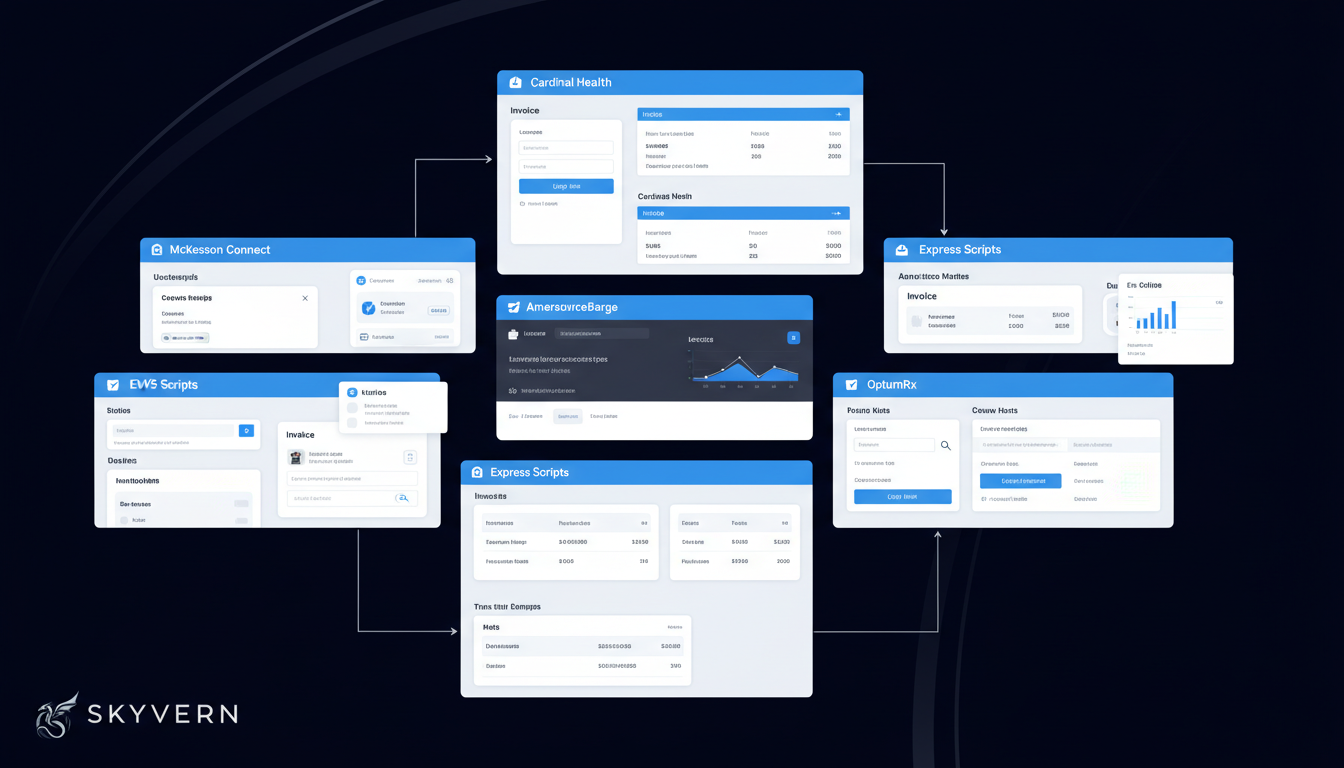
Every pharmacy in America deals with the same infrastructure bottleneck: three wholesalers control over 90% of distribution, and none of them offer invoice download APIs.
McKesson Connect, Cardinal Health's CPS, and AmerisourceBergen's ABC Order each use completely different interfaces. Finding invoices in McKesson requires clicking through multiple menus and filters. Cardinal buries invoices under Reports and requires specific selection criteria before generating downloads. AmerisourceBergen places them in a different menu structure entirely.
PBM portals add another layer of complexity. Express Scripts, CVS Caremark, and OptumRx each maintain separate credentialing systems for claims reconciliation. A pharmacy working with all three logs into six different portals weekly just to stay current on invoicing and remittance.
No-code platforms like Browse AI require separate robot configuration for each website, meaning teams managing multi-portal workflows must build, maintain, and monitor individual robots for every single site. For pharmacies working with six wholesaler and PBM portals, this per-site approach becomes unsustainable—each robot requires manual retraining when its target site updates, and none can handle the 2FA or authentication flows that protect pharmacy portals.
These companies have no incentive to build APIs for invoice access. The portals serve as customer retention mechanisms. The harder it is to pull data programmatically, the stickier the relationship becomes.
This portal fragmentation creates downstream consequences that extend far beyond login frustration.
How Invoice Download Delays Affect Cash Flow and Reconciliation
Invoice delays create a ripple effect through pharmacy finances. When invoices sit undownloaded for days or weeks, AP teams can't match payments to purchase orders or verify pricing accuracy. This reconciliation gap means pharmacies often pay first and audit later, if at all. By the time discrepancies surface, dispute windows have closed and vendor relationships make clawbacks difficult.
Cash flow management suffers too. Most wholesalers offer 1-2% early payment discounts for settling within seven days through browser automation. When it takes a week just to retrieve and process invoices, those discounts disappear. On a $500K monthly wholesaler spend, losing a 1.5% discount costs $7,500 per month in foregone savings.
The timing problem compounds during month-end close. Finance teams need all vendor invoices matched and verified to close books accurately. When half your invoices are still stuck in download queues across multiple portals, you either delay close or book accruals that require later correction. Both options create extra work and reduce financial visibility.
This administrative burden hits already strained pharmacy teams hard. 76% of pharmacists report burnout as a driver of understaffing. When staff spend hours each week chasing invoices instead of counseling patients or managing therapy outcomes, burnout accelerates. Invoice retrieval becomes one more manual task competing for time that should go toward clinical work.
The Labor Economics of Portal-Based Invoice Retrieval
The invoice retrieval workflow looks simple on paper but consumes far more time than most pharmacy owners realize. Each invoice requires logging into a portal, waiting for authentication, finding the correct billing section, selecting date parameters, generating a report, downloading the file, renaming it with vendor and date information, and finally uploading it to your accounting system or shared drive. Repeat this across six to ten portals weekly, and what seems like a 10-minute task becomes a half-day project.
The throughput numbers are telling. Manual invoice processing allows only five invoices per hour when accounting for the full workflow. That rate includes the download itself plus the context switching between portals, credential management, file organization, and data entry into accounting software. For a pharmacy processing 50 vendor invoices monthly, that's 10 hours of AP labor devoted solely to retrieval and filing.
Dimension | Traditional RPA/Selenium | Skyvern |
|---|---|---|
Technical Approach | Relies on CSS selectors and XPaths that target specific DOM elements by their position and attributes. Each portal requires custom scripts written for its specific structure | Uses computer vision and LLMs to interpret pages by meaning instead of structure. Reads elements visually the way a human does, understanding context and purpose without hardcoded selectors |
Maintenance Burden | Breaks every time a portal updates its UI. Requires developer intervention to inspect new DOM, update selectors, test changes, and redeploy. Maintenance becomes continuous cycle that exceeds initial automation value | Self-heals when UIs change because it understands what elements do instead of where they sit in the DOM. Works on portals it has never seen before without configuration. No selector updates required |
Layout Resistance | Zero resistance to layout changes. A moved button, renamed class, or restructured menu breaks automation completely. Each UI refresh triggers script failures across all affected workflows | Resistant to website layout changes with no pre-determined XPaths or selectors. Adapts automatically when McKesson redesigns its interface or Cardinal Health adds new dropdowns. Single workflow continues working as portals evolve |
Authentication Handling | Cannot handle MFA, TOTP codes, security questions, or CAPTCHA challenges without complex custom integrations. Each authentication method requires separate engineering work. Session timeouts cause silent failures | Native 2FA and TOTP support built in. Handles CAPTCHA solving, security questions, and multi-factor authentication flows automatically. Session timeouts trigger automatic recovery without manual intervention |
Multi-Portal Workflows | Requires separate script for each portal. Working with McKesson, Cardinal Health, AmerisourceBergen, Express Scripts, CVS Caremark, and OptumRx means building and maintaining six different automation scripts | Single workflow definition applies across all pharmacy portals without portal-specific code. Same task description works for McKesson Connect, Cardinal Health CPS, and AmerisourceBergen ABC Order because it reasons through interactions instead of following hardcoded paths |
Cost Structure | Low upfront cost but high ongoing maintenance expense. Engineering time spent fixing broken selectors after each portal update often exceeds the labor cost saved by automation | Transparent pay-per-step pricing with no hidden fees. No ongoing maintenance costs when portals change. Most enterprises see 60-80% cost savings with median payback periods under 12 months. Choose between open-source self-hosted or managed cloud deployment |
Scale this to a chain running 20 locations, each with its own vendor relationships and portal access requirements, and you're looking at 200 staff hours per month spent on a task that generates zero clinical or customer value. When pharmacy labor costs average $35 to $45 per hour, the invoice retrieval function alone equals a $7,000 to $9,000 monthly expense before accounting for error correction or follow-up work.
Given these economics, automation seems like the obvious answer. But traditional approaches introduce their own problems.
Given these economics, automation seems like the obvious answer. But traditional approaches introduce their own problems.
Why Traditional Automation Falls Short for Pharmacy Portals
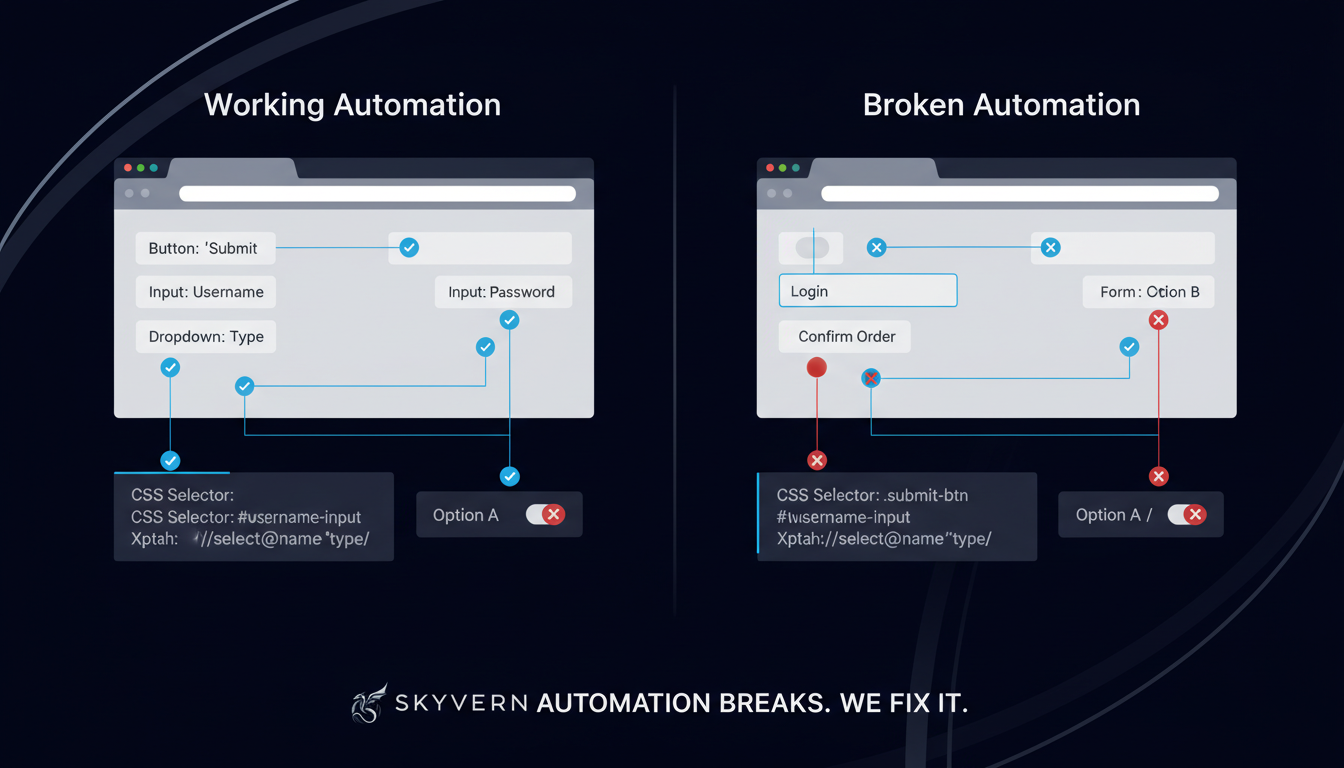
Selenium scripts and traditional RPA tools rely on CSS selectors and XPaths to identify buttons, forms, and navigation elements. When McKesson redesigns its Financial Reports page or Cardinal Health adds a new dropdown menu to its invoice filter, every selector in your automation script breaks. The bot can't find the elements it's looking for, so it fails silently or throws errors that require immediate developer attention.
Pharmacy portals update their interfaces regularly. McKesson Connect has pushed multiple UI refreshes over the past two years. Each refresh changes element IDs, restructures navigation menus, and introduces new form validation patterns. A Selenium script that worked perfectly in January stops working in March, and no one notices until invoices go missing.
Authentication presents another breaking point. Most wholesaler and PBM portals enforce MFA, rotating security questions, and session timeouts. Traditional automation can't handle TOTP codes or adaptive authentication challenges. When Express Scripts adds CAPTCHA verification or CVS Caremark introduces device fingerprinting, selector-based bots hit a wall.
While UiPath offers integration with hundreds of enterprise applications and systems, these integrations still require configuration and maintenance as underlying systems change. Beyond integration complexity, UiPath's limitations include high cost starting at $250 per user monthly for basic plans with the Pro Plan around $420/month per user, complex implementation requiring specialized training and dedicated RPA developers, heavy infrastructure designed for enterprise RPA instead of lightweight browser automation, steep learning curve even with no-code options due to platform complexity, and overkill for teams needing simple browser automation without full RPA capabilities.
The maintenance burden becomes the real problem. Every portal change requires a developer to inspect the new DOM structure, update selectors, test the revised script, and deploy the fix. For pharmacies working with six to ten portals, this turns into a continuous maintenance cycle where the engineering time spent fixing broken scripts exceeds the labor cost of manual processing.
Dimension | Traditional RPA/Selenium | Skyvern |
|---|---|---|
Technical Approach | Relies on CSS selectors and XPaths that target specific DOM elements by their position and attributes. Each portal requires custom scripts written for its specific structure | Uses computer vision and LLMs to interpret pages by meaning instead of structure. Reads elements visually the way a human does, understanding context and purpose without hardcoded selectors |
Maintenance Burden | Breaks every time a portal updates its UI. Requires developer intervention to inspect new DOM, update selectors, test changes, and redeploy. Maintenance becomes continuous cycle that exceeds initial automation value | Self-heals when UIs change because it understands what elements do instead of where they sit in the DOM. Works on portals it has never seen before without configuration. No selector updates required |
Layout Resistance | Zero resistance to layout changes. A moved button, renamed class, or restructured menu breaks automation completely. Each UI refresh triggers script failures across all affected workflows | Resistant to website layout changes with no pre-determined XPaths or selectors. Adapts automatically when McKesson redesigns its interface or Cardinal Health adds new dropdowns. Single workflow continues working as portals evolve |
Authentication Handling | Cannot handle MFA, TOTP codes, security questions, or CAPTCHA challenges without complex custom integrations. Each authentication method requires separate engineering work. Session timeouts cause silent failures | Native 2FA and TOTP support built in. Handles CAPTCHA solving, security questions, and multi-factor authentication flows automatically. Session timeouts trigger automatic recovery without manual intervention |
Multi-Portal Workflows | Requires separate script for each portal. Working with McKesson, Cardinal Health, AmerisourceBergen, Express Scripts, CVS Caremark, and OptumRx means building and maintaining six different automation scripts | Single workflow definition applies across all pharmacy portals without portal-specific code. Same task description works for McKesson Connect, Cardinal Health CPS, and AmerisourceBergen ABC Order because it reasons through interactions instead of following hardcoded paths |
Cost Structure | Low upfront cost but high ongoing maintenance expense. Engineering time spent fixing broken selectors after each portal update often exceeds the labor cost saved by automation | Transparent pay-per-step pricing with no hidden fees. No ongoing maintenance costs when portals change. Most enterprises see 60-80% cost savings with median payback periods under 12 months. Choose between open-source self-hosted or managed cloud deployment |
Evaluating Managed Browser Infrastructure vs AI-Powered Automation
Airtop provides managed cloud browser infrastructure with developer-focused APIs, reducing operational overhead compared to self-hosted solutions. The platform handles browser provisioning, session management, and basic proxy support, allowing developers to focus on automation logic instead of infrastructure concerns. Airtop's managed approach eliminates the need to maintain browser fleets and provides reliable session persistence for multi-step workflows. Yet it still depends on manual scripting for automation logic, lacks the AI-driven adaptability that eliminates maintenance when UIs evolve, and requires developers to write code that targets specific page elements using selectors that break with website updates. A significant limitation for international workflows is that Airtop's US-based proxy infrastructure causes region-locked authentication to fail for UK and other non-US workflows, making it unsuitable for teams with geographic requirements. Organizations considering Airtop should assess whether their workflows require international access and whether they have engineering capacity to maintain automation scripts as websites change.
Dimension | Airtop | Skyvern |
|---|---|---|
AI-Powered Adaptation | Partial | Yes — full computer vision and LLM-driven understanding that adapts to website changes without maintenance |
Technical Approach | Cloud browser infrastructure focused on developer control | AI-powered computer vision that interprets web pages like humans do. API-based with built-in 2FA and CAPTCHA solving |
Workflow Definition | API-driven browser sessions with manual scripting | YAML-based workflow definitions that are reusable and chainable across different websites |
Proxy & Geographic Targeting | Basic proxy support | Native proxy network with geographic targeting including country, state, and ZIP code level |
Parallel Execution | Cloud-based but limited concurrent session support | Hundreds of concurrent automations in managed cloud with anti-bot detection built in |
Maintenance Burden | Manual script maintenance for UI changes | No maintenance needed. AI adapts to website redesigns automatically. Works across unseen sites without selector updates |
Setup Requirements | Developer-focused setup with infrastructure management | API integration without programming requirements. Works immediately with managed cloud or open-source deployment options |
Cost Structure | Session-based pricing with infrastructure costs | Transparent pay-per-step pricing with no hidden fees. Choose between open-source (self-hosted) or managed cloud. No licensing tiers or infrastructure fees |
Best For | Teams needing cloud browser infrastructure with developer resources for custom scripting | Teams wanting AI adaptability without coding complexity, especially for workflows involving authentication, file handling, and changing websites |
Browser Automation as the Solution for Multi-Portal Invoice Workflows
AI-powered browser automation reads pages the same way humans do. Instead of relying on CSS selectors that break with every UI update, the system views the displayed page visually, identifies interactive elements by their meaning and context, and reasons through the workflow step by step. When McKesson moves its "Download Invoice" button or Cardinal Health adds a new filter dropdown, the automation adapts because it understands what those elements do instead of where they're positioned in the DOM.
This changes the economics of multi-portal workflows. A single workflow definition can handle McKesson, Cardinal Health, AmerisourceBergen, Express Scripts, CVS Caremark, and OptumRx without writing portal-specific code for each one. You describe the task once and the system executes it across all six portals in parallel.
The approach handles authentication complexity natively. MFA prompts, TOTP codes, security questions, and CAPTCHA challenges get resolved in context. Session timeouts trigger automatic recovery. When a portal's login flow changes, the automation adjusts without manual intervention.
Pharmaceutical portals work well with this approach because they're built for human use, not API access. These workflows are consistent in purpose even when the interfaces differ. Every portal has invoices somewhere, organized by date, accessible after login. Visual understanding bridges the interface differences without requiring portal-by-portal engineering.
Automating Pharmacy Invoice Downloads with Skyvern
Skyvern handles pharmacy invoice automation through an API that takes a task description, executes it in a real browser session, and returns structured results. You pass in the portal URL, login credentials, date range parameters, and download instructions. Skyvern logs in, moves through the interface, handles 2FA or TOTP prompts, locates invoices matching your criteria, downloads them, and delivers files to your specified storage location via webhook.
The workflow applies across different portals without customization. The same task definition works for McKesson Connect, Cardinal Health, AmerisourceBergen, Express Scripts, and CVS Caremark because Skyvern reads each interface by meaning instead of hardcoded selectors. When Cardinal Health redesigns its billing section or OptumRx adds new form fields, your automation continues working without updates.
Parallel execution matters for pharmacy operations. Steel Server coordinates browser instances and routes requests under the hood, managing the infrastructure layer that provides for parallel execution and session persistence across multiple concurrent workflows. Instead of logging into six portals sequentially over an hour, Skyvern runs all six at once and completes the full retrieval cycle in minutes. The system produces a complete audit trail with screenshots and video replay for each portal session.
Developers can interact with Skyvern programmatically through the Python SDK. Initialize a client with Skyvern() and use methods like client.run_task() to automate browser workflows, passing parameters like url, navigation_goal, and extraction_schema for integration into existing Python applications.
Here's a complete example showing how to automate invoice downloads from multiple pharmacy portals:
from skyvern import Skyvern
import asyncio
import json

async def download_pharmacy_invoices():
    # Initialize Skyvern client
    skyvern = Skyvern(api_key="YOUR_API_KEY")

    # Define structured schema for invoice data
    invoice_schema = {
        "type": "object",
        "properties": {
            "invoice_number": {
                "type": "string",
                "description": "The invoice number"
            },
            "invoice_date": {
                "type": "string",
                "description": "Invoice date in YYYY-MM-DD format"
            },
            "total_amount": {
                "type": "number",
                "description": "Total invoice amount"
            },
            "vendor_name": {
                "type": "string",
                "description": "Vendor name (McKesson, Cardinal Health, etc.)"
            },
            "line_items": {
                "type": "array",
                "description": "List of line items on the invoice"
            }
        }
    }

    # Run task to download invoices from McKesson Connect
    task = await skyvern.run_task(
        url="https://connect.mckesson.com",
        prompt="Log into McKesson Connect, navigate to the billing section, download all invoices from the last 30 days, and extract invoice details. COMPLETE when all invoices are downloaded and data is extracted.",
        data_extraction_schema=invoice_schema,
        wait_for_completion=True
    )

    # Process the extracted invoice data
    if task.status == "completed":
        invoices = task.output
        print(f"Successfully extracted {len(invoices)} invoices")
        print(json.dumps(invoices, indent=2))

        # Downloaded files available in task.downloaded_files
        for file in task.downloaded_files:
            print(f"Downloaded: {file['filename']}")
    else:
        print(f"Task failed: {task.failure_reason}")

if __name__ == "__main__":
    asyncio.run(download_pharmacy_invoices())
We offer a managed cloud option that handles anti-bot detection and proxy management, or self-hosted deployment for HIPAA-sensitive environments. You can test the workflow through our API or connect via webhook to your existing accounting systems.
Like any automation platform, Skyvern has limitations teams should consider: it requires understanding of API concepts and YAML syntax for workflow creation, operates as a newer platform with a smaller community compared to established tools like Selenium, presents a learning curve for teams unfamiliar with AI-driven automation approaches, may require fine-tuning for highly specialized or complex edge cases, and uses cloud service pricing that scales with usage for teams with high-volume automation needs.
Final Thoughts on Solving the Pharmacy Portal Problem
The hours your staff spend logging into McKesson, Cardinal, and PBM portals represent real money leaving your business. Pharmacy invoice automation recovers that time and turns invoice retrieval into a background task that completes in minutes. Your reconciliation process speeds up, early payment discounts become reachable, and your team can focus on patients instead of paperwork.
FAQ
How long does it take to set up invoice download automation for pharmacy portals?
Most pharmacies can automate their first portal in under an hour, with full deployment across all vendor portals taking 1-2 days depending on the number of systems and authentication requirements.
What happens when McKesson or Cardinal Health updates their portal interface?
Visual browser automation adapts automatically because it reads pages by meaning instead of hardcoded element positions, so your workflow continues working when portals redesign their interfaces without requiring manual updates or developer intervention.
Can invoice automation handle MFA and security questions for PBM portals?
Yes, the system processes TOTP codes, security questions, CAPTCHA challenges, and multi-factor authentication flows natively as part of the workflow execution, storing credentials securely and handling authentication automatically.
How much can a pharmacy save by automating invoice downloads?
A pharmacy processing 200 invoices monthly across multiple portals typically spends $3,000 per month in labor costs at $15 per invoice, which automation reduces to near zero while eliminating the 14.6-day processing delay that causes missed early payment discounts.
Does this work with both wholesaler and PBM portals simultaneously?
Yes, a single automation workflow runs across McKesson Connect, Cardinal Health, AmerisourceBergen, Express Scripts, CVS Caremark, and OptumRx in parallel, completing all downloads in minutes instead of the hours sequential manual processing requires.