
What Is AI Automation? The Complete Guide for February 2026

Everyone talks about automating workflows, but your reality involves vendor portals without APIs, insurance forms that look different each time, and supplier sites that redesign without warning. Traditional scripts can't handle that variability. AI automation tools adapt to these changes by understanding what elements do instead of where they're located. We'll cover how this works in practice and which workflows benefit most from visual interpretation.
TLDR:
- AI automation uses LLMs and computer vision to handle browser tasks that break with traditional scripts
- Companies reduce labor costs by automating invoice processing, procurement, and form filling across sites
- The AI automation market will reach $90.28 billion by 2033, growing at 18.6% annually
- Browser-based AI adapts to website redesigns without developer fixes or custom code per site
- Skyvern automates workflows across vendor portals with built-in 2FA, CAPTCHA solving, and proxy support
What Is AI Automation?
AI automation uses AI to create workflows that learn, adapt, and make decisions independently, building on foundational browser automation concepts. Unlike traditional automation that relies on fixed rules, AI automation interprets context, handles unstructured data, and responds to new scenarios without manual updates. The core difference shows up when systems face variability. Traditional automation fails when websites redesign or forms change. AI automation applies LLMs and computer vision to understand new interfaces, solve problems, and execute tasks on sites it's never seen before. This matters because real workflows are messy. Invoices arrive in varied formats. Vendor portals redesign constantly. Customer requests differ in wording and complexity. AI automation manages this unpredictability by recognizing patterns, interpreting intent, and making contextual decisions instead of following rigid steps.
AI Automation Market Size and Growth
The global AI in industrial automation market was estimated at USD 20.02 billion in 2024 and is projected to reach USD 90.28 billion by 2033, growing at a CAGR of 18.6% from 2025 to 2033. This growth reflects widespread enterprise investment in AI-powered workflow automation across sectors. Several factors are driving this expansion:
- Labor shortages are pushing companies toward automated solutions for back office tasks.
- API limitations force businesses to find alternatives for extracting data from legacy systems and third-party portals.
- Cloud infrastructure maturity makes deploying AI bots accessible to smaller organizations that couldn't afford custom development previously.
Traditional Automation vs. AI Automation
Traditional automation depends on pre-mapped paths. You write scripts with specific XPath selectors or coordinate clicks to exact pixel locations using various browser automation tools. When a website moves a button or renames a field, your automation breaks.
AI automation, on the other hand, reads the page the way a person would. It identifies elements by understanding their purpose and visual context. A login button remains recognizable whether it moves, changes color, or gets redesigned. The system interprets the interface in real time instead of following a brittle script.
The maintenance cost differs substantially. Traditional automation requires constant developer intervention. Browser-based AI automation continues working through redesigns and handles different layouts across vendor sites without custom coding per variation.
Feature | Traditional Automation | AI Automation |
|---|---|---|
Adaptability | Breaks when websites change layout or elements | Adapts to redesigns and new interfaces automatically |
Setup Method | Fixed scripts with XPath selectors and pixel coordinates | Visual interpretation using LLMs and computer vision |
Maintenance Requirements | Constant developer intervention for updates | Minimal maintenance through interface changes |
Scalability | Requires custom scripts for each site variation | Single workflow logic works across different sites |
Handling Variability | Fails with unexpected layouts or format changes | Interprets context and handles unstructured data |
Cost Over Time | High ongoing costs for fixes and updates | Lower long-term costs with reduced manual intervention |
How AI Automation Works
AI automation systems process tasks through three connected layers:
- Machine learning models analyze patterns in visual and text data as part of intelligent process automation systems.
- Computer vision interprets what appears on screen by identifying buttons, fields, and content based on visual cues instead of code.
- LLMs parse instructions and decide which actions match the intended outcome.
The workflow starts when you feed the system a task and target. The AI captures the current state of the interface, analyzes available elements, and chooses the next action. After executing, it observes the result and adjusts its approach if needed. This loop continues until the task completes. Learning happens through feedback. When a system successfully fills a form or completes a checkout flow, it reinforces which patterns worked. Failures trigger adjustments in how it interprets similar scenarios. Over repeated interactions, the system builds a stronger understanding of common interface patterns, error states, and successful paths across different sites.
Key Benefits of AI Automation for Businesses
AI automation promises some key business benefits:
- Labor cost reduction. AI automation reduces labor costs by handling repetitive browser tasks that previously required human hours. Companies save on hiring temporary staff for data entry, invoice processing, and materials procurement when bots complete these workflows continuously without breaks or errors.
- Faster task completion. Speed improvements compound over time. A workflow that takes an employee 10 minutes per vendor takes an AI bot seconds, though browser use pricing varies based on your needs. When you're processing hundreds of vendors monthly, this translates to weeks of reclaimed time your team can redirect toward higher-value work.
- Improved accuracy. Accuracy rates improve because AI automation eliminates manual data entry mistakes. Typos, skipped fields, and formatting errors disappear when systems read directly from source documents and populate forms consistently. Organizations report regular AI use in 88 percent of cases, up from 78 percent a year prior.
- Scalability. With AI automation, adding 50 new vendor portals doesn't require 50 new scripts or additional headcount with RPA browser automation. AI automation applies the same workflow logic across different sites, letting you expand operations without proportional cost increases.
Common AI Automation Use Cases Across Industries
So how do companies put AI automation to use? Here are a few examples of how business functions across different industries can use AI automation.
Customer Service
Customer service teams deploy chatbots that understand intent and route requests without human handoffs. These bots resolve password resets, answer product questions, and process returns by interpreting customer language and accessing backend systems.
HR Departments
HR departments automate candidate screening by parsing resumes, matching qualifications to job requirements, and scheduling interviews using AI RPA platforms. Onboarding workflows populate employee records across payroll, benefits, and access management systems.
Finance Operations
Finance operations use AI automation for invoice processing. Bots extract line items from PDFs regardless of vendor format, match purchase orders, flag discrepancies, and submit approvals through ERP systems by automating invoice downloads.
Supply Chains
Supply chain workflows automate procurement across vendor portals. Bots log into supplier sites, check inventory availability, compare pricing, generate purchase orders, and download shipping confirmations across dozens of vendors.
Sales Teams
Sales teams automate lead enrichment by pulling company data from multiple sources, updating CRM records, and scoring prospects based on engagement signals.
AI Automation Tools and Technologies
AI automation tools split into three categories based on function:
- RPA with AI reads invoices and emails that vary in structure.
- Workflow automation links apps and fires actions when rules trigger.
- Browser automation fills forms, pulls data, and downloads files without needing APIs.
Browser automation is divided into script-based and AI-driven types. Free open source browser automation tools like Selenium need exact element coordinates written in code. They fail when sites change. AI browser automation reads interfaces visually and adjusts to updates without manual fixes, managing complex tasks across unknown sites.
When considering an AI automation tool, you should pick based on what your workflow demands. Stable, simple tasks suit basic RPA or no-code options. Work spanning vendor portals, redesigns, or API-free sites needs browser automation that adapts to new layouts. And, consider if the tool includes no-code features. No-code builders let teams without technical skills build workflows through drag-and-drop interfaces. They handle basic sequences like syncing data between apps or sending alerts.
Challenges and Limitations of AI Automation
While AI automation sounds amazing, like any software solution, it's not perfect. There are challenges and limitations that you should be aware of as you consider an AI automation solution for your business.
- AI automation struggles with sites that deploy aggressive anti-bot defenses or tasks requiring judgment calls outside its training scope. Bots misinterpret ambiguous form fields, select wrong elements on cluttered pages, or freeze in unexpected error states that humans resolve instantly.
- Security risks appear when bots handle credentials or sensitive data. You need encrypted credential management and audit logs documenting which systems accessed what and when. Compliance becomes complex when automation touches healthcare records or financial transaction workflows that require documented human review.
- Data privacy issues arise when bots process customer information across third-party sites. You're accountable for data movement, even when automation executes the transfer. Misconfigurations leak information or violate data residency rules.
- Human oversight stays necessary. Build monitoring for failed workflows and thresholds triggering manual review when bots face unfamiliar scenarios or low-confidence decisions.
Implementing AI Automation: Getting Started
So how do you implement AI automation? While it may seem straightforward, there are considerations to be made. We've pulled together a few best practices and considerations as you work towards implementation.
First, start by mapping workflows where staff spend hours on repetitive browser tasks. Look for browser workflows you can automate like invoice downloads, form submissions, data entry across vendor portals, or report generation from systems without APIs.
Next, check your data quality and access. AI automation needs clear task definitions and working credentials for target sites. Missing logins, frequent CAPTCHA walls, or unstable site uptime create friction.
Then, pick solutions that match your technical capacity. Open source options require developer resources for setup and maintenance. Managed services handle infrastructure but cost more monthly. Test with a single workflow before committing to broader rollouts.
Here's a simple example of getting started with an AI automation tool like Skyvern:
from skyvern import Skyvern
import asyncio

# Initialize with your API key
skyvern = Skyvern(api_key="YOUR_API_KEY")

# Run a simple automation task
asyncio.run(skyvern.run_task(
    prompt="Navigate to the Hacker News homepage and get the top 3 posts."
))
For more complex workflows with authentication, you can handle 2FA codes by setting up forwarding rules. Here's an example of forwarding phone verification codes through Twilio:
// Twilio Function to post 2FA data to Skyvern API

exports.handler = async function(context, event, callback) {
  const axios = require('axios');
  const apiUrl = 'https://api.skyvern.com/v1/credentials/totp';
  const apiKey = '{{your api key}}';
  const totpIdentifier = '{{your totp identifier (could be phone number)}}';

  const requestBody = {
    totp_identifier: totpIdentifier,
    content: event.Body || "Default 2FA message",
    source: "phone"
  };

  const response = new Twilio.Response();
  response.appendHeader('Content-Type', 'application/json');

  try {
    const apiResponse = await axios.post(apiUrl, requestBody, {
      headers: {
        'Content-Type': 'application/json',
        'x-api-key': apiKey
      }
    });

    response.setStatusCode(200);
    response.setBody({
      status: 'success',
      message: '2FA message sent',
      data: apiResponse.data
    });
  } catch (error) {
    response.setStatusCode(500);
    response.setBody({
      status: 'error',
      message: error.message,
      details: error.response?.data || null
    });
  }

  return callback(null, response);
};
Finally, track time saved per task and error rates compared to manual execution. Calculate cost per automated workflow against previous labor hours. Adjust based on what breaks.
Throughout all of this, expect integration hurdles. Sites with aggressive anti-bot measures need proxy rotation or CAPTCHA solving. Team adoption suffers when workflows fail silently, so build monitoring and alerts early.
Automating Browser Workflows with Skyvern
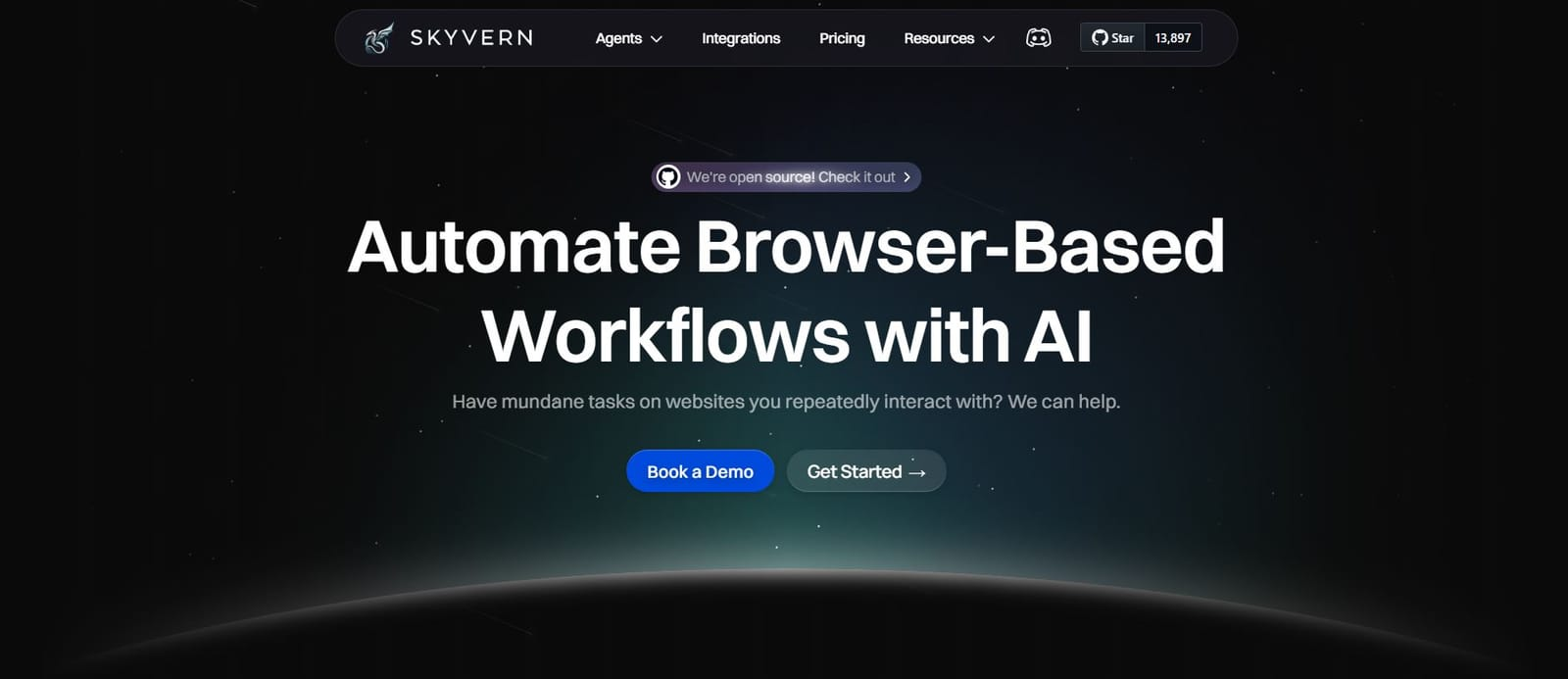
Browser-based AI automation handles workflows stuck in web interfaces. Back office teams spend hours downloading invoices from vendor portals, filling insurance forms, and extracting data from systems without APIs. Computer vision lets these bots work across unfamiliar sites. The AI reads page structure visually and identifies where to click or type. When a vendor redesigns their portal, the bot adapts without developer intervention. This applies to operations managing multiple external sites. Each vendor portal has different layouts and form structures. Browser-based AI automation runs one workflow across variations.
Skyvern automates browser workflows without brittle scripts. Instead of coding XPath selectors that break when sites change, it uses LLMs and computer vision to interpret interfaces. Your workflows keep running through redesigns. The system handles browser workflows like materials procurement by logging into supplier sites, checking inventory, and placing orders across different portal layouts. Invoice downloading works across hundreds of vendor sites without custom scripts for each. Forms get filled based on understanding field purpose instead of matching exact element IDs. Authentication happens automatically with 2FA, TOTP codes, CAPTCHA solving, and proxy routing.
Here's a complete workflow example showing how to automate invoice downloads from multiple vendor portals:
from skyvern import Skyvern
import asyncio

# Initialize Skyvern client
skyvern = Skyvern(api_key="YOUR_API_KEY")

# Define vendor portals to process
vendors = [
    {"name": "Vendor A", "url": "https://vendor-a.com/login"},
    {"name": "Vendor B", "url": "https://vendor-b.com/portal"},
    {"name": "Vendor C", "url": "https://vendor-c.com/billing"}
]

async def download_invoices_from_vendor(vendor):
    """Download invoices from a single vendor portal"""
    result = await skyvern.run_task(
        url=vendor["url"],
        prompt=f"""Log into the portal and complete these steps:
        1. Navigate to the invoices or billing section
        2. Filter invoices from the last 30 days
        3. Download all available invoices as PDF files
        4. Extract the following data from each invoice:
           - Invoice number
           - Invoice date
           - Total amount
           - Line items with descriptions and costs
        """,
        data_extraction_schema={
            "invoices": [
                {
                    "invoice_number": "string",
                    "invoice_date": "string",
                    "total_amount": "number",
                    "line_items": [
                        {
                            "description": "string",
                            "quantity": "number",
                            "unit_price": "number",
                            "total": "number"
                        }
                    ]
                }
            ]
        },
        webhook_url="https://your-system.com/api/invoices/webhook"
    )

    print(f"Downloaded {len(result['extracted_data']['invoices'])} invoices from {vendor['name']}")
    return result

async def process_all_vendors():
    """Process all vendor portals in parallel"""
    tasks = [download_invoices_from_vendor(vendor) for vendor in vendors]
    results = await asyncio.gather(*tasks, return_exceptions=True)

    successful = sum(1 for r in results if not isinstance(r, Exception))
    print(f"Successfully processed {successful} out of {len(vendors)} vendors")

    return results

# Run the workflow
asyncio.run(process_all_vendors())
This workflow handles multiple vendor portals simultaneously, extracts structured data from each invoice, and delivers results via webhook to your accounting system. The same code works across different portal layouts without modification.
Getting started is straightforward. Install the Python SDK:
pip install skyvernThen run your first automation:
from skyvern import Skyvern
import asyncio

skyvern = Skyvern(api_key="YOUR_API_KEY")

# Automate invoice downloads from a vendor portal
asyncio.run(skyvern.run_task(
    prompt="Log into the vendor portal and download all invoices from the last 30 days",
    url="https://vendor-portal.example.com/login"
))
For workflows requiring verification codes, you can set up a custom endpoint that Skyvern calls to retrieve codes:
def validate_skyvern_request_headers(request: Request) -> bool:
    header_skyvern_signature = request.headers["x-skyvern-signature"]
    payload = request.body() # this is a bytes
    hash_obj = hmac.new(SKYVERN_API_KEY.encode("utf-8"), msg=payload, digestmod=hashlib.sha256)
    client_generated_signature = hash_obj.hexdigest()
    return header_skyvern_signature == client_generated_signature
Final Thoughts on Browser-Based AI Automation
AI automation solutions work best when you pick the right workflows first. Look for repetitive browser tasks where your team spends hours each week clicking through vendor sites or filling forms. Computer vision and LLMs handle these without breaking when interfaces change. Start small with one workflow, track the time saved, and build from there. Want to see how it works with your actual workflows? Grab a demo slot and we'll walk through your use case.
FAQ
How does AI automation differ from traditional automation?
Traditional automation breaks when websites change layouts or button locations because it relies on fixed code paths and exact element selectors. AI automation reads interfaces visually like a person would, recognizing elements by their purpose and context, so it continues working through redesigns without manual updates.
What types of workflows benefit most from browser-based AI automation?
Browser-based AI automation works best for repetitive tasks across web interfaces without APIs, like downloading invoices from vendor portals, filling forms on multiple supplier sites, and extracting data from systems that don't offer direct integrations. It's particularly valuable when you're managing dozens or hundreds of different vendor portals with varying layouts.
Can AI automation handle authentication and security measures like CAPTCHA?
Yes, modern AI automation systems handle 2FA, TOTP codes, CAPTCHA solving, and can route through proxy networks for geographic targeting. However, you still need encrypted credential management and audit logs to track system access and maintain compliance when bots handle sensitive data.
How long does it take to see ROI from implementing AI automation?
Cost savings appear immediately when bots replace manual labor hours. A 10-minute manual task that happens hundreds of times monthly becomes seconds per execution. Teams typically reclaim weeks of time over a few months, though initial setup requires mapping workflows, securing credentials, and testing before full deployment.
What happens when an AI automation bot encounters something it hasn't seen before?
The bot uses computer vision and LLMs to interpret unfamiliar interfaces by understanding element purpose instead of memorizing exact locations. If it faces truly ambiguous scenarios or low-confidence decisions, you need monitoring systems that trigger manual review before letting the bot proceed blindly.