Sola vs Skyvern: Which is Better for Browser Automation? (June 2026)
 Suchintan Singh13 min read
You're comparing Sola vs Skyvern because you need to automate workflows that live on portals with no API, and you're tired of scripts that break every time a vendor updates their layout. The pitch for both tools sounds similar: automate browser work without writing code. But the execution models are miles apart. Sola pauses for human input when it hits something new. Skyvern reads the page visually and works through changes autonomously. This Skyvern vs Sola breakdown covers the browser automation comparison that matters: which architecture holds up when you're processing hundreds of tasks daily across portals that change without warning, and which one just moves the bottleneck from manual work to manual fixes.
TLDR:
- Sola uses a record-and-replay model with human checkpoints at decision points, which works for stable, low-volume workflows but creates queues at scale.
- Skyvern runs autonomously by reading pages visually at runtime, so workflows survive portal redesigns without code changes or maintenance windows.
- When a portal updates its layout, Sola workflows break and need repair. Skyvern re-reads the live page state and keeps running.
- Skyvern handles 2FA, MFA, and rotating credentials natively, while Sola requires manual workarounds for multi-step authentication.
- Skyvern fits teams running eligibility checks across 20+ portals or credentialing at scale. Sola fits teams with predictable sites and staff available for supervision.
What is Sola?
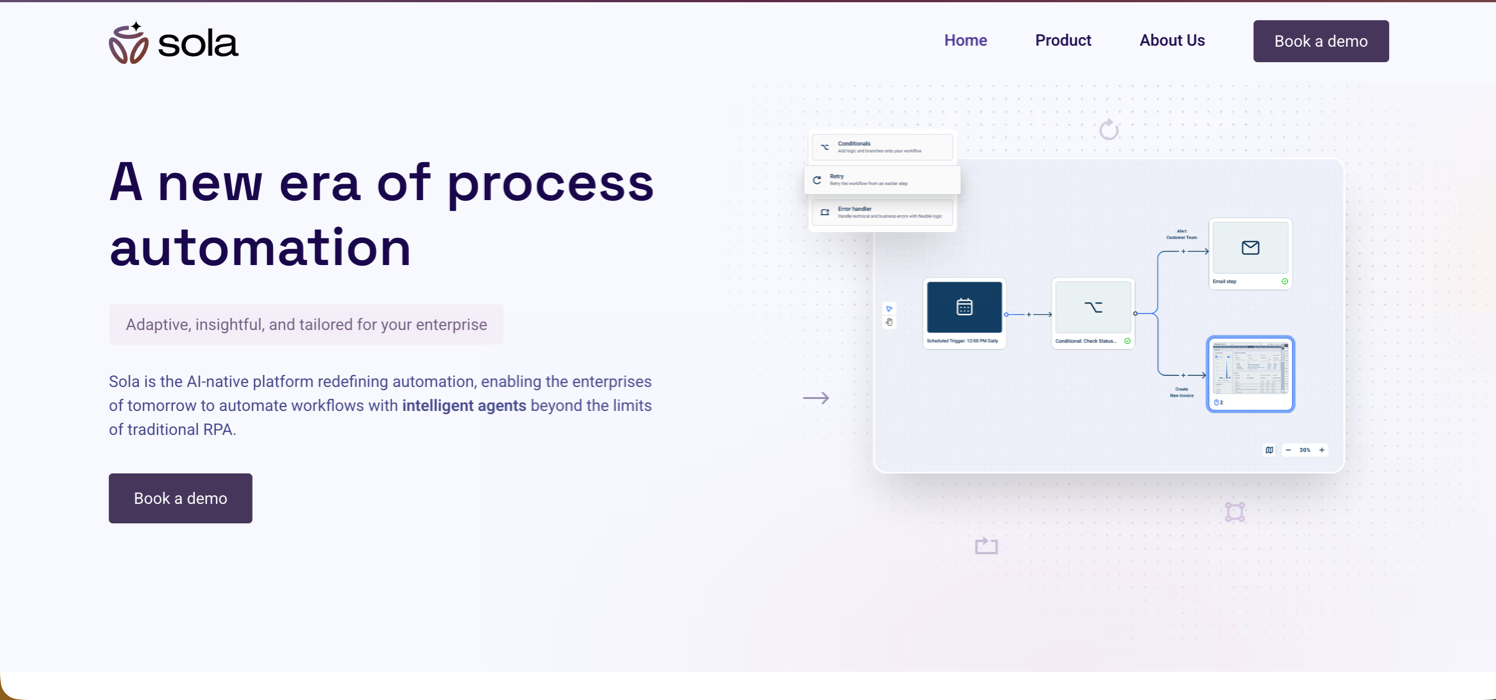
Sola is a record-and-replay RPA copilot aimed at operations teams that want to automate repetitive back-office work without writing any code. The setup is straightforward: you perform a task once while Sola watches, and the system uses AI and computer vision to convert that screen recording into an automated bot.
What separates Sola from older RPA tools is the copilot model. Bots don't run fully unattended. When a bot encounters a scenario it hasn't seen before, it pauses and requests human input, then learns from that intervention for future runs. This keeps automation moving without requiring developers to pre-code every edge case upfront.
Backed by Y Combinator, Sola targets teams handling invoice processing, claims handling, and data entry across both browser and desktop applications. The pitch is a fast, no-code path into automation for back-office workflows that repeat often enough to make the setup worthwhile.
Key Features
- Record-and-replay workflow creation converts a single demonstration into an automated bot using AI and computer vision, with no code required from the operator.
- Copilot model with human checkpoints pauses execution when a bot hits an unfamiliar scenario and requests human input before continuing, keeping automation moving without requiring developers to pre-code every edge case.
- Learn-from-intervention loop folds each human correction into the bot's behavior for future runs, so the automation improves over time without additional developer involvement.
- Browser and desktop application support covers workflows that span both web-based portals and local desktop apps, giving it broader reach than browser-only tools.
- No-code setup lowers the barrier to entry for back-office teams that need to automate repetitive tasks without an engineering resource available.
Limitations
- The supervised execution model assumes a human is available and responsive at defined checkpoints, which creates throughput limits on high-volume, time-sensitive work.
- Workflow logic is tied to the specific structure it was trained on, so portal redesigns or field renames can break workflows and require retraining or manual repair.
- Multi-site expansion typically requires new training data or manual step authoring for each new portal or vendor, adding overhead as your automation surface grows.
- Native handling for rotating credentials, session timeouts, and multi-step authentication flows is more limited compared to tools purpose-built for portal-heavy workflows.
- Production API depth is thinner for teams that need webhooks, structured output configuration, and credential management out of the box.
Bottom Line
Teams handling a predictable set of back-office workflows (invoice processing, data entry, claims handling) on a stable set of sites where human oversight at checkpoints is acceptable overhead: this is the fit. It's not suited for operations teams running hundreds of daily portal interactions across dozens of sites, especially where compliance documentation, native 2FA handling, or autonomous execution at scale are hard requirements.
What is Skyvern?

Skyvern automates browser workflows using computer vision and LLM reasoning to read pages visually at runtime. Instead of mapping actions to CSS selectors or DOM paths, it identifies buttons, fields, and modals by appearance and context, then executes the necessary steps autonomously without waiting for human input.
The self-healing behavior follows directly from that design. When a portal redesigns its form or renames a field, Skyvern re-reads the page and keeps going. No code edits, no maintenance window, no ticket to a developer. Because there's nothing hardcoded to break, it can operate on websites it has never seen before and adapt when familiar ones change.
This was built for the workflows that compliance-heavy industries run on: insurance carrier portals, healthcare payer systems, government filing platforms, and credentialing sites that have no API and change without warning. Skyvern is SOC 2 certified and HIPAA-capable via self-hosted or VPC deployment, with full audit trails and structured output delivery on every run.
Key Features
- Computer vision reads the live page state at runtime, so workflows survive portal redesigns and field renames without any code changes on your end.
- Full authentication handling covers login flows, 2FA, MFA, CAPTCHA, and rotating credentials across portals your team accesses regularly.
- SOC 2 certification and HIPAA-capable deployment options make it viable for compliance-sensitive workflows in healthcare, insurance, and government.
- Structured output delivery returns extracted data in JSON or schema-matched formats, feeding downstream systems directly without manual cleanup.
- Concurrency support lets teams run many workflows in parallel, which matters when you're processing high volumes across dozens of portals.
Limitations
- Teams automating a single, stable internal tool with an existing API will not get much return from the visual-AI layer. The overhead adds cost without adding meaningful value in that scenario.
- Setup and workflow configuration require more initial investment compared to simpler point-and-click recorders.
- At high scale, per-run costs can grow, so teams should model volume carefully before committing.
- Edge cases involving heavily dynamic or heavily obfuscated pages can still require human review or workflow tuning.
Bottom Line
Operations teams in insurance, healthcare, and logistics managing multi-portal workflows at volume: this is the fit. If you're running eligibility checks across 20+ payer portals, filing across state credentialing systems, or pulling carrier quotes at scale, the self-healing, audit-trail-backed design covers the use cases where other tools consistently break. It's not suited for teams whose entire automation surface is a single internal tool with a stable layout and an existing API.
Autonomous Execution vs Human-in-the-Loop Design
Sola and Skyvern take meaningfully different positions on how much control a human should have over an automated workflow, and that gap matters considerably depending on what you're actually automating.
Sola is built around a supervised execution model. Workflows can pause and request human input at defined checkpoints, which works well for teams that want to stay in the loop on judgment calls. The tradeoff is that this design assumes a human is available and responsive, which limits throughput on high-volume, time-sensitive work.
Skyvern defaults to autonomous execution. It reads the live page state at runtime, works through authentication flows and multi-step forms without waiting for direction, and handles exceptions by either recovering on its own or escalating through a structured approval gate. For workflows that run at scale across dozens of portals, that distinction is the difference between automation that actually reduces headcount and automation that just moves the bottleneck.
Where Human Oversight Still Matters
That said, autonomous does not mean unsupervised. In compliance-sensitive workflows like healthcare prior authorization or insurance eligibility checks, human review still matters. Skyvern maintains a full audit trail for every run and supports approval gates for steps that need a human sign-off before proceeding. The agent handles the repetitive browser work; a person reviews the output before it feeds a consequential decision.
Teams processing a few dozen tasks per week may find Sola's checkpoint model perfectly adequate. Teams running hundreds of portal interactions daily will likely find that model creates a queue, not a solution.
Dimension | Sola | Skyvern |
|---|---|---|
Execution Model | Record-and-replay with human checkpoints at decision points, requiring staff availability for supervision | Autonomous execution that reads page state visually at runtime and works through multi-step flows without waiting for direction |
Portal Change Resilience | Workflows tied to specific DOM structure break when portals redesign layouts or rename fields, requiring retraining or manual repair | Re-reads live page state when portals change and continues running without code edits or maintenance windows |
Authentication Handling | Covers basic login flows but requires manual workarounds for rotating credentials, session timeouts, and multi-step authentication | Native credential storage, TOTP-based 2FA support, and automatic session continuity when portals time out mid-workflow |
Best Fit | Teams with stable, predictable sites running a few dozen tasks weekly where human oversight at checkpoints is acceptable overhead | Operations teams running hundreds of daily portal interactions across 20+ sites in compliance-heavy environments like healthcare, insurance, and logistics |
Multi-Site Generalization and Workflow Portability
Sola is built for focused, repeatable tasks on a single site or a small cluster of known sites. Its workflow logic ties closely to the specific DOM structure it was trained on, which means adding a new site often requires retraining or manually authoring new steps. That works fine when your automation surface is stable and narrow.
Skyvern, though, takes a different approach. Because it reads pages visually at runtime instead of relying on pre-learned selectors, the same workflow definition can run across sites it has never seen before. A task written to extract a freight quote from carriers will generally transfer to a different carrier portal without modification. The agent reads the new page, identifies the relevant fields by appearance and context, and works through the form.
For teams managing workflows across dozens of portals, whether that's insurance eligibility checks across payer sites, tax filings across state portals, or carrier quotes across logistics platforms, that portability matters a lot. Rewriting automation logic every time a new vendor or jurisdiction gets added is the kind of overhead that quietly consumes engineering hours.
Where the Gap Shows Up
Three scenarios expose the portability difference clearly:
- When a vendor updates their portal layout, Sola workflows tied to the old DOM structure break and need to be repaired. Skyvern re-reads the live page state and continues running without a patch.
- When a team needs to expand to a new site in the same category, Sola typically requires new training data or manual step authoring. Skyvern attempts the new site using the same goal-directed instructions.
- When workflows need to run concurrently across multiple sites, Sola's site-specific architecture adds coordination overhead. Skyvern runs parallel sessions independently.
Authentication Handling and Credential Security
Authentication is one of the sharpest dividing lines between Sola and Skyvern, and it surfaces quickly in any workflow that touches a real production portal.
Sola handles basic login flows, but credential management and multi-step authentication receive less emphasis than in tools purpose-built for compliance-heavy portal automation. Teams running workflows across portals with rotating credentials, session timeouts, or 2FA requirements may find the available options more limited compared to dedicated solutions.
Skyvern, on the other hand, was built with authentication as a first-class concern. Three Skyvern authentication capabilities stand out here.
- Credential storage is handled natively, so sensitive login details never need to sit in plain-text configs or get passed through environment variables on every run.
- TOTP-based 2FA is supported out of the box, including time-sensitive one-time passwords that most automation tools either skip entirely or require custom middleware to handle.
- Session continuity is managed automatically. When a portal times out mid-workflow, Skyvern re-authenticates and picks up where it left off instead of failing silently.
For teams running workflows across dozens of credentialed portals, this matters considerably. Every manual re-authentication step is a point where automation breaks down and someone has to intervene.
Human oversight still matters here too. For workflows feeding important decisions, Skyvern supports approval gates that pause execution before sensitive actions proceed.
Developer Interfaces and Production Deployment
Both Sola and Skyvern expose REST APIs, but the depth of those APIs tells a different story for teams building production workflows.
Sola's API covers task creation and status polling. That gets you started, but teams running high-volume workflows may find the API surface thinner than purpose-built production tools, with less depth around webhooks, credential management, and structured output configuration. You can end up stitching together workarounds outside the tool.
Skyvern's API was designed for production from the start. You can pass a navigation_goal, attach a data_extraction_schema, store credentials via totp_identifier and credential_id, and receive results through webhook_url without polling. Concurrency, scheduling, and structured JSON output are all first-class parameters, not afterthoughts.
What This Looks Like in Practice
For teams deploying across dozens of portals, that difference compounds. Sola requires more glue code to handle authentication flows and exception routing. Skyvern handles both natively, so the integration surface stays thin even as workflow complexity grows.
Skyvern also ships an MCP server, which lets AI agents call browser automation directly without custom orchestration code. That matters if your team is building agent pipelines where browser tasks are one step in a larger automated process.
Human review still matters here. For workflows where extracted outputs feed important decisions, Skyvern supports approval gates so a human can intervene before results are acted on.
Code Example: Insurance Eligibility Check Across a Payer Portal
The setup below runs an insurance eligibility check against a payer portal that requires TOTP-based 2FA. Credentials are stored in Skyvern's vault so they never pass through your code. The task reads the live portal state at runtime, works through the authentication flow, extracts the result as structured JSON, and posts it to your webhook when done with no polling required.
import asyncio
from skyvern import Skyvern

# Initialize the client with your API key
skyvern = Skyvern(api_key="YOUR_API_KEY")

async def run_eligibility_check():
    task = await skyvern.run_task(
        # Starting URL for the payer portal
        url="https://payerportal.example.com/eligibility",

        # Natural language goal — Skyvern reads the portal visually
        # and works through each step to fulfill it
        prompt=(
            "Log in and check eligibility for member ID 8675309. "
            "Return coverage status, copay amount, and deductible remaining. "
            "COMPLETE when the eligibility result page is displayed and data is extracted."
        ),

        # Skyvern retrieves the stored credential by ID at runtime —
        # username, password, and TOTP secret never touch your code
        totp_identifier="payer-portal-ops-account",

        # Define the output schema so downstream systems receive
        # consistent JSON regardless of portal layout changes
        data_extraction_schema={
            "type": "object",
            "properties": {
                "coverage_status": {
                    "type": "string",
                    "description": "Active, inactive, or pending"
                },
                "copay_usd": {
                    "type": "number",
                    "description": "Member copay in USD"
                },
                "deductible_remaining_usd": {
                    "type": "number",
                    "description": "Remaining deductible balance in USD"
                }
            }
        },

        # Skyvern posts the structured result here when the task finishes —
        # no polling loop needed on your end
        webhook_url="https://your-system.example.com/webhooks/eligibility",

        # Block until completion if you need the output inline
        wait_for_completion=True,
    )

    print(f"Task ID: {task.run_id}")
    print(f"Status: {task.status}")
    print(f"Output: {task.output}")

asyncio.run(run_eligibility_check())
Because the output schema is defined upfront, your practice management system receives the same JSON structure on every run, whether the payer portal updated its layout last week or last year. The authentication flow, 2FA handling, and session management all happen inside Skyvern. If the portal times out mid-workflow, Skyvern re-authenticates and picks up where it left off.
Why Skyvern is the Better Choice
For teams running credentialed, multi-portal workflows in compliance-heavy environments, those conditions rarely hold. Healthcare credentialing, insurance quoting across carrier networks, multi-state tax filings, procurement across vendor portals: these workflows change constantly, run at volume, and carry compliance requirements that demand more than a basic copilot. Skyvern was built for that class of work.
Sola makes a genuine case for teams with stable, contained workflows and enough staff availability to cover the supervision model. Record-and-replay delivers real value when the site is predictable, the volume is manageable, and human checkpoints are acceptable overhead instead of a bottleneck.
But when the workflow spans dozens of portals, credentials rotate, layouts shift without warning, and a compliance audit trail is non-negotiable, the architectural gap between the two tools becomes hard to ignore. Skyvern reads the live page state at runtime instead of replaying a recorded path, handles 2FA and MFA natively, and produces structured output with a full audit trail on every run. The question worth asking is whether you want to own the maintenance problem every time a portal changes, or use a tool built to absorb that instability on your behalf.
Final Thoughts on the Sola vs Skyvern Decision
Both tools automate browser workflows, but they solve different classes of problems. Sola fits when you're automating a single stable site and can staff the supervision model. Skyvern fits when you're running high-volume workflows across portals that break scripts, rotate credentials, and require compliance documentation. The choice comes down to whether portal instability and compliance requirements are core constraints or edge cases. If they're core, talk to our team and we'll walk through how Skyvern handles your specific portal workflows.
FAQ
How do I decide whether Sola or Skyvern is the right fit for my team?
Start by looking at your workflow scope and volume. If you're automating a few dozen tasks per week on a stable set of portals where human oversight at each checkpoint is acceptable, Sola's supervised execution model may work well. If you're running hundreds of portal interactions daily across dozens of sites, need workflows to complete autonomously without waiting for human input, or require SOC 2 and HIPAA-capable deployment with full audit trails, Skyvern is the better fit.
What's the core difference between how Sola and Skyvern handle portal changes?
Sola uses a record-and-replay approach tied to the DOM structure it was trained on, so when a portal redesigns its layout or renames a field, workflows break and require retraining or manual repair. Skyvern reads pages visually at runtime using computer vision, so when a portal changes, it re-reads the live page state and keeps going without code edits or maintenance windows.
Which teams get the most value from Skyvern's multi-site portability?
Operations teams managing workflows across 20+ portals where workflows need to transfer between sites without rewriting automation logic: insurance eligibility checks across payer portals, carrier quoting across logistics platforms, tax filings across state systems, or credentialing across government portals. If you're adding new vendors or jurisdictions regularly, the ability to run the same workflow definition across sites it's never seen before cuts setup and maintenance overhead considerably.
Does Sola's human-in-the-loop design mean I can't scale automation volume?
The supervised execution model assumes a human is available and responsive at defined checkpoints, which limits throughput on high-volume, time-sensitive work. Teams processing a few dozen tasks per week may find the checkpoint model perfectly adequate, but teams running hundreds of daily portal interactions will likely find that model creates a queue instead of reducing one.
Can I use Skyvern for workflows that still require human review before final submission?
Yes, autonomous execution does not mean unsupervised. Skyvern supports approval gates that pause workflows before sensitive actions proceed, maintains a full audit trail for every run, and delivers structured outputs for human review. For compliance-sensitive workflows like healthcare prior authorization or legal filings, the agent handles the repetitive browser work while a person reviews the output before it feeds a consequential decision.
Keep reading

Browser Use vs Browserbase: my honest comparison
Browserbase and Browser Use can both automate work in a browser, from collecting product data to filling out forms. Choosing between them comes down to what you want to build: a task you hand to an AI agent, a custom agent inside your application, or browser infrastructure for scripts you already run. I’m Skyvern’s co-founder and CEO by the way. We build a competing product, so I have a stake in this comparison. But I promise I won't promote our product (even though it's a great alternative to

6 Stagehand alternatives for browser automation in 2026
If you're looking for Stagehand alternatives, you probably want an AI browser agent that: * Works natively with Python scripts. * Can navigate and scrape complex websites efficiently. * Stays reliable as your workload grows from a few runs to thousands of browser jobs. That's the kind of workflow I built Skyvern for (Skyvern CEO here). I know, I know, Skyvern CEO's recommending Skyvern as a good alternative. Please just stay with me for a second here. Yes, Skyvern is a good Stagehand alt

Browser Use vs Stagehand: Which One Should You Pick?
Browser Use and Stagehand both let you use AI to automate browser tasks, such as collecting product data or filling out forms. When you’re deciding which to build with, their feature lists only tell you so much. You want to know how much code you’ll need to write, whether the automation completes your task correctly, and what repeated runs will cost. I'll be upfront: we build Skyvern, a competitor to both, but this blog post won't shill our product (you can try it here though). I’m keeping thi
Put the browser to work
Use Skyvern for the work that lives in a browser.
Turn repetitive browser tasks into reliable workflows with Skyvern.