Best File Download Automation Platforms with Cloud Storage Integration (April 2026)

Your team logs into vendor portals, clicks three pages deep to find the download button, renames files manually, and uploads them to S3 or Google Drive so the rest of your systems can find them. Repeat across 30 portals every week, and the time adds up fast for AP, insurance, and healthcare teams. Document automation promises to handle the full workflow from portal login to cloud delivery, but the difference between solutions comes down to whether they survive website changes and authentication complexity without constant maintenance.
TLDR:
- Skyvern automates file downloads from any web portal with native AWS S3 integration
- Computer vision handles 2FA, CAPTCHAs, and multi-page navigation without breaking
- Workflows survive website redesigns because they identify elements by visual meaning
- Most alternatives lack native cloud storage connectors or require custom development
- Skyvern downloads from 100+ portals simultaneously with metadata-based file naming
What Is File Download Automation with Cloud Storage Integration?
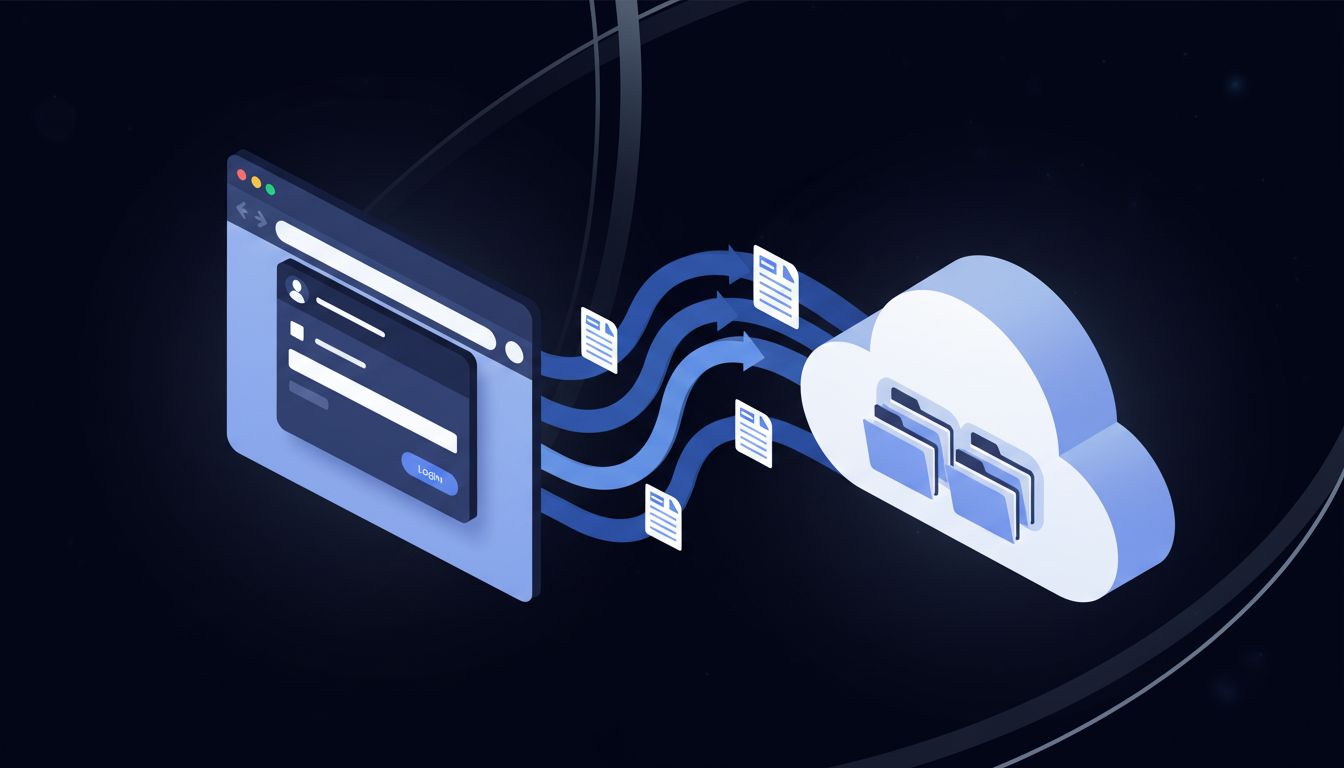
File download automation with cloud storage integration eliminates manual file retrieval from websites and portals. Instead of logging in, clicking through navigation menus, downloading files, renaming them, and organizing them into folders, automated systems handle the full sequence on schedule and deliver files directly to cloud storage like AWS S3, Google Drive, Dropbox, or OneDrive.
The manual version of this work is surprisingly expensive. 56% of AP teams processing invoices and administering payments, much of it downloading invoices from vendor portals. Insurance agencies pull declarations pages from carrier sites, healthcare teams retrieve EOBs from payer portals. These workflows share a common structure: log in, move through pages, find the file, download it, move it somewhere useful. Repeat across 10, 20, or 50 different portals. Every week.
Automated document retrieval tackles all of that without human input. A properly configured system logs into portals using secure credentials, moves to the right page, downloads the target files, extracts structured data where needed, and routes everything to the right destination. The better solutions also handle 2FA, CAPTCHAs, and dynamic interfaces that would trip up simpler scripting tools.
Cloud storage integration is the part that makes automated downloads actually useful at scale. Pulling a file is only half the job. Getting it into the right folder in S3 or Google Drive, named correctly, and available to the right systems is where the workflow completes. When file management automation handles both sides, the manual handoff disappears entirely.
How We Ranked File Download Automation Solutions
Not all file download automation solutions handle the same scenarios equally well. We assessed each option based on publicly available information from vendor documentation, user reviews, and feature comparisons, looking at the factors that determine whether a solution actually removes manual work:
- Authentication handling: Can it log in automatically, manage 2FA/MFA flows, and persist sessions across multi-step portals?
- Cloud storage integration depth: Does it offer native connectors for AWS S3, Google Drive, and other platforms without custom API work?
- File organization capabilities: Can it rename files from extracted metadata and sort them into folder structures automatically?
- Scheduled execution: Does it support recurring downloads on a schedule instead of requiring manual triggers?
- Workflow flexibility: Can it handle multi-step navigation like filtering results, clicking into detail pages, and targeting specific files?
- Maintenance requirements: Does it adapt when site layouts change, or does it require constant script updates to stay functional?
Best Overall File Download Automation with Cloud Storage Integration: Skyvern

Skyvern automates file downloads from any website with native AWS S3 cloud storage integration, handling complex authentication flows including 2FA, multi-page navigation, and dynamic content without breaking when websites change. Instead of relying on brittle CSS selectors that fail with every UI update, Skyvern uses computer vision and AI to understand web pages visually, identifying download buttons and navigation elements by what they do instead of where they sit in the HTML. It's ideal for AP teams, insurance agencies, and healthcare operations who need the full pipeline from portal login to cloud delivery handled automatically.
Key Features
- Native AWS S3 integration automatically uploads downloaded files with configurable folder structures and metadata-based file naming via the FileUploadBlock.
- Skyvern logs into any portal with username and password, handles 2FA using TOTP integration, solves CAPTCHAs, and works with Bitwarden, 1Password, and Azure Key Vault for secure credential management.
- Workflows survive website redesigns because Skyvern identifies elements by visual appearance and context instead of fragile technical selectors.
- Skyvern moves through search results, filters by date ranges, clicks into detail pages, and extracts metadata to structure file naming for AP teams and healthcare operations automatically.
- Files download from 100+ portals simultaneously on a recurring schedule, completing in minutes what would otherwise take hours manually.
Limitations
- Building and managing workflows requires familiarity with API concepts and YAML workflow definitions.
- Complex multi-step processes can take one to two weeks to fully optimize and test across all target portals.
- Skyvern is a newer platform with a smaller community compared to existing tools like Selenium or UiPath.
- Cloud service pricing scales with usage, which may be a consideration for teams with very high automation volumes.
- Teams unfamiliar with AI-driven automation approaches may face an initial learning curve getting their first workflows configured.
Bottom Line
Best for AP teams, insurance agencies, and healthcare operations managing recurring file retrieval across multiple portals who need authentication complexity handled automatically and files delivered directly to AWS S3 or other cloud storage without manual handoffs. Teams with at least some technical familiarity will get the most out of it, and most can deploy their first workflow within a few hours.
CloudCruise
CloudCruise uses Playwright-style automation with a directed graph workflow engine called BADGER, letting developers build browser automations through structured workflow definitions. A Chrome extension handles action recording, and the system includes credential management with encryption for secure authentication.
The file download story is functional but incomplete. CloudCruise's FileDownload action retrieves files and serves them through signed URLs, but there's no native cloud storage connector on the other side. Getting files into S3 or Google Drive requires custom development work on top.
Key features:
- Graph-based workflow definitions for multi-step browser sequences
- Chrome extension for recording actions and scaffolding workflows
- Encrypted credential management for authentication handling
- File download with metadata support via signed URLs
Limitations:
- Workflows rely on Playwright-style element selectors that break when site DOM structure changes
- No native cloud storage integrations for S3, Google Drive, or other platforms
- Custom development required to complete the file-to-cloud pipeline
- AI assistance doesn't fully protect against layout-change failures at runtime
Bottom line:
Best for developer teams comfortable with graph-based workflow design who want fine-grained control over browser automation logic and are prepared to build their own cloud storage connectors. It's a reasonable fit for teams with existing Playwright expertise, but ongoing selector maintenance and missing cloud integrations make it less practical for teams that need a complete file download and delivery workflow without custom engineering.
Browse AI
Browse AI helps non-technical users extract and monitor website data without code by training "robots" through a point-and-click interface. The system has handled over 29 million tasks and extracted more than 6 billion rows of data, with pre-built robots for popular sites like LinkedIn, Amazon, and job boards that get you started quickly.
Key features:
- No-code robot training through a point-and-click interface lets non-technical users set up extractions without writing a single line of code
- Pre-built robots for popular websites including job boards and e-commerce sites so you can get running fast
- Scheduled extractions with data export to spreadsheets for recurring monitoring tasks
- API and webhook integrations for plugging extractions into broader automation workflows
Limitations:
- Robots break when websites change layout or structure, requiring manual retraining each time
- No native 2FA or authentication handling for login-gated portals
- Cannot adapt to websites it has never seen before without building new robots from scratch
- Requires a separate robot per website, making multi-portal workflows impractical at scale
- No native cloud storage integration for routing downloaded files to S3 or Google Drive
Bottom line:
Best for non-technical users who need simple data extraction from stable websites and want quick-start templates without writing code. It's a reasonable fit for monitoring price changes or public listings, but falls short for file download automation that demands authentication complexity, cross-site consistency, or the ability to work across portals the system has never encountered before.
Axiom
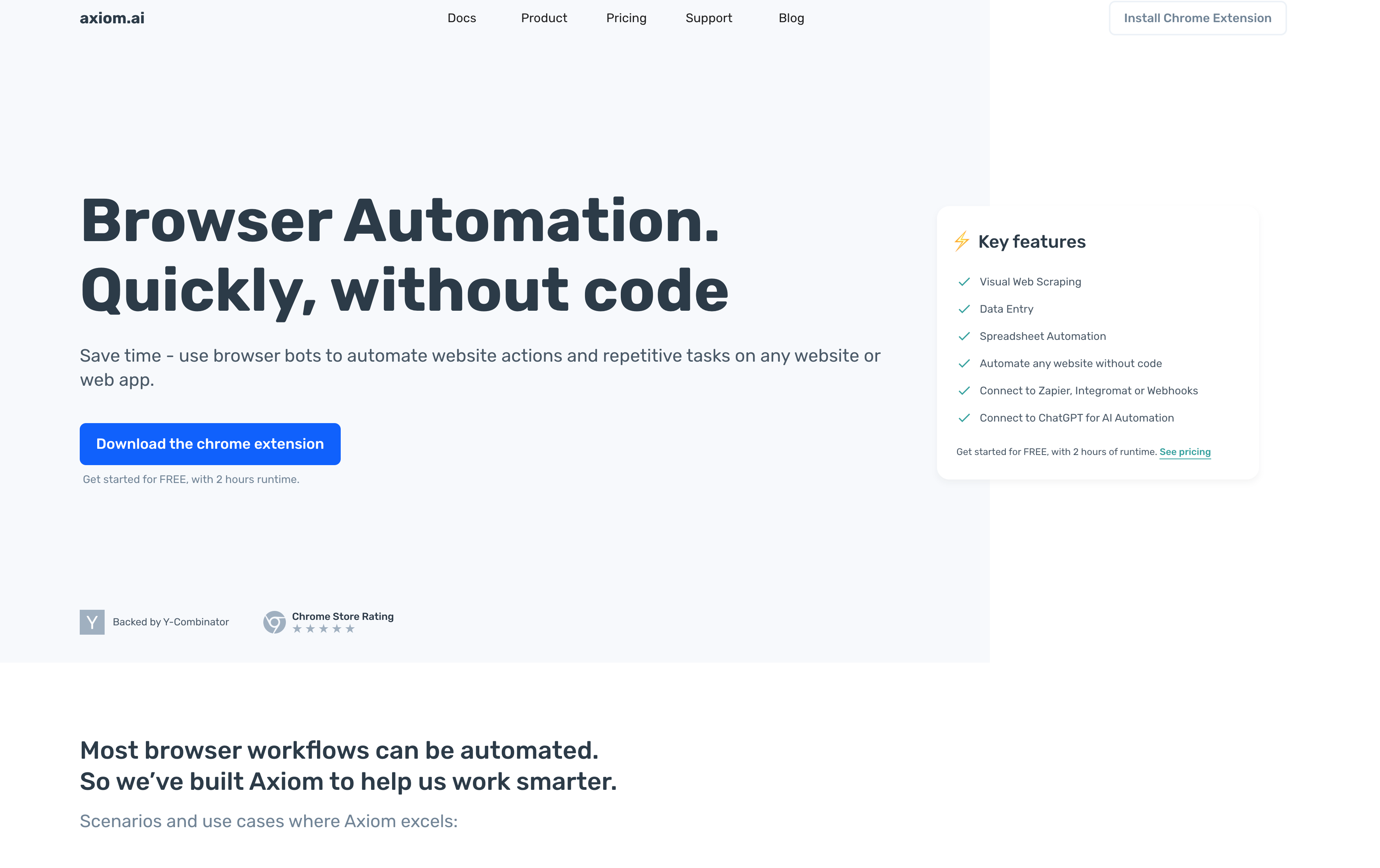
Axiom is a no-code browser automation tool built around a Chrome extension that records clicking and typing actions to build automation workflows visually. It targets repetitive browser work like data scraping, data entry, ETL tasks, and moving data between applications without requiring users to write code.
Key features:
- Chrome extension with a visual workflow recorder for building automations by demonstration
- Pre-built templates for common automation tasks to get started quickly
- Cloud execution for running automations on schedule without keeping a local browser open
- Integrations with Zapier, Google Sheets, and webhooks for connecting to downstream systems
Limitations:
- Exclusively Chrome-dependent, with no support for other browsers
- Workflows require manual updates when websites change their layouts or element structures
- Cloud execution is locked behind paid plans
- No AI-powered decision-making for conditional logic or complex multi-step navigation
- No native cloud storage connectors for routing downloaded files to S3, Google Drive, or similar destinations
Bottom line:
Best for individuals or small teams who want a visual, no-code way to automate simple repetitive browser tasks without programming. It's a reasonable fit for light scraping or data entry on stable websites, but ongoing maintenance requirements and the absence of native cloud storage integration make it impractical for file download workflows that span multiple portals or require long-term reliability without constant manual upkeep.
UiPath
UiPath Document Understanding combines AI with software robots to read documents and extract desired information automatically within workflows. The newly launched UiPath IXP (Intelligent Xtraction and Processing) extends this further, automating data capture across structured, semi-structured, and unstructured documents including PDFs, scanned forms, contracts, and handwritten notes.
Key features:
- AI-powered document processing with OCR and structured data extraction
- Wait For Download activity for automating file downloads from websites
- Integration with enterprise applications and databases
- Workflow automation for document approvals and reviews
Limitations:
- Requires specialized RPA developer training to build and maintain automations
- High cost starting at $420/month per user for basic plans
- Designed for broad enterprise RPA deployments instead of focused browser-based file retrieval
- Lacks the browser-first approach needed for web portal file downloads across multiple sites
Bottom line:
Best for large enterprises already invested in RPA infrastructure who need intelligent document processing combined with broader process automation across multiple enterprise systems. It's a reasonable fit for organizations with dedicated RPA developers and complex document workflows, but the cost and complexity far exceed what most file download automation scenarios actually require.
Automation Anywhere
Automation Anywhere is a cloud-native RPA tool combining AI, machine learning, and analytics to automate end-to-end business processes with software bots. It includes IQ Bot for intelligent document processing and integrates with Google Document AI for OCR-based extraction workflows.
Key features:
- Cloud-native RPA with AI and ML integration across business processes
- Pre-built bots for PDF processing including PDF to CSV, PDF to JSON, and PDF data extraction
- Integration with intelligent document processing for structured and unstructured content
- Visual workflow designer for building and managing automation sequences
Limitations:
- Pricing starts at $750/month, making it expensive for teams focused on file downloads from web portals
- Optimized for broad enterprise RPA deployments instead of browser-first file retrieval
- Complex implementation requiring several weeks of environment setup and developer training
- Browser portal navigation still requires separate integrations as websites change
Bottom line:
Best for large organizations deploying RPA across multiple departments who need document processing as part of a broader enterprise automation initiative. It's a reasonable fit for teams with dedicated automation engineers and complex document workflows spanning internal systems, but the licensing cost and implementation overhead far exceed what most web portal file download workflows actually need.
Feature Comparison Table of File Download Automation Solutions
Choosing the right tool comes down to how well it handles the full file download pipeline, from authentication through to cloud delivery. The table below summarizes how each solution compares across the dimensions that matter most.
Tool | Core Approach | Layout Resistance | Authentication Handling | Cloud Storage Integration | Coding Required | Best For |
|---|---|---|---|---|---|---|
Skyvern | Computer vision and AI identify elements by visual meaning, not DOM selectors | High - survives website redesigns automatically | Built-in TOTP, 2FA, CAPTCHA solving, credential vault integration (Bitwarden, 1Password, Azure Key Vault) | Native AWS S3 with metadata-based file naming and folder structure | YAML workflow definitions, no programming required | Teams automating downloads across 10+ portals needing authentication complexity and cloud delivery without maintenance burden |
CloudCruise | Playwright-style graph-based workflows with action recording | Low - depends on element selectors that break with layout changes | Basic encrypted credential management, no native 2FA handling | File download via signed URLs only, no native S3 or Google Drive connectors | Graph workflow definitions and custom API integration for cloud storage | Developer teams comfortable with Playwright who can build custom cloud storage connectors |
Browse AI | Point-and-click robot training for data extraction, separate robot per site | Low - robots break when layouts change, require manual retraining | None - cannot handle login-gated portals or 2FA | None - spreadsheet export only | No-code point-and-click interface | Non-technical users monitoring public data from stable websites with quick-start templates |
Axiom | Chrome extension with visual workflow recorder for browser automation | Low - workflows require manual updates when sites change | Basic - no 2FA support | None - webhooks and Google Sheets only | No-code visual recorder | Individuals doing light scraping or data entry on stable sites without long-term reliability needs |
UiPath | Enterprise RPA with AI-powered document processing and OCR | Low - selector-based navigation requires maintenance | Available but requires setup and configuration | Available but requires enterprise configuration | RPA development skills required | Large enterprises with RPA infrastructure and dedicated developers needing broad process automation beyond file downloads |
Automation Anywhere | Cloud-native RPA with pre-built bots and intelligent document processing | Low - requires integration updates as websites change | Available but requires setup and configuration | Available but requires enterprise configuration | Bot development skills required | Large organizations deploying RPA across departments with automation engineers and $750+/month budget |
Why Skyvern Is the Best File Download Automation Solution with Cloud Storage Integration
Most file download automation breaks in one of three places: the login flow, the navigation, or the handoff to cloud storage. Skyvern handles all three natively. Computer vision identifies download buttons and moves through multi-page portals by visual meaning instead of fragile selectors. Authentication complexity, including 2FA, CAPTCHAs, and session persistence, is built in. And the FileUploadBlock pushes every downloaded file directly to AWS S3 with metadata-based naming and folder structure, no manual handoff required.
The result? A workflow that deploys in hours, runs on schedule across dozens of portals simultaneously, and keeps working when websites change their layouts. That last part really matters: Skyvern's AI-driven approach self-heals, so the maintenance burden that makes traditional automation unsustainable simply does not accumulate.
Code Example: Automating File Downloads to AWS S3 with Skyvern
The following Python example shows how to set up a Skyvern workflow that logs into a vendor portal, downloads invoice files, and uploads them directly to an AWS S3 bucket. It uses Skyvern's FileDownloadBlock and FileUploadBlock to handle the full pipeline from portal login to cloud delivery.
import os
import asyncio
from skyvern import Skyvern

async def main():
    client = Skyvern(api_key=os.getenv("SKYVERN_API_KEY"))

    # Step 1: Store vendor portal credentials securely
    # Credentials are never sent to the LLM
    credential = await client.create_credential(
        name="Vendor Portal",
        credential_type="password",
        credential={
            "username": "your-username@example.com",
            "password": "your-password"
        }
    )
    print(f"Credential ID: {credential.credential_id}")

    # Step 2: Define the workflow
    # The workflow logs in, navigates to invoices,
    # downloads files, and uploads them to S3
    workflow_definition = {
        "title": "Vendor Invoice Downloader",
        "description": "Log into vendor portal, download invoices, upload to S3.",
        "proxy_location": "RESIDENTIAL",
        "workflow_definition": {
            "parameters": [
                {"key": "portal_url", "parameter_type": "workflow", "workflow_parameter_type": "string"},
                {"key": "start_date", "parameter_type": "workflow", "workflow_parameter_type": "string"},
                {"key": "end_date", "parameter_type": "workflow", "workflow_parameter_type": "string"},
                {
                    "key": "credentials",
                    "parameter_type": "workflow",
                    "workflow_parameter_type": "credential_id",
                    "default_value": credential.credential_id
                }
            ],
            "blocks": [
                {
                    # Login block: handles 2FA, CAPTCHAs, and session management
                    "block_type": "login",
                    "label": "login_block",
                    "url": "{{portal_url}}",
                    "credential_id": "{{credentials}}"
                },
                {
                    # Navigation block: move to the invoices page and apply date filters
                    "block_type": "navigation",
                    "label": "navigate_to_invoices",
                    "navigation_goal": (
                        "Navigate to the invoices or billing section. "
                        "Filter results to show invoices between {{start_date}} and {{end_date}}. "
                        "COMPLETE when the filtered invoice list is visible."
                    )
                },
                {
                    # FileDownloadBlock: downloads all matching invoice PDFs
                    "block_type": "file_download",
                    "label": "download_invoices",
                    "navigation_goal": (
                        "Download all invoice PDFs visible in the list. "
                        "Click each download link and save the file. "
                        "COMPLETE when all invoices have been downloaded."
                    )
                },
                {
                    # FileUploadBlock: uploads downloaded files to AWS S3
                    # Files are named using extracted metadata (e.g. invoice number + date)
                    "block_type": "file_upload",
                    "label": "upload_to_s3",
                    "storage_type": "s3",
                    "s3_bucket": os.getenv("S3_BUCKET_NAME"),
                    "s3_prefix": "invoices/{{start_date}}_{{end_date}}/"
                }
            ]
        }
    }

    # Step 3: Create the workflow
    workflow = await client.create_workflow(workflow_definition)
    print(f"Workflow ID: {workflow.workflow_id}")

    # Step 4: Run the workflow against your vendor portal
    run = await client.run_workflow(
        workflow_id=workflow.workflow_id,
        data={
            "portal_url": "https://your-vendor-portal.com/login",
            "start_date": "2026-01-01",
            "end_date": "2026-04-30",
        },
        wait_for_completion=True
    )

    print(f"Run status: {run.status}")
    print(f"Downloaded files: {run.downloaded_files}")
    print(f"View run: {run.app_url}")

asyncio.run(main())
To run this against multiple vendor portals simultaneously, call client.run_workflow() in parallel using asyncio.gather(). Skyvern handles concurrent execution across 100+ portals at once. Each downloaded file is uploaded to the S3 path you specify, named and organized automatically based on the metadata extracted during navigation.
Final Thoughts on Automating Document Downloads to Cloud Storage
The difference between basic file download automation and a solution that actually reduces manual work comes down to three things: authentication handling, layout resistance, and cloud storage integration. Cloud storage automation that tackles all three means your team stops maintaining broken scripts every time a vendor updates their portal, stops manually organizing files into S3 buckets, and stops clicking through the same login flows week after week. If you're downloading files from more than a handful of sites, book a quick demo to see how visual automation handles your specific portals.
FAQ
How do you choose the best file download automation tool when most options look similar on paper?
Look for authentication complexity first: can the tool handle 2FA, TOTP, and CAPTCHA solving without custom integrations? Then assess cloud storage integration depth: native S3 or Google Drive connectors matter more than generic webhook support. Finally, check whether the tool adapts when websites change their layouts or requires constant script maintenance.
Which file download automation solution works best for teams managing downloads across dozens of different portals?
Tools using computer vision and AI-driven navigation work best for multi-portal scenarios because a single workflow applies across different websites without per-site configuration. Solutions requiring separate robots or scripts for each portal become unsustainable when you're managing 20+ vendor sites, carrier portals, or government databases.
Can file download automation handle complex authentication flows like 2FA and session timeouts automatically?
Some platforms handle complex authentication natively with built-in TOTP integration and credential vault support, while others require manual intervention or custom development for 2FA flows. Session management capabilities vary widely. Look for tools that maintain session state across multi-step navigation sequences without requiring you to rebuild authentication logic for each portal.
What's the main cost difference between RPA platforms and browser-first automation tools for file downloads?
RPA platforms like UiPath and Automation Anywhere start at $420-750/month per user with enterprise licensing models designed for broad deployments, while browser-first automation tools typically use pay-per-step or subscription pricing starting under $100/month. The total cost difference often exceeds 10x when you account for implementation overhead and developer training requirements for RPA solutions.
Keep reading

Browser Use vs Browserbase: my honest comparison
Browserbase and Browser Use can both automate work in a browser, from collecting product data to filling out forms. Choosing between them comes down to what you want to build: a task you hand to an AI agent, a custom agent inside your application, or browser infrastructure for scripts you already run. I’m Skyvern’s co-founder and CEO by the way. We build a competing product, so I have a stake in this comparison. But I promise I won't promote our product (even though it's a great alternative to

6 Stagehand alternatives for browser automation in 2026
If you're looking for Stagehand alternatives, you probably want an AI browser agent that: * Works natively with Python scripts. * Can navigate and scrape complex websites efficiently. * Stays reliable as your workload grows from a few runs to thousands of browser jobs. That's the kind of workflow I built Skyvern for (Skyvern CEO here). I know, I know, Skyvern CEO's recommending Skyvern as a good alternative. Please just stay with me for a second here. Yes, Skyvern is a good Stagehand alt

Browser Use vs Stagehand: Which One Should You Pick?
Browser Use and Stagehand both let you use AI to automate browser tasks, such as collecting product data or filling out forms. When you’re deciding which to build with, their feature lists only tell you so much. You want to know how much code you’ll need to write, whether the automation completes your task correctly, and what repeated runs will cost. I'll be upfront: we build Skyvern, a competitor to both, but this blog post won't shill our product (you can try it here though). I’m keeping thi
Put the browser to work
Use Skyvern for the work that lives in a browser.
Turn repetitive browser tasks into reliable workflows with Skyvern.