
How to Automate Travel Booking and Ticket Purchasing with Browser Agents (March 2026)

Booking travel at scale means your team is stuck toggling between portals that look easy from the outside but turn into a mess the moment you need to process volume. Travel booking automation software solves this with browser agents that automate the full workflow, log into portals you've never configured them for, and keep running when sites update their UI, because they read pages by meaning instead of fragile code selectors that break constantly.
TLDR:
- Browser agents automate travel booking by reading portal pages visually, eliminating maintenance when UIs change
- Parallel execution lets you process 40+ carrier portals simultaneously, returning structured JSON via webhook
- Built-in 2FA, CAPTCHA solving, and credential vaults handle authentication without exposing login data to LLMs
- YAML workflows apply across multiple portals without site-specific configuration or per-site scripting
- Skyvern automates travel bookings on any portal with computer vision and LLMs, handling authentication and file downloads without breaking when websites redesign
Why Travel Booking Automation Matters in 2026
Online travel is no longer a side channel. By 2024, digital bookings accounted for roughly 70% of total travel sector revenue, which means the volume of transactions flowing through travel portals, OTAs, and corporate booking tools has reached a scale that manual processing simply can't keep up with. For travel agencies and corporate travel teams, this creates a real bottleneck. Booking a single trip might involve checking availability across three airline portals, comparing hotel rates on separate sites, and confirming car rentals through a fourth system entirely. Multiply that across hundreds of travelers and the manual workload compounds fast.
The demand side is moving in the same direction. 80% of travelers are open to using AI for trip planning and booking, signaling that end users already expect speed and intelligence from the booking experience. Agencies and travel managers who can't deliver that are losing ground.
Browser agents fill the gap between what travel portals actually offer and what operations teams need. Instead of waiting for every supplier to build an API, browser agents work with portals as they exist today, using the same interfaces a human would, but at a speed and scale that no manual team can match.
The Travel Portal Integration Problem
Travel portals look deceptively simple from the outside. Log in, search, book, done. But anyone who has run a travel agency or managed corporate bookings knows the reality is far messier. For example, aA mid-sized agency might interact with 20 to 50 different portals in a given month: airline booking systems, hotel chains, car rental platforms, GDS tools like Sabre or Amadeus, and corporate travel management portals on top of that. Each has its own login flow, its own form structure, and its own quirks.
The API Gap
Most of these portals have no API. Carriers haven't exposed booking endpoints to third parties, hotel chains guard direct rates behind login walls, and GDS platforms have integration agreements that exclude most small and mid-market operators entirely. That leaves teams with a browser and a human clicking through it.
Why Traditional Scripts Break
Selector-based automation tools like Selenium or Playwright rely on XPaths and CSS selectors tied to specific page elements. Those selectors break when portals update. Travel portals update constantly, and across 50 portals, that maintenance burden compounds fast.
"Building per-site scripts doesn't scale when your team touches dozens of portals monthly, and maintaining them consumes more engineering time than the automation ever saves."
The result is teams stuck in a cycle: automate, break, fix, repeat.
What Browser Agents Actually Do
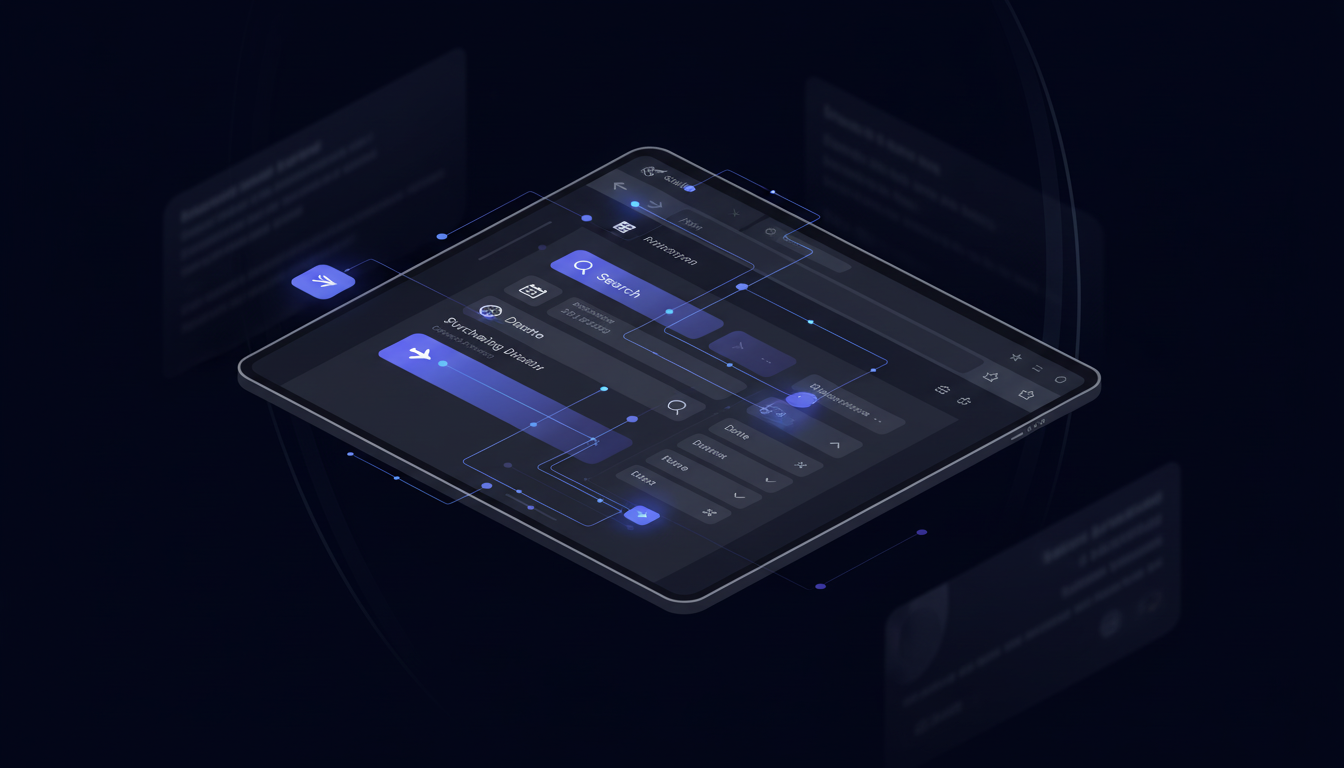
Browser agents are AI systems that control a web browser the way a human would, except they don't need instructions written for each website they visit. The key difference from traditional automation is how they read a page. Instead of hunting through HTML code for a specific element ID or CSS selector, a browser agent looks at what's actually visible on screen: the button labeled "Search Flights," the dropdown for passenger count, the form field asking for a departure date. It identifies these by appearance and context, not by fragile XPath selectors that break the moment a developer renames a class.
How They Decide What to Do
A browser agent starts with a goal, not a script. You tell it what you want accomplished, and it reasons through the steps needed to get there. Searching for a flight, selecting a fare class, filling in passenger details, confirming the booking: the agent decides what actions to take based on what it sees at each stage. If the page changes mid-flow, it adapts instead of crashing.
Working on Unseen Websites
No site-specific programming is required. A browser agent that books flights on one airline portal can handle a completely different carrier's interface without additional setup, because it reads pages by meaning instead of structure. Skyvern scores 85.85% on the WebVoyager benchmark, a measure of this kind of generalization across websites it has never encountered before.
This is what separates browser agents from RPA tools. When a portal redesigns its booking flow, a browser agent keeps working.
Core Capabilities: What Browser Agents Automate
Browser agents cover the full booking workflow without any portal-specific setup.
Authentication
Logging into travel portals is table stakes, but it gets complicated fast. Browser agents handle:
- Stored credentials with no plaintext exposure to LLMs
- 2FA and TOTP codes via Google Authenticator, email forwarding, or phone verification
- CAPTCHA solving built in, with no third-party service required
Form Filling
Booking wizards vary wildly across portals. A browser agent reads each field by what it means visually, maps values from a JSON payload to the correct inputs, and handles conditional fields that only appear after earlier selections. Passenger count triggers seat selection. Fare class unlocks loyalty fields. The agent adapts to whatever the page shows next.
Document Handling
After a booking completes, the agent downloads confirmations, receipts, and vouchers, then routes them to cloud storage or internal systems via webhook. No manual retrieval, no missed files.
These capabilities apply consistently to any portal a browser agent encounters, whether it's an airline system, a hotel chain, or a GDS tool it has never seen before.
How Browser Agents Differ from Traditional RPA
The difference comes down to what breaks when a website changes.
Selenium, Playwright, and legacy RPA tools map automation logic to specific page elements using CSS selectors and XPaths. When a portal updates its UI (a renamed class, a restructured form, a new login modal), those selectors stop matching, and the automation stops working. For teams managing dozens of travel portals, the result is constant firefighting instead of actual automation. Browser agents, on the other hand, interpret pages visually, identifying elements by what they mean on screen. A portal redesign doesn't invalidate anything, because nothing was hardcoded to begin with.
The other gap is portability. A Selenium script built for one airline portal works only on that portal. A browser agent that completes a booking on one site transfers directly to any other, with no per-site configuration required. For agencies working across 20 to 50 carriers and hotel chains, that difference is the entire argument. The table below provides a quick overview of the capabilities and how browser agents differ from traditional RPA in tackling that capability.
Capability | Browser Agents (Skyvern) | Traditional RPA (Selenium, Playwright) |
|---|---|---|
Portal adaptation | Reads pages visually by meaning, works across any portal without configuration, continues working when UIs change | Relies on CSS selectors and XPaths that break when portals update, requires per-site scripting and constant maintenance |
Multi-portal scalability | Single YAML workflow applies across 20-50 airline and hotel portals simultaneously with no per-site setup | Each portal requires separate script implementation, maintenance burden compounds across multiple sites |
Authentication handling | Built-in 2FA, TOTP, CAPTCHA solving, and credential vault integration with credentials never exposed to LLMs | Requires custom authentication logic for each portal, struggles with 2FA and CAPTCHA without third-party services |
Parallel execution | Runs 40+ isolated browser sessions simultaneously with independent authentication states and results delivered via webhook | Sequential processing or complex infrastructure setup required for parallel runs, session management is manual |
Data extraction | Structured JSON output validated against schema, extracted from confirmation pages and delivered via webhook | Requires explicit selectors for each data point, breaks when page structure changes, manual output formatting |
Workflow modification | Operations teams modify YAML workflows without engineering support, changes apply across all portals | Requires developer resources for every change, updates must be replicated across each per-site script |
Building Multi-Step Travel Booking Workflows
A complete travel booking workflow is a chain: open a portal, authenticate, search with specific parameters, fill multi-page forms with conditional logic, confirm the booking, and download the receipt. Browser agents handle each step in sequence without losing context between them.
Workflows in Skyvern are defined in YAML, not code. Operations teams can build and modify them without engineering support. Parameters like departure city, travel dates, or passenger count get passed at runtime, so the same workflow template covers different bookings without rebuilding anything.
The bigger advantage is portability. One workflow definition applies across multiple airline or hotel portals. Where a traditional script requires a separate implementation for every site, a single YAML workflow runs across any portal it encounters. For agencies managing 20 to 40 suppliers, that scales in a way per-site scripting never could.
Handling Authentication at Scale
Travel portals are almost always login-gated. That's the first wall any automation hits, and for many teams, it's where the project stops. Handing credentials to an AI system feels like a genuine security risk, especially when the portals involved hold payment data, traveler records, and billing accounts. Browser agents separate credential management from decision-making entirely. When Skyvern logs into a portal, the credentials are pulled from a secure vault and used directly in the browser. The LLM never sees them. It handles the navigation and form-filling logic while the credential layer operates independently.
Vault Integrations
Skyvern integrates with Bitwarden, 1Password, and Azure Key Vault, so teams can use whatever credential infrastructure they already have. Credentials stored in Skyvern's own vault are encrypted and never logged in plaintext. For enterprise deployments, Bitwarden integration pulls credentials on the fly without storing them locally at all.
2FA and TOTP at Scale
Multi-factor authentication would normally block automation cold. Skyvern handles it across several flows:
- Google Authenticator (TOTP) via a stored authentication secret
- Email verification codes forwarded to a Skyvern endpoint using Gmail and Zapier
- Phone verification codes through virtual number services like Twilio
- One-time login links handled by splitting the workflow at the authentication step
Each method routes the verification code to the running session without human intervention. Across a batch of 40 carrier portals running in parallel, every login completes on its own. Keeping credentials out of the LLM context entirely is what makes this approach viable for production use where data security really matters.
Parallel Execution for High-Volume Booking

Sequential booking is the core bottleneck for high-volume travel operations. Processing quotes across 20 carriers one at a time means the first result is stale by the time the last one comes in. Corporate teams batching overnight employee bookings face the same problem: a linear queue that turns a two-hour job into a twelve-hour one.
Parallel execution changes that math entirely. Each booking workflow runs in its own isolated browser session, so 40 carrier portals run simultaneously without sessions bleeding into each other or triggering rate limits. Every session maintains its own authentication state, cookies, and audit trail independently. The practical impact shows up in real workflows. An insurance agency processing 40 carrier portals completes the same work in the time it previously took to process one. A corporate travel team comparing fares across airline portals gets results back together instead of in a slow trickle.
Skyvern handles the session provisioning automatically. There's no infrastructure to configure: you define the workflow once, pass in a list of portals or booking parameters, and the runs execute in parallel. Results come back via webhook when each session finishes, structured as JSON ready to feed downstream systems.
Data Extraction and Structured Output
Completing a booking is only half the job. The confirmation number, fare breakdown, passenger details, booking reference, and travel dates all need to land somewhere useful, not in a PDF sitting in someone's downloads folder.
Browser agents capture this data as part of the same run that completes the booking. You define a data_extraction_schema in JSON Schema format, and the agent pulls matching values from the confirmation page before closing the session. The output comes back structured, validated against your schema, and delivered via webhook.
For a flight booking, that might look like:
{
  "confirmation_number": "ABC123",
  "airline": "United",
  "departure": "2026-04-15T08:00:00",
  "arrival": "2026-04-15T11:30:00",
  "fare_class": "Economy",
  "total_price": 342.00,
  "passenger_name": "Jane Doe"
}
That payload routes directly to a travel management system, expense tool, or internal database without any manual transcription step. No copy-paste, no reformatting, no data entry queue building up overnight.
Schema validation catches mismatches before they propagate downstream. If a portal returns an unexpected format or a field is missing, the extraction flags it instead of silently passing bad data into your records. For corporate travel teams matching bookings against budgets, that accuracy matters more than the speed gain alone.
Integration with Travel Management Systems
Browser agents fit into existing infrastructure without requiring architectural changes. The webhook setup means any workflow can be triggered from a CRM, ERP, or internal booking tool, with results returned as structured JSON to whatever endpoint you specify. For travel agencies running Applied Epic, Vertafore, or a custom TMS, the integration pattern is straightforward: pass booking parameters in, get confirmation data out. No middleware layer required, no vendor lock-in, no replacing working infrastructure to add automation on top.
Skyvern connects natively with Zapier, Make.com, n8n, and Workato for teams that prefer no-code orchestration. For direct API integration, the Python SDK accepts workflow triggers programmatically and returns results with full run metadata including screenshots, step counts, and extracted data.
Here's how a travel team would trigger a flight booking task via the Python SDK, with a structured extraction schema and webhook delivery:
import asyncio
from skyvern import Skyvern

skyvern = Skyvern(api_key="YOUR_API_KEY")

async def book_flight():
    task = await skyvern.run_task(
        url="https://www.united.com/en/us",
        prompt=(
            "Search for a one-way flight from SFO to JFK on April 15, 2026 "
            "for 1 passenger in economy class. Select the cheapest available fare "
            "and complete the booking using the stored passenger details. "
            "COMPLETE when the booking confirmation page is displayed."
        ),
        data_extraction_schema={
            "type": "object",
            "properties": {
                "confirmation_number": {"type": "string"},
                "airline": {"type": "string"},
                "departure": {"type": "string"},
                "arrival": {"type": "string"},
                "fare_class": {"type": "string"},
                "total_price": {"type": "number"},
                "passenger_name": {"type": "string"}
            }
        },
        webhook_url="https://your-tms.internal/webhooks/skyvern",
    )
    print(task.output)

asyncio.run(book_flight())
How Skyvern Handles Travel Booking Automation
Skyvern brings everything covered above into a single system built for production travel workflows. Computer vision and LLMs read portal pages by meaning, so airline sites, hotel chains, and GDS tools all work without site-specific configuration. When a portal redesigns its booking flow, the automation keeps running. Deployment is flexible: managed cloud for teams that want zero infrastructure overhead, or open-source self-hosted for organizations with compliance requirements. YAML-based workflows mean operations teams build and modify booking sequences without engineering support. Proxy routing with geographic targeting handles region-locked fares and authentication walls that block US-based requests from international carrier portals.
Credential management integrates with Bitwarden, 1Password, and Azure Key Vault. Every run produces a full audit trail with screenshots and session recordings. For travel operations that need to prove what was booked, when, and by which workflow, that observability is built in from the start.
Final Thoughts on Moving Past Manual Travel Workflows
The portal integration gap isn't closing anytime soon, but travel booking automation with browser agents works around it completely. You stop waiting for suppliers to build APIs and start automating on the interfaces that already exist, which means booking workflows scale without adding manual processing capacity. Portal redesigns become irrelevant when your automation reads pages by meaning instead of structure. Talk to us if broken scripts and manual booking backlogs are eating your team's time.
FAQ
How long does it take to deploy your first travel booking workflow?
Most teams can deploy their first automated workflow in 2-3 hours, with complex multi-step processes like policy renewals taking 1-2 weeks to fully optimize and test across all systems.
What happens when an airline portal redesigns its booking interface?
Browser agents interpret pages visually by identifying elements based on what they mean on screen, so when a portal updates its UI, the automation keeps working without any code changes or maintenance required.
Can browser agents handle multi-factor authentication for travel portals?
Yes, browser agents handle 2FA through multiple methods including Google Authenticator (TOTP), email verification codes forwarded to automation endpoints, phone verification through virtual number services, and one-time login links without requiring human intervention.
How do you extract structured data from booking confirmations?
You define a data_extraction_schema in JSON Schema format, and the browser agent pulls matching values like confirmation numbers, fare breakdowns, and travel dates from the confirmation page, returning validated JSON via webhook that routes directly to your travel management system.
What's the difference between browser agents and traditional RPA tools for travel automation?
Traditional RPA tools like Selenium rely on CSS selectors and XPaths that break when portal UIs change, requiring constant maintenance, while browser agents read pages by visual meaning and work across any portal without site-specific configuration or updates when interfaces change.