
How to Automate Affiliate and Partner Account Health Checks at Scale (March 2026)

When you're checking partner accounts manually, partner portal monitoring automation becomes the only viable path forward once you pass 100 active partners. The math is simple: one person handles maybe 20-30 portals daily if everything works perfectly, which means you'd need a team of five just to keep up with 100 accounts. But portals don't cooperate on schedule. MFA resets, sessions expire, interfaces change without warning, and someone's always out sick the week a critical compliance violation starts. At scale, you're either hiring more people to do repetitive checks or accepting that fraud, non-compliance, and underperformance will go unnoticed for weeks or months.
TLDR:
- Manual partner account checks work for 10 partners but break at 100+ accounts
- Automation monitors authentication, compliance, performance, billing, and data quality 24/7
- Skyvern checks hundreds of partner portals without portal-specific code using AI
- Teams catch authentication failures, fraud, and compliance violations within hours instead of months
- Skyvern handles 2FA, extracts structured data, and works across any partner portal interface
Why Manual Partner Account Monitoring Doesn't Scale
Managing partner accounts manually works when you have ten partners. It breaks when you hit 100. And it becomes impossible at 1,000. Advanced partner portals accelerate onboarding by 23%. But most organizations still rely on teams logging into each partner portal individually to check account status, verify compliance, and pull performance data. One team member can handle 20-30 accounts per day if everything goes smoothly. No MFA issues, no session timeouts, no portal downtime.
At scale, the math stops working. Managing 237,000+ affiliates requires automation that can handle extensive information without manual intervention. Teams face a choice: hire more people to keep checking accounts, or accept gaps in oversight that create compliance risk and revenue leakage. What tasks can you automate with Skyvern extends beyond just account monitoring to cover various portal-based workflows.
Human-driven monitoring also creates inconsistency. Different team members check different things. Account reviews happen on different schedules. Critical changes slip through because someone was out sick or forgot to log into a specific portal that week.
The Hidden Costs of Partner Account Health Gaps
Missing a compliance violation costs more than the hour it would take to check an account. 83% of marketers now use fraud detection tools integrated into their tracking systems, which tells you where the industry already sees the risk. Teams without automated checks leave themselves exposed And businesses lose over $600 billion annually due to poor data quality, much of it stemming from human error. Partner programs face the same problem. Fraudulent affiliates drain budgets through invalid clicks. Non-compliant partners trigger chargebacks and regulatory fines. Underperforming accounts sit idle for months because no one noticed the traffic dropped to zero.
The gap between when an issue occurs and when someone catches it determines how much it costs. Fraud that runs for three months instead of three days multiplies the damage by 30x.
What Partner Account Health Actually Means
Partner account health goes beyond monthly revenue numbers. It covers whether accounts follow program rules, submit accurate data, maintain active authentication, pay invoices on time, and honor contract terms.
Six dimensions define account health:
- Compliance status tracks whether partners follow brand guidelines, use approved marketing materials, and stay within program terms
- Performance consistency monitors whether traffic, conversions, and revenue trends stay predictable or spike and disappear without warning
- Data quality verifies that tracking pixels fire correctly, transaction data arrives complete, and reporting matches actual activity
- Authentication validity confirms that API keys remain active, login credentials work, and access permissions stay current
- Billing accuracy checks whether invoices match commission agreements, payments process on schedule, and disputes get resolved quickly
- Contract compliance reviews whether partners honor exclusivity clauses, meet minimum performance thresholds, and renew on time
Each dimension requires different checks. Compliance needs regular audits of partner websites and marketing campaigns. Performance tracking pulls metrics from dashboards. Data quality compares reported transactions against actual conversions. Authentication tests whether credentials still work across all partner portals. And, missing any dimension creates blind spots. An account might generate strong revenue while violating compliance rules. Another might maintain perfect compliance but stop driving conversions entirely. The table below provides a quick overview of those health dimensions, how manual or automated monitoring works, and the time it takes to tackle it.
Health Dimension | Manual Monitoring Approach | Automated Monitoring Approach | Time to Detection |
|---|---|---|---|
Authentication Validity | Team members attempt logins during scheduled checks, find failures when pulling reports weeks later | Daily credential verification tests across all portals with immediate alerts when authentication fails | Manual: 7-30 days | Automated: Hours |
Compliance Status | Quarterly audits of partner websites and marketing materials with manual screenshot collection and review | Continuous scanning for unauthorized brand usage, prohibited ad placements, and policy violations with automated documentation | Manual: 90 days | Automated: Hours |
Performance Consistency | Monthly spreadsheet reviews comparing current metrics to historical baselines across different reporting formats | Real-time tracking of traffic, conversions, and revenue trends with threshold-based alerting for anomalies | Manual: 30 days | Automated: Real-time |
Data Quality | Sampling transaction records during monthly reconciliation, comparing small subsets against internal systems manually | Validation of every transaction for completeness, identifying missing fields, duplicates, and statistical anomalies automatically | Manual: 30-60 days | Automated: 24-48 hours |
Billing Accuracy | Partner-initiated disputes trigger manual investigation of invoice calculations and payment history across portals | Proactive verification of commission calculations against contract terms with payment schedule monitoring and pre-dispute alerts | Manual: After dispute | Automated: Before payment |
Contract Compliance | Annual reviews during renewal periods check whether minimum performance thresholds were met over the past year | Continuous comparison of actual performance against contractual commitments with early warning for trending violations | Manual: 365 days | Automated: Weekly |
The Five Account Health Signals You Should Monitor Automatically
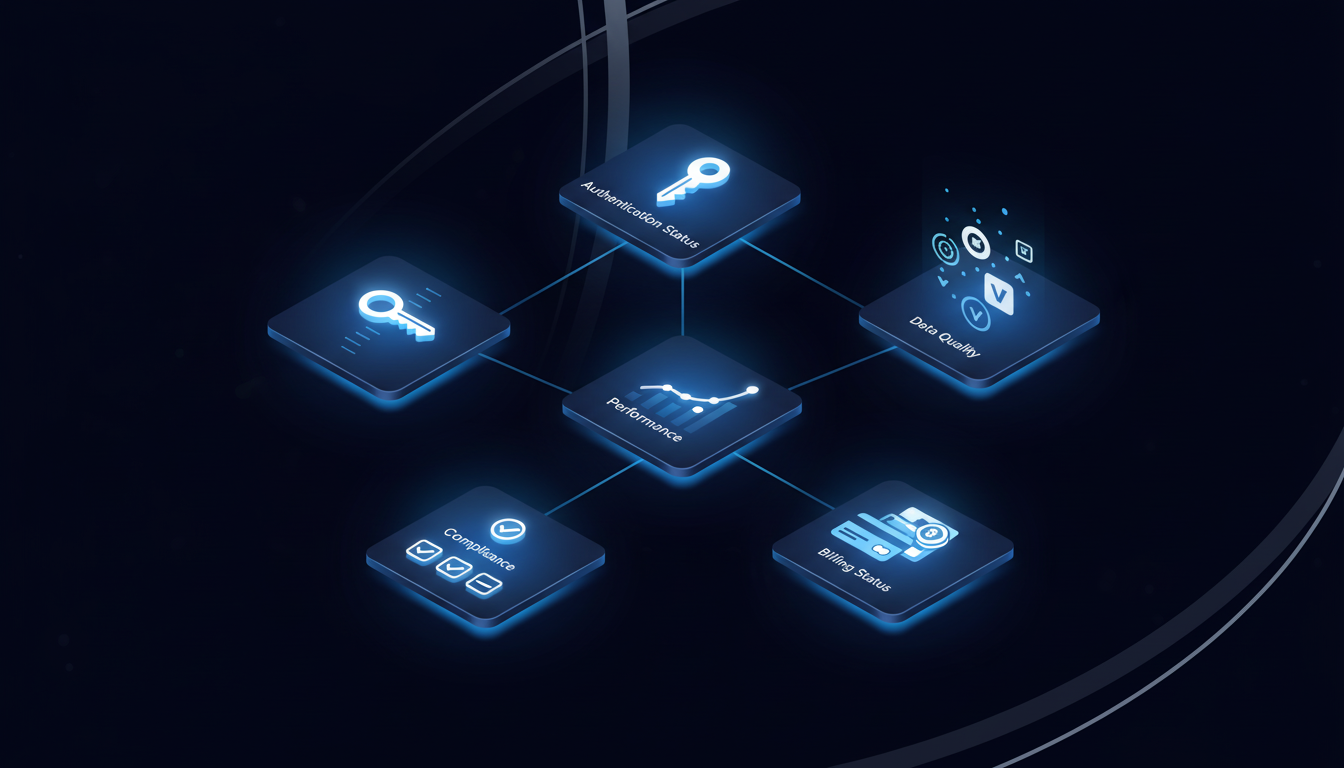
There are five key account health signals that you should absolutely be monitoring automatically:
Authentication failures
Authentication failures show up first. Expired API keys, reset passwords, disabled accounts, or revoked access permissions stop data flow before anyone notices. Automated checks verify that credentials work across every portal, test login sequences daily, and flag authentication issues before they cascade into missing data or broken integrations.
Compliance violations
Compliance violations create legal exposure. Partners who misuse brand assets, violate territorial restrictions, run prohibited ad types, or breach data handling agreements put the entire program at risk. Automating KYC/KYB verification tackles similar compliance checks across government databases. Automated monitoring scans partner websites for unauthorized logos, checks ad placements against approved channels, verifies geographic targeting matches contract terms, and audits data collection practices against privacy policies.
Performance against contractual minimums
Performance against contractual minimums determines whether relationships remain viable. Partners who commit to monthly traffic thresholds, conversion quotas, or revenue targets but consistently fall short drain resources without delivering value. Automation tracks performance trends, compares current metrics against baseline commitments, identifies accounts trending toward breach conditions, and surfaces underperformers for review before renewal dates.
Data quality issues
Data quality issues corrupt reporting and hide problems. Missing transaction IDs, incomplete customer records, mismatched timestamps, or duplicate entries make it impossible to calculate accurate commissions or attribute revenue correctly. Automated validation checks transaction completeness, flags records with missing required fields, identifies statistical anomalies that suggest tracking problems, and verifies that reported data matches internal systems.
Billing disputes
Billing disputes stem from payment timing failures and commission calculation errors. Late payments damage partner relationships. Automating invoice downloads from portals tackles similar challenges in healthcare supply chain management. Incorrect commission structures trigger complaints and chargebacks. Automation monitors invoice generation schedules, verifies payment processing against due dates, compares calculated commissions against contract terms, and flags discrepancies before partners escalate disputes.
How Automation Changes Partner Portal Monitoring
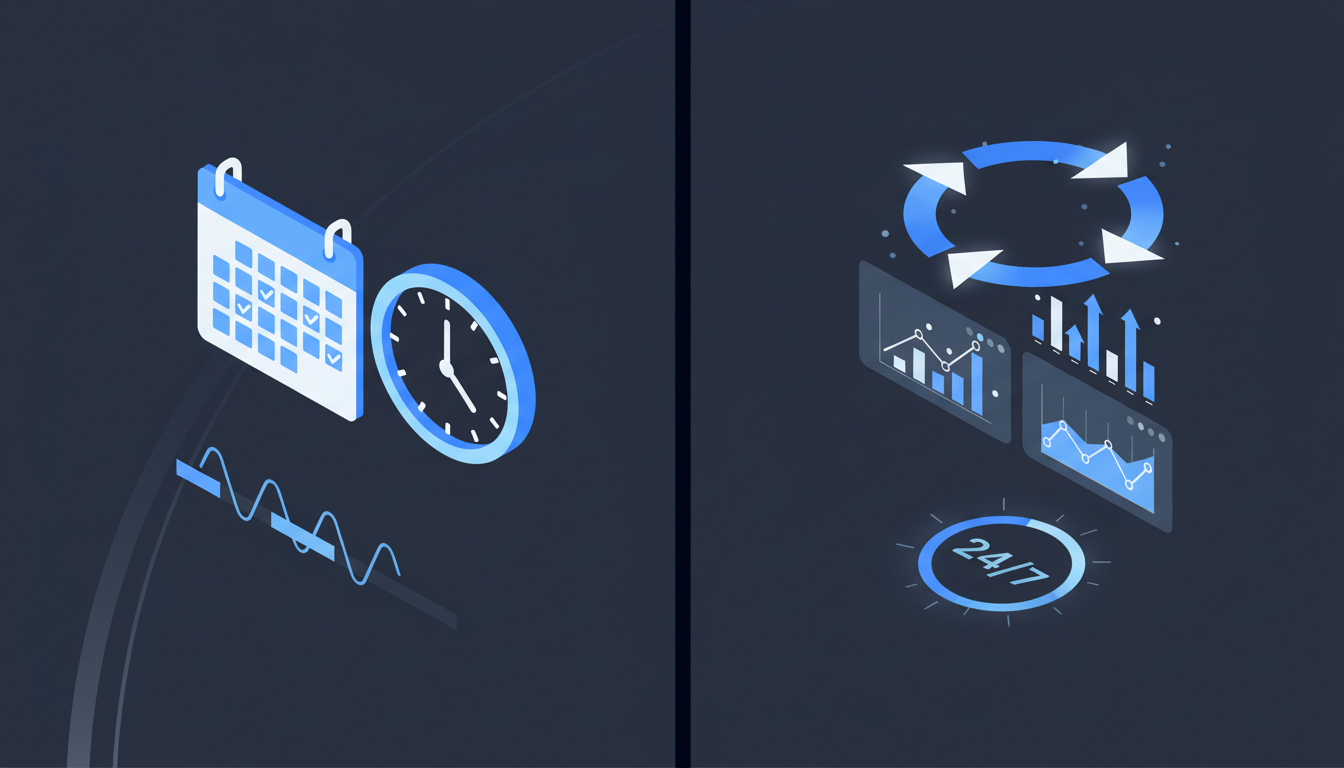
Manual monitoring treats account health as a periodic task. Automation runs checks continuously across all accounts, with authentication tests firing daily, compliance scans running hourly, and performance metrics updating in real time.
This shift from periodic audits to continuous monitoring changes what you can catch. Authentication failures surface within hours instead of weeks. Compliance violations get flagged the day they occur. Performance drops trigger alerts before they breach contract minimums. The result is prevention instead of damage control. Problems get caught early when fixes are simple. Teams spend time managing exceptions instead of running through repetitive check procedures.
Human oversight doesn't disappear, though. It focuses on judgment calls that matter: whether to suspend an account showing borderline compliance issues, how to handle a partner disputing commission calculations, when to renegotiate terms with underperformers.
Building Your Partner Account Monitoring Workflow
How can you built a partner account monitoring workflow? It takes just three steps:
- Start by listing every partner portal your team logs into weekly. Include affiliate networks, payment processors, compliance dashboards, performance tracking systems, and partner-facing CRMs. Rank them by login frequency and business impact.
- Next, define what constitutes a healthy account for each portal. Write down the specific checks that matter: active authentication credentials, compliance scores above threshold, transaction volume within expected ranges, billing status current, and contract terms honored. "Login credentials valid within the last 24 hours and transaction data updated within 48 hours" works better than vague criteria like "active account."
- Map the exact steps required to verify health in each portal. Log in yourself and document every click: which navigation menu opens account status, where compliance flags appear, which report exports transaction data, what page shows billing history.
Handling Authentication Complexity at Scale
Partner portals use four authentication patterns:
- standard username and password,
- multi-factor authentication with TOTP codes,
- single sign-on through identity providers, and magic link verification sent to email.
How Skyvern handles authentication covers these patterns in technical detail. Handling all four without portal-specific configuration makes scaling possible. Credential management systems store login information securely without exposing passwords to automation logic. When portals request 2FA codes, automation pulls verification codes from authenticator apps or email forwarding rules automatically. And, session persistence keeps browser state alive between checks, cutting authentication overhead by reusing active sessions instead of logging in fresh for every health check.
Compliance Monitoring Without Manual Audits
Scheduled compliance audits miss violations that happen between review cycles. Monitoring partner performance requires regular assessments that verify partners meet performance standards and adhere to program guidelines. Manual quarterly audits catch problems months after they start.
Automated compliance monitoring, though, checks partner activity continuously. The system scans partner websites daily for unauthorized brand usage, verifies ad placements match approved channels, and audits data handling practices against privacy policies. Violations surface within hours instead of waiting for the next audit cycle.
The best part? Audit trails generate automatically. Every compliance check produces a timestamped record showing when the account was reviewed, what was verified, which violations were detected, and what remediation actions were triggered. Human teams handle exceptions that automation flags instead of running manual checks across hundreds of accounts.
Scaling Account Checks Across Different Portal Types
Partner programs span different portal types with unique structures. Teams work across carrier and vendor portals with varying navigation, payer and insurance portals requiring different authentication flows, distributor and reseller portals organizing data inconsistently, and affiliate network dashboards with incompatible metric layouts. This is why selector-based automation fails at scale. Building scripts for 50 portals means maintaining 50 codebases. UI updates break workflows constantly. Common mistakes in browser automation include over-reliance on brittle selectors.
Visual understanding, then, solves this by reading forms, tables, and navigation by appearance and context. How Skyvern reads and understands the web explains the computer vision approach behind this capability. A single workflow checks account status across carrier portals and affiliate dashboards without portal-specific configuration.
How Skyvern Automates Partner Portal Monitoring
Skyvern checks account health across hundreds of partner portals without portal-specific code. The system works across any partner interface using computer vision and LLMs that interpret pages visually instead of relying on CSS selectors that break when UIs change. Authentication complexity gets handled automatically. Skyvern pulls credentials from secure vaults, processes 2FA codes through TOTP integration, and maintains session state across checks. Teams never expose passwords to automation logic or manually update authentication workflows when portals add security requirements. Health checks run in parallel across all accounts at the same time. Skyvern extracts compliance status, performance metrics, billing data, and authentication validity from each portal, then returns structured JSON for integration with dashboards and alerting systems.
The workflow applies across affiliate networks, vendor portals, and payment processors without modification because Skyvern reads interfaces by meaning. Teams deploy their first automated check in hours and face zero maintenance when portals redesign.
Code Example: Automating Partner Portal Health Checks
Here's a practical example of how to automate health checks across multiple partner portals using Skyvern:
from skyvern import Skyvern
import asyncio

skyvern = Skyvern(api_key="YOUR_API_KEY")

# Define partner portals to monitor
partner_portals = [
    {"name": "Partner A", "url": "https://partnera.com/portal"},
    {"name": "Partner B", "url": "https://partnerb.com/dashboard"},
    {"name": "Partner C", "url": "https://partnerc.com/account"},
]

async def check_partner_health(portal):
    """Check authentication, compliance, and account status for a partner portal"""
    task = await skyvern.run_task(
        url=portal["url"],
        prompt=f"""Log into the portal and verify account health:
        1. Check if authentication is successful
        2. Verify account status is active
        3. Check for any compliance violations or warnings
        4. Extract current billing status

        COMPLETE when you have extracted all health metrics.""",
        data_extraction_schema={
            "type": "object",
            "properties": {
                "auth_status": {"type": "string"},
                "account_active": {"type": "boolean"},
                "compliance_issues": {"type": "array", "items": {"type": "string"}},
                "billing_status": {"type": "string"},
                "last_activity_date": {"type": "string"}
            }
        },
        totp_identifier="partner-monitoring@company.com",
        wait_for_completion=True,
    )

    return {
        "partner": portal["name"],
        "status": task.status,
        "health_data": task.output
    }

async def monitor_all_partners():
    """Run health checks across all partner portals in parallel"""
    tasks = [check_partner_health(portal) for portal in partner_portals]
    results = await asyncio.gather(*tasks)

    # Process results and flag issues
    for result in results:
        if result["status"] == "completed":
            health = result["health_data"]
            if not health.get("account_active"):
                print(f"ALERT: {result['partner']} account is inactive")
            if health.get("compliance_issues"):
                print(f"ALERT: {result['partner']} has compliance issues: {health['compliance_issues']}")
        else:
            print(f"FAILED: {result['partner']} health check failed")

    return results

# Run the monitoring workflow
if __name__ == "__main__":
    results = asyncio.run(monitor_all_partners())
    print(f"Completed health checks for {len(results)} partner portals")
This example shows several key capabilities:
- Parallel execution across multiple portals using
asyncio.gather, so checks run simultaneously instead of sequentially - Structured data extraction with a JSON schema that makes sure that there are consistent health metrics across all partners
- Authentication handling through
totp_identifierfor 2FA codes forwarded to Skyvern - Automated alerting that flags inactive accounts and compliance violations immediately
- Wait for completion that blocks until each check finishes, returning final results synchronously
Teams typically schedule this script to run daily via cron or integrate it into monitoring dashboards through webhooks. The same workflow scales from 10 partners to 1,000+ without modification because Skyvern adapts to each portal's unique interface automatically.
Final Thoughts on Building Automated Partner Checks
You can't manually audit 500 partner portals every week. Automating partner portal monitoring makes continuous oversight possible without portal-specific code that breaks with every UI update. Teams deploy their first automated health checks in hours and add new portals without rebuilding workflows. The question isn't whether to automate partner account monitoring anymore. It's how fast you can get continuous checks running across every portal your program uses.
FAQ
How often should you run automated partner account health checks?
Run authentication tests daily to catch expired credentials quickly, compliance scans hourly to flag violations as they occur, and performance metric updates in real time to monitor trends continuously instead of waiting for periodic audits.
What happens when a partner portal changes its layout or authentication method?
Systems using visual understanding read interfaces by appearance and context instead of hardcoded selectors, so they continue working when portals redesign their UI or add new security requirements without needing manual updates or maintenance.
Can you monitor compliance violations across different partner types with one workflow?
Yes. Workflows that interpret pages visually work across affiliate networks, vendor portals, distributor dashboards, and payment processors without portal-specific configuration because they identify violations by meaning instead of site structure.
How do you handle authentication for partners using different 2FA methods?
Automation systems pull credentials from secure vaults, process TOTP codes through authenticator integration, handle magic link verification automatically, and maintain session state across checks without exposing passwords to automation logic.
What metrics indicate a partner account needs immediate attention?
Authentication failures that block data flow, compliance violations creating legal exposure, performance drops below contractual minimums, data quality issues corrupting reporting, and billing disputes from payment timing failures all require quick intervention before problems cascade.