Browse AI vs Skyvern: Which is Better? (June 2026)
 Suchintan Singh12 min read
Every browser automation comparison eventually comes down to one question: does your workflow require more than pulling data off a page? The Skyvern vs Browse AI decision breaks along that line. Browse AI records your interactions once and replays them as long as the page layout stays consistent. Skyvern reads the live page state at runtime, which means it keeps working when portals change and can work through authentication flows that would stall a scraper. We'll cover where each tool fits, what breaks first under production load, and which real-world workflows each approach was actually built to handle.
TLDR:
- Browse AI handles scheduled data extraction from public pages but breaks when sites change layouts or require login.
- Skyvern reads pages visually at runtime and adapts to layout changes, 2FA, and CAPTCHA without re-recording workflows.
- RPA teams spend 30-70% of effort maintaining bots as selector-based tools break with every portal update.
- Browse AI wins on unit cost for simple scraping; Skyvern wins on total cost for auth-heavy, multi-portal workflows.
- Skyvern fits operations teams running portal-heavy workflows across insurance, logistics, or compliance where APIs don't exist.
What is Browse AI?
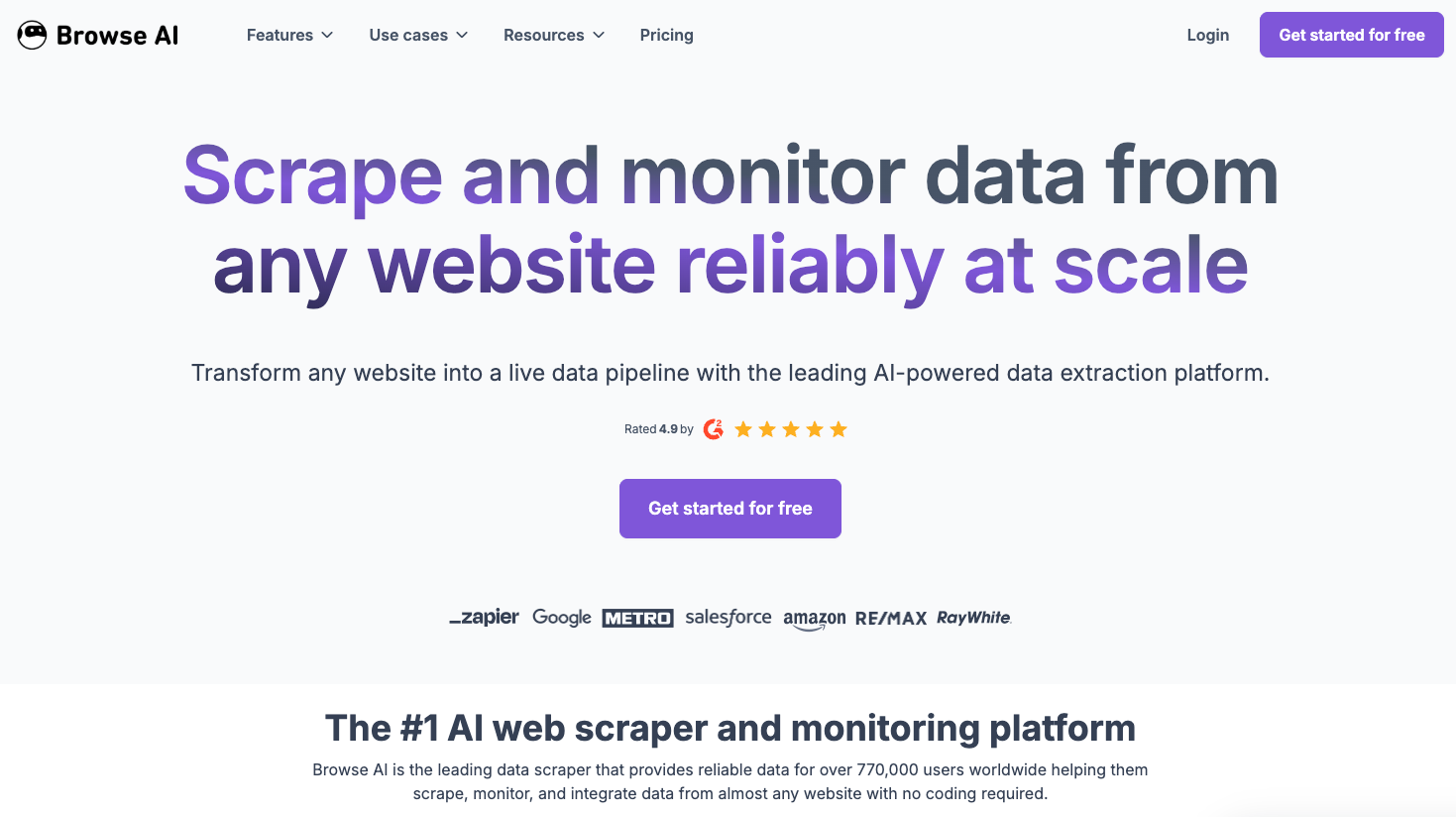
Browse AI is a no-code web scraping and monitoring tool. Users build "robots" through a point-and-click recorder that captures the data fields they want from a page, then schedule those robots to run automatically on whatever cadence they need.
Scale-wise, the product has handled over 43 million tasks and extracted more than 9 billion rows of data. Those numbers reflect how broadly teams use it for structured data work across public websites.
Key Features
- No-code robot builder lets teams record data extraction workflows through a point-and-click interface without writing any code.
- Scheduled runs execute robots automatically on any cadence (daily, weekly, or custom intervals) so data stays fresh without manual effort.
- Multi-URL monitoring watches dozens of pages simultaneously for price changes, stock updates, or new listings.
- Bulk data extraction at scale: the platform has processed over 29 million tasks and returned more than 6 billion rows of structured data.
- Integration-ready output pushes extracted data directly into downstream tools like CRMs, spreadsheets, or webhooks.
Limitations
- Works only on publicly accessible pages — portals that require a login, 2FA, or any authentication step are outside its scope.
- Recorder-based workflows break when a site changes its layout or renames a field, requiring manual re-recording and redeployment.
- Read-only extraction only — the tool cannot submit forms, chain actions across pages, or respond to dynamic page states mid-session.
- No built-in CAPTCHA handling or 2FA support, so verification challenges stop automated runs cold.
- Not built for multi-portal workflows — the recorder model works site by site, not across many portals with different layouts and auth requirements.
Bottom Line
Sales and research teams pulling structured data from stable, publicly accessible pages on a regular schedule will get the most out of Browse AI. It is not suited for teams whose workflows require logging in, submitting forms, or chaining actions across portals, where the recorder-based model breaks down and adds manual maintenance work.
What is Skyvern?

Skyvern is an AI browser automation tool built to automate workflows that live behind web interfaces, forms, and portals where no API exists. Instead of recording clicks or writing XPath selectors, Skyvern reads the live page state visually using computer vision and LLM reasoning, then decides what to do next based on the goal it's been given. When a portal changes its layout or renames a button, Skyvern re-reads the page and keeps going instead of breaking.
The core value proposition: if a human can do it in a browser, Skyvern can automate it without APIs, without brittle scripts, and without breaking when websites change.
Key Features
- Skyvern reads pages visually at runtime, so workflows hold up through layout changes, A/B tests, and portal redesigns that would break selector-based tools.
- Built-in support for authentication flows, 2FA/MFA, CAPTCHA handling, and credential storage means Skyvern can work through login-gated systems without manual intervention.
- Structured data extraction lets workflows return JSON output directly, making it straightforward to push results into downstream systems.
- Concurrency support lets teams run hundreds of browser sessions in parallel, which matters for high-volume operations like insurance eligibility checks or carrier quote collection across dozens of portals.
- A full audit trail is generated for every run, including screenshots and session recordings, which is useful for compliance-sensitive workflows.
Limitations
- Teams automating a single, stable internal tool with an existing API will not see a return on the setup investment. The visual-AI layer is built for portal sprawl and layout instability.
- Cost at scale can add up for very high-frequency, low-complexity tasks where a simpler scripted approach would suffice.
- As a newer entrant, the ecosystem around Skyvern (pre-built templates, third-party integrations, community resources) is still maturing compared to tools that have been around longer.
- Edge cases involving highly dynamic or unusual page structures may still require prompt tuning or workflow adjustments.
Bottom Line
Operations teams running portal-heavy workflows across insurance, logistics, healthcare, or compliance: this is where Skyvern fits. Teams processing eligibility checks across 20+ payer portals, collecting freight quotes from carrier sites, or handling regulatory filings that have no API will get the most out of it. It's not suited for teams whose automation surface is a single internal tool with a stable layout and a working API, where the visual-AI overhead adds cost without adding value.
Data Extraction vs Multi-Step Workflow Automation
Browse AI is built around a specific job: point it at a structured data source, define what you want extracted, and get that data back on a schedule. That model works well for monitoring product prices, tracking competitor listings, or pulling structured records from pages that don't change dramatically between runs. The gap shows up when the workflow requires more than extraction. Submitting a form, working through a multi-step authentication flow, responding to dynamic page states mid-session, or chaining actions across several pages: these are things Browse AI wasn't designed to handle.
Skyvern, on the other hand, treats a browser session as a sequence of decisions. Each step reads the live page state, determines what action fits the current context, and moves forward, including through logins, 2FA prompts, and exception states that would stall a scraper cold. For teams whose actual problem is getting data off a page, Browse AI's point-and-click setup is genuinely faster to deploy. But for teams whose problem involves doing something in a browser (filing, submitting, verifying, working through gated workflows), the extraction model hits a structural wall, and that's where the two tools stop being comparable alternatives. Learn more about how Skyvern handles authentication to understand the technical approach behind these capabilities.
Authentication and Credential Management
Authentication and credential management is where a lot of browser automation breaks down in production. Logging into a portal once is straightforward. Doing it reliably across dozens of portals, at scale, with rotating credentials, 2FA, and CAPTCHA: that's where the architectural differences between Browse AI and Skyvern become concrete.
Browse AI handles authentication for monitored sites through session cookies and saved login flows. For straightforward jobs like monitoring a competitor's pricing page or tracking product availability on a single retailer, this works fine. But when a login flow changes, or a site introduces a new verification step, the recorded session breaks and someone has to go fix it manually.
Skyvern approaches authentication as a runtime problem instead of a setup problem. Instead of replaying a recorded login, Skyvern reads the login page visually at execution time, identifies the fields and buttons by appearance and context, and works through the flow, which means it adapts when a portal adds a step or rearranges its layout.
Concretely, Skyvern supports:
- Credential storage with encrypted vault management, so teams store credentials once and reference them across workflows without hardcoding secrets.
- TOTP-based 2FA handling, where Skyvern generates and submits time-based one-time passwords during login without manual intervention.
- CAPTCHA solving, covering the verification challenges that stop most automation cold.
- Proxy and IP allowlisting support for portals that block non-approved IP ranges.
For operations teams running workflows across many portals with different authentication requirements, the gap here is real. Browse AI is built for monitoring; Skyvern is built for authenticated, multi-step execution at scale.
Handling Website Changes and Maintenance Burden
Maintenance burden is where the architectural difference between Browse AI and Skyvern stops being theoretical and starts costing real time.
Browse AI works by recording interactions against specific page elements. When a site updates its layout, renames a field, or restructures a form, those recorded selectors break. Someone has to go back in, re-record the workflow, test it, and redeploy. For a single site you check occasionally, that overhead is manageable. For teams running dozens of scrapers across sites that update frequently, it compounds fast.
Skyvern reads the live page state at runtime instead of relying on stored selectors. When a portal changes its layout, Skyvern re-reads the page visually and keeps going. There's no re-recording step, no selector patching, and no queued maintenance backlog.
How This Plays Out for Teams
The gap shows up most clearly in two situations:
- Sites that update often, like insurance carrier portals, government filing systems, or e-commerce checkout flows, break selector-based workflows regularly. With Browse AI, each break is a manual fix. With Skyvern, the workflow adapts at runtime without intervention.
- Multi-site workflows running in parallel create compounding maintenance exposure. One update on one site can cascade into a morning of fixes. Skyvern's visual approach absorbs those changes without queuing up work for your team.
RPA teams spend 30-70% of their effort maintaining bots instead of building new ones. Forrester research found that 45% of companies experience weekly bot breakdowns, often from layout changes that break recorded workflows. Selector-based scraping tools carry the same structural liability. For a deeper look at what causes these failures, see our guide on common mistakes in browser automation.
Pricing and Scale Considerations
Pricing structures tell you a lot about who a tool was actually built for.
Browse AI operates on a credit-based model. Credits are consumed per action, and costs scale with the number of runs, pages crawled, and data rows extracted. The entry-level plan covers basic scraping use cases, but teams running multi-step workflows or high-volume extractions burn through credits quickly. At scale, that math can get uncomfortable.
Skyvern's pricing reflects its positioning as an agentic workflow tool. You're paying for task execution across complex, multi-page workflows, not per-page scrapes. For teams running a handful of deep automation workflows, that model often works out favorably. For teams running thousands of lightweight single-page extractions, it can cost more than a scraping-first tool would.
Where Scale Changes the Calculation
A few factors shift the pricing comparison considerably as volume grows:
- Browse AI credit costs scale linearly. Credits accumulate predictably for repetitive, single-site scraping jobs; straightforward to budget for ops teams running the same extraction weekly.
- Skyvern tasks absorb multi-step complexity. A workflow covering login, form submission, and data extraction runs as one task instead of several sequential credit draws.
- Maintenance costs belong in the calculation. When a portal changes layout and Browse AI's recorder breaks, someone rebuilds the workflow. Skyvern re-reads the page visually at runtime, keeping those rebuild costs low.
Neither tool is universally cheaper. In practice, Browse AI wins on unit cost for simple, stable, high-volume scraping. Skyvern wins on total cost of ownership for complex, auth-heavy, or frequently changing workflows.
Side-by-Side Comparison
Dimension | Browse AI | Skyvern |
|---|---|---|
Core Approach | Records interactions once and replays them on schedule as long as page layout stays consistent | Reads live page state visually at runtime using computer vision and LLM reasoning |
Authentication Handling | Handles authentication through session cookies and saved login flows that break when verification steps change | Works through login flows at execution time, supporting credential storage, TOTP-based 2FA, and CAPTCHA solving |
Response to Website Changes | Recorded selectors break when sites update layout or rename fields, requiring manual re-recording and redeployment | Re-reads page visually at runtime and adapts to layout changes without requiring workflow updates |
Best Fit | Sales and research teams pulling structured data from stable public pages without authentication requirements | Operations teams running authenticated multi-step workflows across portals in insurance, logistics, or compliance where APIs do not exist |
Why Skyvern is the Better Choice
Skyvern takes a fundamentally different architectural approach. Instead of recording click paths or relying on CSS selectors that snap the moment a portal restructures its layout, Skyvern reads the live page state visually at runtime using computer vision and LLM reasoning. When a carrier portal renames a button or shifts a form field, Skyvern re-reads the page and keeps going. Browse AI, on the other hand, depends on pre-configured scrapers that require manual intervention when site layouts change.
That architectural gap shows up most clearly in three areas: authentication handling, workflow complexity, and production reliability.
Authentication and Multi-Step Workflows
Browse AI can extract data from pages you can already reach. But if a workflow requires logging in, working through 2FA, solving a CAPTCHA, or rotating credentials across dozens of portals, Browse AI hits a wall. Skyvern handles all of that natively. Credentials are stored securely, TOTP-based 2FA runs automatically, and CAPTCHA detection is built in.
Self-Healing at Scale
Browse AI scrapers need rebuilding when sites change. Skyvern's visual-AI layer re-reads the live page at runtime, so layout changes don't require developer intervention. For teams running automation across 20+ portals, that difference compounds fast.
Audit Trails and Governance
Every Skyvern run produces a full audit trail with screenshots, action logs, and structured output. For operations teams in compliance-sensitive industries, that traceability isn't optional. Browse AI offers monitoring, but not the same depth of per-run governance that compliance workflows require.
Code Example: Running an Authenticated Carrier Portal Workflow
The snippet below shows what it looks like to pull a freight quote from a carrier portal using the Skyvern Python SDK. Credentials are stored once in the encrypted vault. The workflow reads the login page visually at runtime, works through any 2FA prompt, and returns structured JSON without a single selector in the code.
from skyvern import Skyvern

client = Skyvern(api_key="YOUR_SKYVERN_API_KEY")

# Store credentials once — referenced by ID at runtime, never passed to the LLM
credential = client.create_credential(
    name="carrier-portal-login",
    username="ops-team@yourcompany.com",
    password="your-portal-password",
    totp_secret="BASE32_TOTP_SECRET",  # Only needed if the portal uses TOTP-based 2FA
)

# Run the authenticated workflow
task = client.run_task(
    url="https://carrierportal.example.com/quote",
    navigation_goal=(
        "Log in, navigate to the freight quote form, "
        "enter a 10-pallet shipment from Chicago to Atlanta, "
        "submit the form, and extract the returned rate."
    ),
    credential_id=credential.id,       # Vault credential — no plaintext secrets in code
    totp_identifier="carrier-portal-login",  # Routes the TOTP code during 2FA
    data_extraction_schema={
        "quote_number": "string",
        "rate_usd": "number",
        "transit_days": "number",
        "carrier_name": "string",
    },
    wait_for_completion=True,          # Block until the task finishes
)

print(task.status)   # "completed"
print(task.output)   # {"quote_number": "Q-88421", "rate_usd": 1240.00, ...}
Because the workflow reads pages visually instead of relying on CSS selectors, it keeps running when the carrier portal rearranges its form fields or adds a new verification step with no re-recording nor selector patching required.
Final Thoughts on Skyvern vs Browse AI
Browse AI monitors and extracts. Skyvern executes. If your workflow stops at pulling product prices or tracking page changes on public sites, Browse AI's recorder setup is faster. But when the work involves logging in, submitting forms, working through 2FA, or chaining actions across portals that redesign quarterly, the visual-AI layer stops being overhead and starts being the only thing that holds up in production.
Talk to our team if you're managing workflows across 20+ portals and tired of rebuilding scrapers every time a site updates.
FAQ
How should I decide between Browse AI and Skyvern for my automation needs?
The decision comes down to workflow complexity and authentication requirements. Browse AI fits teams extracting data from public pages on a schedule: competitor pricing, product listings, or lead information, where no login is required. Skyvern fits operations teams running authenticated, multi-step workflows across portals that change frequently, like insurance eligibility checks or carrier quote collection, where credential management and self-healing automation matter.
What's the core difference between data extraction and workflow automation?
Browse AI is built to point at a page, extract structured data, and return it on a schedule. It records what you want once and replays that extraction. Skyvern treats the browser as a decision-making environment where each step reads the live page state, works through authentication, submits forms, and chains actions across multiple pages. If your workflow stops at "get this data off the page," extraction tools work. If it requires "log in, fill this form, submit, then extract the result," you need workflow automation.
Who is Browse AI best for, and who should look at Skyvern instead?
Browse AI works for sales and research teams pulling structured data from stable public websites without login requirements: building lead lists, monitoring product availability, or tracking pricing across competitor sites. Skyvern is built for operations teams in insurance, healthcare, logistics, or compliance managing workflows across 10+ portals with authentication, 2FA, and layouts that change regularly, where selector-based tools break and pile up maintenance work.
What happens when a portal I'm automating changes its layout?
Browse AI records interactions against specific page elements, so when a site updates its layout or renames a field, the workflow breaks and someone has to re-record it manually. Skyvern reads the live page state visually at runtime using computer vision and LLM reasoning, so when a portal changes, it re-reads the page and keeps going without requiring code updates or re-recording. The workflow self-heals through layout changes.
Does switching to Skyvern mean I need technical resources to build workflows?
Not for standard portal workflows. Teams have trained non-technical staff to build automations independently using Skyvern's visual workflow builder and run largely self-sufficient. However, complex multi-step workflows with conditional logic or edge cases may require onboarding time to configure correctly, and teams without any technical context should plan for that learning curve during implementation.
Keep reading

Browser Use vs Browserbase: my honest comparison
Browserbase and Browser Use can both automate work in a browser, from collecting product data to filling out forms. Choosing between them comes down to what you want to build: a task you hand to an AI agent, a custom agent inside your application, or browser infrastructure for scripts you already run. I’m Skyvern’s co-founder and CEO by the way. We build a competing product, so I have a stake in this comparison. But I promise I won't promote our product (even though it's a great alternative to

6 Stagehand alternatives for browser automation in 2026
If you're looking for Stagehand alternatives, you probably want an AI browser agent that: * Works natively with Python scripts. * Can navigate and scrape complex websites efficiently. * Stays reliable as your workload grows from a few runs to thousands of browser jobs. That's the kind of workflow I built Skyvern for (Skyvern CEO here). I know, I know, Skyvern CEO's recommending Skyvern as a good alternative. Please just stay with me for a second here. Yes, Skyvern is a good Stagehand alt

Browser Use vs Stagehand: Which One Should You Pick?
Browser Use and Stagehand both let you use AI to automate browser tasks, such as collecting product data or filling out forms. When you’re deciding which to build with, their feature lists only tell you so much. You want to know how much code you’ll need to write, whether the automation completes your task correctly, and what repeated runs will cost. I'll be upfront: we build Skyvern, a competitor to both, but this blog post won't shill our product (you can try it here though). I’m keeping thi
Put the browser to work
Use Skyvern for the work that lives in a browser.
Turn repetitive browser tasks into reliable workflows with Skyvern.