
Best RPA Software for 2026: Complete Buyer's Guide and Expert Comparison

You're comparing RPA tools and they all promise the same thing: automate repetitive tasks, save time, reduce errors. But, the demos don't show you everything, like how each tool handles website layout changes, authentication updates, and unexpected form variations that break traditional bots. This guide cuts through the marketing and shows you which solutions actually keep working after deployment, beyond the proof of concept.
TLDR:
- RPA software automates repetitive browser tasks but traditional tools break when websites change
- 30-50% of RPA projects fail due to maintenance costs from brittle selector-based automation
- AI-powered RPA uses LLMs to adapt to website changes without manual script updates
- Skyvern automates browser workflows across multiple sites with one API, handling 2FA and CAPTCHAs
- Free RPA tools require constant manual fixes while AI solutions reduce long-term maintenance costs
What Is RPA Software and How Does It Work
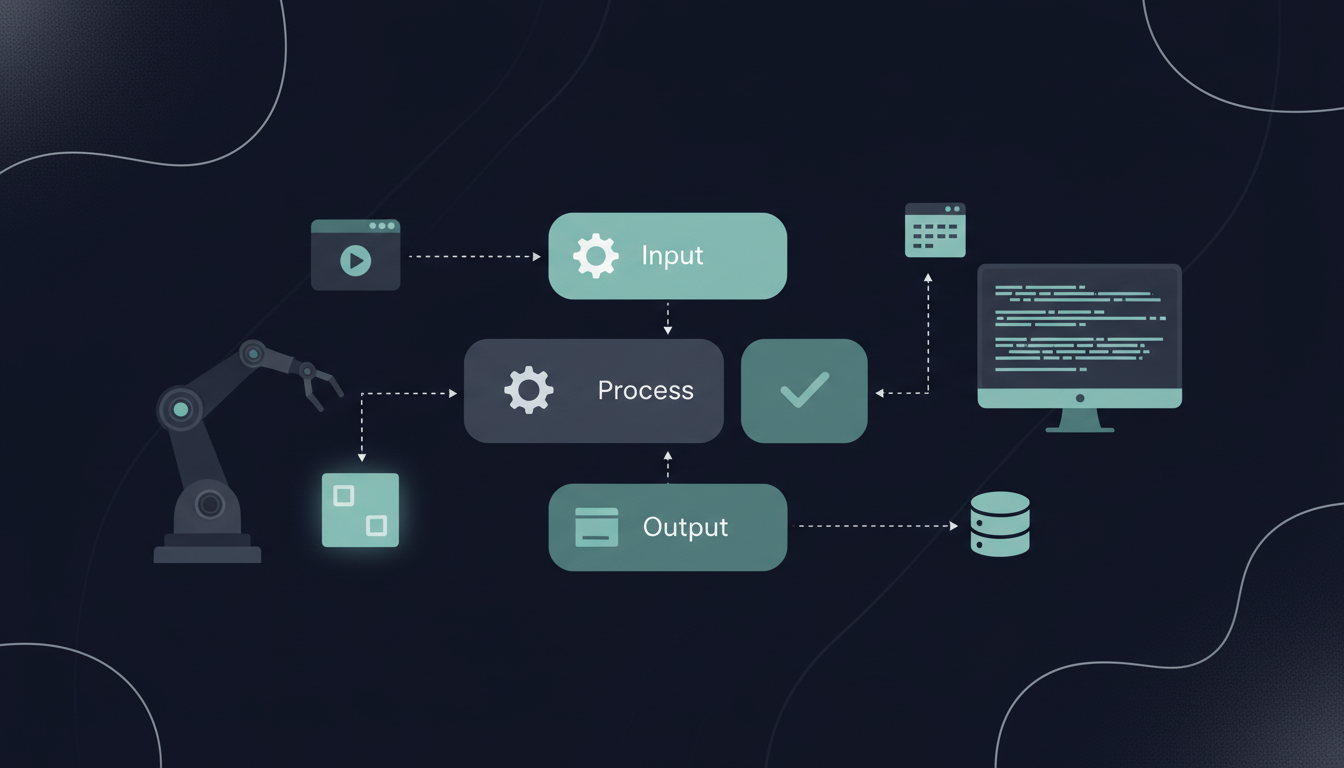
RPA software automates repetitive, rule-based tasks typically performed by humans in browsers or desktop applications. It sits on top of existing applications without requiring API integrations or changes to underlying systems, making it useful for automating legacy software or third-party websites. In short, RPA bots function as digital workers that log into systems, fill forms, copy data, download files, and move information between applications. The software records or learns a sequence of actions you perform on your computer. Once programmed, the bot replicates those exact steps whenever triggered. Most RPA tools identify screen elements through coordinates, image recognition, or XPath selectors to determine where to click, type, or extract data.
Traditional RPA bots follow predetermined scripts and execute tasks in the same order every time, making them fast and reliable for structured processes. However, if a website changes its layout or a button moves, the bot typically breaks and needs manual reconfiguration.
RPA Software Market Overview in 2026
The RPA software market continues rapid expansion. Market size grew from USD 35.27 billion in 2026 and is projected to reach USD 247.34 billion by 2035, at a 24.20% CAGR. For companies considering RPA now, the market is maturing quickly. More vendors are entering the space, driving competition and better pricing. Free tiers and usage-based options are replacing enterprise-only contracts. You'll find more documentation, community support, and integration options than existed two years ago. But waiting has real costs. Competitors implementing RPA now gain compounding advantages in speed and cost savings. The shift toward AI-powered RPA is accelerating this timeline.
Types of RPA Software: Rule-Based vs Knowledge-Based Solutions
RPA software splits into two categories based on decision-making capabilities: rule-based and knowledge-based.
Rule-Based RPA
Rule-based RPA follows predefined workflows without deviation. You map exact steps, and the bot executes them in sequence. These tools work well for high-volume, repetitive tasks like data entry, invoice processing, and report generation where the process stays constant. The catch? When the bot hits something unexpected, it stops. A missing form field or different data format causes failure or incorrect output.
Knowledge-Based RPA
Knowledge-based RPA uses AI and machine learning to handle variability. These systems read unstructured documents, interpret context, and adjust actions based on what they find. Knowledge-based RPA held 56.58% of the market in 2026, driven by demand for bots that adapt.
A Side-by-Side Comparison Of The Two Approaches
Choose rule-based RPA for stable, predictable workflows where speed matters. Pick knowledge-based solutions for variable inputs, multiple website layouts, or processes requiring judgment.
Feature | Rule-Based RPA | Knowledge-Based RPA |
|---|---|---|
Decision Making | Follows predefined workflows only | Uses AI/ML to adapt and interpret context |
Best Use Cases | Data entry, invoice processing, report generation | Unstructured documents, variable website layouts, processes requiring judgment |
Handling Unexpected Changes | Stops or fails when encountering variations | Adapts to changes and continues execution |
Implementation Speed | Faster initial setup | Longer initial setup with training required |
Maintenance Requirements | High - breaks with any process changes | Lower - adapts to variations automatically |
Market Share (2026) | 43.42% | 56.58% |
Real World RPA Use Cases by Industry
So how is RPA used in the real world? Here are a few use cases to get you thinking about how RPA fits into your business:
- Banking. These companies use RPA for account reconciliation, fraud detection, and regulatory reporting. Bots pull transaction data from multiple systems, match records, and flag discrepancies without manual review. Compliance teams automate KYC checks by extracting customer documents and populating forms across verification systems.
- Healthcare organizations. These companies deploy RPA for claims processing and prior authorization. Bots read patient records, verify insurance eligibility, submit claims to payers, and track reimbursement status. This reduces processing time from days to hours while cutting manual data entry errors.
- Manufacturing. These companies apply RPA to purchase order processing and supplier management. Bots monitor inventory levels, generate requisitions, and submit orders across vendor portals. Supply chain teams automate shipment tracking by logging into carrier websites and extracting delivery updates.
- Retail chains. These companies use RPA for inventory synchronization between online and physical stores. Bots update product availability, process returns across channels, and sync sales data from point-of-sale systems to accounting software.
Free and Open Source RPA Tools
Several open source RPA tools deliver automation capabilities without licensing fees. These work well for small teams testing automation or handling simple workflows before investing in commercial solutions. Keep in mind, though, that free RPA tools typically require manual coding for each website, break when layouts change, and offer limited support channels. Maintenance becomes the hidden cost as your team fixes broken scripts and adds new workflows. When automation covers multiple websites, handles authentication, or needs reliability at scale, paid solutions reduce total cost of ownership.
Robot Framework
Robot Framework is an open source automation tool built on Python. It handles web automation, desktop applications, and API testing through keyword-driven test cases. The learning curve is moderate, with extensive documentation and community plugins available. It's free to download and deploy, but requires developer time to build and maintain workflows.
TagUI
TagUI automates web interactions using simple text commands. You write workflows in plain English instead of code, making it accessible for non-developers. It supports Chrome, Firefox, and headless execution. The tool handles clicking, form filling, and data extraction but struggles with complex websites or dynamic content.
UI.Vision
UI.Vision runs as a browser extension for Chrome and Firefox. It records macros and automates web tasks through visual recognition. The free version includes basic automation, but file operations and advanced features require paid upgrades.
Enterprise RPA Software Platforms
Just like free tools, there are multiple enterprise RPA platforms available. But, all enterprise RPA vendors share the same core limitation: they depend on fixed selectors and predetermined workflows that break when websites change. Maintenance becomes the ongoing challenge as your team fixes broken bots and updates scripts.
UIPath
UiPath leads the enterprise RPA market with a visual workflow designer and prebuilt automation templates. The software handles complex workflows across web, desktop, and legacy applications. UiPath works well for large organizations running hundreds of bots across departments, with strong governance and analytics features. The downside is cost and complexity. Smaller teams often find the licensing expensive and the setup time lengthy. UiPath requires dedicated RPA developers to build and maintain workflows, and bots still break when websites change layouts.
Automation Anywhere
Automation Anywhere offers cloud-native RPA with built-in analytics and bot management. It excels at scaling automation across multiple business units with centralized control. The software includes AI-powered document processing for invoices and forms. Automation Anywhere fits organizations with distributed teams needing cloud deployment. However, the pricing model gets expensive as you add users and bots, and workflows still rely on brittle selectors that fail with website updates.
Blue Prism
Blue Prism targets compliance-heavy industries like finance and healthcare with strong security and audit trails. The software runs on-premises or in private clouds, giving IT teams full control. Blue Prism works for compliance-heavy environments where audit history and access controls matter. The tradeoff is a steeper learning curve and higher implementation costs compared to newer RPA tools.
Microsoft Power Automate
Microsoft Power Automate integrates directly with Office 365, Dynamics, and Azure services. It handles both attended automation on employee desktops and unattended bots running on servers. Power Automate makes sense if you already use Microsoft tools and need simple automation between Microsoft apps. For complex workflows or non-Microsoft websites, it lacks the depth of dedicated RPA vendors.
Common RPA Implementation Challenges and Failure Rates
30-50% of RPA projects fail, with most failures happening within the first year. Companies invest months building bots only to abandon them when maintenance costs exceed the value they deliver. Implementing RPA, then, is not without its challenges. Consider these common implementation challenges as you assess your own RPA opportunity:
- Poor process selection kills most projects. Teams automate workflows that change frequently or require human judgment, creating bots that need constant updates. You need stable, high-volume processes for RPA to work. Automating exceptions or edge cases wastes development time.
- Inadequate business engagement creates another failure mode. IT builds bots without input from the teams actually doing the work, missing critical steps or special cases. When bots go live, they handle the happy path but fail on real-world variations that process owners would have flagged.
- The maintenance burden destroys ROI over time. Selector-based tools create dependencies on specific page elements, button positions, and data formats. A single website redesign breaks every bot touching that site. Your team spends more time fixing broken automation than building new workflows.
- Human resistance compounds technical problems. Employees fear job loss and withhold process knowledge. Without buy-in from the people who understand the work, bots automate incomplete or incorrect procedures.
How to Choose RPA Software for Your Organization
When you've concluded that RPA is something from which your business can benefit, you should make your selection using a clear process:
- Step 1. Start by mapping your process requirements. Count monthly transaction volumes, list systems involved, and identify decision points where human judgment is needed. High-volume, structured tasks with minimal variation make better candidates than complex workflows requiring interpretation.
- Step 2. Check integration capabilities with your existing systems. RPA tools that connect directly to your ERPs, CRMs, or databases reduce dependency on screen scraping. Review authentication methods the tool supports, especially if you need to automate behind two-factor authentication or SSO.
- Step 3. Check maintenance demands before committing. Ask vendors how their bots handle website layout changes. Tools using fixed selectors require constant updates. Request demo scenarios where a website's HTML structure changes to see if the bot adapts or breaks.
- Step 4. Calculate total cost beyond licensing. Factor in developer time for building workflows, ongoing maintenance hours, and infrastructure costs for running bots. Free tools with high maintenance overhead often cost more than commercial solutions with lower upkeep.
- Step 5. Test with real workflows before expanding. Run a pilot on one repetitive process for 90 days. Track time saved, errors introduced, and hours spent fixing broken bots.
AI-Powered Browser Automation: The Next Generation of RPA
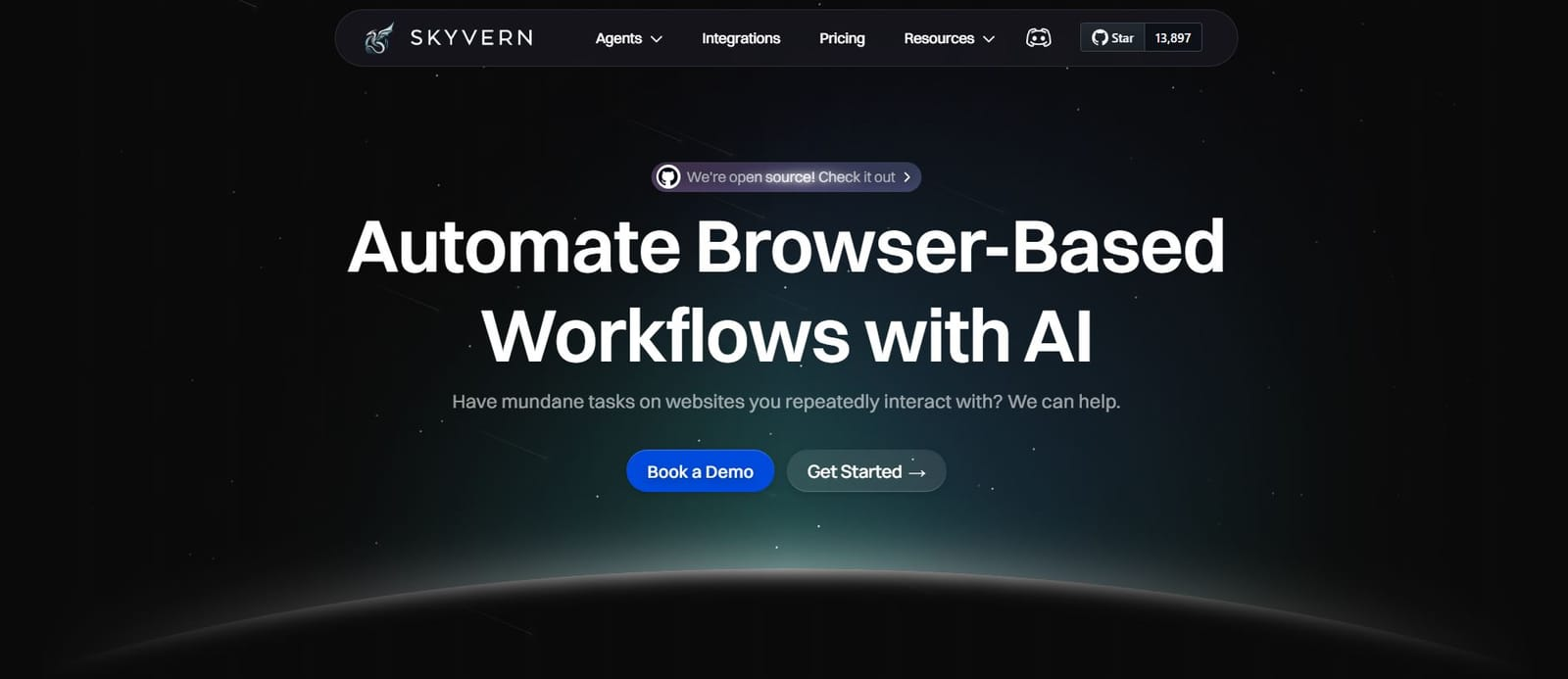
AI-powered browser automation solves the brittleness problem that breaks traditional RPA. Instead of relying on fixed selectors that fail when websites change, LLM-based tools use computer vision to understand page layouts dynamically and adapt to changes automatically. These systems read websites like humans do. They identify form fields, buttons, and data by visual context instead of XPath coordinates. When a website redesigns its interface, the automation continues working without manual updates.
Skyvern takes this approach by combining LLMs with computer vision to automate browser workflows through a simple API. The system operates on websites it's never seen before without requiring custom code for each site. A single workflow definition works across multiple vendor portals or data sources, eliminating the per-site scripting that makes traditional RPA expensive to scale.
Here's how you define a reusable workflow that adapts to different vendor portals:
from skyvern import Skyvern

# Initialize client
client = Skyvern(api_key="your_api_key")

# Create a reusable workflow for vendor quote requests
workflow = client.workflows.create(
    title="Vendor Quote Request Workflow",
    description="Request quotes across multiple vendor portals",
    workflow_definition={
        "parameters": [
            {"key": "vendor_url", "parameter_type": "string"},
            {"key": "product_name", "parameter_type": "string"},
            {"key": "quantity", "parameter_type": "integer"}
        ],
        "blocks": [
            {
                "block_type": "task",
                "url": "{{vendor_url}}",
                "navigation_goal": "Find {{product_name}} and request a quote for {{quantity}} units",
                "data_extraction_goal": "Extract quote price, lead time, and confirmation number"
            }
        ]
    }
)

# Run the same workflow across different vendors
vendors = [
    {"vendor_url": "https://vendor-a.com", "product_name": "Widget X", "quantity": 100},
    {"vendor_url": "https://vendor-b.com", "product_name": "Widget X", "quantity": 100}
]

for vendor in vendors:
    run = client.workflows.run(workflow.id, parameters=vendor)
    print(f"Quote from {vendor['vendor_url']}: {run.extracted_data}")
This workflow runs identically across vendor sites with completely different layouts, without any site-specific selectors. The tech handles authentication flows including 2FA, solves CAPTCHAs, and fills forms with context-aware reasoning. When Skyvern encounters questions about eligibility or product equivalents, the LLM interprets requirements and selects appropriate options instead of failing on unexpected scenarios. This removes the maintenance cycle causing 30-50% of RPA projects to fail. Your team builds workflows once instead of fixing broken selectors after every website update.
Here's how you set up a basic Skyvern workflow using the Python SDK:
from skyvern import Skyvern

# Initialize Skyvern client
client = Skyvern(api_key="your_api_key")

# Create a task to automate form filling
task = client.tasks.create(
    url="https://example.com/contact-form",
    navigation_goal="Fill out the contact form with provided information",
    data_extraction_goal="Extract confirmation message after submission",
    navigation_payload={
        "name": "John Doe",
        "email": "john@example.com",
        "message": "Request for product demo"
    }
)

# Execute the task
result = client.tasks.execute(task.id)
print(result.extracted_data)
Final Thoughts on RPA Automation Tools
The gap between traditional RPA automation software and AI-powered solutions is widening fast. Selector-based bots still require constant fixes after website changes, while LLM-driven automation adapts without manual updates. Your team's time is better spent building new workflows than fixing broken ones. We think computer vision beats XPath selectors every time. Schedule a demo to see the difference on your own processes.
FAQ
What's the main difference between rule-based and knowledge-based RPA software?
Rule-based RPA follows exact predetermined steps and breaks when it hits unexpected changes, while knowledge-based RPA uses AI to interpret context and adapt to variability like different data formats or website layouts.
How long does it typically take before most RPA projects fail?
30 to 50% of initial RPA projects fail within the first year, usually because maintenance costs exceed the value delivered or because teams chose processes that change too frequently.
Can traditional RPA tools handle website redesigns without breaking?
No, traditional RPA tools use fixed selectors like XPath coordinates that break when websites change their layout, requiring manual reconfiguration and creating ongoing maintenance overhead.
When should I consider AI-powered browser automation instead of traditional RPA?
If you're automating across multiple websites with different layouts, dealing with frequent website changes, or spending considerable time maintaining broken selectors, AI-powered tools that use computer vision eliminate these brittleness issues.
What types of processes work best for RPA automation?
High-volume, repetitive tasks with minimal variation work best, like invoice processing, data entry, or form filling where the process stays constant and doesn't require complex human judgment.