
Automating Healthcare Insurance Eligibility Verification on Payer Portals (April 2026)

Manual eligibility verification costs $6.78 per transaction, according to 2025 CAQH data. Electronic verification costs $0.34. The math makes automation obvious, but most practices gave up on it because maintaining scripts across 20 different payer portals became a full-time job. Insurance eligibility verification automation that uses computer vision instead of HTML selectors means portals can update their UI without breaking your workflows.
TLDR:
- Manual eligibility verification costs $6.78 per transaction vs $0.34 automated
- Eligibility failures drive 20% of claim denials, creating expensive rework cycles
- Each payer portal has different UI, breaking traditional automation when updated
- Skyvern uses computer vision to verify across any payer portal without maintenance
- Skyvern automates insurance eligibility verification using AI-powered browser automation that handles 2FA, CAPTCHAs, and parallel execution across multiple payer portals simultaneously
Manual Eligibility Verification Costs Healthcare Organizations $6.78 Per Transaction
Manual insurance eligibility verification costs $6.78 per transaction, according to 2025 CAQH Index data. Electronic verification runs $0.34. For a health system processing 500 verifications a day, that gap translates to over $1.2 million in unnecessary annual spend.
But the dollar figure is only part of the problem. Each manual check ties a staff member to a phone call or payer portal session that can take five to fifteen minutes. Across a busy multi-facility system, that time reduces patient-facing capacity.
When a verification gets skipped or entered incorrectly, it creates a claim that will likely be denied, which costs additional staff time to rework.
Why Eligibility Verification Failures Drive 20% of All Claim Denials
Claim denials are expensive and largely preventable. KFF found 19% in-network denial rates, with coverage and authorization errors accounting for a large share. Eligibility failures sit at the root of most of them.
If a patient's coverage status is wrong at the time of service, the claim built on that data is wrong too. US payer denial rates reached 15-20%, and each denied claim requires staff time to investigate, correct, and resubmit, often taking weeks.
Eligibility verification is the checkpoint that determines whether everything downstream works.
Verification Method | Cost Per Transaction | Processing Speed | Portal Maintenance Required | 2FA & CAPTCHA Handling | Parallel Processing |
|---|---|---|---|---|---|
Manual Verification | $6.78 per transaction, with additional staff time for rework on denied claims | 5-15 minutes per verification, creating capacity bottlenecks during high-volume periods | None, but requires staff to learn and adapt to each portal's unique interface manually | Manual intervention required for every authentication step across all payer portals | Limited to one verification per staff member at a time, scaling linearly with headcount |
Traditional Electronic Verification (Selenium/Playwright) | $0.34 per transaction when scripts are working, but includes hidden engineering maintenance costs | Automated speed when functional, but frequent downtime when portals update their UI | Constant maintenance required as each payer portal update breaks HTML selectors and requires script rewrites | Breaks frequently with authentication changes, requiring custom code for each payer's 2FA implementation | Possible but limited by script fragility, with all parallel sessions stopping when any portal changes |
Skyvern Computer Vision Automation | $0.34 per transaction with no ongoing engineering maintenance overhead | Minutes for entire daily schedule processed concurrently across all payer portals | Zero maintenance needed as computer vision reads portals by appearance instead of fragile HTML selectors | Native support for SMS codes, authenticator TOTP, and CAPTCHA solving without human intervention | Simultaneous browser sessions across every payer portal, processing hundreds of verifications concurrently |
Each Payer Portal Presents a Different Verification Interface
Log into UHC's portal and you'll encounter one authentication flow, one form layout, one set of field labels. Switch to Aetna and you're starting over. Cigna, BCBS, Humana: each portal is its own universe, built independently, updated on its own schedule, with no obligation to resemble anything else.
For teams running traditional automation scripts, this fragmentation is a maintenance nightmare. A Selenium workflow built for one payer breaks the moment that payer redesigns a login page or renames a dropdown. With 20 or more payers in a typical network, each script becomes its own maintenance project.
The practical result: most practices don't automate at all. Staff log in manually, portal by portal, entering the same patient data repeatedly into interfaces that share no common structure. That's hours of repetitive work every single day, work that scales directly with patient volume and never gets faster.
Real-Time Verification Prevents Surprises at Point of Service
Pre-service verification changes the equation entirely. When eligibility checks run before the appointment, coverage gaps, coordination of benefits conflicts, plan changes, and benefit limitations surface while there's still time to act. Staff can contact the payer, adjust the authorization, or have a transparent conversation with the patient about expected costs.
There are a number of reasons why that proactive window matters:
- A patient informed about a coverage gap before their visit can reschedule, seek an alternative, or make an informed financial decision instead of receiving a surprise bill weeks later.
- Patients who receive cost estimates before their appointment are far more likely to pay on time and rate their experience positively.
- When a patient carries two insurance plans, verifying which is primary requires checking both payers, and getting it wrong triggers a denial and a full restart of the billing process.
Traditional Automation Breaks When Payer Portals Update Their UI
Selenium and Playwright scripts work by targeting specific HTML elements: a login button with a particular CSS class, a dropdown with a specific XPath. When the portal changes, that element identifier changes too. The script fails silently, and no verifications run until someone fixes the code.
Payer portals update without warning. A redesigned login page, a renamed form field, a new authentication step can break any script built against the previous version. With 20+ payers in a typical network, breakages happen constantly.
The maintenance math gets ugly fast. Each broken script requires an engineer to identify the failure, reverse-engineer the new page structure, update the selectors, and test against the live portal. Many practices quietly abandon automation entirely and return to manual verification.
"The hardest part isn't building the automation. It's keeping it working three months later when the payer quietly redesigns their portal."
There's also a gap risk that's easy to underestimate. During the window between a portal change and a repaired script, verifications revert to manual. For a high-volume practice, even a two-day outage represents hundreds of unverified appointments, all of them potential denial risks.
How Browser Automation Works Across Unseen Payer Portals
Traditional scripts look for HTML elements by their technical identifiers. Skyvern reads the page the way a human does, seeing a "Member ID" field as a labeled input to fill instead of a CSS selector to target.
Computer vision and LLMs parse what's visible in the viewport, identify interactive elements by their meaning and context, and decide what actions to take next. A login form on Aetna's portal and a login form on Humana's portal look structurally different in HTML but functionally identical to a visual reader. The same workflow handles both without modification.
When a payer updates their UI, nothing breaks. There are no stored selectors to invalidate. The system reads the new layout by appearance and context instead of fragile XPath selectors, and keeps working.
Automating Eligibility Verification Without Breaking Your Existing Systems
Healthcare organizations don't replace their practice management systems or EHRs to add eligibility automation. The automation layer sits on top of what already exists.
Skyvern connects via API. Your PM system or scheduling tool sends patient and appointment data, Skyvern handles every portal interaction in the background, and verification results return as structured JSON for your system to consume. The workflow runs entirely behind the scenes, without touching your clinical infrastructure.
Deployment options matter here too. For organizations with HIPAA requirements, self-hosted and VPC deployment options keep protected health data inside your environment. No data leaves to a shared cloud, and there's no compliance exception to request.
Most teams are running their first automated verification workflow within a few hours of setup, without waiting on EHR vendor timelines, integration projects, or IT migrations.
Handling 2FA, CAPTCHAs, and Session Management Across Payer Portals
Payer portals don't make authentication easy. Most require MFA on every session. Some deploy CAPTCHAs. Session timeouts vary: one portal may log you out after five minutes of inactivity, another after thirty. Any automation that can't handle these layers stops at the login screen.
Skyvern handles the full authentication stack natively:
- SMS and authenticator app TOTP codes are intercepted and submitted automatically, without manual intervention mid-workflow
- CAPTCHAs are solved in-session, keeping verifications running without human assistance
- Sessions persist across multi-step flows and respect each portal's timeout behavior
- Credentials for every payer are stored securely and never passed through LLMs
That last point matters for compliance. Credential management keeps usernames and passwords out of the AI layer entirely, which is a requirement for any HIPAA-capable deployment handling protected health information across dozens of payer accounts.
Storing payer credentials and wiring up TOTP for a portal that requires 2FA takes just a few lines:
from skyvern import Skyvern
import asyncio

skyvern = Skyvern(api_key="YOUR_API_KEY")

async def setup_payer_credentials():
    # Store portal credentials — never passed through the LLM
    credential = await skyvern.create_credential(
        name="UHC Provider Portal",
        credential_type="password",
        credential={
            "username": "your_provider_username",
            "password": "your_portal_password",
            # TOTP secret from the portal's MFA setup (scan QR or enter manually)
            "totp": "JBSWY3DPEHPK3PXP"
        }
    )
    print(f"Credential stored: {credential.credential_id}")
    return credential

asyncio.run(setup_payer_credentials())
Once credentials are stored, Skyvern resolves them automatically at login time. No usernames or passwords appear in task prompts or LLM context — the credential ID is the only reference passed at runtime.
Running Hundreds of Eligibility Checks in Parallel Instead of Sequentially
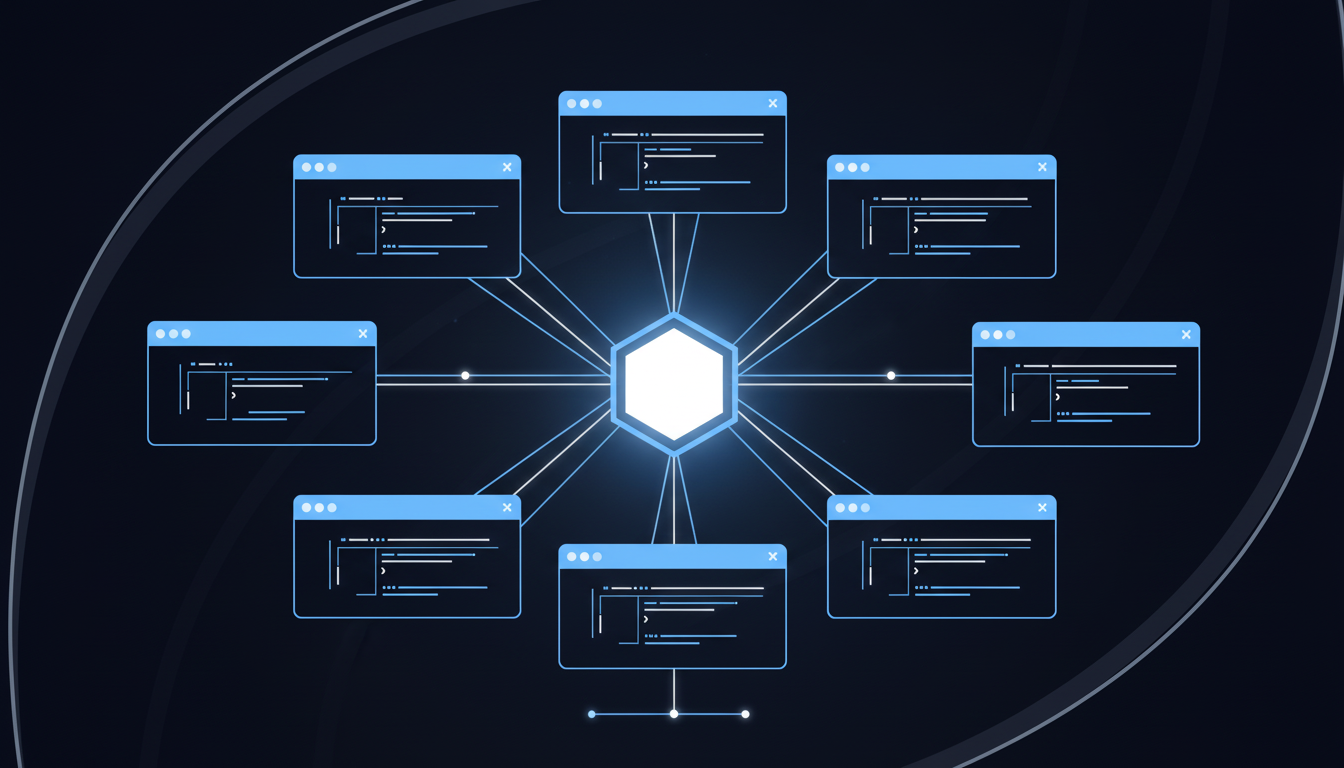
Sequential verification has a ceiling. One staff member, one portal, one patient at a time: a 200-appointment schedule takes most of the morning.
With Skyvern, you can kick off the entire day's schedule at once using asyncio.gather — each patient runs in its own browser session across whatever payers are in your network:
from skyvern import Skyvern
import asyncio

skyvern = Skyvern(api_key="YOUR_API_KEY")

PAYER_PORTAL_URLS = {
    "UHC":   "https://provider.uhc.com/eligibility",
    "Aetna": "https://navinet.net/eligibility",
    "Cigna": "https://cignaforhcp.cigna.com/eligibility",
    "BCBS":  "https://provider.bcbs.com/eligibility",
}

async def verify_patient(patient):
    portal_url = PAYER_PORTAL_URLS.get(patient["payer"])
    task = await skyvern.run_task(
        url=portal_url,
        prompt="Verify eligibility for the patient. COMPLETE when coverage details are displayed.",
        navigation_payload={
            "member_id":        patient["member_id"],
            "date_of_birth":    patient["dob"],
            "date_of_service":  patient["appointment_date"]
        },
        webhook_url="https://your-pm-system.com/webhooks/eligibility"
    )
    return {"patient_id": patient["id"], "task": task}

async def verify_daily_schedule(schedule):
    # Runs all verifications concurrently — no sequential bottleneck
    results = await asyncio.gather(
        *[verify_patient(p) for p in schedule],
        return_exceptions=True
    )
    return results

# Example: 200-patient morning schedule processed in parallel
daily_schedule = [
    {"id": "P001", "payer": "UHC",   "member_id": "U12345", "dob": "1980-03-15", "appointment_date": "2026-05-01"},
    {"id": "P002", "payer": "Aetna", "member_id": "A67890", "dob": "1972-09-22", "appointment_date": "2026-05-01"},
    # ... up to 200+ patients
]

results = asyncio.run(verify_daily_schedule(daily_schedule))
print(f"Submitted {len(results)} verifications")
Parallel execution removes that ceiling entirely. Instead of checking patients one by one, Skyvern opens simultaneous browser sessions across every payer portal in your network, running the full day's schedule at once. UHC, Aetna, Cigna, and BCBS all verify concurrently, each session handling its own authentication flow and portal logic independently.
A schedule that takes hours manually completes in minutes. Staff who were logging into portals all morning shift to reviewing flagged exceptions and reaching out to patients with coverage issues, work that actually requires human judgment.
Automating Healthcare Insurance Eligibility Verification on Payer Portals With Skyvern
Skyvern logs into any payer portal, completes forms visually, extracts coverage and benefit details, and returns structured JSON to your practice management system via webhook. No portal-specific code, no selector maintenance, no engineering work when a payer redesigns their UI.
Every problem covered in this article has a direct answer in how the system works. Computer vision reads each portal on first contact. Parallel execution handles an entire day's schedule simultaneously. Native 2FA and CAPTCHA support keeps sessions running without human intervention.
If your team is verifying eligibility manually or maintaining brittle automation scripts across payer portals, Skyvern is the fastest path to fixing that.
Final Thoughts on Solving Payer Portal Verification Challenges
The gap between what eligibility verification automation should do and what most systems actually deliver comes down to one thing: whether it can adapt when portals change. Your team shouldn't need an engineer on call to fix broken scripts every time Cigna updates a dropdown. If you want verification that handles 2FA, reads forms by appearance, and processes hundreds of patients in parallel, talk to us about what that looks like for your workflow.
FAQ
How long does it take to set up automated eligibility verification?
Most teams can deploy their first automated verification workflow in 2-3 hours without touching their existing practice management or EHR systems, since the automation connects via API and runs entirely in the background.
What happens when a payer portal updates its login page or redesigns its interface?
Computer vision reads the updated page by appearance and context instead of relying on stored element identifiers, so verifications keep working when payer portals change their UI without requiring any script updates or maintenance work.
Can automated verification handle portals that require 2FA or CAPTCHAs?
Yes. TOTP codes from SMS and authenticator apps are intercepted and submitted automatically, CAPTCHAs are solved in-session, and credentials are stored securely outside the AI layer to meet HIPAA requirements for protected health information.
How many eligibility checks can run at the same time?
Parallel execution opens simultaneous browser sessions across every payer portal in your network, running an entire day's schedule of hundreds of verifications concurrently instead of checking patients one by one.
Does automated verification require replacing our current PM system or EHR?
No. The automation layer connects via API to send patient data and receive verification results as structured JSON, so it works on top of your existing systems without requiring migration or replacement projects.