
Automating Bank Statement Downloads and Financial Data Reconciliation (March 2026)

Every month, someone on your team logs into the same 18 bank portals, clicks through the same navigation flows, and downloads the same statement files. That process eats up days before reconciliation can even start. Automated bank statement downloads flip that sequence: the system handles every login simultaneously, reads each portal's interface the way a person would, and delivers structured transaction data directly to your accounting system. The manual collection step disappears entirely, and your team gets back the time they used to spend on repetitive portal navigation.
TLDR:
- Finance teams waste days logging into 5-20+ bank portals monthly with different MFA flows
- Manual bank reconciliation carries 15-25% error rates, costing $50K annually in labor alone
- Skyvern automates downloads across any bank portal using visual AI that self-heals when UIs change
- Parallel execution pulls structured transaction data from all accounts simultaneously
- Skyvern automates bank statement downloads using AI that adapts to any portal without site-specific scripts
Why Finance Teams Still Spend Days on Bank Statement Downloads
Finance teams managing multi-entity books aren't dealing with one or two bank accounts. They're logging into 5, 10, sometimes 20+ separate bank portals every month, each with its own login flow, navigation structure, MFA prompt, and file export format. The workflow is always the same: log in, find the statements page, select the right date range, download a PDF or CSV, rename the file, then upload it somewhere else. Multiply that across every account, every month, and you have a process that consumes entire workdays.
The numbers make this concrete. 57% of invoice data still requires manual entry into accounting systems, and bank statement processing follows the same pattern. The average bank statement runs five pages with 75 individual transactions, meaning each download triggers a separate review and entry burden. For teams handling mortgage processing, a single application typically contains four to five bank statements alone. And, different authentication methods across portals make things worse. Some require hardware tokens, others use SMS codes, and a few still rely on security questions, so there's no single login approach that works across all of them.
The download itself is just the start. Cross-referencing transactions, catching discrepancies, and feeding data into reconciliation workflows can't begin until every statement lands in the right place. When that collection step takes days, everything downstream waits.
The Hidden Cost of Manual Bank Statement Processing
The labor hours are visible. The downstream costs usually aren't.
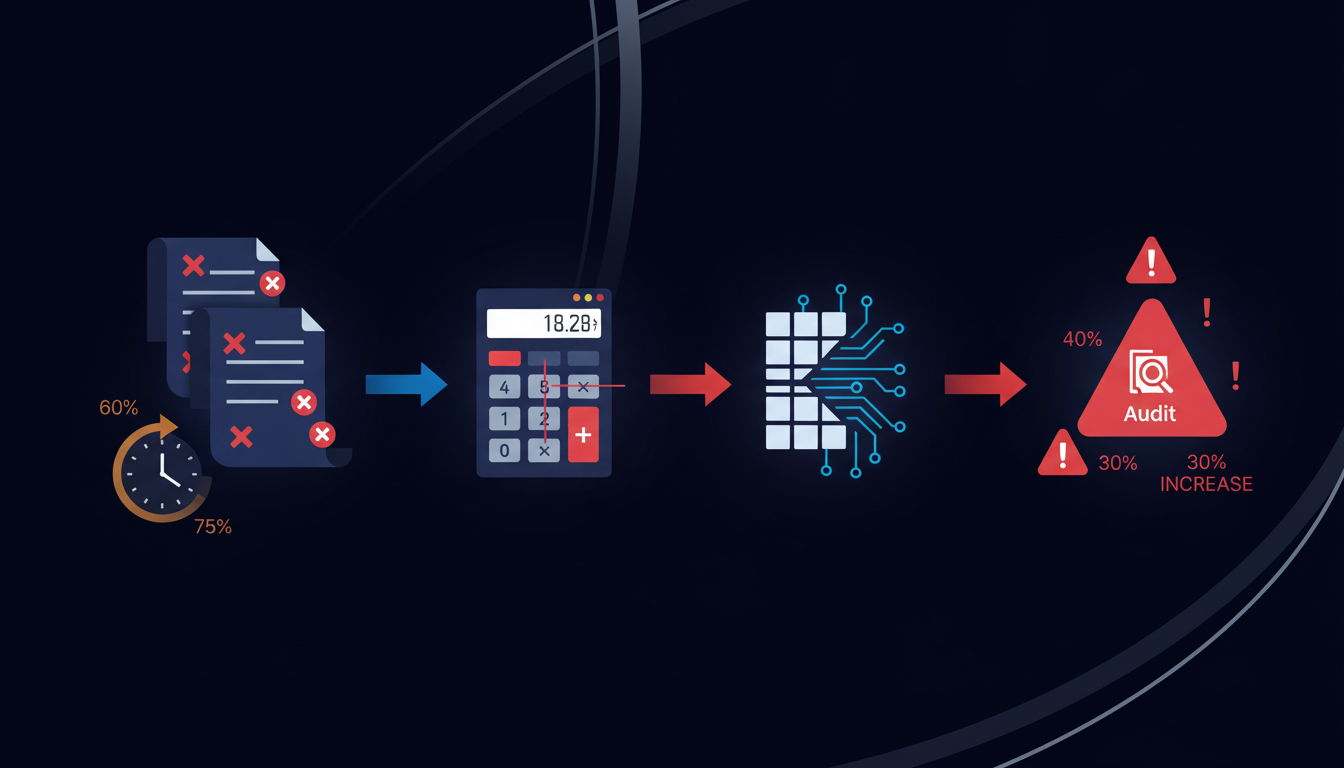
Manual reconciliation carries 15-25% error rates, meaning roughly one in four reconciliations contains a mistake requiring correction. Manual data entry compounds that with a 1-4% error rate per transaction that sounds small until you do the math. On a statement with 100 transactions, that's up to four mistakes cascading through your records, triggering downstream mismatches, audit flags, and correction cycles.
The time math is just as stark. A typical business bank statement carries 50-200 transactions. At 30 seconds per entry, you're spending 25-100 minutes on a single statement. Across multiple accounts over 12 months, that's days of productivity absorbed by data entry before reconciliation even begins.
"The real cost isn't the hours spent downloading statements. It's the hours lost to fixing what manual processing got wrong."
But the strategic cost cuts deepest. Every day a finance team spends collecting and re-entering bank data is a day not spent on cash flow forecasting, variance analysis, or scenario modeling. Delayed statement processing also creates real financial exposure: missed early payment discounts typically range from 1-2% of invoice value, and compliance workflows dependent on bank data face audit risk when inputs arrive late.
How Bank Statement Download Automation Works

The full automation cycle starts before a single page loads. Credential management handles usernames, passwords, and any 2FA or TOTP requirements securely, so login credentials never get exposed to the underlying LLM. Once authenticated, the system moves through each bank's unique portal layout, finds the statements section, selects the correct date range, and triggers the download. All without touching an XPath selector or waiting for a human to click through.
From Portal to Structured Data
Most banks return statements as PDFs. Some offer CSV or OFX exports. Automation handles all three, but the real work begins after the file lands. OCR and AI parse the document, pulling out transaction dates, descriptions, amounts, and running balances as structured fields. The output is clean, validated JSON or CSV, ready to push directly to QuickBooks, Xero, NetSuite, or any accounting system via webhook.
Handling Authentication Complexity
Different portals use different authentication methods: SMS codes, authenticator apps, hardware tokens, security questions. A complete solution needs to handle all of them. Skyvern supports multiple 2FA methods natively, including TOTP via Google Authenticator, email verification codes forwarded through Zapier, and phone-based codes via virtual number services like Twilio.
Parallel Execution Across Multiple Banks
The biggest shift automation delivers is running every portal simultaneously. Instead of a sequential loop through 15 bank accounts that takes most of a workday, all 15 run in parallel. The reconciliation team receives complete, structured data from every account in roughly the same time a manual process would finish the first one.
Benefits That Go Beyond Time Savings
Time savings are the headline, but the compounding benefits run deeper. Automation cuts reconciliation time by 75%, which translates to roughly $50,000 in annual labor savings for a mid-sized finance team. And OCR and AI extraction hits 99.9% accuracy, compared to the 1-4% manual error rate that compounds across hundreds of monthly transactions. The strategic payoff matters just as much. There are a number of ways automated statement collection reshapes how finance teams operate day to day:
- Statement collection runs overnight on a schedule, so teams start each morning with complete, structured data across every account instead of spending the first hours of the day hunting down files.
- Month-end close compresses because the data is already there, organized, and ready for review.
- Cash position visibility shifts from weekly guesswork to daily confidence, giving leadership a clearer picture for short-term decisions.
- Audit trails get built automatically, with timestamped downloads and structured outputs that satisfy compliance requirements without any manual documentation effort.
The biggest shift, though, is what finance teams stop doing altogether. Every hour not spent downloading and re-entering data is an hour available for variance analysis, forecasting, and decisions that actually move the business forward. The table below provides a high-level overview of different aspects of the bank statement downloads and financial data reconciliation and how each can be tackled by manual and automated processing.
Process Aspect | Manual Processing | Automated Processing |
|---|---|---|
Time to Process 15 Bank Accounts | Full workday sequentially logging into each portal | Parallel execution completes all accounts simultaneously in minutes |
Error Rate | 15-25% reconciliation error rate with 1-4% data entry errors per transaction | 99.9% accuracy with AI-powered OCR and extraction |
Authentication Handling | Manual entry of credentials, SMS codes, TOTP tokens, and security questions across different portal types | Automated credential management with native support for all MFA types including SMS, TOTP, email codes, and hardware tokens |
Portal UI Changes | Workflow breaks requiring manual re-navigation and adjustment to new interface layouts | Computer vision and LLMs adapt to redesigned portals automatically without configuration changes |
Annual Labor Cost | Approximately $50,000 in staff time spent on manual downloads and data entry | 75% reduction in reconciliation time with immediate ROI through eliminated manual work |
Data Output Format | Downloaded PDFs requiring manual review, transaction entry, and reformatting for accounting systems | Structured JSON or CSV with transaction-level detail ready for direct accounting system integration |
Audit Trail | Manual documentation of download dates and file handling with gaps in compliance records | Timestamped records for every download and extraction cycle with built-in compliance tracking |
What to Look for in Bank Statement Automation Solutions
Not every tool that promises bank statement automation can handle the full complexity of production finance workflows. Here's what separates capable solutions from ones that break under real conditions:
- Authentication handling across every MFA type (SMS, TOTP, hardware tokens, email codes) without manual intervention, since banking portals rely heavily on multi-factor flows that trip up most automation tools
- Multi-bank support that works on portals the tool has never seen before, without site-specific configuration for each new institution
- Structured data extraction that produces transaction-level JSON output ready for accounting system ingestion, beyond raw file downloads
- Native integrations with QuickBooks, Xero, NetSuite, and webhook support for any other downstream system
- Parallel execution across all accounts simultaneously instead of a sequential queue that compounds processing time
- SOC 2 certification and credential management that keeps login data out of the LLM entirely
- Audit trails with timestamped records for every download and extraction cycle
Why Compliance Controls Matter Most
The last two points carry the most weight for industries under compliance oversight. A tool that automates downloads but logs credentials insecurely or provides no audit history creates compliance exposure that offsets any time saved. For finance teams operating under audit requirements, those two properties are the minimum bar worth assessing before anything else.
How Skyvern Automates Bank Statement Downloads Without Breaking
Skyvern reads bank portals the way a person would: visually, by meaning, not by structure. Where traditional automation relies on CSS selectors that break whenever a bank updates its UI, Skyvern uses computer vision and LLMs to identify the statements page, select the right date range, and trigger the download based on what's visible on screen. When a portal redesigns its navigation, the workflow keeps running.
Authentication is handled before page loads. Credentials stay encrypted and never touch the LLM. MFA flows, TOTP codes, SMS verification, and email-based tokens all get resolved automatically through Skyvern's native credential management, so portal access doesn't become a manual bottleneck.
The workflow itself is defined once in YAML and runs across any bank, including institutions Skyvern has never encountered before. There's no site-specific scripting, no per-portal configuration needed. That means that finance teams working with 20 different bank accounts can run all 20 simultaneously, getting structured transaction data back across every account before a manual process would finish the second one.
The best part? For teams already using Skyvern for invoice downloads from vendor portals, the same workflow pattern applies directly. The 60-80% cost savings and sub-12-month payback that hold for vendor portal automation carry over to bank statement workflows through the same mechanism: define once, run anywhere, maintain nothing.
Final Thoughts on Bank Statement Download Workflows
Automating bank statement downloads turns a multi-day manual slog into an overnight process that runs while your team sleeps. The time saved shows up immediately, but the downstream benefits stack up across reconciliation speed, error rates, and how much capacity your finance team has for work that moves the business forward. If you're spending days each month on portal downloads, book time with us to walk through what automation looks like across your accounts.
FAQ
How long does it take to set up bank statement download automation?
Most teams can deploy their first automated workflow in 2-3 hours, with structured transaction data flowing into accounting systems immediately after setup.
What authentication methods does bank statement automation support?
A complete solution should handle SMS codes, authenticator apps (TOTP), hardware tokens, email verification codes, and security questions since different banking portals use different authentication flows.
Can automated bank statement downloads work across multiple banks without separate configurations?
Yes. Solutions that use visual understanding work on any banking portal, including ones they've never seen before, without requiring site-specific scripting for each institution.
What's the accuracy rate for automated transaction extraction compared to manual data entry?
Advanced OCR and AI extraction reaches up to 99.9% accuracy, compared to the 1-4% error rate typical of manual data entry that compounds across hundreds of monthly transactions.
How much time can automation save on bank statement processing?
Automation reduces reconciliation cycle time by up to 75%, translating to roughly $50,000 in annual labor savings for a mid-sized finance team by eliminating manual download and data entry work.