
How to Automate Public Records Retrieval from State and County Databases (March 2026)

Title companies pull 200 records monthly and spend 150-300 hours on retrieval alone because every county portal works differently. Some require email verification, others enforce SMS-based 2FA, and sessions expire unpredictably mid-search. Automating public records retrieval solves CAPTCHAs, processes authentication codes, manages sessions across multi-page workflows, and recovers when portals time out. The same automation works across all 3,000+ county jurisdictions without customization per site.
TLDR:
- Public records retrieval costs organizations $5,250-$10,500 monthly in labor alone across 3,000+ county databases with no standardization
- AI automation tackles authentication barriers like 2FA and CAPTCHAs that break traditional tools
- Parallel execution retrieves records from 20 counties in under an hour versus two days manually
- Skyvern reads government portals visually without brittle selectors, handling any jurisdiction without custom scripts
Why Public Records Retrieval Remains a Bottleneck in 2026
Public records retrieval in 2026 still runs on the same process it did a decade ago: someone logs into a county website, searches for a record, clicks through multiple pages, downloads a PDF, and repeats across every jurisdiction they need. There's no API. There's no central database. Every county runs different software with different authentication requirements. The market reflects this pain point. Public records management software is growing at 8.3% annually from 2026 to 2032, with North America holding 38.7% market share. The global market reached $2.5 billion in 2024 and is forecasted to hit $5.1 billion by 2033.
That growth signals demand for solutions, but most teams still pull records manually. Title companies research property histories across multiple counties. Law firms retrieve court filings from dozens of jurisdictions. Background check providers access state-specific databases daily. Each request takes time, and none of it scales.
The Fragmentation Problem: 3,000+ County Databases Without Standardization

The United States has over 3,000 county jurisdictions, each maintaining its own public records system with distinct software and search interfaces. California alone operates 58 county portals. Texas manages 254. No two function identically. Some counties deploy Tyler Technologies' case management system. Others rely on CivicPlus, Granicus, or legacy systems from local contractors. Search fields appear in different positions. Date formats shift between jurisdictions. Authentication requirements vary from mandatory account creation to guest access with restricted results.
This creates a serious problem for traditional automation. CSS selectors functioning in Los Angeles County fail in San Diego. XPath queries retrieving property records in Cook County, Illinois don't work in neighboring DuPage County. Each jurisdiction demands separate scripts requiring constant maintenance when portals update.
The choice becomes hiring staff to manually work through each system or building automation that breaks repeatedly. Neither scales when retrieving records from multiple counties simultaneously.
Authentication Complexity: 2FA, CAPTCHAs, and Session Timeouts
Government portals deploy authentication layers designed to prevent automated access. County websites require account creation with email verification. State databases enforce two-factor authentication through SMS or authenticator apps. Sessions expire after 10-15 minutes of inactivity, forcing users to log in repeatedly during multi-record searches.
CAPTCHAs appear at login, during searches, and before document downloads. Some counties rotate between reCAPTCHA v2, hCaptcha, and custom image challenges. Session management adds another barrier: cookies expire unpredictably, authentication tokens reset between page transitions, and concurrent sessions trigger security lockouts. Traditional automation tools fail here. Selenium scripts can't solve CAPTCHAs without third-party services. Puppeteer breaks when portals shift from email-based 2FA to app-based codes. XPath selectors targeting login forms stop working after routine portal updates.
The result? Teams still rely on manual retrieval. Staff members log in, solve CAPTCHAs, wait through authentication delays, and work through session timeouts, repeating this across every county portal they access daily.
Cost Structure: What Organizations Actually Pay for Manual Retrieval
Direct fees tell only part of the story. Federal records retrieval costs $70 for the first box from a Federal Records Center, with $43 for each additional box. Conducting a search of district court records runs $31 per name or item searched. County fees vary widely, ranging from $5 to $50 per document depending on jurisdiction and record type.
Staff time adds hidden costs that compound quickly. A single property records search across three counties takes 45-90 minutes when factoring in login delays, portal navigation, and download management. A title company pulling 200 records monthly spends 150-300 hours on retrieval alone. At $35 per hour for clerical staff, that's $5,250-$10,500 monthly in labor before counting document fees. And errors drive up those numbers fast. Missing a lien because one county's search interface differs from another triggers title defects that delay closings. Downloading incomplete court records forces teams to repeat requests, doubling retrieval time and fees. Different authentication methods also make things worse. Some portals require email verification, while others enforce SMS-based 2FA. Session timeouts force staff to restart searches midway through multi-record pulls.
How AI-Powered Automation Handles Dynamic Government Portals
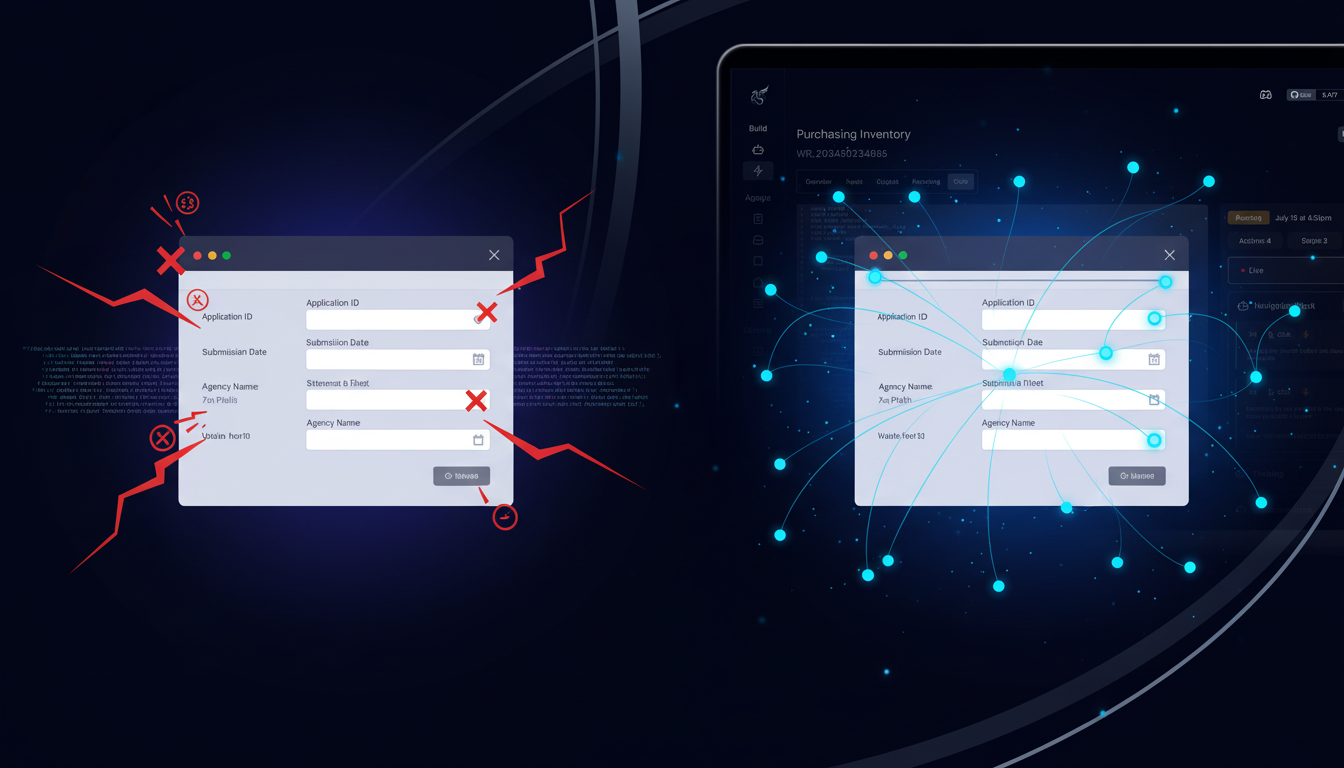
AI-powered automation tackles government portal fragmentation by reading web pages like humans do instead of relying on CSS selectors or XPath queries that break with every UI update. Computer vision interprets forms visually, identifying fields by their labels, context, and position on the page. LLMs understand what each field means, mapping "Property Location" or "Case Number" correctly regardless of where counties position those fields.
This approach handles authentication complexity that stops rule-based tools. The system solves CAPTCHAs, processes 2FA codes from authenticator apps or SMS, and manages session persistence across multi-page workflows. When a portal times out mid-search, the automation recovers and continues without manual intervention.
A single workflow applies to multiple jurisdictions without customization. The same automation retrieves property records from Los Angeles County, Cook County, and Harris County despite each running different software with distinct interfaces.
Traditional vs AI-Powered Automation: Key Differences
Challenge | Traditional Tools (Selenium, Puppeteer) | AI-Powered Automation (Skyvern) |
|---|---|---|
Multi-jurisdiction support | Requires separate custom scripts for each county portal with different CSS selectors and XPath queries that break when UIs update | Single workflow works across all 3,000+ counties without customization by reading portals visually through computer vision and LLMs |
Authentication handling | Fails on CAPTCHAs without third-party services, breaks when portals switch between email-based and app-based 2FA, cannot recover from session timeouts | Solves CAPTCHAs automatically, processes 2FA codes from authenticator apps or SMS, maintains session state across multi-page workflows, and recovers when portals time out |
Portal changes and updates | Scripts break immediately when counties update interfaces, requiring constant maintenance and re-writing selectors for each jurisdiction | Adapts to UI changes automatically by understanding forms through context and labels instead of brittle element selectors |
Parallel execution | Limited by the need to manage separate scripts and authentication flows for each county, making concurrent retrieval complex and error-prone | Retrieves records from 20+ counties simultaneously in under an hour versus two days manually through built-in parallel execution |
Maintenance overhead | Every portal update across 3,000+ counties can break automation, requiring continuous monitoring and script updates by technical staff | Zero per-county maintenance since visual understanding adapts to interface changes without code modifications |
Data extraction | Requires manual mapping of each county's unique data structure and field names to extract metadata from documents | Extracts structured metadata like case numbers, filing dates, party names, and assessed values automatically regardless of county-specific formatting |
Workflow Patterns: Court Records, Property Filings, and Birth/Death Certificates
Court records retrieval follows a consistent pattern across jurisdictions. The automation logs into the county portal, searches by case number or party name, processes result pages, and downloads PDFs. When pulling records from multiple counties simultaneously, parallel execution cuts retrieval time from hours to minutes. The system handles varying authentication requirements and extracts structured metadata like filing dates, case status, and party names from each document.
Property records automation starts with parcel numbers or street locations. The workflow searches county assessor databases, retrieves ownership histories, downloads deeds and liens, and extracts structured data including sale dates, assessed values, and encumbrances. Different counties store tax records separately from title documents, requiring the automation to access multiple portals per property.
Birth and death certificate retrieval varies by state since health departments control access differently. Some states allow direct online ordering with identity verification. Others require account creation with notarized authorization forms uploaded before searches begin. The automation submits requests with required documentation, tracks application status, and downloads certificates when available. Secretary of State business entity searches follow a simpler pattern: search by entity name, retrieve formation documents and annual reports, extract officer names and registered agent details as structured JSON.
Security and Compliance: HIPAA, SOC 2, and Audit Trails
Public records contain sensitive information that requires strict access controls. Birth certificates, court documents, and property records include social security numbers, street locations, and financial details. Organizations handling this data face audit requirements from clients, regulators, and insurance carriers.
Automation systems handling sensitive records must maintain complete audit trails. Every login, search, and download gets logged with timestamps, user identifiers, and source jurisdictions. These logs prove who accessed which records and when, meeting requirements for background check providers, title companies, and legal firms subject to client audits or regulatory review.
Credential management keeps authentication details secure. Passwords, 2FA codes, and API keys stay encrypted and isolated from LLM processing. The system references stored credentials without exposing them in prompts or logs, preventing accidental leakage through model outputs or diagnostic data.
SOC 2 certification validates security controls around data handling, access management, and system availability. For organizations working with HIPAA-covered entities retrieving health records, self-hosted deployment keeps data within control, meeting requirements for business associate agreements.
How Skyvern Automates Public Records Retrieval from Any State or County Database

Skyvern reads government portals visually, identifying form fields by their labels and context instead of brittle CSS selectors. When pulling property records from Los Angeles County and Cook County at the same time, the same workflow handles both jurisdictions despite different software and layouts. The system logs into each portal, solves CAPTCHAs, processes 2FA codes from authenticator apps or SMS, and keeps session state across multi-page searches. When a county portal times out mid-search, Skyvern recovers and continues retrieval without manual intervention.
Parallel execution changes the timeline. Retrieving court records from 20 counties that previously took staff two days now finishes in under an hour. Skyvern runs all searches at once, downloads PDFs, and pulls structured metadata like case numbers, filing dates, and party names from each document.
Organizations integrate results into their systems via API. Title companies push property data into escrow management software. Background check providers feed court records directly into applicant tracking systems.
Code Example: Automating Multi-County Property Records Retrieval
Here's how to retrieve property records from multiple counties simultaneously using Skyvern's Python SDK:
from skyvern import Skyvern
import asyncio

# Initialize Skyvern with your API key
skyvern = Skyvern(api_key="YOUR_API_KEY")

# Define the data extraction schema for consistent output
data_schema = {
    "type": "object",
    "properties": {
        "property_address": {
            "type": "string",
            "description": "Full street address of the property"
        },
        "owner_name": {
            "type": "string",
            "description": "Name of the property owner"
        },
        "assessed_value": {
            "type": "number",
            "description": "Current assessed value of the property"
        },
        "tax_amount": {
            "type": "number",
            "description": "Annual property tax amount"
        }
    }
}

async def retrieve_property_records():
    # Run the task with automatic authentication and CAPTCHA handling
    task = await skyvern.run_task(
        prompt="Navigate to the property records search page, search for parcel number 123-456-789, and extract the property details. COMPLETE when the property record is displayed and data is extracted.",
        url="https://countytaxassessor.example.com",
        data_extraction_schema=data_schema,
        wait_for_completion=True
    )

    # Access the extracted property data
    print(task.output)
    return task.output

# Execute the retrieval
asyncio.run(retrieve_property_records())
This code automatically handles authentication, CAPTCHA solving, and session management across different county portals. The data_extraction_schema makes sure consistent JSON output regardless of how each county formats their records.
Final Thoughts on Government Records Access
Your team shouldn't spend hours working through county portals when public records retrieval automation handles authentication, CAPTCHA solving, and multi-jurisdiction searches without breaking. The same workflow retrieves property records from California and court documents from Illinois despite completely different systems. You integrate results directly into your software, and your retrieval process scales with volume instead of headcount.
FAQ
How long does it take to set up public records automation for multiple counties?
Most teams deploy their first automated workflow in 2-3 hours, with multi-county retrieval running in parallel immediately after setup without any per-county customization needed.
What's the main difference between AI-powered automation and traditional tools like Selenium for public records retrieval?
AI-powered automation reads pages visually by meaning and context, so it works across different county portals without breaking when UIs change, while traditional tools rely on CSS selectors that require separate scripts for each jurisdiction and constant maintenance when portals update.
Can automation handle the authentication complexity of government portals?
Yes. The system processes CAPTCHAs, manages 2FA codes from authenticator apps or SMS, maintains session state across multi-page workflows, and recovers automatically when portals time out mid-search.
When should you consider automating public records retrieval instead of doing it manually?
If your team retrieves records from more than five counties regularly or spends over 10 hours weekly on portal navigation, login delays, and document downloads, automation cuts retrieval time from days to under an hour through parallel execution.
How does automation maintain security and audit trails for sensitive public records?
Every login, search, and download gets logged with timestamps and source jurisdictions, credentials stay encrypted and isolated from processing, and SOC 2 certification validates security controls that meet audit requirements for background check providers, title companies, and legal firms handling sensitive data.