
How to Automate Healthcare Credentialing on State Medical Boards, CAQH, and NPPES (February 2026)

State medical boards redesigned their portals again and your automation scripts stopped working. You've spent the morning manually submitting applications to California, Texas, and New York because each state requires different document formats and your team can't keep up with the changes. Healthcare credentialing automation handles these browser-based workflows across state boards, CAQH ProView, and NPPES without breaking when interfaces change, using computer vision instead of brittle selectors that point to specific page elements. Most credentialing systems don't offer APIs, so you need automation that reads forms the way humans do and adapts to portal updates automatically.
TLDR:
- Healthcare credentialing takes 60-120 days manually, costing physicians $7,618 yearly per payer
- State boards, CAQH, and NPPES each require different formats with no APIs for automation
- Computer vision-based automation adapts to portal redesigns without breaking workflows
- Skyvern automates form filling across multiple state boards with one workflow using LLMs
- Track license expirations and OIG exclusions automatically to prevent compliance violations
What Healthcare Credentialing Automation Is and Why It Matters
Healthcare credentialing automation replaces manual verification of provider qualifications with software-driven workflows. Instead of staff manually entering data into state medical boards, CAQH ProView, and NPPES, automation handles form filling, document uploads, and status monitoring across multiple systems. And the business case for automation is clear. Traditional credentialing takes 60-120 days to complete, delaying revenue and straining administrative teams. The U.S. credentialing software and services market reached $267.72 million in 2024 and is growing at 6.95% annually through 2033.
Credentialing touches every provider hire, contract renewal, and facility expansion. Each delayed credential means lost appointments and frustrated patients. Organizations handling dozens or hundreds of providers need automation to scale without proportionally increasing headcount.
The Financial Impact of Manual Credentialing Processes
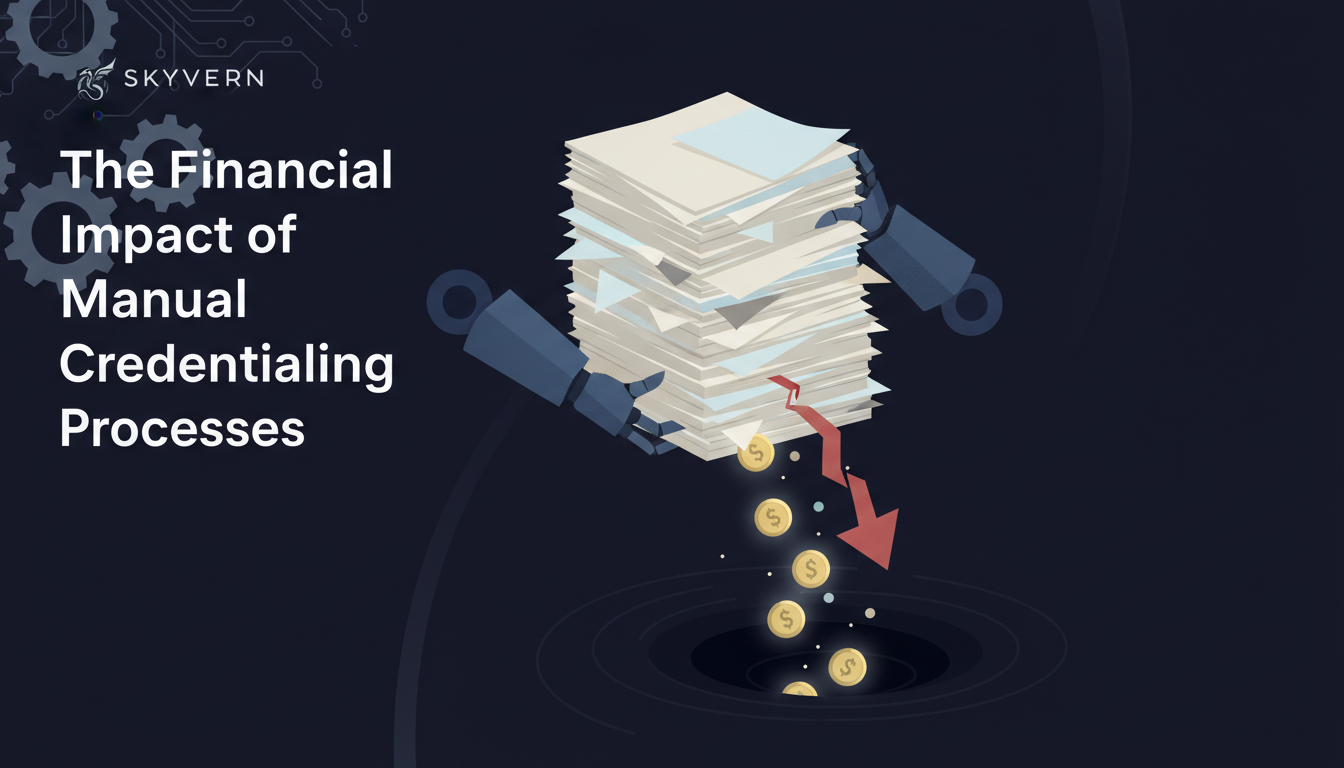
Manual credentialing creates a lot of financial burden. Physicians spend $7,618 annually submitting applications to payers, before accounting for internal staff costs. Direct expenses include application fees, background checks, and salaries for credentialing specialists who spend weeks copying data between systems. A single credentialing coordinator costs $45,000-$65,000 yearly but processes only 15-20 applications monthly. But, hidden costs hurt more. Every day a provider waits for credentials means lost revenue. A physician generating $2,000 daily loses $60,000 during a 30-day delay.
Understanding State Medical Board Credentialing Requirements
Each state medical board operates independently with different rules for licensing physicians. What California accepts as valid residency documentation may not satisfy Texas requirements. Application portals vary from PDFs requiring wet signatures to web forms with character limits that truncate provider data. Thankfully, common requirements appear across most states: USMLE or COMLEX passage, completion of accredited residency programs, and primary source verification from medical schools. But implementation differs wildly. Some boards accept Federation of State Medical Boards credentials, while others demand direct contact with every institution a provider attended over a 20-year career.
The real challenge comes from managing multiple states simultaneously. A multi-state provider needs separate applications, each with different document formats, renewal cycles, and fee structures. One state might process applications in 30 days while another takes 90.
How CAQH ProView Works and Its Role in Credentialing Automation
CAQH ProView acts as a centralized database where providers submit credentials once, giving payers and hospitals access to verified information without requesting duplicate paperwork. Providers build profiles with education history, work experience, malpractice coverage, and professional references. The verification process takes 90 to 120 days from submission to completion. Payers pull provider data directly from the database instead of distributing individual applications. Re-attestation occurs every 120 days. Providers must log in and verify their information stays current, even without changes. Missing this deadline marks profiles as inactive, blocking new contracts until re-attested.
This single-entry system cuts redundant work. Without CAQH, a provider joining five insurance networks would complete five separate applications with identical information. CAQH reduces that to one submission.
NPPES and NPI Management for Provider Enrollment
NPPES assigns National Provider Identifiers, the unique 10-digit numbers every healthcare provider needs for billing. Type 1 NPIs cover individual providers while Type 2 NPIs apply to organizations, each requiring different documentation for claims processing. The system accepts self-reported data without verification. Wrong addresses, outdated credentials, or mismatched names create claim rejections. Since NPPES feeds directly into PECOS for Medicare enrollment decisions, errors cascade across systems and delay provider participation.
Key Automation Technologies Powering Credentialing Solutions
The interplay of those three systems, the state licensing board, CAQH, and NPPES/NPI, makes automation more challenging But, with three key technologies, AI for intelligent processing, RPA for repetitive tasks, and APIs for system connections, you can build automation that dramatically improves the cost-effectiveness of processing healthcare credentialing:
- AI and machine learning read provider documents like diplomas, licenses, and DEA certificates. Instead of staff manually comparing expiration dates or verifying names match across forms, algorithms extract structured data from PDFs and images. Computer vision identifies document types automatically, routing them to appropriate verification workflows.
- RPA bots fill web forms repeatedly without fatigue. They log into state medical board portals, copy data fields, upload attachments, and submit applications. Where humans make transcription errors after entering their 50th provider, bots maintain accuracy across thousands of entries.
- APIs connect systems that were designed to work alone. CAQH, NPPES, and payer portals each have different data formats and authentication methods. APIs translate between them, syncing provider updates across all systems when a license renews or an address changes.
Five Important Automations Every Credentialing Process Needs
The solution you create to handle credentialing will need five core automation capabilities to be successful in replacing the manual work:
- Expiration tracking. This monitors license and certification dates, sending alerts 60-90 days before renewal deadlines. This prevents providers from operating with lapsed credentials that trigger compliance violations and claim denials.
- Exclusions monitoring. This checks OIG and SAM databases daily for sanctioned providers. Manual monthly checks miss real-time updates that could expose organizations to billing fraud penalties.
- Primary source verification. This automation contacts medical schools, residency programs, and licensing boards directly to confirm credentials. Automated requests cut verification time from weeks to days.
- Tracking dashboards. These show each provider's status across all credentialing systems in real time. Staff see which applications need documentation and where bottlenecks occur without logging into multiple portals.
- Auto fill. This reads provider data once and populates forms across state boards, CAQH, and NPPES automatically. This reduces transcription errors that delay applications.
A Look At Building Automations for Healthcare Credentialing
Now that we've covered the challenges of automating against the three core healthcare-related systems, the technologies that are needed to build automation, and the required capabilities that your automation will need, let's look at building the automations for those three main systems: medical board applications, CAQH profiles and attestation management, and NPPES enrollment and updates.
Step-by-Step Process for Automating State Medical Board Applications
What might an automation for state medical board applications look like? Consider the following:
- First, start by organizing provider documents in a central location. Scan medical school diplomas, residency certificates, DEA registrations, and board certifications into labeled folders with consistent naming conventions.
- Second, create a state requirements matrix showing which documents each jurisdiction needs. This mapping tells automation which files to pull for California applications versus Texas or New York.
- Third, set up browser automation to navigate state portals. Since medical boards lack APIs, you need tools that read form fields, enter data, and submit applications. Skyvern uses computer vision to understand page layouts without brittle XPaths that fail after site redesigns.
- Finally, build validation checks before submission. Verify provider names match across forms and license numbers follow state formatting requirements. Configure status monitors that check each board portal weekly for requests.
Automating CAQH Profile Creation and Attestation Management
Automation CAQH profile creation is next. Handling this requires a few considerations:
- CAQH profile setup starts by extracting provider data from your HR or credentialing systems. Pull demographic details, practice locations, education history, and professional references into a structured format that matches CAQH form fields.
- Since CAQH lacks an API, browser automation handles the actual profile build. Skyvern navigates the ProView interface, populates each section, and uploads required documents without manual entry.
- Set calendar triggers 30 days before the 120-day attestation deadline to stay compliant. Automation checks for provider data changes, updates modified fields, and submits attestations automatically.
Automating NPPES Enrollment and Updates
Finally, you'll need to automate NPPES enrollment and updates.
This automation begins with gathering provider identity documents and taxonomy codes that define specialty classifications. Automation pulls this data from your credentialing database and populates NPI applications for both individual providers (Type 1) and organizational entities (Type 2).
Updates happen whenever practice addresses change, authorized officials rotate, or taxonomy codes expand. Manual updates lag weeks behind actual changes, creating mismatches that reject claims. Automated workflows detect changes in your source systems and push updates to NPPES immediately.
But keep in mind that NPPES errors cascade into payer enrollment. A wrong ZIP code blocks PECOS Medicare applications. Mismatched names trigger manual reviews that add 30-60 days to credentialing timelines. Keeping NPPES synchronized with CAQH and state licenses prevents these downstream failures.
Handling Multi-System Integration and Data Synchronization
The challenge of healthcare credentialing automation is complicated by the relationship of the three systems. Because of that, provider data from your HR system must reach state medical boards, CAQH ProView, NPPES, PECOS, and payer portals, each requiring different formats and authentication. A central credentialing database serves as your single source of truth, propagating updates across all connected systems to prevent mismatches that trigger claim rejections. Only what happens when those systems don't have API access?
Browser automation fills web forms on systems without API access, reading your source data and completing entries across portals. Validation rules should compare data across systems before submission, flagging mismatched names, expired licenses, or address discrepancies that cause application rejections and delay approvals.
Overcoming Common Credentialing Automation Challenges
At the end of the day, you need to make sure that your automation works predictably every single time. That requires overcoming some common challenges:
- Website layout changes break traditional automation that relies on XPath selectors pointing to specific page elements. State medical boards redesign portals without notice, breaking scripts that worked yesterday. Computer vision solves this by understanding forms visually instead of through brittle element IDs.
- CAPTCHA and anti-bot detection block many automation attempts. Residential proxy networks and CAPTCHA solving capabilities let workflows proceed without manual intervention.
- Incomplete provider data creates submission failures. Build validation checks that flag missing information before attempting form fills, stopping workflows that would fail and waste processing time.
- Regulatory changes happen quarterly as states update requirements. Keep automation flexible by designing workflows that adapt to new fields and document requests instead of hardcoding specific form structures.
Browser-Based Automation for Systems Without APIs
State medical boards and most payer portals lack APIs, forcing credentialing teams to use web forms designed for human interaction. Traditional automation breaks when these portals update their layouts because it depends on XPath selectors that point to specific page elements.
Skyvern solves this with LLM-powered browser automation that reads forms visually through computer vision. The system understands context to answer eligibility questions, determines which fields need specific credential types, and adapts when portals reorganize their interfaces. You write one workflow that works across California, Texas, and New York medical boards despite their different designs.
This approach removes maintenance overhead. When a state board redesigns its application portal, Skyvern continues working without script updates.
Final Thoughts on Credentialing Process Automation
Your credentialing backlog grows every time you hire providers or expand to new states, but credentialing automation scales without adding staff or extending timelines. The computer vision approach works across all state medical boards and payer portals, even the ones that change layouts monthly. You get faster revenue recognition, lower administrative costs, and compliance monitoring that runs 24/7. Schedule a demo to see automation handling your specific credentialing workflows.
FAQ
How long does credentialing automation take to implement?
Most organizations set up basic automation workflows in 2-3 weeks, including document organization, state requirement mapping, and portal integration. Full deployment across all state boards, CAQH, and NPPES typically takes 4-6 weeks depending on provider volume and existing data quality.
What happens when state medical board websites change their layout?
Computer vision-based automation like Skyvern reads forms visually instead of relying on page element IDs, so workflows continue functioning when portals redesign their interfaces. Traditional automation tools break after layout changes because they depend on XPath selectors that point to specific locations that no longer exist.
Can automation handle CAQH's 120-day re-attestation requirement?
Yes, automation monitors attestation deadlines and triggers workflows 30 days before expiration. The system checks for provider data changes, updates modified fields, and submits attestations automatically, preventing profiles from becoming inactive.
Why does NPPES data synchronization matter for credentialing?
Wrong addresses or mismatched names in NPPES create claim rejections and block Medicare enrollment through PECOS, adding 30-60 days to credentialing timelines. Automated data sync between NPPES, CAQH, and state licenses prevents these downstream failures that delay provider participation.
What's the main cost difference between manual and automated credentialing?
Physicians spend $7,618 annually on manual applications, while credentialing coordinators earning $45,000-$65,000 process only 15-20 applications monthly. Automation cuts processing time from 60-120 days to under 30 days, recovering lost revenue of $2,000 per provider per day during delays.