
Launch week - Day 3 - "Show don't tell" - Screen record your workflows with Skyvern

Most browser automation fails because the interface between humans and automation is wrong.
We ask users to describe workflows that are fundamentally visual and stateful. Then we’re surprised when the agent breaks, edge cases pile up, and maintenance cost dominates everything else.
We built the Skyvern Screen Recorder to change that interface.
Instead of telling an agent what to do, you show it.
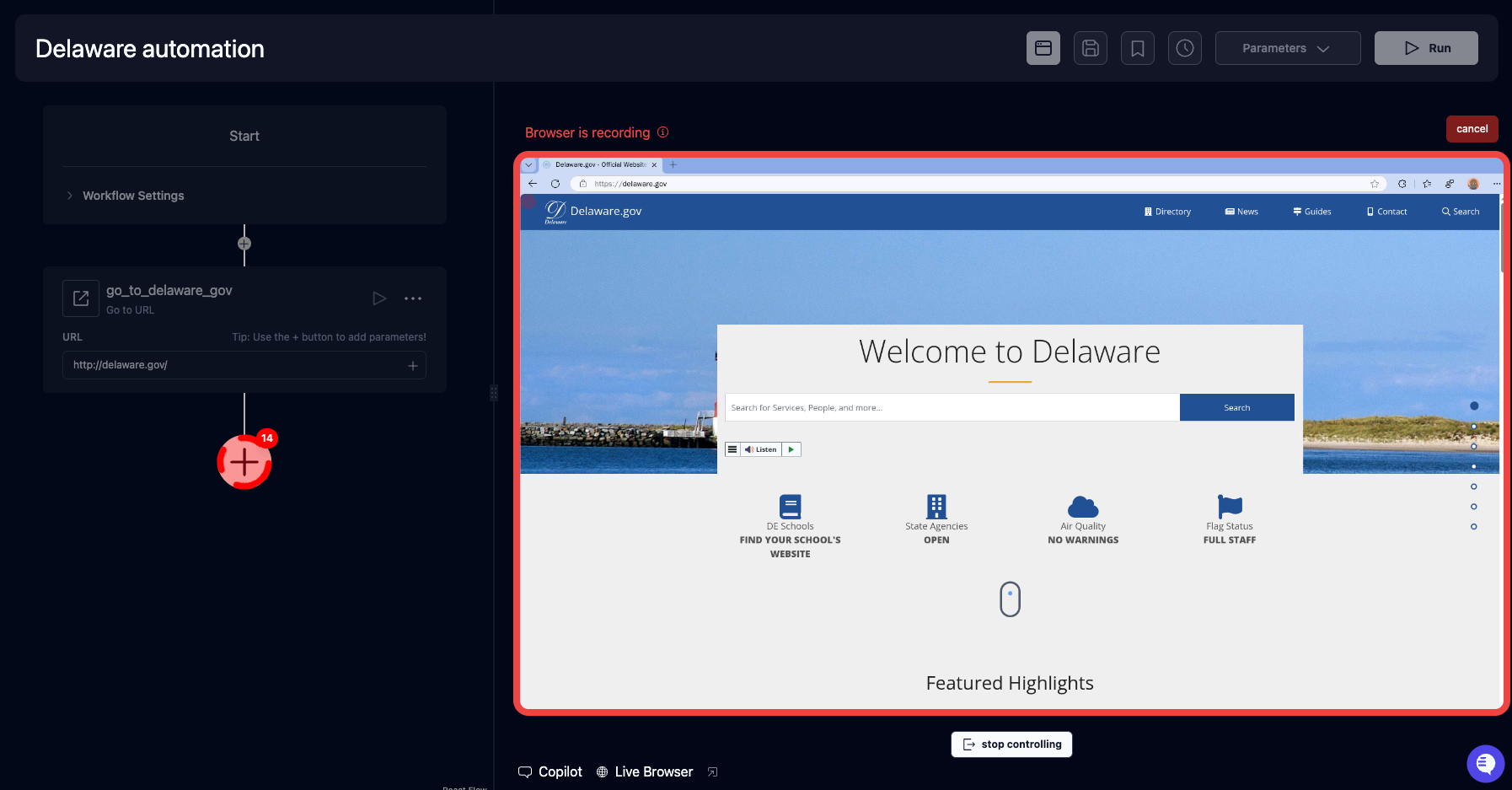
Give it a try here: app.skyvern.com
The core idea
If a human can complete a workflow in a browser, that interaction already contains almost all the information an automation system needs:
- what matters on the page
- what order things happen in
- which steps are conditional
- how authentication and UI state actually behave
Trying to reconstruct that from instructions (“click X, wait for Y”) is lossy. Demonstration isn’t.
The Screen Recorder lets you perform a flow once in a real browser session—login, navigation, MFA, modals included—and uses that execution as the grounding signal for automation.
This is not pixel replay.
It’s not a macro.
It doesn’t hardcode timings or coordinates.
It’s using a demonstrated execution as the source of truth.
Why this works better than instructions
Anyone who’s built serious browser automation knows the pain points:
- the DOM is not the UI
- the UI is not stable
- “edge cases” are usually the common case
Instructions force you to guess which abstractions will hold. Demonstration removes that guess.
By showing the agent the workflow, you anchor automation to what actually rendered and what actually worked, rather than to a mental model of the page that’s already outdated.
What this changes in practice
The practical impact is time-to-reliable-automation.
Instead of:
- translating a UI into logic
- debugging mismatches between spec and reality
- repeatedly fixing fragile steps
You start from a working execution and iterate forward.
This is especially valuable for workflows that are:
- authenticated
- multi-step
- UI-heavy
- brittle to DOM changes
In other words: the workflows people usually give up on automating.
Why we think this matters
As models get better, the limiting factor in automation isn’t reasoning—it’s grounding.
The highest-bandwidth way to communicate intent in a browser is not prose or configuration. It’s demonstration.
The Screen Recorder is a step toward automation that feels less like programming and more like delegation: “here’s how this gets done—now handle it.”
That’s Day 3.