
Automating I-9 Verification and Background Checks on Government Portals (April 2026)

You've got three business days to complete I-9 verification and kick off E-Verify after a new hire starts. Miss that window and you're looking at fines up to $28,619 per violation, regardless of whether the employee is authorized to work. The compliance clock starts ticking, but your team is still logging into separate portals for E-Verify, background screening vendors, and state licensing boards. Government portal automation should eliminate that manual coordination, but most solutions can't handle the inconsistency across 30,000+ local jurisdictions or the constant layout changes government sites push without warning. The workflow you need has to survive portal updates, manage multiple vendor logins in parallel, and route structured results back to your HRIS before deadlines hit.
TLDR:
- High-volume employers face fines up to $28,619 per I-9 violation, with compliance requiring manual work across E-Verify, background check portals, and state licensing databases
- Traditional automation breaks on government portals because CSS selectors fail when layouts change, which happens constantly across 30,000+ US jurisdictions
- Computer vision reads forms by visible labels instead of HTML structure, so workflows keep working when portals redesign their interfaces
- Skyvern automates end-to-end verification workflows including E-Verify submission, TNC resolution, background checks, and state licensing in parallel from a single data payload
- Skyvern uses LLMs and computer vision to automate browser workflows without APIs or brittle scripts, working on any portal including ones it's never seen before
Why Government Portal Automation Is Harder Than Traditional Web Automation
Government portals were not built with automation in mind. Most run on legacy infrastructure that predates current web standards, meaning the same agency might serve forms through three different UI frameworks depending on which state or jurisdiction you're dealing with. Session timeouts fire unpredictably. CAPTCHAs appear mid-workflow. A single page refresh can wipe submitted data entirely. What makes this especially painful for automation engineers is inconsistency at scale. There are over 30,000 local jurisdictions in the US, each potentially running its own portal stack. XPath-based tools treat every layout change as a breaking failure, and government sites change their layouts constantly, with zero advance notice. Traditional automation assumes a stable, predictable target. Government portals are the opposite.
The I-9 Compliance Crisis Facing High-Volume Employers in 2026
The financial stakes here are not abstract. A single I-9 paperwork violation can result in fines reaching $28,619 per violation in 2026, and ICE issued 5,200 inspection notices last year with total fines hitting $8.2 million. For high-volume employers running hundreds of hires per month, that exposure compounds fast.
The compliance burden spans multiple portals in sequence. E-Verify, USCIS case management, and state employment databases each require separate logins, separate navigation flows, and separate data entry, often from the same employee record. Most HR teams handle this manually, one case at a time, which means errors accumulate and backlogs build during any hiring surge.
"The bottleneck is never the decision to hire. It's the hours of portal work that follow."
What makes I-9 verification particularly difficult to automate is that the workflow is both time-sensitive and penalty-heavy. Employers have three business days to complete Form I-9 and initiate E-Verify. Miss that window, even by a day, and you're in violation territory regardless of whether the employee is authorized to work.
How Traditional I-9 Automation Falls Short
Most I-9 software stops at the form itself. You get a digital version of the paper document, maybe with some field validation, and that's where the automation ends. The E-Verify submission still requires someone to log into the portal manually, enter the same data a second time, and wait for a response. That gap matters more than it looks. Tentative Nonconfirmations require case-specific navigation through USCIS workflows that vary by document type and employee citizenship category. Downloading confirmation notices, tracking case status, and logging outcomes back into the HRIS all stay manual. Basic digitization moves the paper online. What teams actually need is end-to-end execution across every portal the workflow touches.
Multi-Portal Workflows: Where I-9 Verification Meets Background Screening
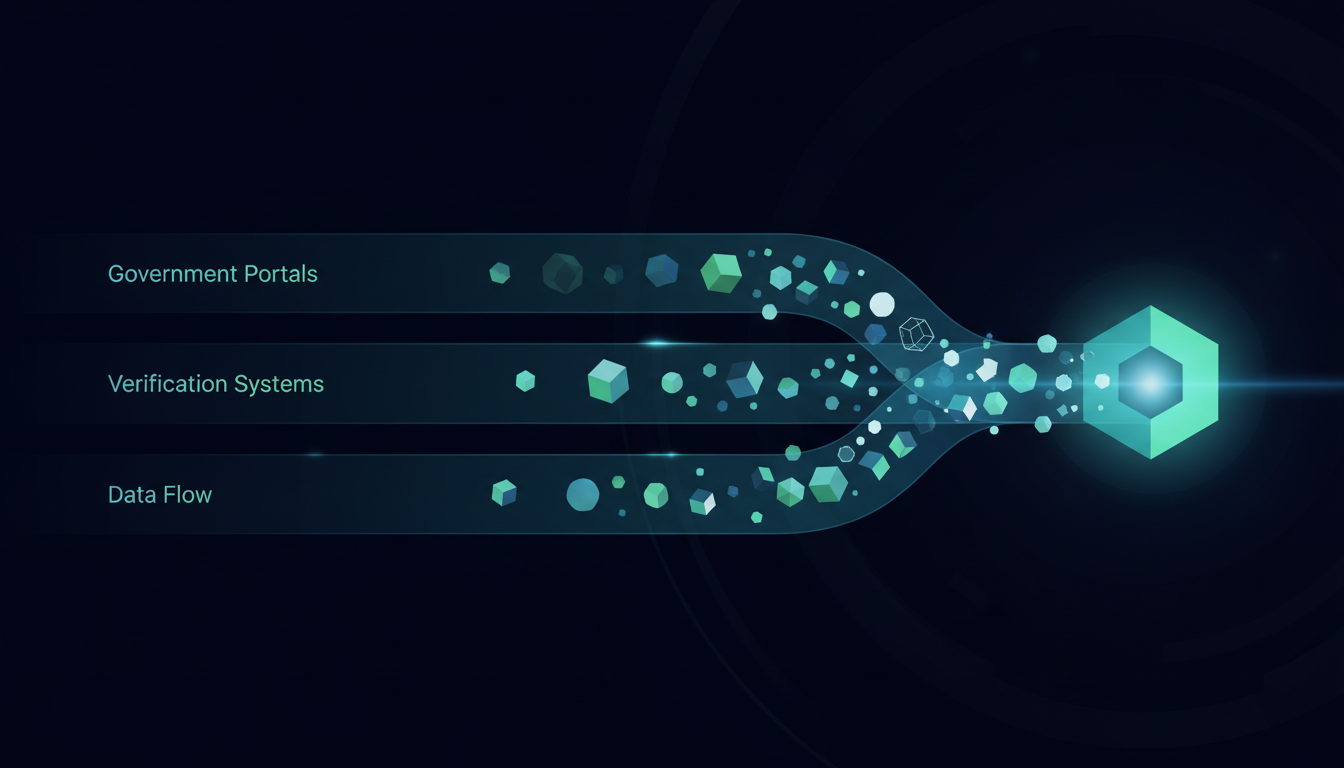
Most employers treat I-9 compliance as three separate workflows running in parallel:
- E-Verify handles work authorization.
- A background check vendor like Checkr, Sterling, or HireRight runs criminal history and employment verification.
- And for any licensed role, a state credentialing database adds a third portal on top of those two.
Each system requires a separate login, separate data entry from the same employee record, and separate result retrieval. None of them communicate natively. Automating any single step in isolation helps, but not by much. The orchestration problem remains: someone still has to coordinate timing, track status across three dashboards, and route results back into the HRIS. That coordination gap is where errors concentrate. A background check initiated two days after E-Verify creates a compliance window. High-volume hiring amplifies both issues fast. What the workflow actually requires is a single automated sequence that:
- Submits E-Verify from employee onboarding data
- Triggers the background check vendor portal in parallel
- Checks state licensing boards for roles that require credentials
- Polls each system for status updates and routes completions back to the HRIS
- Flags exceptions for HR review without stopping the rest of the batch
This is a multi-portal orchestration problem, and it's exactly the kind of workflow where tools built around brittle selectors fail first.
The Selector Problem: Why Government Portals Break Traditional Automation
CSS selectors and XPath expressions work by pointing at a specific element in a page's HTML structure. When layouts change, selector-based tools break. No warning, no fallback. The automation just fails. Government portals, unfortunately, do all of these things constantly. Form fields get renamed between quarterly software updates. Session-handling logic changes across jurisdictions. A portal that worked last month may render a completely different element tree today, with zero notice to anyone running automation against it.
And, anti-bot detection compounds the problem. Many federal and state portals now flag high-frequency, pattern-identical interactions as suspicious, which is exactly the behavior selector-based tools produce. The result is blocked sessions, CAPTCHA walls mid-workflow, or silent failures that look like successful submissions until an audit reveals otherwise.
The table below provides a high-level overview of the automation approach and how that approach carries through the different challenges of automation such as form fields, layout changes, multi-portal adaptability, and conditional logic.
Automation Approach | How It Identifies Form Fields | What Happens When Portal Layout Changes | Multi-Portal Adaptability | Handling Conditional Logic |
|---|---|---|---|---|
Traditional Selector-Based Tools (XPath, CSS Selectors) | Points to specific elements in HTML structure using CSS selectors or XPath expressions that reference element IDs, classes, or DOM position | Automation breaks completely when layouts change because selectors no longer point to the correct elements, requiring manual script updates before workflow can resume | Requires separate configuration for each portal, meaning 50 different scripts for 50 state licensing boards with no ability to generalize across jurisdictions | Breaks when conditional fields appear or disappear based on previous answers because the expected element may not exist in the DOM at the expected time |
Computer Vision with LLMs (Skyvern) | Reads visible field labels and instructional text on screen the same way a human would, identifying fields by what they say instead of HTML attributes | Continues working because field labels remain consistent even when the underlying HTML structure changes, requiring no maintenance or script updates | Single workflow generalizes across all portals because the AI reads each new interface visually and reasons through it instead of following portal-specific scripts | Reads the resulting screen state after conditional logic triggers and responds to whatever fields are actually visible, adapting to dynamic forms automatically |
Skyvern for I-9 and Background Screening | Maps fields from a single JSON payload containing employee onboarding data, using visual understanding to match data to the correct fields across E-Verify, background vendor portals, and state licensing boards | Workflows keep running through portal updates without engineer intervention because the system identifies fields by visible context instead of brittle selectors | Handles E-Verify, Checkr, Sterling, HireRight, and all 50 state licensing boards from the same workflow configuration, executing submissions in parallel without per-portal customization | Manages TNC resolution workflows, photo matching verification, and jurisdiction-specific licensing searches by reading each screen's actual state and taking appropriate next steps based on visible options |
Computer Vision and AI: Reading Government Forms Like Humans Do
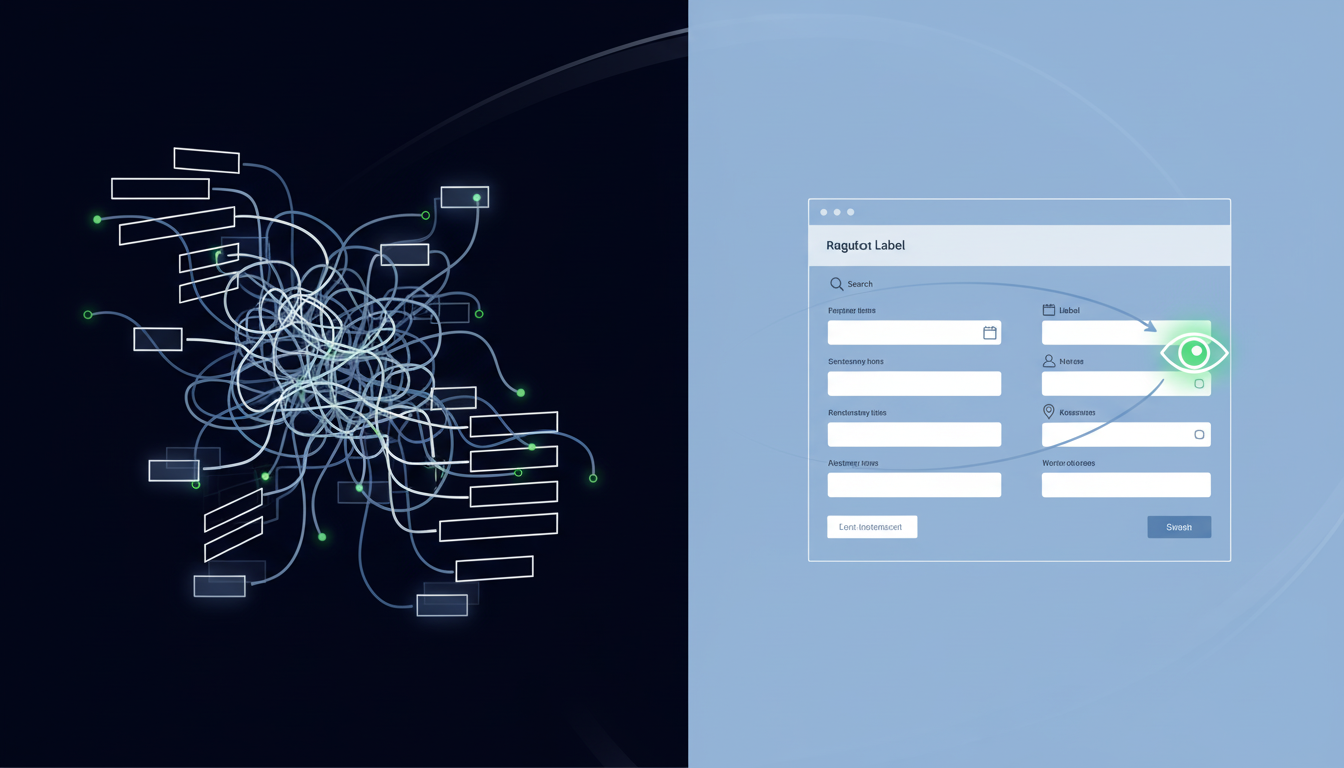
Selector-based tools look at HTML. Computer vision looks at the page the way a human does, and Skyvern applies this approach to read web interfaces visually.
Instead of hunting through element trees, Skyvern reads what's visible on screen: field labels, button text, instructional copy, visual layout. A field labeled "Alien Registration Number" gets identified by what it says, not by some internal attribute that changes with every software push. When a government portal reorganizes its form, the labels stay the same. The automation keeps working. This matters especially for conditional logic. Government forms frequently show or hide fields based on previous answers. A citizen category selection on E-Verify changes which document fields appear next. Selector-based tools break here because the element they're targeting may not exist yet. Skyvern reads the resulting screen state and responds accordingly, the same way a person would. Dynamic dropdowns work the same way. Instead of pre-mapping option values, the AI reads the visible list and selects by meaning, not by a hardcoded value string that may differ across jurisdictions.
The practical result of computer-vision based automation is a workflow built against one state's labor portal generalizes to another without modification. The AI reasons through each new screen instead of following a predetermined script tied to a specific layout.
Let's see how this plays out in some common government portal use cases:
- Automating E-Verify case submission and TNC resolution
- Background check portal automation across multiple vendors
- State-specific complications of licensing and credential verification
Automating E-Verify Case Submission and TNC Resolution
E-Verify case creation starts with the same employee data already in your HRIS. Skyvern logs into the portal, maps each field from the onboarding payload, submits the case, and captures the case number without a human touching the keyboard. Photo matching verification, when triggered, requires uploading the document photo from the I-9 packet. Skyvern handles the file upload inline, then continues monitoring case status without manual polling.
TNCs are where most manual workflows break down. When a Tentative Nonconfirmation comes back, the required steps are specific:
- Download the Further Action Notice
- Log the case status in the HRIS
- Flag the employee record for HR review within the notification deadline
Skyvern executes each step in sequence, then routes the exception to the right HR contact via webhook. The rest of the batch keeps running, so one contested case never stalls everything behind it.
Background Check Portal Automation Across Multiple Vendors
Background screening rarely comes from one vendor. Healthcare roles route through Sterling. International hires go to HireRight. Standard employment checks run through Checkr. Each requires a separate login, separate data entry from the same employee record, and separate result retrieval on its own timeline. The manual version of this workflow is sequential by default. Someone submits to Checkr, waits, then moves to Sterling. Every vendor adds days to time-to-hire, and the candidate sits in limbo throughout.
Skyvern, though, runs all three in parallel. The same onboarding payload that triggered E-Verify feeds each vendor portal simultaneously, with results routed back to the HRIS via webhook as they arrive. Audit trails capture timestamps and reports automatically.
Human effort stays where it belongs: reviewing flagged results, not running between portals.
State-Specific Complications: Licensing and Credential Verification
Hiring across state lines multiplies the portal problem fast. A healthcare provider licensed across multiple states requires verification through three separate state medical boards, each running a different portal UI, different search logic, and different result formats. Add insurance agents, financial advisors, or any other licensed role to that mix and the verification matrix grows quickly. The biggest problem is that no two state licensing boards work the same way. Some return instant results. Others require walking through multi-page search flows, selecting from ambiguous name matches, and downloading PDFs that have to be manually checked against the employee record.
This is why selector-based automation doesn't work: it can't generalize across that variation. A script built for California's medical board, for example, does nothing in Texas. Maintaining 50 separate scripts for 50 separate portal UIs is exactly the maintenance burden that collapses under any real hiring volume.
Skyvern applies a single workflow across all of them. The AI reads each portal's visible interface, identifies the search fields by label, submits the query, and extracts the verification result regardless of which state board it's looking at. Same workflow, different portals, no per-state configuration required.
How Skyvern Automates Government Portal Workflows Without Breaking
Skyvern handles these workflows by reading portals visually and reasoning through each screen instead of scripting against specific portal structures. A single JSON payload from your HRIS drives the entire sequence.
There are a number of things Skyvern handles from that single data source:
- E-Verify submission, background check vendor portals, and state licensing boards all get filled from the same source data without separate configurations for each site.
- 2FA and CAPTCHAs are managed inline, so the workflow never stalls waiting for human intervention.
- Confirmation documents download automatically and structured results route back via webhook.
When a portal changes its layout, the workflow keeps running. There's no selector to update, no script to patch, no engineer pulled in to fix a broken XPath before an audit. For more detailed technical information, you can check out the full API reference at docs.skyvern.com.
Final Thoughts on Automating I-9 Compliance and Background Screening
The same instability that makes student portal automation difficult applies to every government workflow your HR team touches. Most I-9 tools stop at the form itself and leave you to manually handle E-Verify, background vendor portals, and state licensing boards one at a time. When your hiring volume turns that manual work into a compliance risk, automation that reads portals visually instead of through brittle selectors makes the difference. Book time with us if you want to see how Skyvern handles these multi-step workflows from a single data payload.
FAQ
How does Skyvern handle government portals that change their layouts without notice?
Skyvern uses computer vision and LLMs to read pages by visible labels and context instead of brittle CSS selectors or XPath expressions, so when a government portal reorganizes its form fields or updates its UI, the automation continues working without requiring any script updates or maintenance.
What happens when E-Verify returns a Tentative Nonconfirmation during an automated workflow?
Skyvern automatically downloads the Further Action Notice, logs the case status in your HRIS, and flags the employee record for HR review via webhook within the notification deadline, while the rest of your batch continues processing without interruption.
Can a single workflow handle background check submissions across different vendors like Checkr, Sterling, and HireRight simultaneously?
Yes, Skyvern runs all vendor portal submissions in parallel from the same employee onboarding data, routes results back to your HRIS as they arrive via webhook, and captures complete audit trails for each submission without requiring separate configurations for each vendor.
How does automated state licensing verification work when every state board has a different portal interface?
Skyvern applies a single workflow across all state licensing boards by reading each portal's visible interface and identifying search fields by label instead of hardcoded selectors, so the same automation works across California's medical board, Texas licensing portals, and all other state systems without per-state customization.
Does the automation stop when it encounters a CAPTCHA or 2FA prompt mid-workflow?
No, Skyvern handles CAPTCHAs and 2FA challenges inline during execution, so the workflow continues without requiring human intervention or stalling while waiting for manual authentication.