
How to Automate Logistics and Freight Broker Portal Interactions (March 2026)

Processing 500 loads weekly means your team touches 2,000 carrier and shipper portals. Freight broker portal automation can handle that volume, but only if it runs without constant maintenance. The problem is that most automation relies on fragile selectors that break when a carrier moves a button or renames a field. Your developers spend more time fixing scripts than your dispatchers spent on manual entry. What makes automation work long term is using computer vision to identify elements by appearance and context instead of code structure.
TLDR:
- Freight brokers can spend between $104K-$156K yearly on manual portal data entry alone across carrier and shipper systems
- Traditional automation breaks when carrier portals redesign layouts because scripts rely on CSS selectors
- Skyvern uses computer vision to read forms visually, self-healing when UIs change without maintenance
- Parallel execution processes 400 portal interactions in hours instead of days with sequential manual work
- Skyvern automates freight broker workflows including load posting, document downloads, and invoice reconciliation
Why Freight Brokers Struggle With Manual Portal Operations
Freight brokers spend most of their day toggling between portals. A mid-sized broker processing 500 loads per week faces a measurable problem: manual order entry costs $2,000-$3,000 weekly, compounding to $104,000-$156,000 annually. When you factor in invoice errors and load-to-cash cycle delays, total annual friction costs hit $150,000-$250,000.
The work itself is straightforward but relentless. Each carrier portal has its own login flow, form fields, dropdown options, and file upload requirements. One portal requires rate confirmation uploaded as a PDF. Another needs it entered line by line. A third combines both. Shipper portals add another layer: appointment scheduling, load status updates, proof of delivery uploads.
Every load touches multiple portals. Book a carrier, update the shipper, confirm pickup, upload documentation, match invoicing. Repeat 500 times per week. The volume makes manual operations unsustainable.
The Three Bottlenecks Killing Freight Broker Productivity

Freight brokers face workflow breakdowns that eat into margins and slow operations. 68% of surveyed brokerages experienced financial stress, driven largely by back-office processes that don't scale.
Data Entry Across Disconnected Systems
A single load requires entering the same information into four to six different portals. Carrier name, pickup location, delivery destination, commodity details, weight, rate. Your TMS contains the data, but each carrier and shipper portal expects different formatting. One broker processing 100 loads weekly spends 20-25 hours duplicating data entry. At 500 loads, that jumps to 100-125 hours of repetition.
Authentication Complexity
Managing credentials for 40-60 portals means constant password resets, MFA codes, and session timeouts. When a carrier portal forces logout after 15 minutes, you authenticate four times an hour. Across a five-person dispatch team, that's 125-250 hours yearly spent just logging in.
Document Processing
Each completed load generates three to five documents: bill of lading, proof of delivery, rate confirmation, freight bill. You download from carrier portals, rename files, upload to shipper portals, attach to invoices. Processing 500 loads weekly means handling 1,500-2,500 documents. One misfiled POD delays invoice payment by two weeks.
Side-by-Side Comparison of Tackling Logistics Portal Interaction Challenges With Manual And Automated Processes
Operation | Manual Process | Automated Process | Time Savings |
|---|---|---|---|
Load posting to 5 carrier portals | 15-20 minutes per load, sequential processing across portals with manual login and form entry for each carrier | 2-3 minutes per load using parallel execution across all carrier portals simultaneously | 85-90% reduction in posting time per load |
Weekly authentication management (50 portals, 5-person team) | 125-250 hours yearly on password resets, MFA retrieval, and session timeout handling | Automated CAPTCHA solving, MFA code retrieval, and session maintenance without manual intervention | 125-250 hours recovered annually for higher-value work |
Document processing (500 loads weekly) | 8-12 days to manually download, rename, and match up 1,500-2,500 documents across carrier portals | 2-3 days with automated download, data extraction, and invoice matching flagging only exceptions | 5-9 days faster invoice processing, cutting DSO by one week |
Monthly invoice reconciliation (2,000 loads) | Processing 6,000-10,000 documents with 900-1,500 manual exception reviews consuming entire close cycle | Automated matching of 85% of invoices, human review focused only on legitimate discrepancies | 85% reduction in manual reconciliation workload |
Data entry for 100 loads across 4 carriers (400 interactions) | 100-133 hours weekly entering duplicate information into disconnected carrier and shipper portals | 13-20 hours with parallel portal interactions extracting data from TMS and posting simultaneously | 80-90% reduction in data entry time |
What Freight Broker Portal Automation Actually Means
Freight broker portal automation executes the same tasks a dispatcher would perform inside carrier and shipper portals, but without manual clicking and typing. It logs into a carrier portal, moves to the load posting form, fills in origin and destination details, selects equipment type, enters rate, and submits. Then it moves to the next carrier portal and repeats the process.
This differs from TMS systems. Your TMS manages internal workflow: load optimization, carrier selection, rate calculation, dispatch assignment. But when it comes time to post that load to a carrier's web portal, the TMS stops. Someone opens a browser, logs in, and manually enters the details the TMS already knows. Portal automation fills that gap. It takes data from your TMS and executes portal interactions automatically. When a new load enters your system requiring three carrier quotes, automation logs into each carrier portal simultaneously, posts the load details, and extracts quote responses back into your TMS.
The same applies to shipper portals. After securing a carrier, you typically log into the shipper's appointment system to schedule pickup, then return hours later to upload the signed BOL. Automation handles both steps: schedules the appointment when the carrier confirms, uploads the BOL when your driver delivers it.
Document workflows follow the same pattern as well. Carrier portals generate freight bills in different formats. Automation goes to each portal's document section, downloads files regardless of format, renames them according to your naming convention, and routes them to your accounting system.
What makes this different from traditional scripting is adaptability. Carrier portals change their layouts. A button moves. A dropdown becomes a text field. Portal automation using visual understanding continues working because it identifies elements by what they do.
Why Traditional Automation Fails at Portal Interactions
Traditional automation tools rely on CSS selectors and XPath expressions to locate form fields and buttons. When a carrier portal redesigns its layout, every selector breaks. A field that was #pickup-location becomes .origin-address. The script fails. Someone opens the code, finds the new selector, updates it, tests, deploys. Multiply that maintenance cycle across 40 carrier portals, each updating on different schedules.
Authentication adds another failure layer. MFA prompts appear randomly. CAPTCHA challenges block headless browsers. Session tokens expire mid-workflow. Simple scripts can't adapt. They halt, throw errors, and wait for human intervention.
And, finally, portal diversity makes things worse. One carrier uses a single-page load form, another splits it across four steps with conditional fields, while a third requires file uploads before showing rate options. Writing separate scripts for each portal creates a maintenance burden that grows faster than the team can manage. 38% of shippers report dissatisfaction with their forwarders' tech capabilities, reflecting how automation tools fail to keep pace with portal complexity. When your automation spends more time broken than working, manual operations become the fallback.
The Authentication Challenge: MFA, CAPTCHA, and Session Management
Authentication blocks automation before any workflow runs. A freight broker managing 50 carrier portals faces different security layers on each one. Some require SMS codes. Others use authenticator apps or email verification links. Several layer MFA on top of CAPTCHA challenges that detect and block automated login attempts.
Session management adds friction. Carrier portals timeout after 15 to 30 minutes of inactivity, forcing reauthentication multiple times per hour during high-volume dispatch periods. When credentials expire or require rotation every 90 days, someone manually updates them across dozens of systems.
Traditional bots fail here. They can't solve visual CAPTCHA puzzles. They can't retrieve MFA codes from authenticator apps or inboxes. They can't maintain session state across portal timeouts.
Load Posting and Carrier Communication Automation
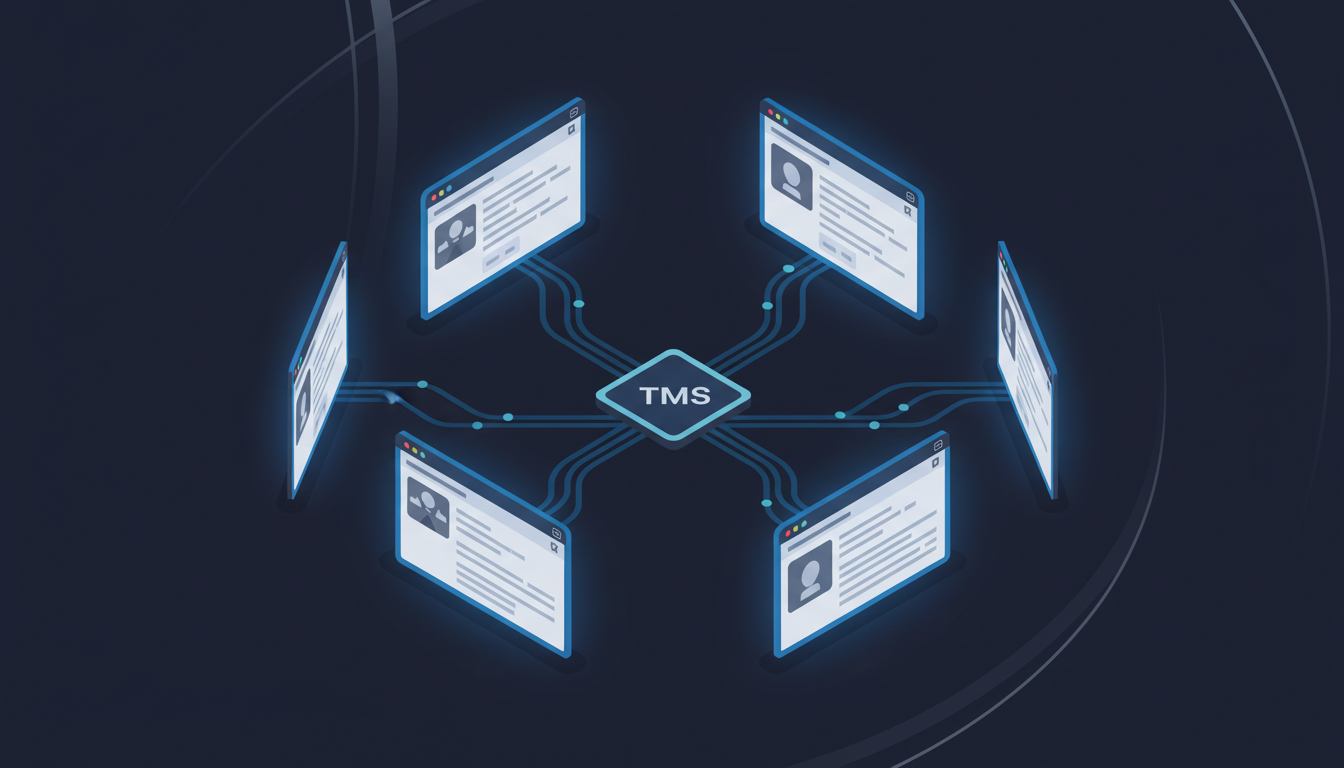
Load posting automation extracts details from your TMS and distributes them across carrier portals without manual entry. A dispatcher assigns a load requiring three carrier quotes. Automation logs into all three portals at once, populates origin, destination, equipment type, commodity, and rate fields, uploads rate confirmation PDFs where needed, and submits.
Parallel execution changes the numbers. Posting a load to five carriers manually takes 15-20 minutes. Automation runs all five simultaneously, finishing in two to three minutes. For brokers posting 100 loads daily across an average of four carriers each, that's 400 portal interactions. Manual operations require 100-133 hours weekly. Automation cuts it to 13-20 hours.
In this system, carrier responses flow back without intervention. When a carrier accepts or counters, automation extracts the response, converts it to structured data, and pushes it to your TMS. The booking confirmation triggers appointment scheduling in the shipper portal, carrier assignment updates, and document preparation workflows.
Document Processing: BOLs, PODs, and Invoice Reconciliation
Each completed load generates three to five documents scattered across different carrier portals. BOLs live in one section. PODs appear elsewhere. Freight bills hide under a third tab. Download one, open the file, extract details, enter them into your accounting system. Repeat 500 times weekly. The dual burden hits hardest during month-end close. You're not simply downloading documents. You're also reading each one, pulling invoice numbers, matching amounts, keying data into QuickBooks or your ERP. One broker processing 2,000 loads monthly handles 6,000-10,000 documents. When 15% have discrepancies requiring manual reconciliation, that's 900-1,500 exceptions eating into close cycles.
Document format inconsistency makes things worse as well. For example, one carrier might deliver BOLs as searchable PDFs, another scans paper copies at terrible resolution, and a third embeds data in proprietary formats your accounting system can't parse. Automation, though, goes to each carrier portal's document section, downloads files regardless of format, extracts structured data using computer vision, matches invoices against your TMS records, flags discrepancies for review, and pushes clean data to accounting systems via API. Invoice processing time drops from 8-12 days to 2-3 days, cutting DSO by a week.
Human review focuses where it really matters: resolving the 15% of invoices with legitimate discrepancies instead of processing the 85% that match perfectly.
What to Look for in a Freight Broker Portal Automation Solution
Choosing automation comes down to whether the solution will survive real-world conditions or become another thing to fix. Here are some considerations as you look for an automation solution:
- Start with authentication handling. Can it solve CAPTCHAs automatically? Does it manage MFA codes from SMS, authenticator apps, and email verification? Will it maintain sessions across timeouts without manual resets?
- Layout resistance separates tools that work long-term from those that break monthly. Ask whether the system uses visual understanding or CSS selectors. When a carrier portal redesigns its interface, does automation self-heal or does your team spend hours updating scripts?
- Parallel execution determines throughput. Posting 100 loads across four carriers each means 400 portal interactions. Sequential processing takes days. Simultaneous execution finishes in hours.
- Integration matters most at the edges. Does extracted data push directly to your TMS and accounting systems via API, or does someone export CSVs and manually import them?
How Skyvern Automates Freight Broker Portal Interactions
Skyvern uses computer vision and LLM reasoning to interpret carrier portals instead of CSS selectors. When posting a load, it reads form fields by visible labels and context, filling "Pickup Location" whether that field appears as a text input, dropdown, or multi-step wizard. Portal redesigns don't break workflows because Skyvern identifies elements by what they do, not simply where they sit in the HTML.
Authentication happens automatically. Skyvern solves CAPTCHAs, retrieves MFA codes from configured sources, and maintains sessions across timeouts without manual intervention. Credential management integrates with vaults like Bitwarden or 1Password, keeping passwords secure while allowing automated login flows. Parallel execution runs across dozens of portals simultaneously. Posting 100 loads to four carriers each processes 400 interactions in the time manual operations handle five. Load confirmations, rate quotes, and status updates flow back to your TMS via API without intermediate steps. Finally, document workflows run on schedule. Skyvern logs into each carrier portal, goes to document sections, downloads BOLs and PODs regardless of format, extracts structured data, and pushes it to accounting systems.
Example: How To Automate Load Posting With Skyvern Across Multiple Carrier Portals
from skyvern import Skyvern
import asyncio

skyvern = Skyvern(api_key="YOUR_API_KEY")

# Load details from your TMS
load_data = {
    "origin": "Chicago, IL",
    "destination": "Dallas, TX",
    "pickup_date": "2026-03-15",
    "equipment_type": "Dry Van",
    "weight": "42000 lbs",
    "rate": "$2,400"
}

# Post to multiple carrier portals simultaneously
carrier_portals = [
    "https://carrier1.com/post-load",
    "https://carrier2.com/loads",
    "https://carrier3.com/available-freight"
]

async def post_to_carriers():
    tasks = []
    for portal_url in carrier_portals:
        task = skyvern.run_task(
            url=portal_url,
            prompt=f"""Post this load to the carrier portal:
            Origin: {load_data['origin']}
            Destination: {load_data['destination']}
            Pickup Date: {load_data['pickup_date']}
            Equipment: {load_data['equipment_type']}
            Weight: {load_data['weight']}
            Rate: {load_data['rate']}

            Fill out the load posting form and submit.
            COMPLETE when the load is successfully posted.""",
            data_extraction_schema={
                "type": "object",
                "properties": {
                    "confirmation_number": {"type": "string"},
                    "status": {"type": "string"}
                }
            }
        )
        tasks.append(task)

    # Execute all portal interactions in parallel
    results = await asyncio.gather(*tasks)
    return results

# Run the automation
results = asyncio.run(post_to_carriers())

for i, result in enumerate(results):
    print(f"Carrier {i+1}: {result.output}")
Final Thoughts on Scaling Freight Broker Operations Without Adding Headcount
Your dispatch team shouldn't spend half their day copying data between systems. Freight broker portal automation takes over the repetitive portal interactions that scale linearly with load volume, freeing your team to handle exceptions and build carrier relationships. When portals change their interfaces or add new authentication requirements, automation that uses visual understanding adapts without breaking. Schedule time with us to walk through how automation fits into your current workflow.
FAQ
How does freight broker portal automation handle carrier portals that change their layouts?
Automation using computer vision and LLM reasoning identifies form fields by visible labels and context instead of CSS selectors, so it continues working when portals redesign their interfaces without requiring script updates or maintenance.
What types of authentication can portal automation handle automatically?
Portal automation can solve CAPTCHAs, retrieve MFA codes from SMS and authenticator apps, manage email verification links, and maintain sessions across timeouts without manual intervention, which handles the authentication layers that block traditional bots.
How long does it take to process documents across multiple carrier portals manually versus with automation?
Manual processing of 2,000 loads monthly generates 6,000-10,000 documents taking 8-12 days to process, while automation cuts invoice processing time to 2-3 days by extracting structured data and flagging only the discrepancies that need human review.
Can automation post loads to multiple carrier portals at the same time?
Yes, parallel execution runs across dozens of portals simultaneously, so posting 100 loads to four carriers each (400 total interactions) finishes in hours instead of the days required by sequential manual processing.
What should you look for first when assessing freight broker portal automation solutions?
Look for authentication handling (CAPTCHA solving, MFA management), layout resistance (visual understanding instead of brittle selectors), parallel execution capability, and direct API integration with your TMS and accounting systems to avoid manual CSV exports.