
Automating Education Enrollment and Student Portal Workflows (April 2026)

Your enrollment coordinators spend hours each week on tasks that could run overnight without anyone touching a keyboard, but student portal automation keeps breaking every time a portal updates its layout. Traditional RPA tools rely on selectors tied to specific HTML structures, so when Slate redesigns its dashboard or Banner shifts a form field, your workflows stop working and someone has to track down the bug. The real cost shows up when response times to prospective students slow down because staff are buried in manual data entry instead of actually engaging with applicants.
TLDR:
- Admissions staff spend hours weekly on manual portal work across Banner, Slate, and PeopleSoft systems
- Traditional automation breaks when portals update because it relies on fragile CSS selectors
- AI browser automation reads forms visually and handles 2FA without needing API integrations
- Skyvern automates enrollment workflows across multiple student portals without site-specific scripts
The Hidden Cost of Manual Student Portal Work
Every enrollment season, admissions staff find themselves doing the same thing: logging into portal after portal, copying data between systems, chasing incomplete applications, and manually verifying records that should have been processed automatically. It's repetitive, slow, and expensive. Schools that automate enrollment workflows, though, report a 50% reduction in administrative workload. Yet most institutions haven't gotten there. Enrollment coordinators spend hours each week on tasks that could run overnight without anyone touching a keyboard.
The costs reach beyond internal operations. When staff are buried in manual data entry, response times to prospective students slow down, and in a competitive admissions environment, a delayed follow-up often means a lost enrollment. With over one million annual student dropouts, every engagement delay during peak enrollment windows carries real yield risk. Staff burnout follows closely behind. High turnover in admissions and registrar offices is well-documented, and a key driver is the volume of repetitive, low-value portal work with no clear end in sight.
The portals themselves, Banner, Slate, PeopleSoft, Ellucian, aren't going anywhere. Browser automation could help, but most tools fail at the manual processes built around them. They're deeply embedded in how institutions operate. The problem is the manual processes built around them, and the gap between what these systems can do and how staff are actually using them day to day.
Why Traditional Automation Breaks in Education Portals
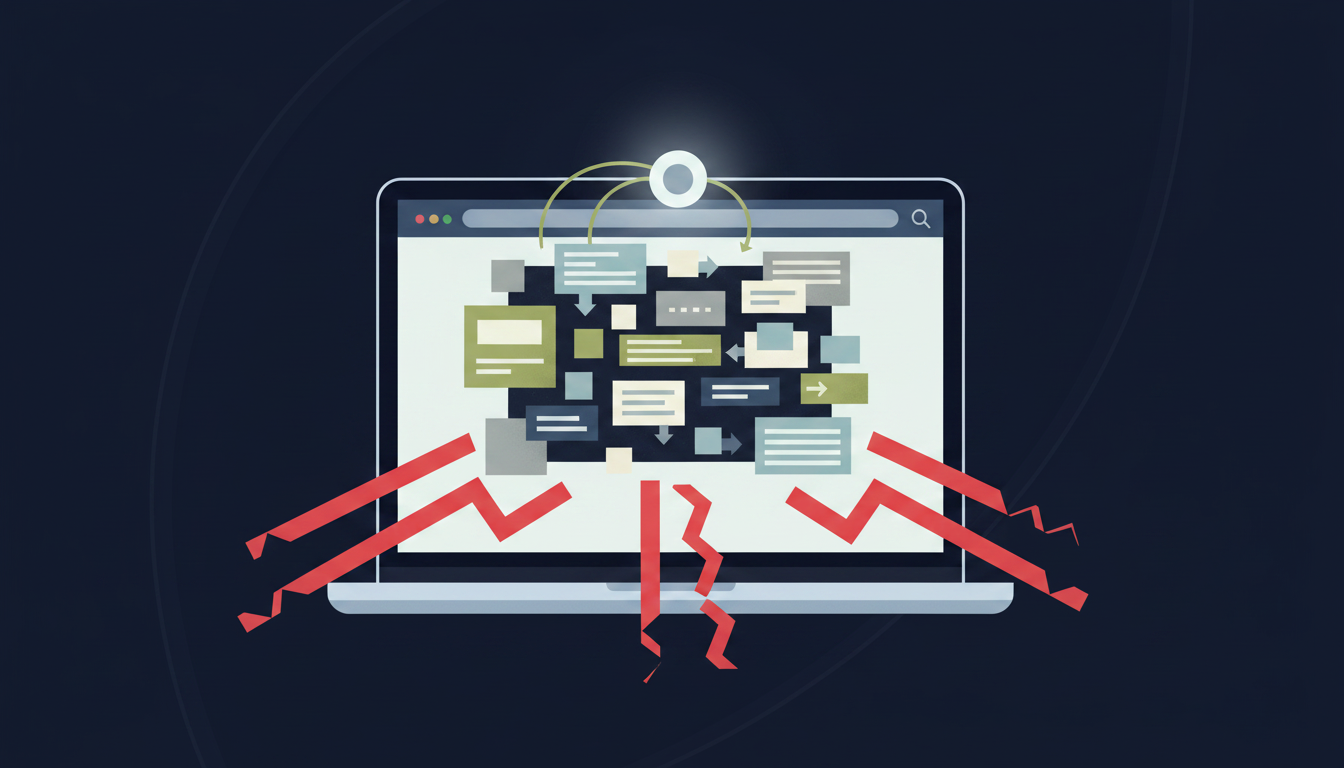
Student portals update constantly. Slate redesigns its dashboard. Banner pushes a UI patch. PeopleSoft shifts a form field two pixels to the left. For teams using Selenium, Playwright, or traditional RPA tools, that's enough to break an entire automation workflow overnight. The core problem is how these tools work. They move through pages using CSS selectors and XPaths, rigid identifiers tied to specific HTML structures. When a portal updates its layout, those selectors stop matching. Scripts that worked fine last semester suddenly fail silently, and someone has to go find the bug. For small IT teams managing dozens of integrations across Banner, Ellucian, Slate, and third-party enrollment tools, that maintenance burden compounds fast. Each broken workflow gets added to the backlog. Fixes take a lot of time the team doesn't have.
Why Education Portals Are Especially Unforgiving
Education portals change more frequently than most web apps. There are a number of reasons this happens:
- SIS vendors ship quarterly updates that restructure page templates across entire institutions.
- Portals get rebranded after acquisitions, swapping out layouts and navigation patterns wholesale.
- Accessibility compliance pushes structural changes that ripple through every form and modal on the site.
The table below provides some common challenges with education portals, and how traditional RPA and AI browser automation approaches handle them.
Challenge | Traditional RPA (Selenium, Playwright) | AI Browser Automation (Skyvern) |
|---|---|---|
Portal UI updates and layout changes | Workflows break when CSS selectors or XPaths stop matching after portal updates, requiring manual script fixes for each change | Reads pages visually using computer vision and LLMs, adapting automatically to layout changes without script maintenance |
Authentication and 2FA handling | No native support for TOTP codes, email verification, or SSO flows; scripts stall and require manual intervention when MFA prompts appear | Built-in credential management handles TOTP, 2FA, email verification, SSO, and one-time login links without exposing credentials to the LLM |
Multi-system workflows across Banner, Slate, PeopleSoft | Requires separate scripts for each system and portal configuration, with each needing its own maintenance cycle when updates occur | Single workflow runs across different portal implementations without modification, reasoning through interfaces instead of following predetermined scripts |
Conditional form logic and field variations | Each form variation needs its own script to handle fields that appear based on previous answers, creating maintenance overhead | Identifies fields by label and context, handling conditional logic as it appears without custom configuration per form type |
Data extraction from legacy reporting interfaces | Breaks when report layouts change; requires API access that legacy systems like Banner and PeopleSoft don't provide for most workflows | Logs into portals visually, goes to reports, downloads files, and delivers structured output via webhook on scheduled runs without APIs |
Multi-System Integration Challenges Blocking Portal Automation
Most institutions run four or five completely separate systems that are expected to talk to each other. Admissions lives in Slate. Student records sit in Banner or PeopleSoft. Financial aid runs through its own portal. The LMS is somewhere else entirely. Each has its own login, its own session management, and its own form logic. When a student moves from applicant to enrolled, that status change should cascade across every system automatically. In practice, someone logs into each one and updates it by hand.
The gap is where data errors accumulate. A record updated in the CRM but missed in the SIS creates downstream problems in financial aid, housing assignments, and course registration.
Code-based automation fails here for a simple reason: none of these systems expose APIs for the workflows that matter. You can't script around an authentication wall you can't programmatically access. Visual AI automation sidesteps that entirely, treating each portal the way a staff member would: logging in, reading what's on screen, and acting on it without needing an integration layer that doesn't exist.
Authentication Complexity: The Enrollment Bottleneck
Enrollment windows don't wait. When a prospective student submits materials during peak admission season, every hour of processing delay carries real yield risk. Yet the first obstacle most portal workflows hit isn't logic or data; it's just getting in. Administrative staff deal with this daily. Each portal has its own login flow. Some require SSO through the institution's identity provider. Others still use standalone username and password combinations. Many now enforce 2FA via TOTP or email verification codes. Choosing the right 2FA browser automation tools can make or break enrollment workflows. A staff member managing five portals can spend a non-trivial chunk of the morning just getting authenticated before any real work begins.
For automated workflows, authentication failures are where most scripts die. Standard RPA tools have no native mechanism for handling TOTP codes mid-session, catching an expired SSO token, or recovering from a portal that decides to prompt for MFA unexpectedly. The workflow stalls, throws an error, and someone has to intervene manually.
Skyvern handles authentication directly. It supports TOTP, 2FA, email and phone verification codes, SSO flows, and one-time login links through built-in credential management that never exposes credentials to the underlying LLM. Browser sessions persist state across multi-step workflows, so a login created at the start of a sequence remains valid through the entire run without re-authentication.
Form Filling at Scale: Admissions to Registration
A single admissions cycle can involve thousands of application submissions, each touching a different combination of fields depending on program type, residency status, transfer credits, or financial aid eligibility. Undergraduate applications look nothing like graduate ones. International student forms add document upload requirements. Continuing education enrollment skips half the fields entirely. Traditional automation handles this poorly. Each form variation needs its own script, its own maintenance cycle, and its own failure mode when something changes. Modern AI-powered form filling tools solve these limitations.
Skyvern automates form filling by reading forms visually, the same way a staff member would. It identifies fields by label and context instead of HTML selectors, fills them from a structured data payload, and handles conditional logic (fields that appear only when a previous answer triggers them) without any custom configuration per form type.
The same workflow that processes undergraduate applications can handle graduate enrollment, registration changes, and withdrawal requests without modification. Parallel execution means hundreds of submissions run simultaneously instead of queuing behind a single process, which matters most during peak enrollment windows when volume spikes and delays cost yield.
Data Extraction from Legacy Student Portals
Enrollment data doesn't stay in one place. Attendance records live in the SIS. Grade exports sit behind a separate reporting module. Compliance submissions require pulling from three systems, reformatting the data, and uploading it somewhere else. None of it connects automatically. What makes this worse is timing. These extractions don't happen continuously. They cluster around end-of-term deadlines, federal reporting windows, and accreditation cycles. Staff who spent the semester managing other work suddenly face a week of nonstop manual portal pulls, all due at the same time.
Legacy systems like Banner and PeopleSoft expose no extraction APIs for most of this. The only path out is logging in, going to the right report, selecting the correct date range, and downloading a file. Repeat for every program, every term, every portal.
Skyvern automates exactly this sequence. It logs into each portal on a set schedule, goes to the relevant report or data view, downloads files, and pushes structured output via webhook, running across multiple systems in parallel. No staff intervention required, and no backlog building up before a compliance deadline.
How AI Browser Automation Changes Student Portal Workflows
AI browser automation changes the underlying mechanism for reading a page in a way that solves the failure patterns described above.
Instead of targeting HTML selectors, computer vision reads the live interface the way a staff member would: by what's visible, not what's in the source. An LLM interprets field labels, button states, and modal contexts to decide what action comes next. When Banner ships a UI update or Slate reorganizes its dashboard, there's nothing to re-script. The visual layer adapts automatically because it never depended on the old structure in the first place.
This distinction matters most in education, where portal interfaces shift constantly and no two institutions configure the same system identically. A workflow built on visual AI runs across different Banner configurations, different Slate implementations, and different Ellucian deployments without modification, because it reasons through the interface instead of following a predetermined script tied to one specific version.
The practical result is that automation scope expands. Teams stop asking "which portals can we automate?" and start asking "which workflows do we want to run first?" Any browser-based student portal becomes fair game, including ones the system has never encountered before.
Automating Student Portal Tasks with Skyvern
Skyvern connects directly to the failure points that make student portal automation hard. Authentication walls, layout changes, multi-system workflows with no APIs: each one is handled natively without custom configuration per portal.
A typical enrollment workflow runs like this: Skyvern logs into the target portal using stored credentials with full 2FA support, reads the form visually, fills fields from a JSON payload covering applicant data, handles conditional logic as it appears, submits, and delivers structured confirmation back via webhook. The same workflow runs across Banner, Slate, PeopleSoft, and Ellucian deployments without modification.
For data extraction, scheduled runs pull reports from legacy SIS interfaces, download files, and push structured output to downstream systems with no staff involvement and no deadline scrambles. The same approach works across other compliance-heavy industries with similar portal-based workflows.
Institutions that want to see this against their own portals can start at app.skyvern.com with $5 in free credits and run a live workflow in under an hour.
Code Example
Here's what that looks like in code using the Skyvern Python SDK:
from skyvern import Skyvern
import asyncio

skyvern = Skyvern(api_key="YOUR_API_KEY")

applicant_data = {
    "first_name": "Jane",
    "last_name": "Smith",
    "email": "jane.smith@example.com",
    "program": "Computer Science",
    "term": "Fall 2026",
    "residency_status": "in-state",
    "transfer_credits": False,
}

async def run_enrollment_workflow():
    task = await skyvern.run_task(
        url="https://your-institution.edu/admissions/apply",
        prompt=(
            "Log into the admissions portal using the stored credentials. "
            "Fill out the enrollment application form using the applicant data provided. "
            "Handle any conditional fields that appear based on previous answers. "
            "Submit the form and COMPLETE when you see a confirmation message."
        ),
        navigation_payload=applicant_data,
        data_extraction_schema={
            "type": "object",
            "properties": {
                "confirmation_number": {
                    "type": "string",
                    "description": "The application confirmation number shown after submission"
                },
                "submission_status": {
                    "type": "string",
                    "description": "The status message shown after form submission"
                }
            }
        },
        totp_identifier="admissions@your-institution.edu",  # for 2FA
        webhook_url="https://your-system.com/webhooks/enrollment",
        wait_for_completion=True,
    )

    print(f"Status: {task.status}")
    print(f"Confirmation: {task.output}")

asyncio.run(run_enrollment_workflow())
The same task definition works across different portal implementations. Swap the URL and Skyvern reads the new interface visually, filling fields by label and context instead of hard-coded selectors. No script changes needed when the portal updates.
Final Thoughts on Solving Portal Integration Challenges
Student portal automation finally works when it reads interfaces visually instead of depending on selectors that break with every vendor update. The authentication walls, conditional forms, and legacy reporting interfaces that kill traditional RPA don't stop workflows built on computer vision and contextual reasoning. Enrollment staff already know which tasks eat up their week without adding value. See Skyvern automate those exact workflows against the portals you're using today.
FAQ
Can you automate student portals without breaking when they update?
Yes. Skyvern uses computer vision and LLMs to read portals visually instead of relying on CSS selectors or XPaths, so workflows keep running when Banner, Slate, or PeopleSoft ship UI updates. The same automation that works today will work through next semester's portal redesign without maintenance.
Student portal automation with 2FA vs manual login workflows?
Skyvern handles 2FA, TOTP codes, SSO flows, and email verification natively without exposing credentials to the underlying LLM, while manual workflows require staff to authenticate separately across every portal each session. Automated workflows can run overnight across dozens of systems without anyone touching a keyboard.
How long does it take to deploy your first student portal automation?
Most teams run their first automated workflow in 2-3 hours using the $5 in free credits at app.skyvern.com. Complex multi-step processes like enrollment pipelines or compliance reporting take 1-2 weeks to fully test across all systems.
What's the difference between traditional RPA and AI browser automation for enrollment workflows?
Traditional RPA tools like Selenium and Playwright use CSS selectors that break every time a portal updates its layout, requiring constant script maintenance. AI browser automation reads pages visually and adapts to changes automatically, so workflows continue running through UI updates without intervention.
When should you switch from manual portal work to automation?
When enrollment coordinators spend more than a few hours per week on repetitive portal tasks, when response times to prospective students are slowing during peak admission season, or when staff turnover is driven by manual data entry workload that has no clear end in sight.