> ## Documentation Index
> Fetch the complete documentation index at: https://skyvern.com/docs/llms.txt
> Use this file to discover all available pages before exploring further.
# n8n
> Connect Skyvern to n8n's open-source automation platform. Dispatch tasks and agents, retrieve results, and integrate browser automations into any n8n workflow.
Connect Skyvern to n8n's open-source automation platform. Trigger browser automations from any workflow, or pipe Skyvern's results into downstream nodes.
## Available Operations
* **Task → Dispatch a Task**: Run a browser automation with a prompt
* **Task → Get a Task**: Retrieve results from a previously run task
* **Agent → Dispatch an Agent Run**: Run a pre-built Skyvern agent with parameters
* **Agent → Get an Agent Run**: Retrieve results from a previously run agent
## Setup
Create a new workflow or edit an existing one, click **+**, search for "Skyvern", and click *Install* → *Add to workflow*.
Click *Select credential* → "Create new credential" and paste your API key from [Settings](https://app.skyvern.com/settings/).
Fill in the fields for your chosen operation. See the field reference below.
Run the workflow and monitor progress in your [Skyvern dashboard](https://app.skyvern.com).
## Field reference
### Dispatch a Task
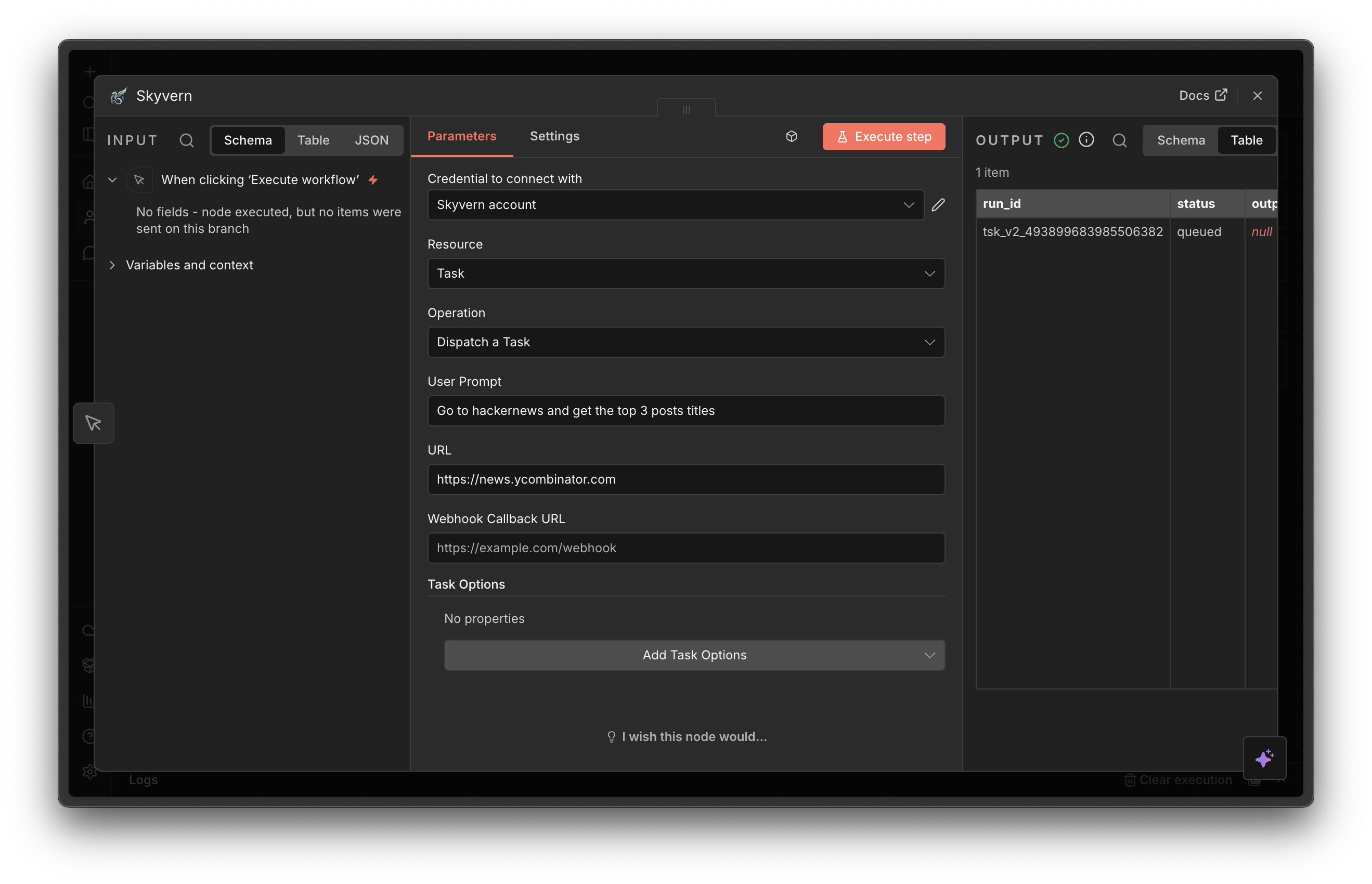 * **User Prompt** (required): What Skyvern should do
* **URL**: The starting page. If omitted, Skyvern navigates based on the prompt.
* **Webhook Callback URL**: URL to notify when the task finishes
Under **Task Options**:
* **Engine**: Defaults to **Skyvern 1.0**.
* **Skyvern 1.0**: Simple, single-step tasks
* **Skyvern 2.0**: Existing V2 workflows or explicitly requested V2 task runs
* **OpenAI CUA** / **Anthropic CUA**: Third-party computer-use agents
### Dispatch an Agent Run
* **User Prompt** (required): What Skyvern should do
* **URL**: The starting page. If omitted, Skyvern navigates based on the prompt.
* **Webhook Callback URL**: URL to notify when the task finishes
Under **Task Options**:
* **Engine**: Defaults to **Skyvern 1.0**.
* **Skyvern 1.0**: Simple, single-step tasks
* **Skyvern 2.0**: Existing V2 workflows or explicitly requested V2 task runs
* **OpenAI CUA** / **Anthropic CUA**: Third-party computer-use agents
### Dispatch an Agent Run
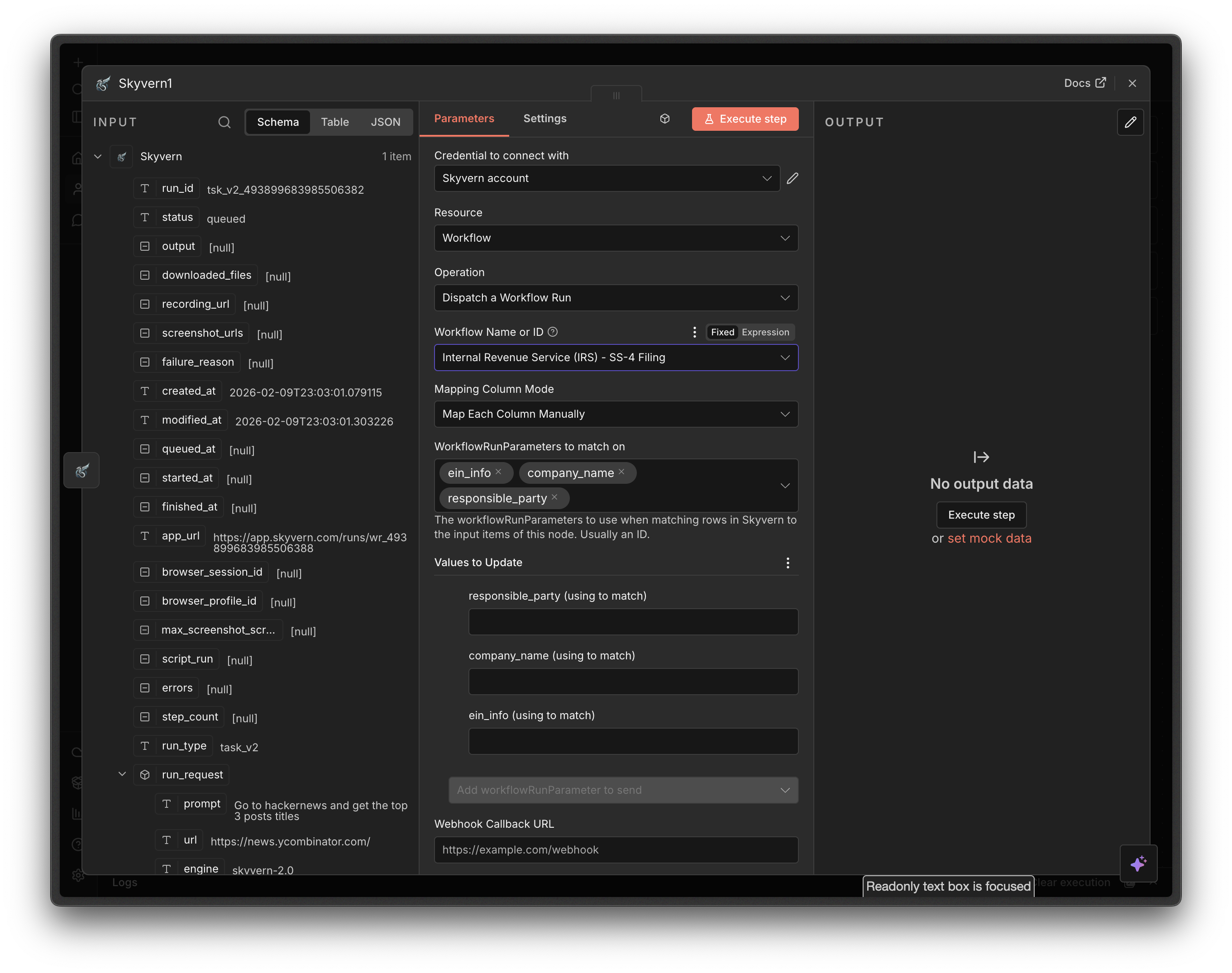 First, create your agent in the [Skyvern UI](https://app.skyvern.com).
* **Agent Name or ID** (required): Select from the dropdown or specify an ID with an expression
* **Agent Run Parameters**: Loaded dynamically from the selected agent
* **Webhook Callback URL**: URL to notify when the agent finishes
### Get a Task
First, create your agent in the [Skyvern UI](https://app.skyvern.com).
* **Agent Name or ID** (required): Select from the dropdown or specify an ID with an expression
* **Agent Run Parameters**: Loaded dynamically from the selected agent
* **Webhook Callback URL**: URL to notify when the agent finishes
### Get a Task
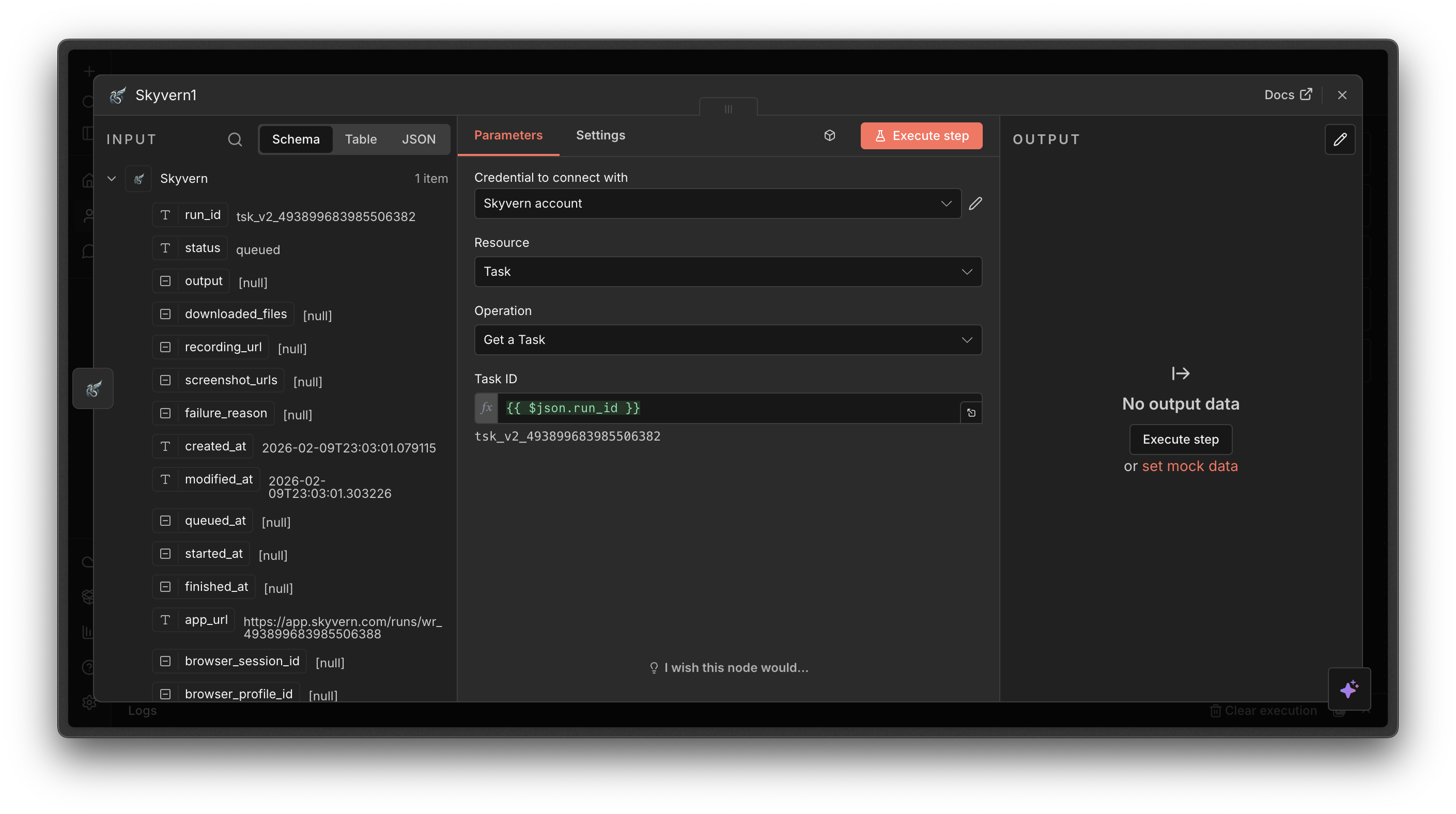 * **Task ID** (required): The ID of the task run
### Get an Agent Run
* **Task ID** (required): The ID of the task run
### Get an Agent Run
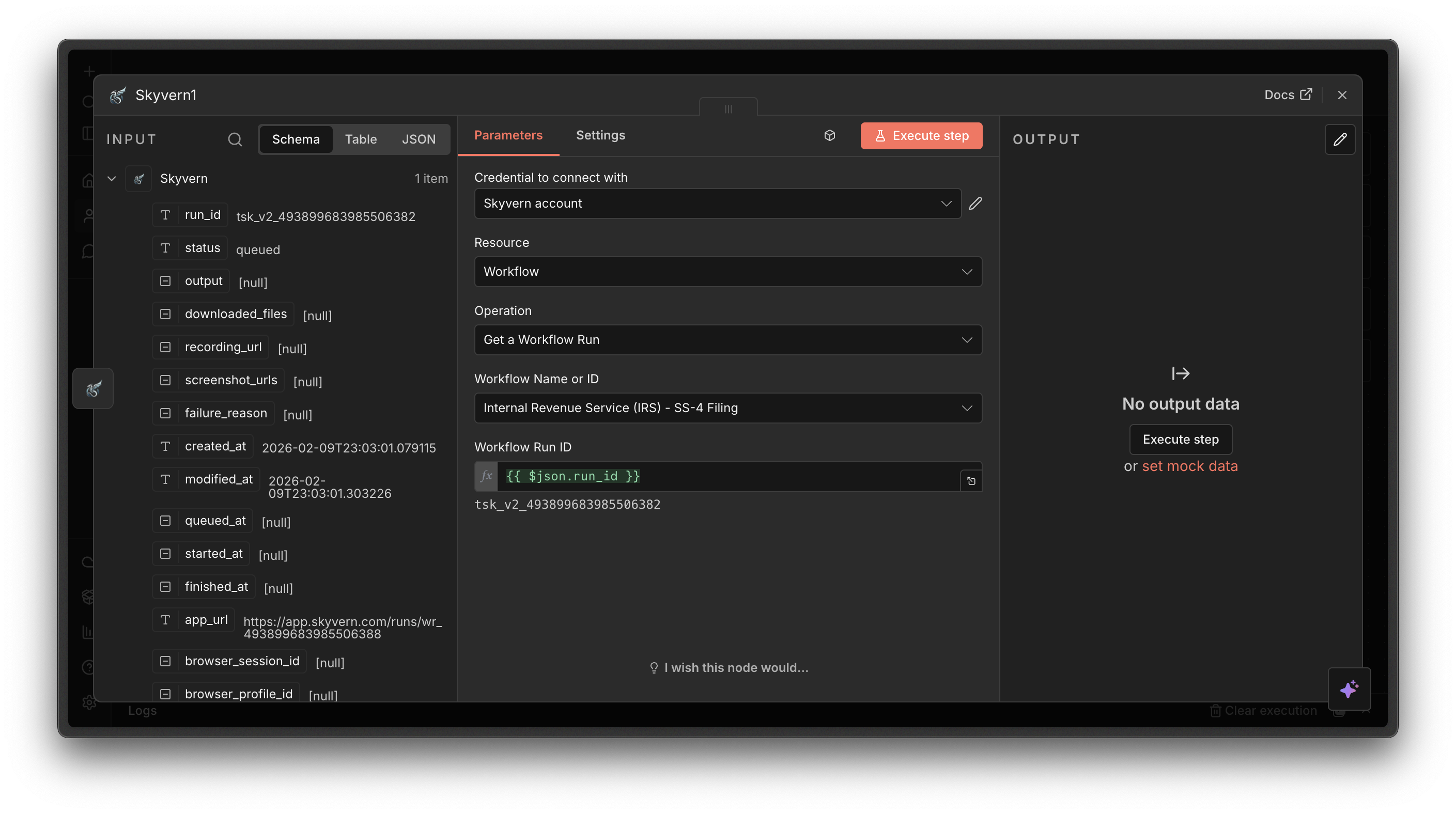 * **Agent Name or ID** (required): Select the agent from the dropdown
* **Agent Run ID** (required): Starts with `wr_`
## Next steps
Create reusable multi-step automations in Skyvern
Get notified when tasks complete
* **Agent Name or ID** (required): Select the agent from the dropdown
* **Agent Run ID** (required): Starts with `wr_`
## Next steps
Create reusable multi-step automations in Skyvern
Get notified when tasks complete