> ## Documentation Index
> Fetch the complete documentation index at: https://skyvern.com/docs/llms.txt
> Use this file to discover all available pages before exploring further.
# Block Types and Configuration
> Reference guide for every agent block type in the Skyvern Cloud UI, including Browser Task, Extraction, Login, Loop, While Loop, Conditional, Code, HTTP Request, and more.
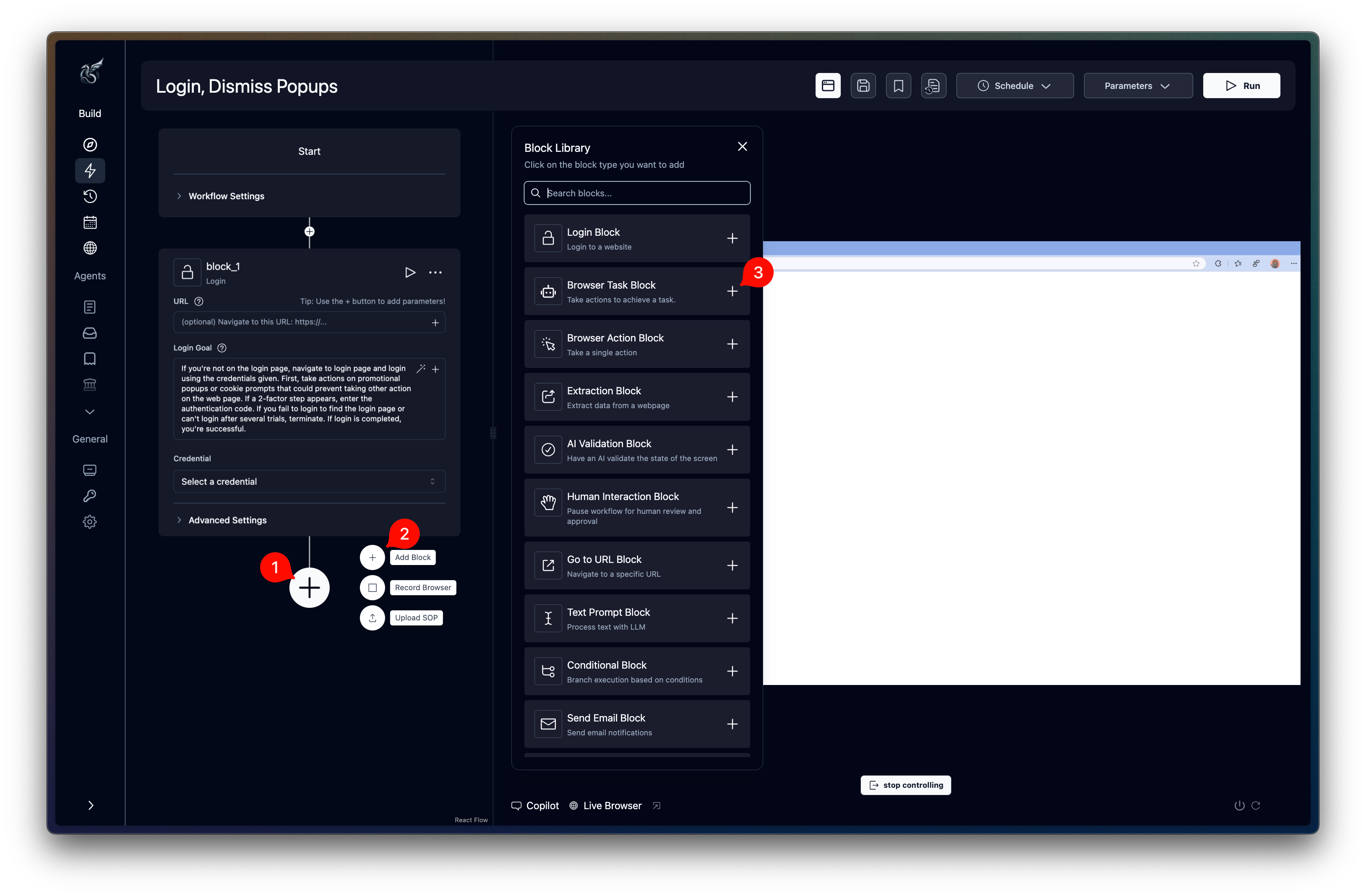
Agents are built from blocks. Each block performs one specific operation: navigating a page, extracting data, making an API call, or branching logic. This page covers every block type available in the Cloud UI [agent editor](/docs/cloud/building-agents/build-an-agent), grouped by category.
If you're writing automations in code instead, the equivalent operations are Page and Agent methods. See the [Actions Reference](/docs/developers/browser-automations/actions-reference) for the code-first counterparts to these blocks.
 ## Quick reference
| Category | Blocks |
| - | - |
| [Browser Automation](#browser-automation) | Browser Task, Browser Action, Extraction, Login, Go to URL, Print Page |
| [Data and Extraction](#data-and-extraction) | Web Search, Text Prompt, File Parser |
| [Control Flow](#control-flow) | Loop, While Loop, Conditional, AI Validation, Code, Wait |
| [Files](#files) | File Download, Cloud Storage Upload |
| [Communication](#communication) | Send Email, HTTP Request, Human Interaction |
***
## Common fields
These fields appear on most blocks:
| Field | Description |
| - | - |
| **Label** | Display name on the canvas. Also determines how downstream blocks reference this block's output (`{{ label_output }}`). |
| **Continue on Failure** | Allow the agent to continue if this block fails |
| **Next Loop on Failure** | Only inside loops. Skip to the next iteration on failure. |
| **Model** | Override the default LLM model for this block (Advanced Settings on most blocks) |
Browser-based blocks (Browser Task, Browser Action, Extraction, Login, File Download) share these additional fields:
| Field | Description |
| - | - |
| **URL** | Starting URL. Leave blank to continue from the previous block's page. |
| **Engine** | AI engine. Skyvern 1.0 is the default for new browser blocks. |
| **Max Steps Override** | Cap the number of AI reasoning steps |
| **Disable Cache** | Skip cached script execution |
| **TOTP Identifier** | Link TOTP credentials for 2FA handling |
| **TOTP Verification URL** | Endpoint this block polls when it needs a 2FA code |
| **Error Code Mapping** | Map error conditions to custom error codes (JSON) |
Set **TOTP Verification URL** on the block that may encounter 2FA. Top-level workflow run `totp_url` values do not automatically populate empty block fields.
***
## Browser Automation
### Browser Task
The primary block for browser automation. Accepts a natural-language prompt and autonomously navigates the browser to accomplish the goal.
The block uses Skyvern 1.0 by default. Existing agents that already contain V2 browser blocks remain editable and may show a reduced field set.
**Skyvern 1.0:**
| Field | Type | Description |
| - | - | - |
| **URL** | text | Starting URL (optional) |
| **Prompt** | text | Natural language instructions for the AI |
**Existing V2 blocks:**
| Field | Type | Description |
| - | - | - |
| **URL** | text | Starting URL (optional) |
| **Prompt** | text | Natural language instructions for the AI |
| **Max Steps** | number | Maximum AI steps |
| **Disable Cache** | boolean | Skip cached script execution |
Additional fields in **Advanced Settings** (Skyvern 1.0 only):
| Field | Type | Description |
| - | - | - |
| **Complete if...** | text | Condition that signals the block is done |
| **Include Action History in Verification** | boolean | Include prior actions when verifying completion |
| **Complete on Download** | switch | Mark the block as complete when a file download occurs |
| **File Name** | text | Custom filename for downloaded files |
*Plus [common browser fields](#common-fields).*
## Quick reference
| Category | Blocks |
| - | - |
| [Browser Automation](#browser-automation) | Browser Task, Browser Action, Extraction, Login, Go to URL, Print Page |
| [Data and Extraction](#data-and-extraction) | Web Search, Text Prompt, File Parser |
| [Control Flow](#control-flow) | Loop, While Loop, Conditional, AI Validation, Code, Wait |
| [Files](#files) | File Download, Cloud Storage Upload |
| [Communication](#communication) | Send Email, HTTP Request, Human Interaction |
***
## Common fields
These fields appear on most blocks:
| Field | Description |
| - | - |
| **Label** | Display name on the canvas. Also determines how downstream blocks reference this block's output (`{{ label_output }}`). |
| **Continue on Failure** | Allow the agent to continue if this block fails |
| **Next Loop on Failure** | Only inside loops. Skip to the next iteration on failure. |
| **Model** | Override the default LLM model for this block (Advanced Settings on most blocks) |
Browser-based blocks (Browser Task, Browser Action, Extraction, Login, File Download) share these additional fields:
| Field | Description |
| - | - |
| **URL** | Starting URL. Leave blank to continue from the previous block's page. |
| **Engine** | AI engine. Skyvern 1.0 is the default for new browser blocks. |
| **Max Steps Override** | Cap the number of AI reasoning steps |
| **Disable Cache** | Skip cached script execution |
| **TOTP Identifier** | Link TOTP credentials for 2FA handling |
| **TOTP Verification URL** | Endpoint this block polls when it needs a 2FA code |
| **Error Code Mapping** | Map error conditions to custom error codes (JSON) |
Set **TOTP Verification URL** on the block that may encounter 2FA. Top-level workflow run `totp_url` values do not automatically populate empty block fields.
***
## Browser Automation
### Browser Task
The primary block for browser automation. Accepts a natural-language prompt and autonomously navigates the browser to accomplish the goal.
The block uses Skyvern 1.0 by default. Existing agents that already contain V2 browser blocks remain editable and may show a reduced field set.
**Skyvern 1.0:**
| Field | Type | Description |
| - | - | - |
| **URL** | text | Starting URL (optional) |
| **Prompt** | text | Natural language instructions for the AI |
**Existing V2 blocks:**
| Field | Type | Description |
| - | - | - |
| **URL** | text | Starting URL (optional) |
| **Prompt** | text | Natural language instructions for the AI |
| **Max Steps** | number | Maximum AI steps |
| **Disable Cache** | boolean | Skip cached script execution |
Additional fields in **Advanced Settings** (Skyvern 1.0 only):
| Field | Type | Description |
| - | - | - |
| **Complete if...** | text | Condition that signals the block is done |
| **Include Action History in Verification** | boolean | Include prior actions when verifying completion |
| **Complete on Download** | switch | Mark the block as complete when a file download occurs |
| **File Name** | text | Custom filename for downloaded files |
*Plus [common browser fields](#common-fields).*
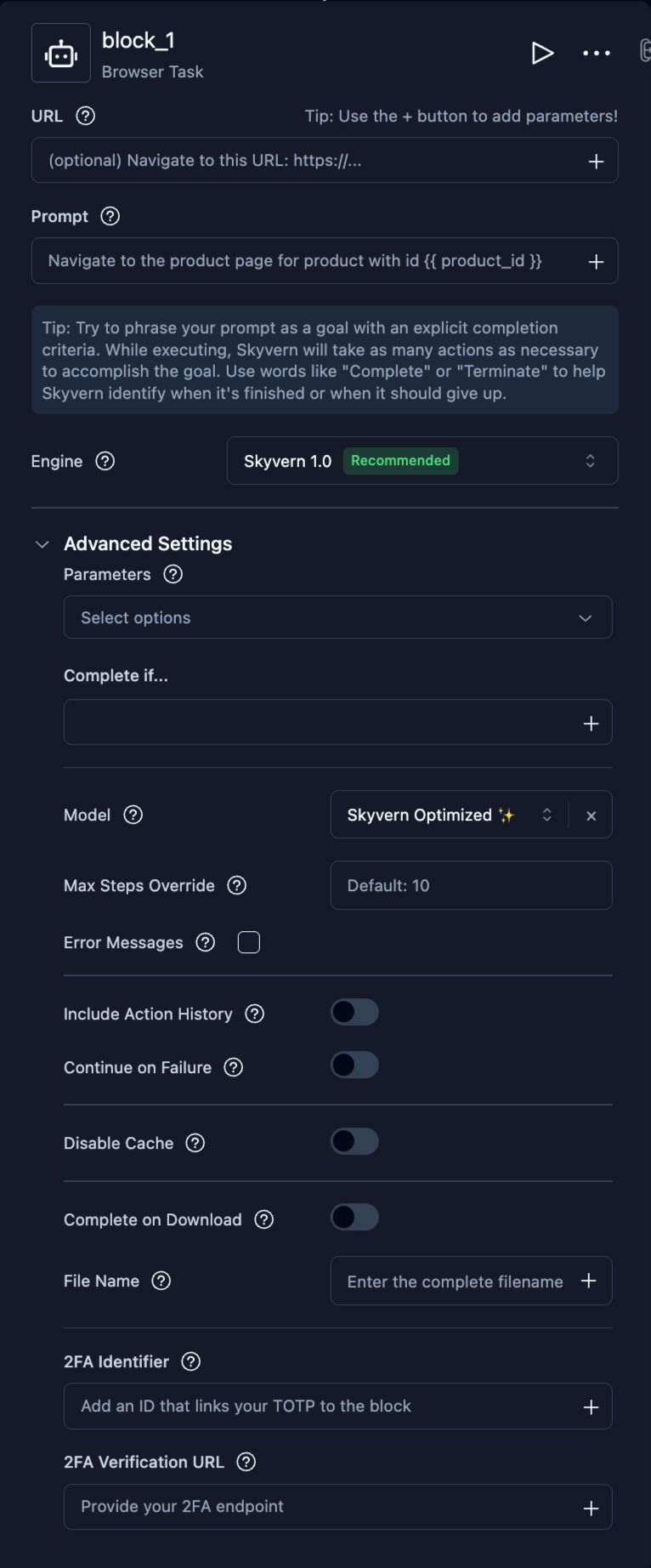 Browser Task is the recommended block for most browser automation. Use it for anything from form filling to multi-page navigation. Include your success criteria directly in the prompt so the AI knows when it's done.
### Browser Action
Execute a single browser action. Best for precise, one-step operations like clicking a specific button or entering text in a field.
| Field | Type | Description |
| - | - | - |
| **URL** | text | Starting URL (optional) |
| **Action Instruction** | text | Specify the single action to perform |
Additional fields in **Advanced Settings:**
| Field | Type | Description |
| - | - | - |
| **Complete on Download** | switch | Mark the block as complete when a file download occurs |
| **File Name** | text | Custom filename for downloaded files |
*Plus [common browser fields](#common-fields).*
### Extraction
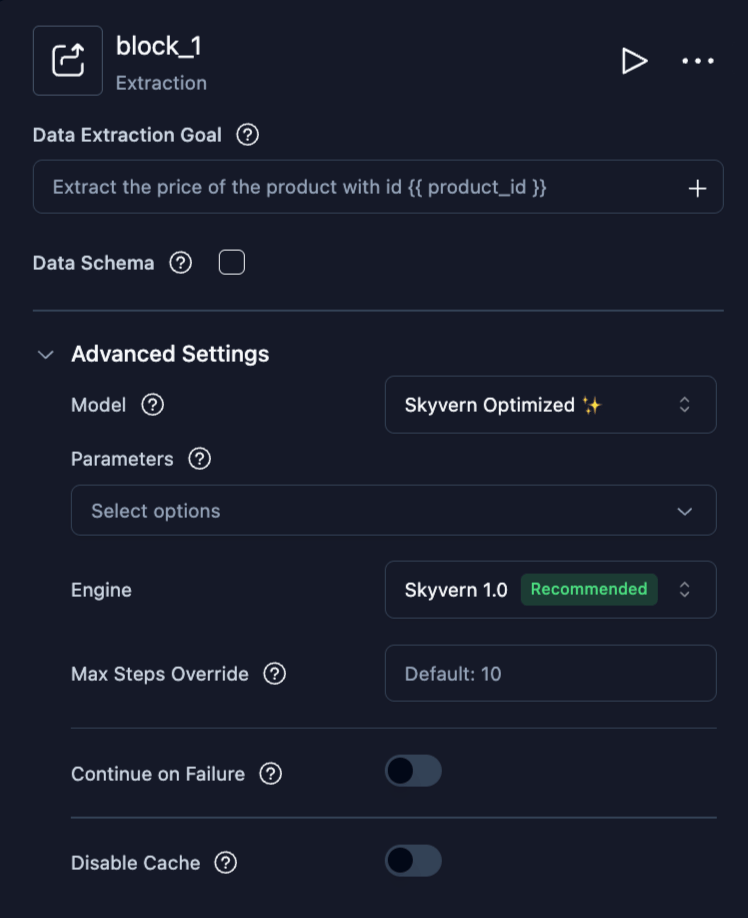
Extract structured data from the current page using AI.
| Field | Type | Description |
| - | - | - |
| **Data Extraction Goal** | text | What data to extract |
| **Data Schema** | JSON | [JSON Schema](https://json-schema.org/) defining the output format. Enable the checkbox to reveal the editor. Click **Generate with AI** to auto-suggest a schema from your extraction goal. |
*Plus [common browser fields](#common-fields).*
Browser Task is the recommended block for most browser automation. Use it for anything from form filling to multi-page navigation. Include your success criteria directly in the prompt so the AI knows when it's done.
### Browser Action
Execute a single browser action. Best for precise, one-step operations like clicking a specific button or entering text in a field.
| Field | Type | Description |
| - | - | - |
| **URL** | text | Starting URL (optional) |
| **Action Instruction** | text | Specify the single action to perform |
Additional fields in **Advanced Settings:**
| Field | Type | Description |
| - | - | - |
| **Complete on Download** | switch | Mark the block as complete when a file download occurs |
| **File Name** | text | Custom filename for downloaded files |
*Plus [common browser fields](#common-fields).*
### Extraction
Extract structured data from the current page using AI.
| Field | Type | Description |
| - | - | - |
| **Data Extraction Goal** | text | What data to extract |
| **Data Schema** | JSON | [JSON Schema](https://json-schema.org/) defining the output format. Enable the checkbox to reveal the editor. Click **Generate with AI** to auto-suggest a schema from your extraction goal. |
*Plus [common browser fields](#common-fields).*
 ### Login
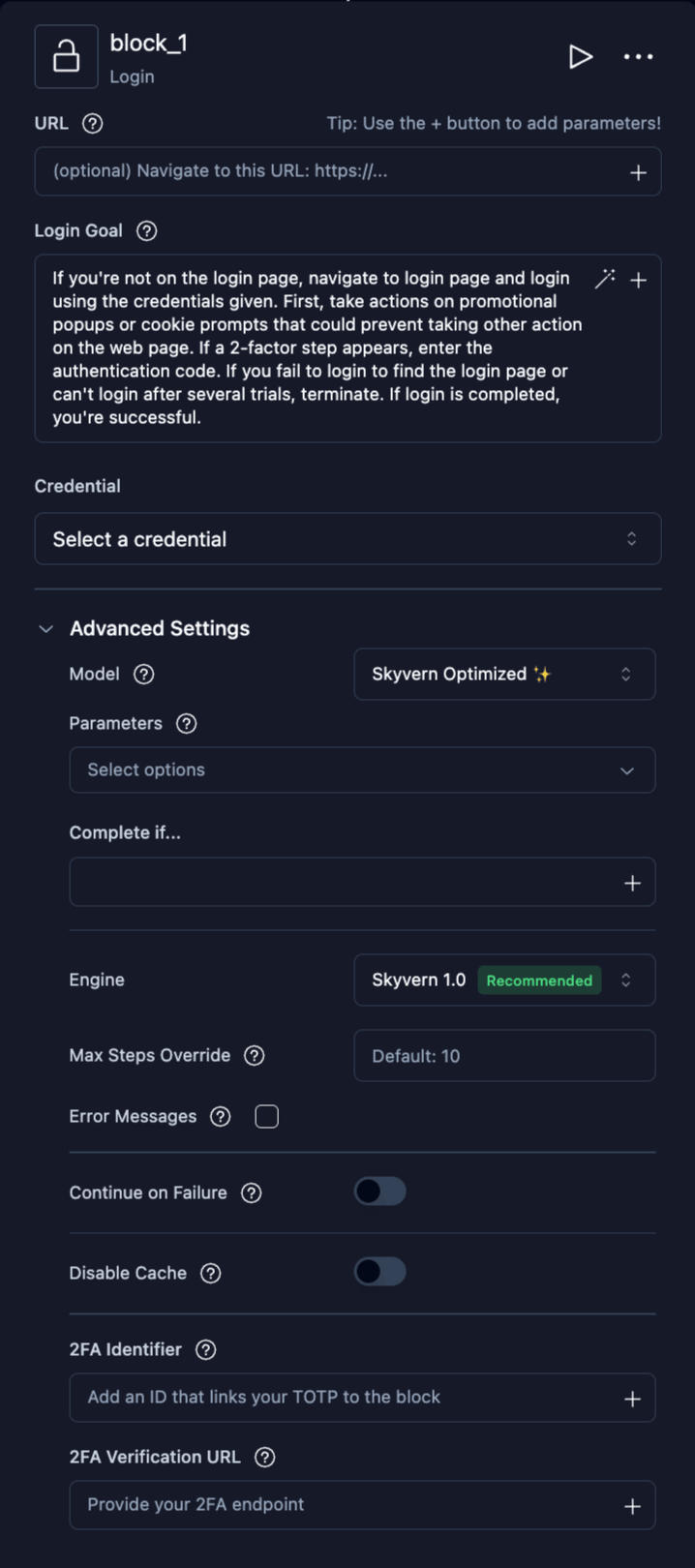
Authenticate to a website using stored credentials. Pre-filled with a default login goal that handles common login flows including 2FA.
| Field | Type | Description |
| - | - | - |
| **URL** | text | Login page URL |
| **Login Goal** | text | Login instructions (pre-filled with a comprehensive default) |
| **Credential** | selector | Select stored credentials for authentication |
Additional fields in **Advanced Settings:**
| Field | Type | Description |
| - | - | - |
| **Complete if...** | text | How to know login succeeded |
*Plus [common browser fields](#common-fields).*
### Login
Authenticate to a website using stored credentials. Pre-filled with a default login goal that handles common login flows including 2FA.
| Field | Type | Description |
| - | - | - |
| **URL** | text | Login page URL |
| **Login Goal** | text | Login instructions (pre-filled with a comprehensive default) |
| **Credential** | selector | Select stored credentials for authentication |
Additional fields in **Advanced Settings:**
| Field | Type | Description |
| - | - | - |
| **Complete if...** | text | How to know login succeeded |
*Plus [common browser fields](#common-fields).*
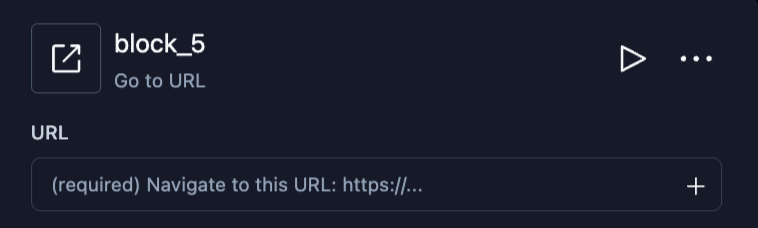
 ### Go to URL
Navigate the browser directly to a specific URL without AI interaction.
| Field | Type | Description |
| - | - | - |
| **URL** | text | **(Required)** The URL to navigate to. Supports [parameter references](/docs/cloud/building-agents/add-parameters#referencing-parameters-in-blocks). |
### Go to URL
Navigate the browser directly to a specific URL without AI interaction.
| Field | Type | Description |
| - | - | - |
| **URL** | text | **(Required)** The URL to navigate to. Supports [parameter references](/docs/cloud/building-agents/add-parameters#referencing-parameters-in-blocks). |
 ### Print Page
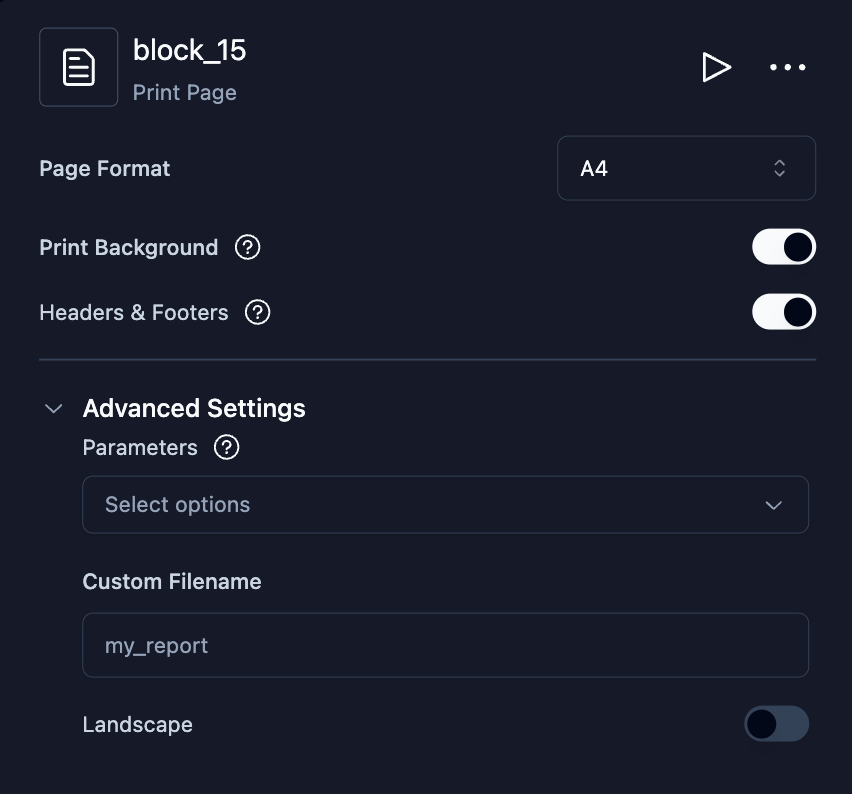
Print the current browser page to a PDF file. The PDF is saved as a downloadable artifact.
| Field | Type | Description |
| - | - | - |
| **Page Format** | select | Paper size: A4, Letter, Legal, or Tabloid |
| **Print Background** | boolean | Include CSS background colors and images in the PDF |
| **Headers & Footers** | boolean | Add date, title, URL, and page numbers to the PDF |
Additional fields in **Advanced Settings:**
| Field | Type | Description |
| - | - | - |
| **Custom Filename** | text | Custom name for the generated PDF |
| **Landscape** | boolean | Use landscape orientation |
### Print Page
Print the current browser page to a PDF file. The PDF is saved as a downloadable artifact.
| Field | Type | Description |
| - | - | - |
| **Page Format** | select | Paper size: A4, Letter, Legal, or Tabloid |
| **Print Background** | boolean | Include CSS background colors and images in the PDF |
| **Headers & Footers** | boolean | Add date, title, URL, and page numbers to the PDF |
Additional fields in **Advanced Settings:**
| Field | Type | Description |
| - | - | - |
| **Custom Filename** | text | Custom name for the generated PDF |
| **Landscape** | boolean | Use landscape orientation |
 ***
## Data and Extraction
### Web Search
Search Google or Exa over an API. Add `site:example.com` to the query to search within a site. This block does not open a browser or read linked pages.
Google supports site restrictions. With a single `site:domain` or `site:domain/path` filter, the block removes results outside the filter. It repeats the search up to twice when Google returns only results outside that filter. It does not filter queries with quotation marks, parentheses, `|`, `OR`, or multiple `site:` filters. Exa supports one positive `site:domain` filter. Unsupported Exa expressions fail instead of expanding the search.
| Field | Type | Description |
| - | - | - |
| **Search Query** | text | Required query. Supports input and output parameter references. |
| **Search Provider** | selector | Automatic (default), Google, or Exa. Google uses SerpAPI. |
| **Maximum Results** | integer | Between 1 and 100; default 10. The provider may return fewer results. |
| **Prompt** | text | Optional instructions to summarize, rank, extract, or transform results. |
| **Model** | selector | Model for Prompt, Data Schema, and error detection. |
| **Data Schema** | JSON | Optional output shape. Works with or without a Prompt. |
| **Error Messages** | mapping | Error codes and descriptions that the model checks against the outcome. |
Automatic starts with Google. It tries Exa only if Google fails before returning results and the server has an Exa key. Empty results do not trigger fallback. Selecting Google or Exa uses only that provider.
A Prompt receives the normalized results, including an empty list. Without a Data Schema, its answer is text. A Data Schema alone asks the model to return the results in that shape. The answer is stored in `prompt_output`. Invalid schemas are rejected when you save. Schemas with parameter references are checked after those references are filled in. A response that fails validation retries once before the block fails.
Leave Prompt and Data Schema blank to skip result processing. Error Messages still make an LLM call when configured on the block or workflow. Block entries override workflow entries with the same code. The model checks results, processed answers, and block failures against those descriptions, including failures before the search starts.
A successful search completes when no error code matches, including when it returns zero results. A matching code terminates a successful search. If the search or Prompt fails or times out, a matching code attaches to that failure without changing its status or system failure reason. If error detection fails, the block keeps the search outcome without a code.
The old `no_results_error_code` and `no_match_error_code` fields are deprecated. Saved values are read as Error Messages. They describe empty results and results that do not satisfy the Prompt. An explicit Error Messages entry with the same code takes precedence.
The output always includes:
* `query`: the rendered query, or the configured query if rendering fails.
* `provider`: `google` or `exa`.
* `results`: objects with `title`, `link`, `snippet`, `display_link`, and one-based `position`.
* `total_count`: the number of returned results.
* `prompt_output`: null, text, or the JSON value defined by Data Schema.
* `raw_response.pages`: provider responses, with credentials removed.
With Exa, a result's `snippet` is empty when Exa has no cached copy of the page or when the request for page highlights fails.
For example, use `{{ web_search_1_output.results }}` in a downstream block. A later page failure keeps validated partial results and completes the search. A Prompt failure keeps those results but fails the block.
Failed and terminated outputs also include `status`, `failure_reason`, and `errors`. They carry a `failure_category`. For execution denials, such as insufficient credits, its value is `null`. Detected codes appear in the run's `errors` list with their explanations. Enable **Continue on Failure** to let the next block inspect the output. The Search failure category applies to the run only when the block ends it.
A terminated Search block shows its failure reason in the timeline instead of the result count.
```yaml theme={null}
block_type: web_search
label: web_search_1
query: "site:example.com annual report"
provider: auto
num_results: 10
prompt: null
json_schema: null
error_code_mapping: null
```
Skyvern Cloud supplies provider credentials. Self-hosted installations configure `SERPAPI_API_KEY` and `EXA_API_KEY` in the server environment. Google pagination can use multiple API searches for a single block run.
***
### Text Prompt
Send text to the LLM for processing without browser interaction. Useful for summarizing, transforming, or analyzing data between browser steps.
| Field | Type | Description |
| - | - | - |
| **Prompt** | text | The text prompt to send to the LLM |
| **Model** | selector | Which LLM model to use |
| **Data Schema** | JSON | Expected output structure. Enable the checkbox to reveal the editor. Click **Generate with AI** to auto-suggest a schema. |
***
## Data and Extraction
### Web Search
Search Google or Exa over an API. Add `site:example.com` to the query to search within a site. This block does not open a browser or read linked pages.
Google supports site restrictions. With a single `site:domain` or `site:domain/path` filter, the block removes results outside the filter. It repeats the search up to twice when Google returns only results outside that filter. It does not filter queries with quotation marks, parentheses, `|`, `OR`, or multiple `site:` filters. Exa supports one positive `site:domain` filter. Unsupported Exa expressions fail instead of expanding the search.
| Field | Type | Description |
| - | - | - |
| **Search Query** | text | Required query. Supports input and output parameter references. |
| **Search Provider** | selector | Automatic (default), Google, or Exa. Google uses SerpAPI. |
| **Maximum Results** | integer | Between 1 and 100; default 10. The provider may return fewer results. |
| **Prompt** | text | Optional instructions to summarize, rank, extract, or transform results. |
| **Model** | selector | Model for Prompt, Data Schema, and error detection. |
| **Data Schema** | JSON | Optional output shape. Works with or without a Prompt. |
| **Error Messages** | mapping | Error codes and descriptions that the model checks against the outcome. |
Automatic starts with Google. It tries Exa only if Google fails before returning results and the server has an Exa key. Empty results do not trigger fallback. Selecting Google or Exa uses only that provider.
A Prompt receives the normalized results, including an empty list. Without a Data Schema, its answer is text. A Data Schema alone asks the model to return the results in that shape. The answer is stored in `prompt_output`. Invalid schemas are rejected when you save. Schemas with parameter references are checked after those references are filled in. A response that fails validation retries once before the block fails.
Leave Prompt and Data Schema blank to skip result processing. Error Messages still make an LLM call when configured on the block or workflow. Block entries override workflow entries with the same code. The model checks results, processed answers, and block failures against those descriptions, including failures before the search starts.
A successful search completes when no error code matches, including when it returns zero results. A matching code terminates a successful search. If the search or Prompt fails or times out, a matching code attaches to that failure without changing its status or system failure reason. If error detection fails, the block keeps the search outcome without a code.
The old `no_results_error_code` and `no_match_error_code` fields are deprecated. Saved values are read as Error Messages. They describe empty results and results that do not satisfy the Prompt. An explicit Error Messages entry with the same code takes precedence.
The output always includes:
* `query`: the rendered query, or the configured query if rendering fails.
* `provider`: `google` or `exa`.
* `results`: objects with `title`, `link`, `snippet`, `display_link`, and one-based `position`.
* `total_count`: the number of returned results.
* `prompt_output`: null, text, or the JSON value defined by Data Schema.
* `raw_response.pages`: provider responses, with credentials removed.
With Exa, a result's `snippet` is empty when Exa has no cached copy of the page or when the request for page highlights fails.
For example, use `{{ web_search_1_output.results }}` in a downstream block. A later page failure keeps validated partial results and completes the search. A Prompt failure keeps those results but fails the block.
Failed and terminated outputs also include `status`, `failure_reason`, and `errors`. They carry a `failure_category`. For execution denials, such as insufficient credits, its value is `null`. Detected codes appear in the run's `errors` list with their explanations. Enable **Continue on Failure** to let the next block inspect the output. The Search failure category applies to the run only when the block ends it.
A terminated Search block shows its failure reason in the timeline instead of the result count.
```yaml theme={null}
block_type: web_search
label: web_search_1
query: "site:example.com annual report"
provider: auto
num_results: 10
prompt: null
json_schema: null
error_code_mapping: null
```
Skyvern Cloud supplies provider credentials. Self-hosted installations configure `SERPAPI_API_KEY` and `EXA_API_KEY` in the server environment. Google pagination can use multiple API searches for a single block run.
***
### Text Prompt
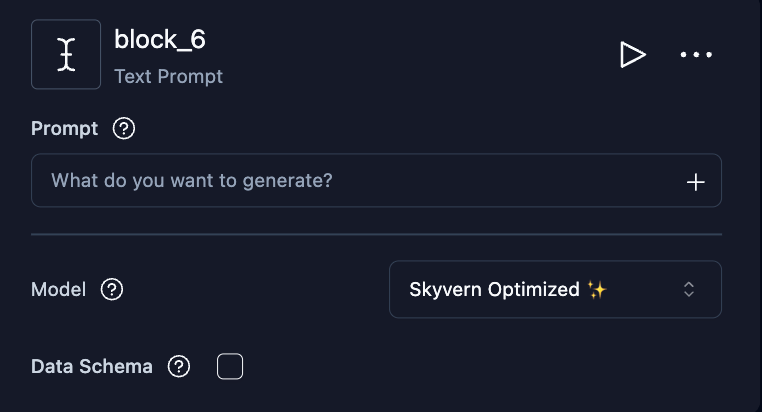
Send text to the LLM for processing without browser interaction. Useful for summarizing, transforming, or analyzing data between browser steps.
| Field | Type | Description |
| - | - | - |
| **Prompt** | text | The text prompt to send to the LLM |
| **Model** | selector | Which LLM model to use |
| **Data Schema** | JSON | Expected output structure. Enable the checkbox to reveal the editor. Click **Generate with AI** to auto-suggest a schema. |
 ### File Parser
Parse PDFs, CSVs, Excel files, images, DOCX files, and ZIP archives.
ZIP inputs are unzipped, and the block outputs the extracted file list as `file_name`, `file_path`, and `file_size`. Data Schema is ignored for ZIP inputs; loop over the file list and pass each `file_path` to another File Parser block to parse individual files.
Very large files can exceed the parser's time budget and fail the block. When a File Parser sits inside a loop, set **On block failure** (Advanced Settings) to *Skip to next iteration* so files that cannot be parsed are skipped and the rest of the list still runs.
| Field | Type | Description |
| - | - | - |
| **File URL** | text | URL or parameter reference to the file |
| **Data Schema** | JSON | Schema for the extracted output. Enable the checkbox to reveal the editor. |
| **Model** | selector | Which LLM model to use |
### File Parser
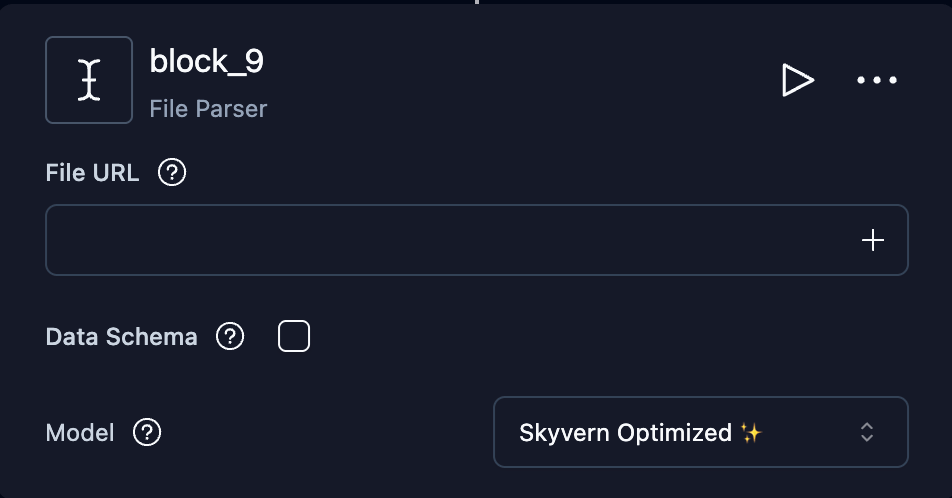
Parse PDFs, CSVs, Excel files, images, DOCX files, and ZIP archives.
ZIP inputs are unzipped, and the block outputs the extracted file list as `file_name`, `file_path`, and `file_size`. Data Schema is ignored for ZIP inputs; loop over the file list and pass each `file_path` to another File Parser block to parse individual files.
Very large files can exceed the parser's time budget and fail the block. When a File Parser sits inside a loop, set **On block failure** (Advanced Settings) to *Skip to next iteration* so files that cannot be parsed are skipped and the rest of the list still runs.
| Field | Type | Description |
| - | - | - |
| **File URL** | text | URL or parameter reference to the file |
| **Data Schema** | JSON | Schema for the extracted output. Enable the checkbox to reveal the editor. |
| **Model** | selector | Which LLM model to use |
 ***
## Control Flow
### Loop
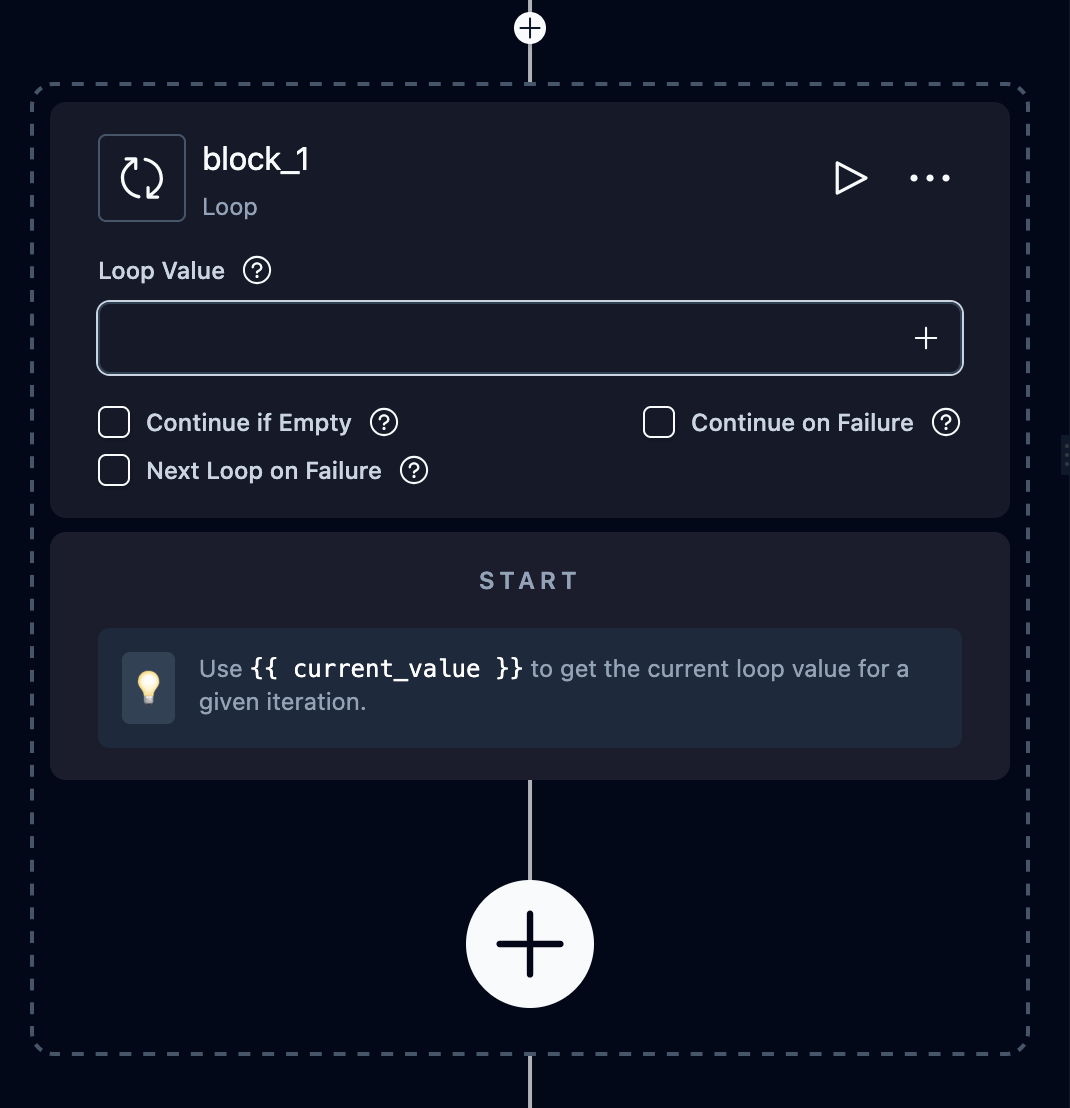
Repeat a sequence of blocks for each item in a list. Child blocks are placed inside the loop on the canvas.
| Field | Type | Description |
| - | - | - |
| **Loop Value** | text | The list to iterate over. Use a parameter reference (e.g., `{{ my_list }}`) or a natural language description (e.g., "Extract links of the top 5 posts") which triggers automatic extraction. |
| **Continue if Empty** | boolean | Mark the loop as complete if the list is empty |
Inside loop blocks, use these [reserved variables](/docs/cloud/building-agents/add-parameters#reserved-variables):
* `{{ current_value }}`: the current item
* `{{ current_index }}`: the iteration number (0-based)
***
## Control Flow
### Loop
Repeat a sequence of blocks for each item in a list. Child blocks are placed inside the loop on the canvas.
| Field | Type | Description |
| - | - | - |
| **Loop Value** | text | The list to iterate over. Use a parameter reference (e.g., `{{ my_list }}`) or a natural language description (e.g., "Extract links of the top 5 posts") which triggers automatic extraction. |
| **Continue if Empty** | boolean | Mark the loop as complete if the list is empty |
Inside loop blocks, use these [reserved variables](/docs/cloud/building-agents/add-parameters#reserved-variables):
* `{{ current_value }}`: the current item
* `{{ current_index }}`: the iteration number (0-based)
 Use Loop when the item list is already known before the loop starts, such as rows extracted from a table, files uploaded by a user, or URLs passed as agent parameters.
### While Loop
Repeat a sequence of blocks while a condition remains true. Child blocks are placed inside the loop on the canvas.
| Field | Type | Description |
| - | - | - |
| **Condition** | expression | Jinja2 template or natural-language prompt evaluated before each iteration |
Inside while-loop blocks, use these [reserved variables](/docs/cloud/building-agents/add-parameters#reserved-variables):
* `{{ current_index }}`: the iteration number (0-based)
Use While Loop for flows where the number of iterations is discovered during the run, such as pagination, polling, or retrying until a recoverable page state clears. For pagination, a common pattern is to extract a `has_next_page` boolean inside the loop, click Next, and let the next condition check decide whether to continue.
### Conditional
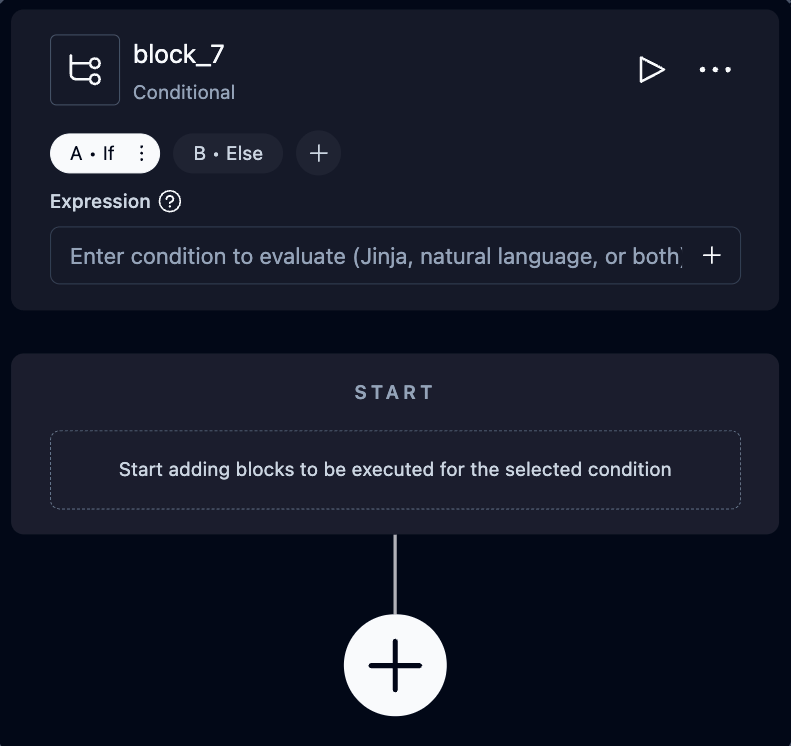
Branch the agent based on conditions. The UI shows branches as tabs (A, B, C, etc.). Each branch has an expression that determines when it executes. Expressions can be Jinja2 templates or natural language prompts.
| Field | Type | Description |
| - | - | - |
| **Branches** | tabs | One or more conditions. Each branch has an **Expression** field. Click **+** to add branches. |
| **Else branch** | auto | Automatically added. Executes when no other condition matches. |
**Example Jinja2 expression:**
```
{{ extraction_output.price > 100 }}
```
Use Loop when the item list is already known before the loop starts, such as rows extracted from a table, files uploaded by a user, or URLs passed as agent parameters.
### While Loop
Repeat a sequence of blocks while a condition remains true. Child blocks are placed inside the loop on the canvas.
| Field | Type | Description |
| - | - | - |
| **Condition** | expression | Jinja2 template or natural-language prompt evaluated before each iteration |
Inside while-loop blocks, use these [reserved variables](/docs/cloud/building-agents/add-parameters#reserved-variables):
* `{{ current_index }}`: the iteration number (0-based)
Use While Loop for flows where the number of iterations is discovered during the run, such as pagination, polling, or retrying until a recoverable page state clears. For pagination, a common pattern is to extract a `has_next_page` boolean inside the loop, click Next, and let the next condition check decide whether to continue.
### Conditional
Branch the agent based on conditions. The UI shows branches as tabs (A, B, C, etc.). Each branch has an expression that determines when it executes. Expressions can be Jinja2 templates or natural language prompts.
| Field | Type | Description |
| - | - | - |
| **Branches** | tabs | One or more conditions. Each branch has an **Expression** field. Click **+** to add branches. |
| **Else branch** | auto | Automatically added. Executes when no other condition matches. |
**Example Jinja2 expression:**
```
{{ extraction_output.price > 100 }}
```
 ### AI Validation
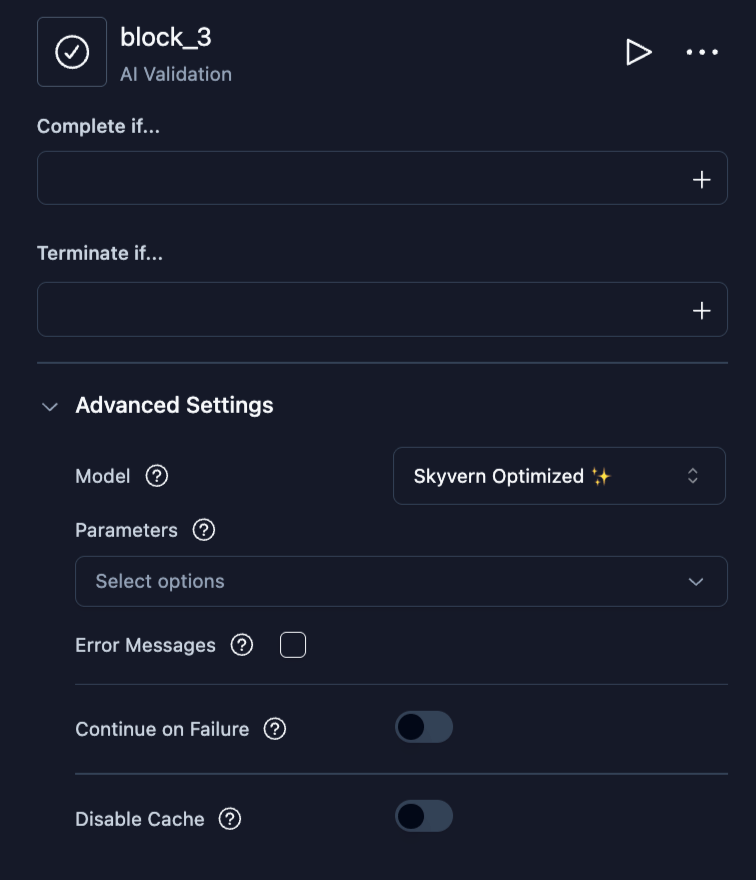
Assert conditions using AI and halt the agent on failure. Useful for checking that a previous block produced expected results before continuing.
| Field | Type | Description |
| - | - | - |
| **Complete if...** | text | Condition that means validation passed |
| **Terminate if...** | text | Condition that means validation failed |
Additional fields in **Advanced Settings:**
| Field | Type | Description |
| - | - | - |
| **Error Code Mapping** | JSON | Custom error codes for failure reasons |
| **Input Parameters** | select | Parameters to evaluate |
### AI Validation
Assert conditions using AI and halt the agent on failure. Useful for checking that a previous block produced expected results before continuing.
| Field | Type | Description |
| - | - | - |
| **Complete if...** | text | Condition that means validation passed |
| **Terminate if...** | text | Condition that means validation failed |
Additional fields in **Advanced Settings:**
| Field | Type | Description |
| - | - | - |
| **Error Code Mapping** | JSON | Custom error codes for failure reasons |
| **Input Parameters** | select | Parameters to evaluate |
 ### Code
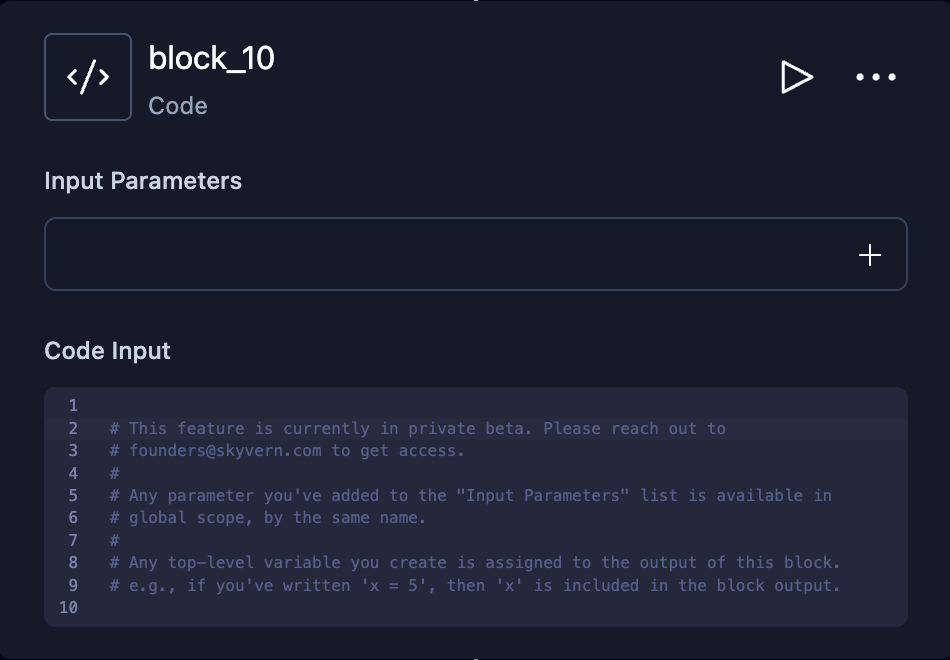
Execute custom Python code. Input parameters are available as global variables. Top-level variables in your code become the block's output.
| Field | Type | Description |
| - | - | - |
| **Code** | code editor | Python code to execute |
| **Input Parameters** | select | Parameters available as globals in the code |
Password credential input parameters expose plaintext fields such as
`login_credential.username` and `login_credential.password`. These values are
readable by Python code inside the runner; they are not opaque handles. Use them
only where needed, such as passing them directly to browser operations.
For one-time codes, use `await login_credential.otp()`, the supported pattern
across both execution paths. Do not rely on `.totp` or the top-level `otp(...)`
helper, whose behavior differs between paths. If no OTP source is configured,
`login_credential.otp()` fails with a clear one-time-code-unavailable error.
```python theme={null}
await page.fill("#username", login_credential.username)
await page.fill("#password", login_credential.password)
await page.fill("#otp", await login_credential.otp())
```
The sandbox does not reject code that prints, returns, or transforms credential
values. Before string values in a successful block output or a surfaced failure
reason are persisted, Skyvern masks exact registered-secret matches; registered
secrets of at least five characters are also masked inside larger strings. Derived
or transformed values may no longer match. Do not expose credentials through output
or errors. Opaque credential containment is tracked separately in SKY-11771.
### Code
Execute custom Python code. Input parameters are available as global variables. Top-level variables in your code become the block's output.
| Field | Type | Description |
| - | - | - |
| **Code** | code editor | Python code to execute |
| **Input Parameters** | select | Parameters available as globals in the code |
Password credential input parameters expose plaintext fields such as
`login_credential.username` and `login_credential.password`. These values are
readable by Python code inside the runner; they are not opaque handles. Use them
only where needed, such as passing them directly to browser operations.
For one-time codes, use `await login_credential.otp()`, the supported pattern
across both execution paths. Do not rely on `.totp` or the top-level `otp(...)`
helper, whose behavior differs between paths. If no OTP source is configured,
`login_credential.otp()` fails with a clear one-time-code-unavailable error.
```python theme={null}
await page.fill("#username", login_credential.username)
await page.fill("#password", login_credential.password)
await page.fill("#otp", await login_credential.otp())
```
The sandbox does not reject code that prints, returns, or transforms credential
values. Before string values in a successful block output or a surfaced failure
reason are persisted, Skyvern masks exact registered-secret matches; registered
secrets of at least five characters are also masked inside larger strings. Derived
or transformed values may no longer match. Do not expose credentials through output
or errors. Opaque credential containment is tracked separately in SKY-11771.
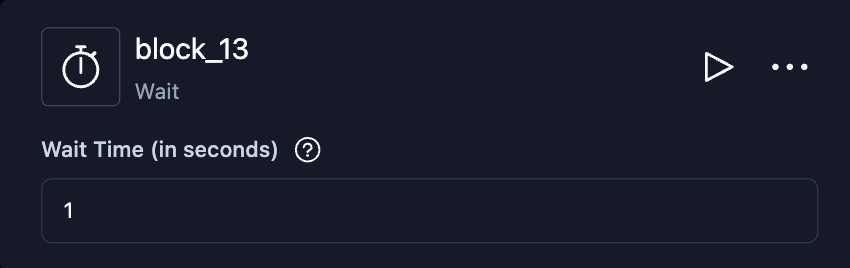
 ### Wait
Pause agent execution for a specified duration.
| Field | Type | Description |
| - | - | - |
| **Wait in Seconds** | number | Seconds to wait (0–300) |
### Wait
Pause agent execution for a specified duration.
| Field | Type | Description |
| - | - | - |
| **Wait in Seconds** | number | Seconds to wait (0–300) |
 ***
## Files
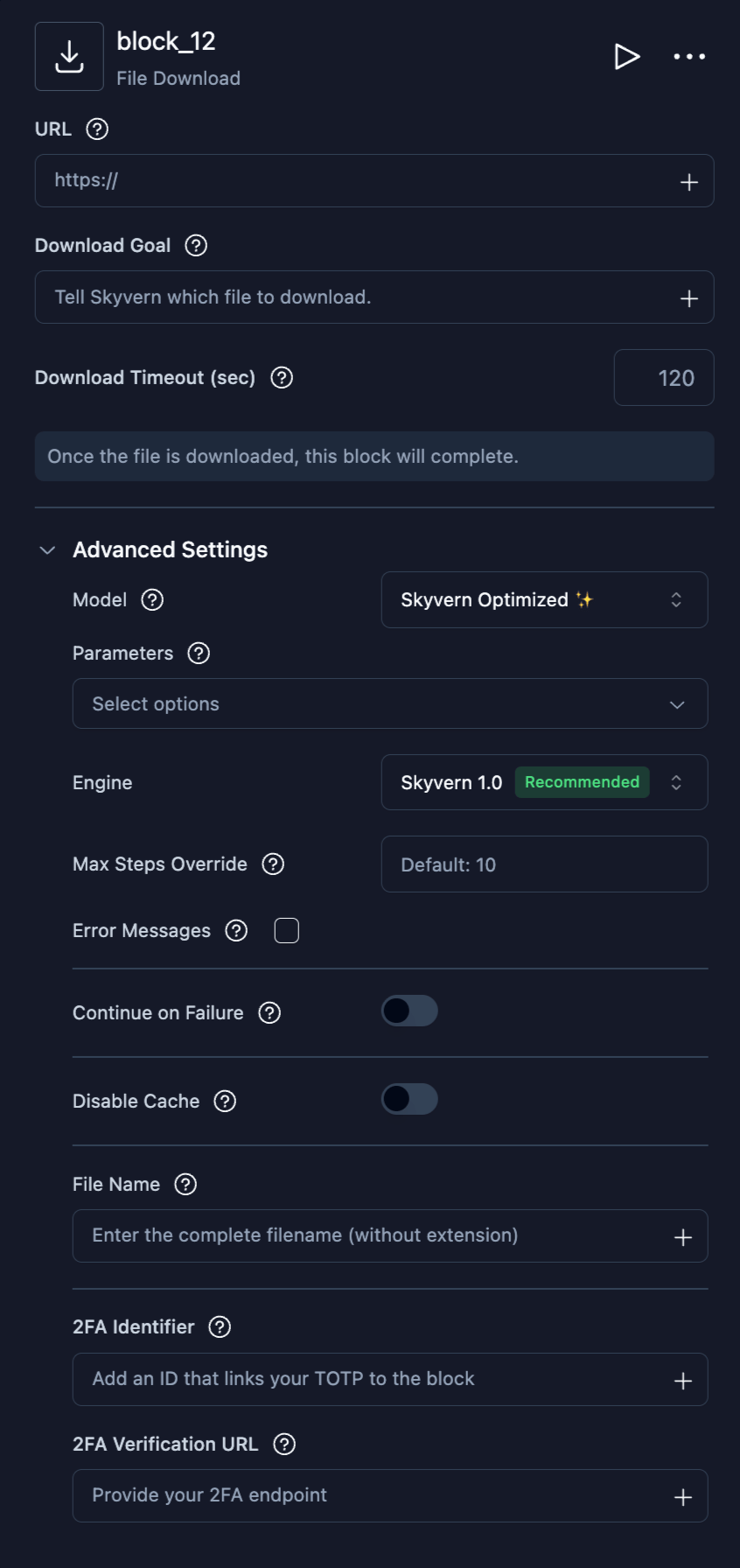
### File Download
Navigate the browser to download a file.
| Field | Type | Description |
| - | - | - |
| **URL** | text | Starting URL (optional) |
| **Download Goal** | text | Instructions for finding and downloading the file |
| **Download Timeout (sec)** | number | Seconds to wait for the download to complete |
Additional fields in **Advanced Settings:**
| Field | Type | Description |
| - | - | - |
| **File Name** | text | Custom filename for the download. Replaces the site's filename, keeping the extension. Reference `{{ original_filename }}` to keep the site's name instead — `{{ fund }}_{{ original_filename }}` prefixes it, which separates documents that several pages name identically. |
*Plus [common browser fields](#common-fields).*
***
## Files
### File Download
Navigate the browser to download a file.
| Field | Type | Description |
| - | - | - |
| **URL** | text | Starting URL (optional) |
| **Download Goal** | text | Instructions for finding and downloading the file |
| **Download Timeout (sec)** | number | Seconds to wait for the download to complete |
Additional fields in **Advanced Settings:**
| Field | Type | Description |
| - | - | - |
| **File Name** | text | Custom filename for the download. Replaces the site's filename, keeping the extension. Reference `{{ original_filename }}` to keep the site's name instead — `{{ fund }}_{{ original_filename }}` prefixes it, which separates documents that several pages name identically. |
*Plus [common browser fields](#common-fields).*
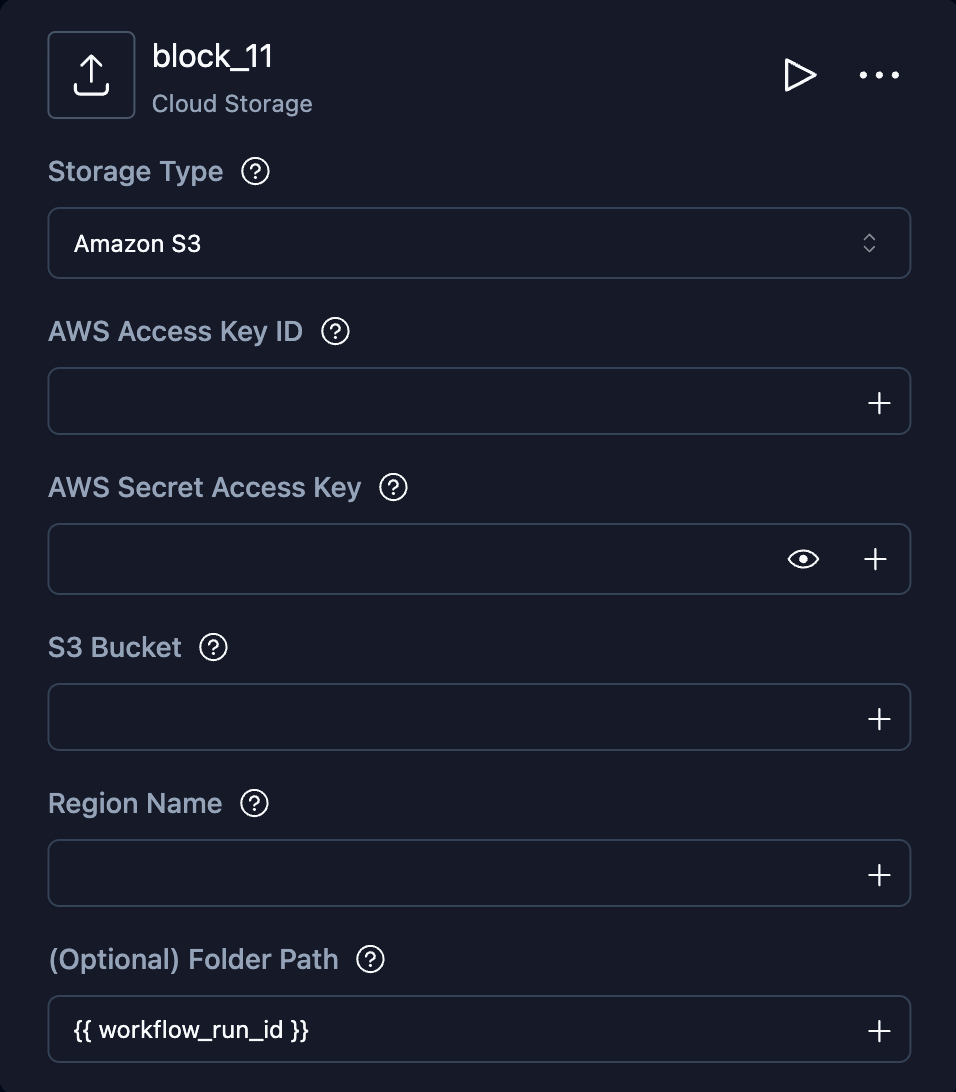
 ### Cloud Storage Upload
Upload downloaded files to S3 or Azure Blob Storage.
| Field | Type | Description |
| - | - | - |
| **Storage Type** | select | `Amazon S3` or `Azure Blob Storage` |
| **Folder Path** | text | Upload path/prefix (optional) |
| Field | Description |
| - | - |
| **S3 Bucket** | Bucket name |
| **AWS Access Key ID** | AWS credential |
| **AWS Secret Access Key** | AWS credential |
| **Region Name** | AWS region |
| Field | Description |
| - | - |
| **Storage Account Name** | Storage account name |
| **Storage Account Key** | Storage account key |
| **Blob Container Name** | Container name |
### Cloud Storage Upload
Upload downloaded files to S3 or Azure Blob Storage.
| Field | Type | Description |
| - | - | - |
| **Storage Type** | select | `Amazon S3` or `Azure Blob Storage` |
| **Folder Path** | text | Upload path/prefix (optional) |
| Field | Description |
| - | - |
| **S3 Bucket** | Bucket name |
| **AWS Access Key ID** | AWS credential |
| **AWS Secret Access Key** | AWS credential |
| **Region Name** | AWS region |
| Field | Description |
| - | - |
| **Storage Account Name** | Storage account name |
| **Storage Account Key** | Storage account key |
| **Blob Container Name** | Container name |
 ***
## Communication
### Send Email
Send an email notification, optionally with file attachments from previous blocks.
| Field | Type | Description |
| - | - | - |
| **Recipients** | text | Comma-separated email addresses |
| **Subject** | text | Email subject line. Supports [parameter references](/docs/cloud/building-agents/add-parameters#referencing-parameters-in-blocks) — add `{{workflow_run_id}}` to tag the subject with the run, e.g. `Your Run is Finished {{workflow_run_id}}`. |
| **Body** | text | Email body. Supports [parameter references](/docs/cloud/building-agents/add-parameters#referencing-parameters-in-blocks). |
| **Body format** | select | `Text` (default) sends the body exactly as written. `HTML` renders the body as a formatted email and adds a plain-text version for clients that cannot show HTML; `
***
## Communication
### Send Email
Send an email notification, optionally with file attachments from previous blocks.
| Field | Type | Description |
| - | - | - |
| **Recipients** | text | Comma-separated email addresses |
| **Subject** | text | Email subject line. Supports [parameter references](/docs/cloud/building-agents/add-parameters#referencing-parameters-in-blocks) — add `{{workflow_run_id}}` to tag the subject with the run, e.g. `Your Run is Finished {{workflow_run_id}}`. |
| **Body** | text | Email body. Supports [parameter references](/docs/cloud/building-agents/add-parameters#referencing-parameters-in-blocks). |
| **Body format** | select | `Text` (default) sends the body exactly as written. `HTML` renders the body as a formatted email and adds a plain-text version for clients that cannot show HTML; `